The Why Now Community Challenge: Veeam Data Platform 13.1. It’s time to vote!
News, guidelines and various community projects
Recently active
We’ve deployed Veeam Backup for Azure.There are polciies in the Azure environment that deny public access to resources. Everything needs to be connected via private endpoints.The Veeam resources are deployed in a seperate subscription and seperate VNET. This VNET is peered with a hub VNET. Alle the production VNET’s are also peered with the HUB VNET. Taking backups within the subscription (and VNET) works. By using the disk access resource created by Veeam.Taking backups of resources (VM’s) in other subscriptions (VNET’s) does not work.We asume the backup should be done with a disk access resource in the production VNET. But Veeam does not create these disk access resources in the production VNET.Or the existing Disk access resource (in the Veeam VNET) should have a private endpoint in all the production VNET’s? Does anyone have experience with a similar private deployment where public access is blocked? This is the production VM with disabled public and enabled private access requires
New workload additions to Veeam Data Cloud aaS offerings: Veeam Data Cloud for EntraID:Veeam is now adding EntraID to our aaS offering, as the next step from Veeam Data Platform. https://www.veeam.com/products/saas/microsoft-entra-id-backup-service.html?ad=menu-products-portfolio Veeam Data Cloud for SalesforceAdditionally we are also adding Salesforce to our aaS offering.https://www.veeam.com/products/saas/salesforce-backup-service.html VDC for EntraID and Salesforce User Guide:https://helpcenter.veeam.com/docs/vdc/userguide/welcome.html Demo’s to come soon.
How Does Veeam SureBackup Work? Veeam SureBackup leverages Virtual Lab technology to create an isolated environment where backups can be tested without impacting production workloads. This ensures backup integrity and recoverability by automatically booting virtual machines (VMs) from backups and performing a series of validation tests. Below are some core Components of SureBackup;Virtual Lab: A sandboxed environment where VMs are powered on for testing. Application Group: A set of dependent VMs required to validate specific applications or workloads. SureBackup Job: The automated process that boots the backup and runs integrity tests.Below is the “SureBackup” testing process. Once configured, SureBackup automatically executes a sequence of tests;Heartbeat Test: Ensures the VM is running by checking VMware Tools or Hyper-V integration services. Ping Test: Verifies network connectivity of the VM. Application Test: Custom scripts validate application-specific functionality.At the end of
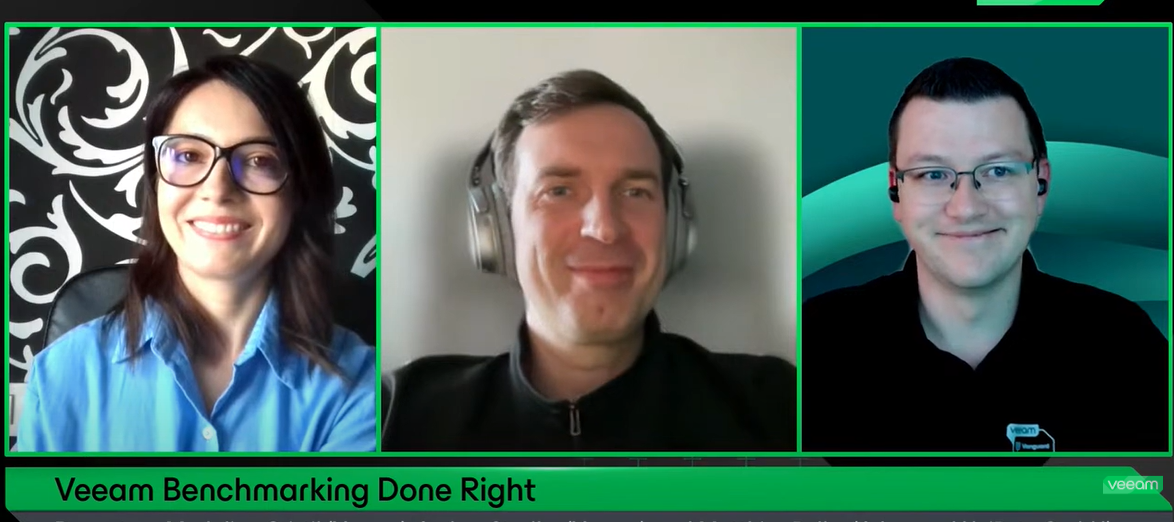
Have you watched the latest episode of the Veeam 100 Show ? If not you can rewatch it in here: In a #backup environment, repository performance is a critical factor that shouldn’t be overlooked. While high throughput is great for any backup administrator, there’s more to consider—especially when disaster strikes. Speed becomes essential to meet SLAs.In this technical deep dive, we’ll explore repository benchmarking best practices, answering key questions like:🔹 Is ReFS or XFS faster?🔹 iSCSI, FC, or SAS—what performs best?🔹 How do the number of HDDs or LUNs impact performance?This session will cover how to measure performance, the impact of disk parallelism, common pitfalls to avoid, and key lessons learned to optimize your backup storage in real-world scenarios.Finally, we’ll dive into how LVM can enhance a Linux-hardened repository, offering both flexibility and a final performance boost! Great to have @MatzeB and @Andrew.Zhelezko in the show!
When performing an Instant VM Recovery from VMware backup of RHEL VM to Nutanix AHV. The RHEL VM failed to boot up. Please follow the steps to install the VirtIO drivers into the RHEL VM. Not all Linux VMs require this process, in most cases this isn't necessary. Initiated IVMR from VMware Backup of RHEL VM to AHV.Instant VM Recovery Process2. Noticed the RHEL VM did not boot up see screen below.EFI Boot Failure ScreenI went into RHEL VM and followed the steps in this Nutanix KB article link below to add VirtIO drivers. I then rebooted the VM. I took another incremental backup. Caution, please make sure you have a good backup before proceeding.https://portal.nutanix.com/page/documents/kbs/details?targetId=kA032000000TTizCAG root@linux# dracut --add-drivers "virtio_scsi virtio_pci" -f -v /boot/initramfs-`uname -r`.img `uname -r`I reran the Instant VM Recovery with the latest incremental point and the VM booted. I then migrated VM over to production. It was completed successfully.Migra
New release of the Veeam Backup & Replication report. Many new features and improvements. The most prominent feature is the ability to report on the configuration of VMware Cloud Director backup jobs!https://github.com/AsBuiltReport/AsBuiltReport.Veeam.VBR ## [0.8.14] - 2025-01-30### Added- Add support for VMWare Cloud Director backup jobs- Add option to set the RoundUnits of the storage usages### Changed- Storage units in the report are set to 1 round by default- Increase AsBuiltReport.Core to v1.4.2### Fixed- Fix [#197](https://github.com/AsBuiltReport/AsBuiltReport.Veeam.VBR/issues/197)- Fix [#198](https://github.com/AsBuiltReport/AsBuiltReport.Veeam.VBR/issues/198) ¡Hasta la Próxima!
I’ve registered for VeeamOn 2025 and paid, trying to sign up for sessions but cannot figure it out. I can get a list of sessions but don’t see an option to register. Any assistance would be greatly appreciated.
We know that Veeam Backup & Replication can back up virtual machines. This is one of the main functions of Veeam and it has the most features and options that we can configure. Normally, when we are starting in the backup area and taking the first steps in data protection, one of the features that ends up going unnoticed is Application Aware.So, application Aware is a function that we can configure in our backup jobs. It allows us to consistently create backup. Consistent Backup But after all, what is consistent backup?By default Veeam Backup & Replication does not perform your backups consistently. This occurs because a default configured backup job does not process a server's application logs. We must remember that Veeam backs up servers through snapshots taken in the virtualization environment. As a result, Veeam ends up not communicating directly with the operating system of each of these virtual machines. This causes Veeam to consider and perform these backups inconsistent
I previously shared a blog post on the Linux ISO, and I’d like to share an insightful LinkedIn post by Anton Gostev. Veeam’s managed Hardened Repository ISO, introduced five months ago, has been incredibly successful and is evolving further with Veeam Backup & Replication V13. Here are the key updates:End of the Separate ISO: The Hardened Repository ISO will be integrated into the platform via the new “Just Enough OS” (JeOS) ISO, which will enable deployment of various backup roles, including the hardened repository. Centralized Updates: JeOS will manage and update the OS and Veeam components across all backup infrastructure roles, simplifying maintenance with automatic patching during scheduled windows. Easier Provisioning: V13 removes the need for complex passwords in setting up a hardened repository. It will use thumbprint verification and a temporary PIN code for re-pairing with backup servers. Host Management Web UI: A new web interface will provide an easy-to-use management t
Hi everyone,It's being a while since this idea came to my mind, I want to be notified differently that mail, more accurate and clean, my mailbox is always a mess, and I get too much mails to read them all, and start pending on critical alerts and other stuff.I put together a powershell script, a schedule task and a few things in Windows Server where my Veeam B&R V12 is installed, and I managed to receive in a telegram bot the windows events related to Veeam tasks.Very basic, Im not programming skilled or anything like that, do you want to help and contribute to improve and develop this idea?here I share what I've done and shared to anyone who wants to help, participate and use this workaround.I created a Telegram Bot with BotFather, here the link With normal steps. Then, we need to also get our ID, here the link for a very simple explanation save the ps1 file in a reachable place for you later, this is the code I used: Function Send-Telegram {Param([Parameter(Mandatory=$true)][Stri
I actually wanted to present AsBuiltReport.Veeam.VBR in a recap article on my blog, but in the last few days I had the opportunity to use the package again in another productive infrastructure and came to the decision that a complete article must be provided here! Because this product is simply awesome! The subtitle on AsBuiltReport "Document Your Datacenter With PowerShell" says it all, but see for yourself… A few months ago I reported on the Veeam.Diagrammer (also included in the AsBuiltReport.VBR) in my Recap #4, which was also provided by Jonathan Colon. In my opinion, Jonathan and his team have brought a masterpiece onto the market with the AsBuiltReport product.There is a large selection of modules, including for various products from Veeam, VMware, Microsoft, NetApp and others. Be sure to check out the other solutions too. The provision of the PowerShell module and how to use the tool are described in detail on the websites linked above and in GitHub. I will still show the step-
Hi,I am getting this error:Failed to prepare guest for hot backup. Error: VSSControl: -2147212522 Backup job failed. Discovery phase failed. Cannot start empty snapshot set. VSS error: VSS_E_SNAPSHOT_SET_IN_PROGRESS. Code:0x80042316.I’m aware this is a VSS related error and have been trying to work with this for a while. It happens on one of our servers every 3 or 4 days. It seems something is using the VSS service at the same time as the backup. The Veeam tech article about it so helpfully recommends ensuring your backup is not running at the same time as other backup or VSS related services. Yeah, got that!There aren’t, at least as far as I’m aware. The server does run shadow copies but this is at 7am and 12pm, backup is at 8pm. I’ve set up a scheduled task to stop the VSS service just before backups run but whatever is using it, restarts it.Any ideas about how to detect what process is using the VSS service?Thanks.
We observed our monthly back ups were deleted earlier than the 3 month retention set in the jobs . Short term retention is 35 restore pointsGFS is 3 months Repo is SOBR extents - Exagrid GFS Policy: Enabled, monthly backups kept for 3 months. Active full backup: Scheduled last monday of every month. Transform to synthetic full: Scheduled first sunday of every month. VSS settings: Application aware processing is enabled. We need to understand why the retention policy is not working as expected. Could you please provide a checklist of items to investigate, and explain whether the current settings would result in this behavior?
For those sharped eyed you may have noticed the recent release Veeam Backup for AWS and Azure.Summary and links to the release notes below: Veeam Backup for AWS v9Veeam Backup for AWS delivers AWS-native backup and disaster recovery that’s easy, cost-effective, and secure. Quickly recover from any cloud data loss scenario — whether due to outages, accidental deletion, malware, and more — in minutes.Amazon Redshift Serverless protection — manage your Redshift Serverless protection alongside other AWS workloads you’re protecting with Veeam. Benefit from flexible policy-based scheduling and experience seamless Redshift Serverless recovery in case of a disaster.AWS Organizations support — simplify data protection by integrating directly with AWS Organizations and create scopes to easily protect multiple accounts within a policy.New Web UI design — enjoy the updated design that offers a cleaner, more modern interface with improved accessibility for a better user experience.File-level recove
I migrate Redhat VM from vmware to Hyper-v using VBR and the redhat can’t boot and stuck in dracut. Anyone know how to fix this?
I am currently running Veeam Backup & Replication (VBR) version 12.3.0 and encountering the error "Permission denied (public key)" when trying to add a component server running Ubuntu 22 using SSH keys.Upon reviewing the logs on the Ubuntu 22 component server, I repeatedly see the following error:"Unable to negotiate with 10.0.0.8 port 64513: no matching key exchange method found. Their offer: diffie-hellman-group1-sha1 [preauth]."It appears the VBR backuo server is offering outdated or non-compliant algorithms, such as diffie-hellman-group1-sha1, hmac-sha1, and also requires the deprecated ssh-rsa for public key authentication.As a result, my SSH connection from the backup server (10.0.0.8) to the component server fails, and I see the "Permission denied (public key)" error in the VBR console.I prefer to use SSH keys for authentication, and the SSH configuration (sshd_config) on the component server includes the following settings:GSSAPI Key Exchange Algorithms: gss-group14-sha256-
Veeam newbie and first-time poster here (go easy on me!) … I am trying to attach an Ubuntu Linux 24.04 “minimal” server to a VBR13 test environment. This server is only intended to provide backup storage for VBR. While attempting to add the host as a managed server, I get the following error: “Setting backup server certificate Error: Remote failed with message: /opt/veeam/deployment/veeamdeploymentsvc: boost::filesystem::copy_file: Invalid cross-device link: "/tmp/VeeamUpload_20250328T170010Z/ServerCertificate", "/etc/veeam/certs/cert.p12"--tr:Failed to install server certificate” /tmp and / (where /opt and /etc reside) are separate logical volumes. Any ideas on how to troubleshoot this? VBR13 imported OVA (VMware), Console (Windows Server 2019), and Ubuntu server all on local LAN. Managed credentials for Ubuntu added in VBR Console seem to work. Thanks in advance!
Hello,I keep receiving the following error:07.09.2023 10:22:46 :: Error: The network is at full capacityAsynchronous request operation has failed. [requestsize = 4202496] [offset = 28447543296]Failed to open storage for read access. Storage: [SRV0.0b687652-e276-468d-ae11-5752ee60952cD2023-09-06T073613_7D94.vbk].Failed to restore file from local backup. VFS link: [summary.xml].Target file: [MemFs://frontend::CDataTransferCommandSet::RestoreText_{24f4ff8c-0dfa-4529-af7b-0d2e742d953b}]. CHMOD mask: [0].Agent failed to process method {DataTransfer.RestoreText}.I create a backup copy from the backup as a secondary target and want to store it on a NAS (Synology SMB3 share).I have a second hardware server that I can back up to a second Synology with completely the same settings in an SMB3 share without any problem. The only difference is that NAS1 uses ext4 and NAS2 uses btrfs.What can I change to make things work again?
Hello Veeam Community,I am reaching out with a concern regarding our Veeam version 12.1, as we are consistently receiving malware detection alerts on our VMs. The notifications specifically indicate:Potential malware activity detected: Too many files have had their names changed since the last backup; ensure they were not encrypted by ransomware. Potential malware activity detected: *.ttt (TeslaCrypt 3.0): 40 instances. Potential malware activity detected: *..txt: 2 instances.I have conducted thorough scans on both the VM and the backup, and no malicious activity was found. Could you please provide insights or guidance on whether this is a matter of concern, and if there are additional steps I should take to address this issue?Your assistance in resolving this matter is highly appreciated. Thank you in advance for your support.
Sorry for the simple question, that’s no doubt been asked and answered before…Today we have VCC for our off-site cloud backups, and the immutability is provided by the “Insider protection” which in short means we pay for the privilege but we do not need to worry about disk space consumption over and above our actual backups.For lower cost we’re considering object storage, probably Wasabi, and we’ll want immutability there also. The thing I need to be sure of, is the disk space required. I am not sure if the copy jobs would have a specific backup mode, but with incremental, if they’re immutable, you’re previously overwritten backups are kept for longer? Disk space could be double what you have before?Thanks in advance for any insight on real world disk space requirements. Today, 27TB approx. is our VCC repo and as I say, the immutable data is retained at a fixed additional cost so we don’t know the size of that.
This week Rickatron and @Madi.Cristil are back in normal circumstances after some trips, but getting ready for VeeamON! We have a solid block of content, special department news and the Who’s New report from @safiya. Watch this week’s episode here: Featured Contentvia @Scott via @Dynamic via @SSimpson and last week’s update: KB4696: Release Information for Veeam Backup & Replication 12.3Vanguard Blog Spotlight - Muhamed Adelvia @mhmdadl Veeam B&R best practices + New Kasten Hands on Labs! - Archtonic Special Department Newsvia @Chris.Childerhose @alrasheed and @NicBackup via @Madi.CristilWho’s NewWe are happy to welcome +102 new members to the Veeam Community. The coolest usernames are @loco-jabba, @yummylee, @thatfield, @BlazeSigns, @OmegaBox and @thenomadit! Alfred’s pick is @howdoyoudo - You have a badge coming your way! Have a great weekend everyone!
We would like to upgrade the Veeam 12.3.1 but we could not find the Veeam one 12.3.1 Version .Could you please suggest us, If we upgrade VBR 12.3.1 then Veeam one will allow to monitor the jobs ?
I was installing the VBR Console on my PC, and when connecting to the backup server, there was a version mismatch that the Veeam User Guide (HelpCenter) spelt out correctly. Here is the guide on how to “Install Veeam Backup Console on a Jump Server for Secure Access”, discussing all the prerequisites, installation steps, limitations and workaround.I searched through the community but could not find any post discussing the upgrade process for the latest version of VBR. Therefore, I will be discussing these steps below.Two months ago, December 3, 2024 to be precise. Veeam launched Veeam Data Platform v12.3, introducing powerful enhancements that significantly strengthen data resilience. This release introduces advanced capabilities that strengthen enterprise data resilience and security, as discussed in this blog post. Therefore, I will not be discussing these as there are tons of articles in the community discussing the features/capabilities as referenced below. https://community.veeam
Hello everyone! I have a SQL environment where the error below started appearing after migrating between repositories: With this error it won't let me:Delete the jobs; Enable the job; Finalize the job configuration summary;Nothing about that specific job has worked again!! Background: Previously we needed to move the backup file and then map them to their target repository.Today we have the “Move backup” option: After clicking move, it tells me that it needs to move all the cluster backups:In addition to enabling Move via console, we can also choose which Job it will be linked to:That's awesome!Now let's get back to troubleshooting! I executed the sequence below to solve the problem:Clone the current job; Move the backups to the repository and cloned job; Run full backup; Continue transaction log;After that my job is working perfectly! Remembering that I am using Windows Agents within a protection group as good practices for Always ON protection
Back at the beginning of March was the Veeam Vanguard 2025 class announcement which I was part of for the 8th year in a row. I wrote a blog about this which can be found at the URL below. If you want more information on the program check out the V100 section on the community or feel free to reach out.Veeam Vanguard 2025 – Year 8!
Already have an account? Login
Enter your E-mail address. We'll send you an e-mail with instructions to reset your password.