Join discussions around Veeam community projects, Veeam events, industry and technology news
Recently active
Some of Hyper-V VM have Veeam recovery Checkpoint. The backup job is running successfull every day but why seem veeam not delete this checkpoint? I tried to remove this but there no option to delete this checkpoint.
The veeam backup version is patched to 13.0.1.2067 after that few proxy servers are not getting updated. Failed to upgrade host components. Error: 'The process cannot access the file because it is being used by another process. Failed to invoke rpc command (The process cannot access the file because it is being used by another process.) (Failed to invoke rpc command)' (0:00:10)
I’ve installed Veeam Backup & Recovery 12 on a Windows 11 device (it used to have Veeam installed and was working fine but accidentally got removed, we’re not sure what version).It was used to backup a Esxi Linux VMI’ve setup a computer and a VM backup job but neither complete with a message ‘failed to perform backup policy operation.The only messages I see in the login relates to Disposed or retry are not supported.Some fixes relate to restating the veeam backup service...but i see no backup service and even when i run the MSI, there are no errors after installing as account prompted by default.Any suggestions?Thanks
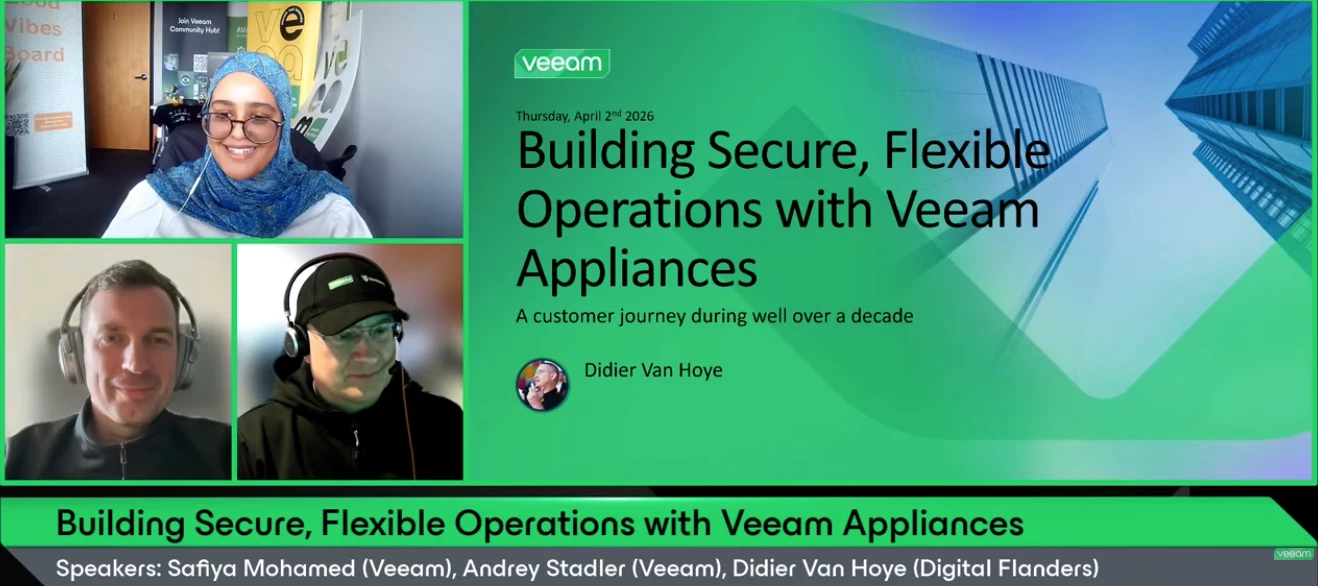
Hello Veeam Community!We just concluded our April V100 Show, Building Secure, Flexible Operations with Veeam Appliances. Thank you to Veeam Vanguard, Didier @WorkingHardInIT for joining and sharing your journey and expertise, and @Andrey Stadler for co-hosting and bringing the commentary. 😄If you missed the show or want to rewatch, catch it below ⬇Overview:Building secure and flexible backup operations is an evolutionary process shaped by shifting threats and operational demands. This session walks through more than a decade of progression—from early, basic designs to fully isolated and hardened environments. As architectures mature and automation becomes standard, teams gain the time and headspace to focus on resilience, monitoring, and modern threat‑detection capabilities. If you're planning the next stage of your backup strategy, this session offers a grounded look at how that evolution unfolds. If you have any questions/feedback about the session, please be sure to leave a comme
The copy backup jobs (secondary target) for two of physical server backup jobs are generating two emails per backup instead of one. For each backup copy job run, two “Success” emails within minutes:Example:11:05 PM – Success 11:07 PM – Success Subjects are identical, EnvironmentProduct: Veeam Backup & Replication 13.0.1.2067 Workload: Veeam Agent for Windows (Physical Servers) Jobs impacted: Physical Servers 7PM Daily Copy to Archive Physical Servers 7PM Daily Copy to Immutable Physical Servers 10PM Daily Copy to Archive Physical Servers 10PM Daily Copy to Immutable Notification Settings Review1. Protection Group (Physical Servers Group 1)Send daily agent status report: Disabled2. Primary Agent Backup JobsJob-level email notifications: Disabled Setting: Uses global notification settings only3. Backup Copy Jobs (Secondary Target)Job-level email notifications: Disabled Confirmed in job logs: <EmailNotification>False</EmailNotification><UseCustomEmailNotif
Hi everyone, We plan to integrate Veeam Backup and Replication with our SIEM as part of our security hardening. I would like guidance on the best way to forward Veeam logs and events to a SIEM platform. Looking for advice on supported methods, required settings, and any best practices or limitations.
What could be the issue? Failed to send certificate, but certificate is required for remote agent management Error:
Hi Community,Has anyone successfully reverted Veeam ONE from version 13 to version 12? Are there recommended steps or considerations to avoid issues during the downgrade? Any official guidance or lessons learned would be greatly appreciated.
Здравствуйте, я установил новую версию системы резервного копирования на чистую операционную систему. Внутри всё работает нормально, но после перезагрузки в системном журнале Windows появляются ошибки.DCOM не смог установить связь с компьютером 10.10.20.118, используя ни один из настроенных протоколов; запрос был отправлен PID 2bd0 (C:\Program Files\Veeam\Backup and Replication\Backup\Veeam.Backup.Manager.exe) при активации CLSID {8BC3F05E-D86B-11D0-A075-00C04FB68820}. svc.V eeamBackup.log Ошибка (1) в Veeam.Backup.Core.Common.CHost.Get(Guid hostId, IDbMethodsInterceptorBase db) [03.04.2026 16:03:28.224] <37> Ошибка (1) в Veeam.Backup.Core.Common.CHost.Get(Guid hostId) [03.04.2026 16:03:28.224] <37> Ошибка (1) в Veeam.Backup.ResourceScanner.CGateRepoConnectResource.CreateByResourceOptions(CResourceScanInfo info, IDBManager dbManager) [03.04.2026 16:03:28.224] <37> Ошибка (1) в Veeam.Backup.ResourceScanner.SResourceFactory.CreateResource(CResourceScanInfo resourceSca
Is it possible to disabled Web UI, without disabling Host Management UI? Our goal was to disable web ui because we’re not able to install a proper custom cert on it. So it would present an issue during our annual pen test
Hi All, I install veeam 13 appliance, and connect to it with Veeam Backup & Replication Console installled on windows, I can find backup job log on veeam 13 appliance (var/log/), but if my backup job created from windows console, I can’t find log , I check %ProgramData%\Veeam\Backup , but not find backup job log by job name, Backup jobs aren't synchronized between the web interface and the console, right?So where can I find the log files for backup jobs generated by the console?Thanks.
Hey! My company currently has a Veeam Premium license which includes all of the core Veeam products. I really want to certify to showcase my skills and improve them too, but they are refusing the pay 2.5k for the course material + exam.I can see there is a Veeam University Pro for customers and partners but to be perfectly honest it seems all cluttered the some of the links are dead and return to dead ends.What options do I have and is there a cheaper way to certify?Cheers,LGH.
Hi community,I’m running into an issue with Custom Roles in Veeam Backup & Replication v13, and I’m hoping someone can point me in the right direction.I’m trying to create a restricted Backup Admin who should only see and manage specific backup jobs and specific repositories. However, I’m experiencing the following behavior:If I configure the custom role with limited permissions (selected jobs and/or selected repositories), → the user does not see any jobs at all. If I grant broader permissions (effectively “Full Access”), → the jobs appear, but then the user sees all jobs, not just the intended subset.I’ve tried several configurations, but the result is always the same:Either zero jobs are visible, or all jobs become visible when access is unrestricted.My goal is to allow a delegated admin to operate only a defined set of backup jobs and use only the repositories assigned to them — nothing else.Has anyone successfully configured granular visibility in v13?Any examples of working c
Is there a way to get better reporting for usage on hardened repositories? I recently had a Wasabi issue after upgrading to 12 and our console was showing 29.7tb’s of usage which is right under our 30tb bucket. Actual bucket size was 128tb which lead to additional billing.
If we use forward forever incremental backup on the tape, can we disable the full backup schedule?
we are trying to configure the agent backup of the backup server VEEAM but getting below errorFailed Unable to install backup agent: failed to connect to VEEAM Error: The user name or password is incorrect. Failed to connect to share '\\10.1.0.2.1\ADMIN$'. Is this configuration not recommended ?
Hello, I currently have an R740 with a NetApp E Series directly attached and am looking to use it as a hardened repo (rocky os). I am concerned that the 740 is near end of life, so wondering how difficult and what would the steps be if I was to replace the server with a new one in a year or two down the line?
HiI am planning to deploy Veeam Backup & Replication v13 using the Veeam Infrastructure Appliance with a Hardened Repository configuration.My question is about capacity expansion during production operation.If the backup storage becomes insufficient after the appliance has been deployed and is already in use,is it a supported operation to add an additional virtual disk to the appliance VM and expand the backup storage capacity (for example, extending the repository storage)?Specifically, I would like to understand:Whether adding a new virtual disk to the Veeam Infrastructure Appliance VM is officially supportedWhether this applies to a Hardened Repository configurationIf there are any restrictions, best practices, or unsupported scenarios we should be aware ofThe goal is to increase backup capacity without redeploying the appliance.If there is any official documentation or guidance from Veeam regarding this scenario, I would appreciate it.Thank you in advance for your help.
Hi all, Sorry if this has been covered, I couldn’t find it in the search. I have a HyperV host and I want to use VAW to backup the D drive containing the HyperV VM files. I have 2 USB disks I plan to rotate. I’ve read the guides and I have registered both the USB disks as storage devices. Last night it failed and I am suspecting it was due to the drive letter not being assigned when it got reconnected. In theory, am I OK to simply leave one disk plugged in and VAW will do the backup to that disk, if there is a drive letter assigned? Thanks.
Hi, I tried using Veeam Agent for Windows on my 2025 Server to backup a D drive. The backup destination was a couple of USB disks which I registered with VAW and I wanted to use the disks on rotation. That backup job failed with some problem about VAW insisting on using the same USB disk each time, plus my colleague convinced me to use the community version of Veeam Backup & Replication, so I started again. I’ve installed VBR, created a repository using one of the USB disks and did my first backup. All ok. Then I re-ran the job 5 mins later with the same USB disk still plugged in, so no disk change/no rotation, as I wanted to see if it created the VIB file. Nope! I got this: Processing New Backup_Job_1 Error: Update of the storage [E:\Backups\SRV02\New SRV02.c5c62b19-d1f0-4e8e-864d-3da8e38f3D2026-03-30T222815_7C96.vib] is not supported. Storage version: [0]. Failed to open storage for read/write access. Storage: [E:\Backups\SRV02\New SRV02.c5c62b19-d1f0-4e8e-864d-3da8e38f3D20
Every time I try to open a case in my Veeam portal, I get a permission error that I can’t:Which is odd as I am the admin for our license, and I can’t raise a ticket to say I can’t raise a ticket as it always goes back to this error. Can’t use phone support as you need a case number from raising a case. Could someone from Veeam help sort this out? RegadsDamien
Hi Team,I am getting this warning during a Veeam Agent backup: Warning: Unable to truncate SQL server transaction logs. Details: Failed to truncate SQL server transaction logs for instance XYZ. The backup completes successfully and application aware processing is enabled, but the SQL logs are not truncating. Any idea what could cause this or what I should check next? Thanks.
Hello everyone,I am currently configuring Veeam Backup for Microsoft 365 (VBM365) for our company, and I have a question about the disk cache to optimise performance.According to the documentation, the standard installation does not allow the cache to be stored on another drive on the VBM365 server (it is located by default in the local PostgreSQL database on the C drive or on a dedicated PostgreSQL server). However, I would like to avoid deploying an additional PostgreSQL server for simplicity and maintenance reasons. My question:Does anybody use a dedicated cache disk on the VBM365 server? If so, how did you configure it (custom path, script, etc.)? Have you encountered any limitations or performance issues? I would appreciate your feedback or alternative solutions (without external PostgreSQL).Thank you in advance for your advice!Morgan
We are currently using Amazon S3 Standard as the Capacity Tier and S3 Glacier as the Archive Tier for offsite backups in the AWS region.We are now looking to implement Capacity Tier replication to another AWS region.Backup configuration:Daily incremental backups and weekly synthetic full backups Backups are retained in the Capacity Tier for 15 days After 15 days, weekly backups are moved to the Archive Tier (Glacier)Please advise on the best approach to configure replication of backup data between AWS regions for capacity tier
Hi Team, We are updating VBR from version 12.3.2.4165 to 12.3.2.4465 and we VAL and RMAN which are in version 6.3.2.1207 and 12.3.1.1139 My Question is after the VBR upgrade will RMAN and Linux agent backup works with existing version or do we need to update agents as well immediately
Already have an account? Login
Enter your E-mail address. We'll send you an e-mail with instructions to reset your password.