Question

How do you complete a Veeam Software Appliance [VSA] Config backup retore into a Different VSA.


Jason Orchard-ingram micro
Forum|alt.badge.img+2

Question : 
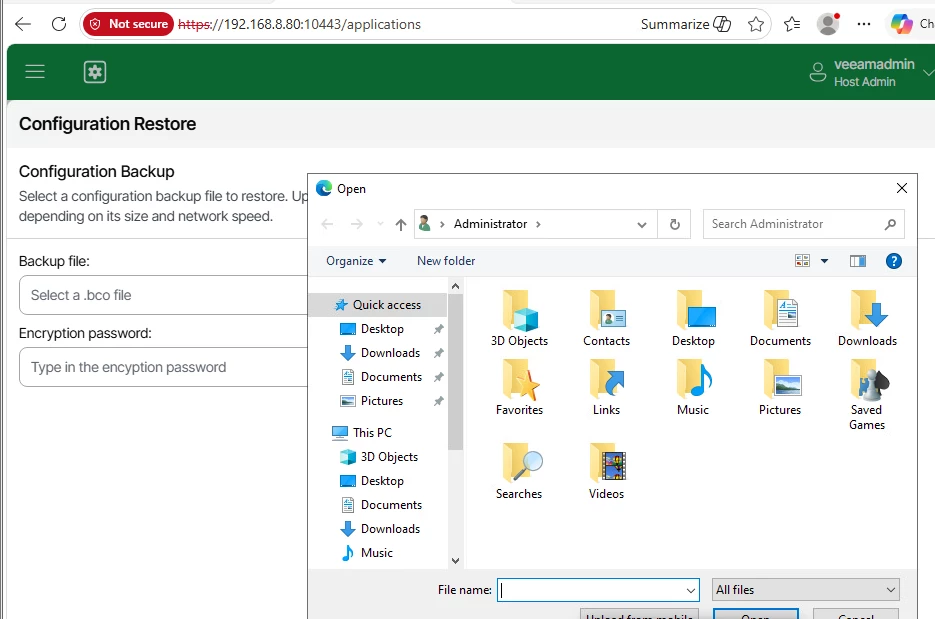
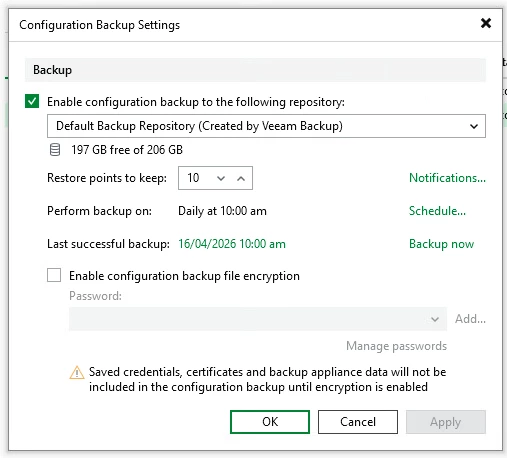
What is the process to retrieving configuration backup from the Veeam Software Appliance [VSA] default repository and restoring them to a different VSA?
 

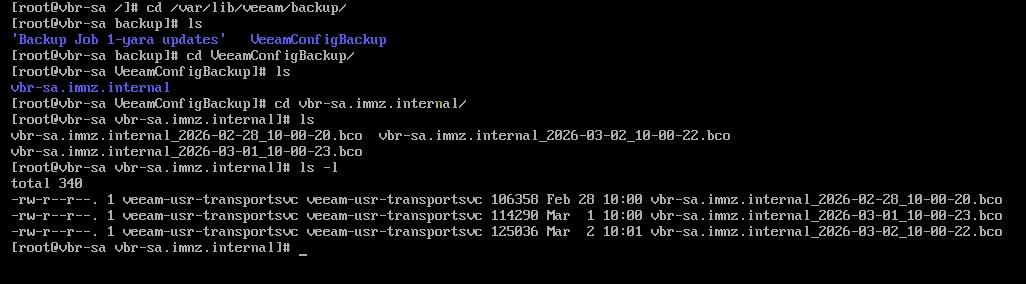
for context looking at the bash shell of the VSA. 
the configuration backup files are stored inside following volume.

/var/lib/backup/VeeamConfigBackup/<servername>/

Example: 


11 comments

coolsport00
Forum|alt.badge.img+22
  • Veeam Legend
  • April 15, 2026

Here’s what the User Guide states when using Linux, but it doesn’t explicitly state VSA

https://helpcenter.veeam.com/docs/vbr/userguide/vbr_config_restore_linux.html?ver=13


coolsport00
Forum|alt.badge.img+22
  • Veeam Legend
  • April 15, 2026

Looks like you can use the Host Mgmt UI or an answer file. Hmm… 🤔


Chris.Childerhose
Forum|alt.badge.img+21

To me place them elsewhere like recommended solves the issue. 😜


Jason Orchard-ingram micro
Forum|alt.badge.img+2

Here’s what the User Guide states when using Linux, but it doesn’t explicitly state VSA

https://helpcenter.veeam.com/docs/vbr/userguide/vbr_config_restore_linux.html?ver=13

Okay i can see how this process work if you have the files already
following 

Restoring Configuration Database using Veeam Host Management - Veeam Backup & Replication User Guide

This would give access to the local host where you can upload a BCO file. 


Jason Orchard-ingram micro
Forum|alt.badge.img+2

Looks like you can use the Host Mgmt UI or an answer file. Hmm… 🤔

the question which i need to answer now is
How can we export the BCO form the VSA repo to the local host in order to allow uploads. 


Chris.Childerhose
Forum|alt.badge.img+21

Looks like you can use the Host Mgmt UI or an answer file. Hmm… 🤔

the question which i need to answer now is
How can we export the BCO form the VSA repo to the local host in order to allow uploads. 

I would say configure them to a totally separate repo is the easiest way and a best practice.  


Jason Orchard-ingram micro
Forum|alt.badge.img+2

Looks like you can use the Host Mgmt UI or an answer file. Hmm… 🤔

the question which i need to answer now is
How can we export the BCO form the VSA repo to the local host in order to allow uploads. 

I would say configure them to a totally separate repo is the easiest way and a best practice.  

while I agree this is best practice, that isn’t always followed, and people use default setting. 


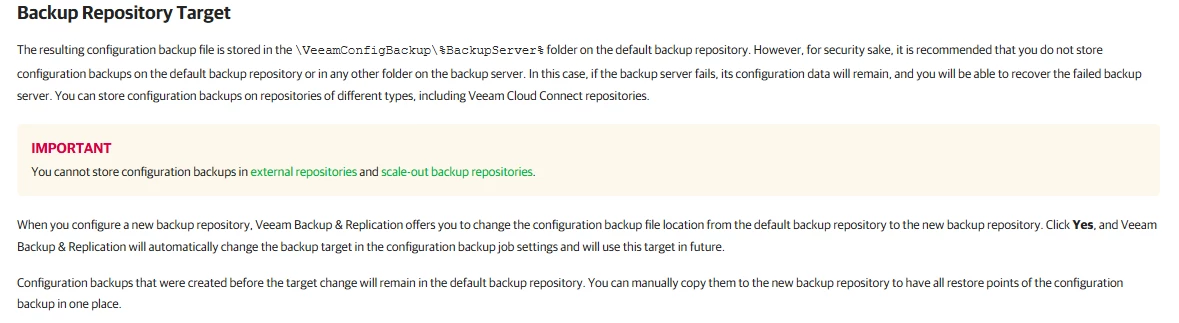
The user guide even says not to use default repo. 


coolsport00
Forum|alt.badge.img+22
  • Veeam Legend
  • April 16, 2026

And I agree with the Guide of not using the default Repo.

May have to reach out to Support here Jason.


Chris.Childerhose
Forum|alt.badge.img+21
  • Veeam Legend, Veeam Vanguard
  • April 16, 2026

So even the guide says not to use it which is great.   As Shane suggested support route now.


kciolek
Forum|alt.badge.img+4
  • Influencer
  • April 16, 2026

wouldn’t this fall under the migration path? I did it from windows to linux and might be able to do the same linux to linux but haven’t tried


Let us know what you find out.


marco_s
Forum|alt.badge.img+9
  • Veeam Vanguard
  • April 16, 2026

Hi ​@Jason Orchard-ingram micro,

you can enable ssh and connect to the VSA with an Host Admin user using for example an scp tool.