Join discussions around Veeam community projects, Veeam events, industry and technology news
Recently active
Not really a Question, just sharing and curious if anyone else has thoughts on it. In my experience Veeam’s Support asks for incredibly excessive data, asking for the same logs over and over, asking for logs that don’t seem at all related, and asking for copies of databases on VBR servers.Some other people have shared privacy concerns with me about the behavior. Personally, I’m not fond of it, but accept it as a cost of using Veeam. From my perspective none of this should be necessary if the software itself was:A, less buggy to begin with.B, had actual useful error messages so I could tell what the problem was without involving support.C, had actual useful error messages so that Veeam’s support could tell what was wrong.Noting B and C are different because I can accept that Veeam’s support may know more than me about what an error message means. Though if B and C are different, then it’s a good time for me to mention that Veeam needs to publish their “internal documentation” publicly.
Good day Community -With Linux being more prevalant in environments, including Veeam supporting Linux within its deployment components, it is a bit cumbersome to manage all these devices individually. So my question for the Community today is → what centralized management tool(s) do you use to manage your Linux server footprint?..to update, push scripts, monitor, etc? I’m needing to update & even push a script (change) out to our Linux servers and don’t want to touch all of them individually. Any info you can provide is greatly appreciated.I did a little bit of searching before posting and saw a tool called Landscape which looks promising, but don’t know anything about it & open to hear anyone’s experience with it...or again..any tool. Thanks in advance!
Hello, I am looking for a method or script to run backup jobs on a custom schedule.The built-in scheduler seems very basic, and as a result, I have to run all jobs as incremental and then manually trigger a full every two weeks.I have searched the veeam scripts and forum, could not find an solution.so does anyone have a script or technique to run backups on a custom schedule?perhaps using windows task scheduler, powershell, python or any such way?Thanks much,David
Hello,For those who missed the information, there is a new snapshot mode for VSAN in vsphere 8. It looks promising for speed specially on large scale infra with vsan, it will obvisously reduce the time needed for snapshot processing on the backup jobs.Scalable, High-Performance Native Snapshots in the vSAN Express Storage Architecture | VMwareCan’t wait to test it in production to compare real number from the field!If anyone already tested it, i will curious to have a feedback.
I want one Tape full backup per month, do I need to configure the Media Pool for Incremental Backups?
Hi all.Trying to run a Backup Copy on a Dell T110-II with WinServer 2012 and Veeam Bkp&Rst v. 12 to a RD1000 cartridge drive (Sata).The drive works perfectly copying small and huge files from windows explorer, but doesn’t work at all with CopyBackup.After starting the job it creates a 4-5kb file on the corrected created folder and then hungs with the following message: 27/10/2023 02.14.11 :: Error: The request could not be performed because of an I/O device error.Asynchronous request operation has failed. [requestsize = 524288] [offset = 4096]The request could not be performed because of an I/O device error.Asynchronous request operation has failed. [requestsize = 524288] [offset = 528384]Failed to open storage for read/write access. Storage: [H:\Backups\Backup Copy Job 1\Backup Job 1\W22-APPS.vm-1005D2023-10-27T021229_94BF.vbk]. Any idea? (RD1000 drivers and tools are installed)Thank you!
Hi Team,Do we have any mechanism in VBR to transport all logs to external Syslog Servers? I do understand we save most of the logs on Installer folder but my requirement is to automatically transport all the logs to external syslog server.Regards,Sunny
Hi everyone, greetings…I am not sure the math behind for this settings I seen the default is Forwards Incrementals with Weekly FullsSo mean Mon-Sat incremental x6, Sun full x1Daily 30 which keeps 26 incremental, 4 fullMonthly 3 which keeps 3 fullYearly 3 which keeps 3 full For full I think it’s related to ReFS, but not sure how it become 9.92TBFor incremental backup I calculated as 30TB *5% *30days *50% = 22.5TB (somewhat different)Weekly 0 because GFS set 0Monthly 3 copies = (30 + 30.25 + 30.5) * 50% reduction = 45.375 TB if w/o ReFS (but I tested it is 39.24TB if w/o ReFS in sizer) - I tried it by index 30+30.24+30.48 *50% = 45.36TB also different Btw, what are the ReFS ~50% compression comes from? any docs for that? And lastly for yearly (30+33+36.3)*50% reduction = 49.65TB w/o ReFS (very close to calculator this time but not exactly) And why the ReFS does not significant in yearly ?Turning on /off does not affect the yearly sizing much If ReFS turned off
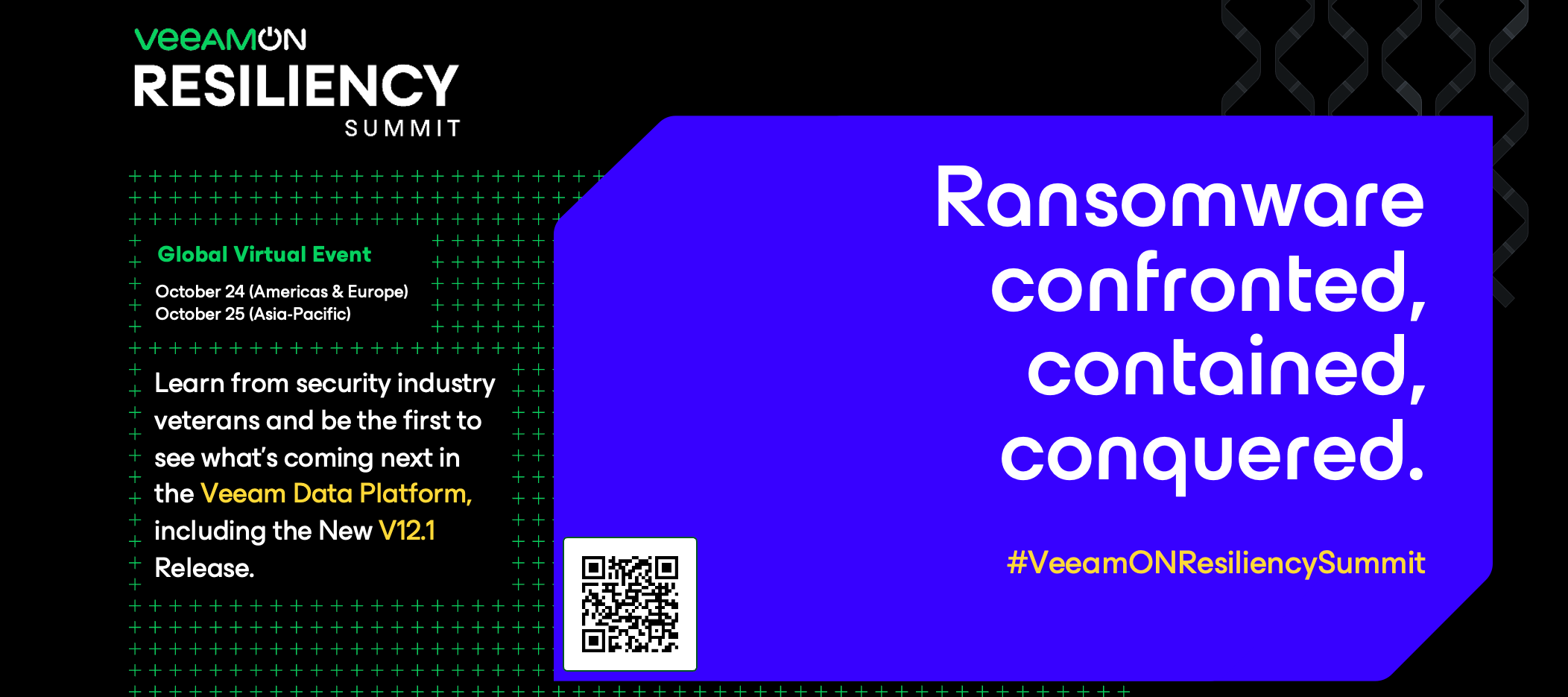
Hello Community!Here is the community discussion board for VeeamON Resiliency Summit!Share your reactions/questions to the sessions and announcements.What are you looking forward to learning? What do you think about the content shared?Everyone who engages will be entered into a raffle for a Veeam gift box from the community team 😸💚Looking forward to reading your thoughts!
Anyone using Veeam Enterprise Manager have issues with the API URL? We use a custom built tool that connects to VEM (VBR behind the scene) and provisions customers for our VCC. I have one server that cannot get to the API for some reason and shows the below connection reset message.I have upgraded the VEM to the latest patch from July and ensure everything with FW, etc. is configured correctly. Any suggestions appreciated.Veeam Enterprise Manager API URL - Connection Reset Message
Hi everyone,I am thinking of a design like that A tape library with x3 FC drives (say XYZ), connected to SAN switches Then the SAN switches connecting to 4 servers (say ABCD)Normally, the tape drives are backup up servers ABCWhich mean drive X-A, drive Y-B, driveZ-CWhen one of the servers down, (say B), server D will take up the role become X-A, Y-D, Z-Cwill it work and if Veeam support setting like that?
I have on the VBR a copy job, a backup copy job to a hardened repository and a tape job. Now for VBM the customer also wants the data to be copied on the primary repository, then a copy on the hardened repository and finally on tape, how can I configure this?
Hello, I’m new to Veeam. Are there any API’s I can use for Veeam for Salesforce. I could not find anything in Documentations. Only for other Veeam products. ThanksRainer
I’m going to be likely setting up a new client on a VBR VM with a local NAS as their primary repository (I know...I’d rather do a purpose-built physical server but cost is an issue) and Wasabi object storage for an off-site copy (and likely replication to 11:11 Systems VCC for DR). I’m curious now that we have backup to object and copy to object capabilities, what you folks are doing for that second copy? Traditionally I obviously have used a SOBR using Wasabi as the capacity tier in Copy mode (move mode disabled *usually*, but I just noted that I’m performing copy and move for my internal server) so that I had the data in both locations. However, now that we can backup and copy direct to object, curious if anyone has abandoned the SOBR and are instead using a copy job to send data to the object storage and are keeping the data there with the traditional copy job managing things. @Nico Losschaert posted a debate about the pro’s and con’s of this a couple years ago at the below link,
Hi, we have Veeam backup for Azure all setup and running and its been a couple of months. We have private network deployment with private endpoints in our environment with premium service bus and all subnets are allowed to access this service bus. We have 5 backup policies in total, 3 of them have been running fine but 2 of the jobs (with our file servers), the snapshots are running fine but the backup policy is getting failed after 4/5 hours of the session run with an error :Failed to perform backup of vm1 to Production Backups Repo 1. Worker VBA-5bf0973a-8e2c-4dda-ba63-28814324c1bb: getting of the job status failed (trace ID: b8b3fb4e-c7f0-4f86-aa22-4f2122f45b00)We have noticed that when the backup policy session starts, it backs up the data all the way to 60% percent and then it stuck for a very long time before erroring out this message. We have raised a support case with Veeam and they said they will need to check with their R&D team, as we have the same settings for all jobs
Hi, I would like to know that can we directly restore from tape for VM backup with HPE Store as disk storage Thank you
Hello everyone. I’ve been beating on this for a week and have finally given in to post a question here. I have the plug-in installed and it works great. Very easy to setup, and it just works.The problem comes where I am not very familiar with MS SQL. I would like to get email notifications for the database backups. It appears that this needs to be configured within SQL Server Management Studio. I have database mail setup and it can send test messages, but I can’t seem to get the SQL agent job for the database backup to kick out an email when it completes.Has anyone attempted to get this working who can provide me with some information?Thanks,Joe
on the new Ubuntu hardened repository i have set make recent backup immutable for 30 DaysOn the Backup Copy Job i have a retention Time 30 Days and GFS for 1 MonthsIs this Settings correct ?
Hi everyone,I have an issue with my Veeam Media Recovery iso for Windows. I would like to use it on an Openstack cloud platform, but this iso won't boot.I know that Veeam doesn't support officially this, but I'ld like to know if somebody here try this ?The iso was generated from my Veeam B&R 11.0.1.1261 on a Windows 2016 server backup.Here what I tried : - testing the iso on VMware environment = work - upload the iso on Openstack - run the iso with a flavor which have 1 cpu, 2Gb RAM and 1Gb HDDresult = No bootable device was found - create a volume from the iso - make it bootable - run the volume with a flavor which have 1 cpu, 2Gb RAM and 1Gb HDDresult = No bootable device was foundFor your information, the same step work very well with my VMR iso for Linux on my Openstack platform. I have this issue only with WindowsThanks for your help
HelloIm looking for an openshift backup solution and would like to have details about kind of objects can be backed up with Veeam\Kasten.I guess that backup of Deployments, DeploymentConfigs, StatefulSets and VMs is a “must” so what about ability to restore, if necessary, a simple secret, service-account… Can we do that?Another topic, it is possible to create a SLA selecting as source of data an specific project? Where can I find out detailed product features?Best Regards
Hi all, last week I deployed a new storage array. I’ve migrated all production VM’s as well as replica’s that resided on the datastores, except for CDP replica’s. I cannot for the life of me figure out how to migrate the CDP replica’s and update the CDP policy to point to the new datastores. Storage vMotion inexplicably gets cancelled by a user later on - assuming that’s VBR even though I currently have the policy disabled. That said, I can’t modify the specified datastore below as well - all is disabled. I thought I might clone the policy, but it looks like CDP policies can’t be cloned like backup and copy jobs - not a big deal but also caught me off-guard.So am I missing something, or do I need to recreate the policy and restart replication from scratch?
Hello all,I’m currently testing Veeam for Salesforce. All works fine. I just don’t manage to get eMail Alerts up and running. I set the alert and the Connection Setup to Microsoft O365 with classic connection. When sending Test email I receive Error: G6HH: Notification channel configuration is invalid, please verify your settings.Trace Id: 293b541a6b68e109Can anybody help me with this error msg?ThanksRainer
if I have a backup job with GFS, and then the job is saved in a backup copy job, will the GPS backup also be taken over or do I also have to set GFS in the backup copy job?
Hello everyone,have you read the latest news?https://www.veeam.com/news/cirrus.htmlIntroducing Cirrus by Veeam – Backup as a ServiceI understand that it is a SaaS, but what are the major differences in functionality with the existing Veeam products (Veeam backup for Azure and Veeam backup for 365) ?What will be the implications on future developments of the respective solutions? Edit: I’ve just found a post on Veeam Forum with the same argument, let’s follow the progress https://forums.veeam.com/veeam-cloud-providers-forum-f34/cirrus-clarifications-t90286.html
Just a quick info for the community, as the deadline is today at 08:00PM/20:00 PT.VMware is doing a challenge on their Hands-On Lab Plattform via VMware Odyssey. There are 4 different labs which prepare participants for the VCP DCV (Datacenter Virtualization Professional) exam. In each lab one can collect points and the top 10 receive a price.At the moment there are less then 10 people in the leaderboard, which means, if I get it right, chances are high to win a prize 😉VMware Hands-on Labs Request
Already have an account? Login
No account yet? Create an account
Enter your E-mail address. We'll send you an e-mail with instructions to reset your password.