


Answer

Veeam Enterprise Manager - API URL not working

  • October 24, 2023
  • 2 comments
  • 528 views

Chris.Childerhose
Forum|alt.badge.img+21

Anyone using Veeam Enterprise Manager have issues with the API URL?  We use a custom built tool that connects to VEM (VBR behind the scene) and provisions customers for our VCC.  I have one server that cannot get to the API for some reason and shows the below connection reset message.

I have upgraded the VEM to the latest patch from July and ensure everything with FW, etc. is configured correctly.  Any suggestions appreciated.
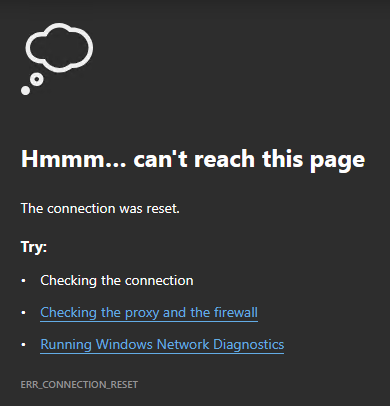
Veeam Enterprise Manager API URL - Connection Reset Message


Best answer by Chris.Childerhose

It was not FW or routing.  I was able to fix it by uninstalling VEM and removing the DB from SQL Express.  Upgraded SQL Express to 2022 and then reinstalled VEM with a new DB name.  Once I did that the API started to work.  Now our DEVs need to fix our custom application that does provisioning as my part is done.  😋

2 comments

JMeixner
Forum|alt.badge.img+16
  • On the path to Greatness
  • October 24, 2023

You say that only one server has this problem,  all others are working. Correct?

My first guess would be a routing or firewall issue… You can reach the VEM server from this specific server - ping or similar ?


Chris.Childerhose
Forum|alt.badge.img+21
  • Author
  • Veeam Legend, Veeam Vanguard
  • Answer
  • October 24, 2023

It was not FW or routing.  I was able to fix it by uninstalling VEM and removing the DB from SQL Express.  Upgraded SQL Express to 2022 and then reinstalled VEM with a new DB name.  Once I did that the API started to work.  Now our DEVs need to fix our custom application that does provisioning as my part is done.  😋

