Join discussions around Veeam community projects, Veeam events, industry and technology news
Recently active
VeeamON countdown alert! We’re just 24 days away from Veeam’s biggest and most action-packed event of the year. Less if you don’t count weekends, but anyway. If you’re registered, we can’t wait to see you in San Diego. If not, don’t let FOMO get the better of you.Register and join us online for free. Here’s what you can expect if you’re one of the 20,000+ who register to join us live and on demand. Guests, news, and more news. Livestream the Welcome Keynote and Closing Keynote. You’ll get an update when it’s time to watch or when the keynotes go on demand. The latest technical content. Access nine on-demand sessions. We picked the most essential content to bring to our global online audience – browse all of them on veeamon.com. Super Session access. Post event, we release all 8 super sessions to our online audience. The only way to get access is to register for the online event.I’ve just finished pre-recording my 3rd session for the online experience and let me tell you; this content i
Congratulations @Dynamic ! You are the winner of 2025 edition Blog of the Month with your article Documentation by AsBuiltReport !👏👏Best, Madi
Good afternoon, just thought I’d ask the question alongside speaking with our FW MSP and Veeam themselves…I’m trailing Wasabi right now. So far, a backup copy job running for a couple of my smaller VMs is not even completing, and the speed is showing a 6MB/s doing its initial seed.I have a 1Gbps leased line and the VCC jobs for the same VM’s run at around 110MB/s. I very much doubt this is the difference between great value cloud object storage and a VCC partners inhouse infrastructure, but I suppose I need to ask now before I waste more time on this…Any insights? There is nothing on the Veeam server throttling this, the FW MSP has been asked and has said all wasabi endpoints are not subject to inspection so I am starting to wonder.TIA!
I have a physical Zabbix server, which I’ve added to a Veeam Protection Group in order to back it up. I'm backing it up using the "Linux Agent" backup type. Recently, during the backup process, the Zabbix agent on that server becomes unreachable.While the backup job is running, I receive continuous Telegram alerts indicating that all hosts in the infrastructure are unreachable. However, there are no actual issues in the environment — everything is functioning normally.When I check the Zabbix server itself during the backup, the zabbix_agentd service appears to be active (running). Once the backup job finishes, the agent becomes reachable again and everything returns to normal.I’ve been unable to find a solution to this issue anywhere. I would really appreciate any help or guidance on how to resolve this problem.Thank you in advance!
Our current VM farm is backed to a local Linux Immutable Repo and then BCJ to another Linux Immutable Repo in DR site. Both site are L2 connected with metro cluster formed on storage level.VBR server is installed on VM farm. What if: the production site is down, my VBR server is rebooted on DR site; while my primary backup repo and production VM farm is gone. During this period, I will leverage of resources on DR site and backup is still required before failback to production. I have to stop all existing backup policy and create new backup policy because backup path is changed?The initial backup during that moment will be incremental or full? (wondering because all backup file are there, but there are no LUN level replication before)Will the map backup function can help?
We need to have the earliest restore points, how can I safely delete the old restore points so that we can retain the last x restore points? Where can I have the old restore points automatically deleted?For backup jobFor Replication job
Hi everyone,I’m currently in the process of setting up the Veeam Data Platform for the first time, and while the installation seemed to go smoothly at first, I’ve started running into some challenges during the configuration stage. I’m finding myself a little stuck when it comes to integrating Veeam with some of my existing backup solutions. I’m unsure if there’s a best practice or recommended approach for ensuring everything works seamlessly together.Additionally, as I work through the setup, I feel like I might be overlooking some important configuration settings that could be crucial for optimizing the platform’s performance. Are there any key steps or specific settings that I should pay closer attention to during the configuration process?Lastly, I’m curious if anyone here has faced similar challenges during their first deployment of the platform. What are some of the common issues that new users tend to run into, and how did you go about troubleshooting them?Thanks in advance!
Hi everyone,I have two Veeam proxy servers that max out their RAM (20GB) once or twice a week for about an hour. I’m trying to find out which jobs are running on the proxy at the time of the spike. I know the affected VM's name but need to identify the specific job running when memory usage is high.Proxy details:VMware VM With 20GB RAM (recently added 4GB, but still seeing spike)OS WindowsMax concurrent tasks: 16Is there a way to track this from the proxy server or within Veeam Backup & Replication? Any insights would be appreciated
I'm in the process of migrating our hosts and VMs from vCenter 7 to 8, maintaining the same EVC and cluster layout. During this migration, I understand there is a risk of breaking the backup chains due to potential new MOREF IDs. Is there a way to preserve the backup chains? Our jobs are mapped using vSphere Tags.I will be carrying out this migration without powering off any VMs or hosts, and I want to ensure the backup chains continue without issues.If I go to each job and remap or re-browse the VM objects by tags, will this preserve the backup chain and retention? If the backup chain isn't preserved and a new full backup is required, will the retention policy continue from where it left off?
We've experienced backup corruption due to an unforeseen circumstance. I'm familiar with the scheduled health check and its flexibility, and I perform daily checks.The backup is not file share one.As I understand it, the health check is a diagnostic tool, not a repair function.My question is: Do we have any repair capabilities to recover from corrupted backups and interruptions? Are there any repair utilities for addressing unique error messages?
Hi, I googled a lot, but couldn't find anything suitable. I have a test VM in a VMware Workstation17. I back up this VM (Win11 with TPM) with Veeam Agent for Windows (newest version). I would now like to bring this VM to the vCenter. What is the best way to do this? Do I have to install a Native Keyprovider in vCenter first? Or can I create a new VM Win11 in vCenter without disk, then attach the vmdk disk file?Thanks for your help!GreetingsNovell2
One of our customers recently renewed **Veeam Backup & Replication (VBR)** in December, but is now evaluating a migration of their **58 VMware host** infrastructure to **OpenShift Virtualization (OCP-V)**. We know that to back up workloads on OCP-V, **Veeam requires Kasten K10**, however, **there is no direct conversion strategy** between VBR and Kasten, which poses a challenge in licensing continuity.Veeam currently suggests purchasing **Kasten as a standalone solution**, without considering the prior investment in VBR. This opens the possibility for the customer to explore other solutions such as **Trilio, Veritas, or other backup vendors** with native integration into Kubernetes environments.The key question is: **Is Veeam willing to sustain VBR without offering a transition path to Kasten, risking customer non-renewal? Or, on the contrary, should you design a strategy that allows you to ensure recurring business of between 42 and 58 nodes with Kasten?**This case highlights the
We are running MSSQL Plugin on a Multi instance Windows Host and have setup the Full and Logs backups for the DB in different instances, Jobs seem to be working fine, but on the VBR console I see the jobs running and in the backup log I see the DBs but the “jobs” don't show different Instance names, there are 4 instances being backed up on this server. any help would be appreciated
Hello Veeam Community,there is a problem to connect to our SP Console.When i use the URL we configured with our Cloud-Gateways vcc.xxxx.de and i validate the Certificate from the SP i get the Error: Connection to Cloud Provider cannot be established.Has anyone some ideas to solve this Problem?Thanks for help!
Hello, Working for an MSP with a large amount of customers running B&R 12 (12.1, 12.2, and 12.3), all of our customer’s individual backup servers are having their available storage space taken up by a log text file in the below folder:C:\ProgramData\Veeam\ErrorMonitoring\veeam_error_log.txtThe file is consistently updated each minute with error messages pertaining to failed connection attempts, despite their being no issues with any jobs failing due to similar reasons: [2025-03-19 10:01:10] Errors detected in Veeam log: [2025-03-19 10:01:10] Error detected: 2024-09-23 18:41:13.3469 [ERROR ] 4908 [__10] TmBsCpJobsMonitor: A connection attempt failed because the connected party did not properly respond after a period of time, or established connection failed because connected host has failed to respond; [2025-03-19 10:01:10] Error detected: 2024-09-23 18:41:13.3781 [ERROR ] 4908 [__10] DefaultCollector: System.Net.Sockets.SocketException (0x80004005): A connection attempt failed beca
Calling all those who are VeeamON bound! If you’re headed to San Diego with us on April 21-23, big news. The Agenda Builder is now live in the attendee hub. Act fast, sessions (especially fan favorite Super sessions) fill up quick. *If you’re joining online, you’ll get access instructions the week before the event. What sessions do you recommend, Rickatron? Theres six sessions I think every Veeam community member should see – find them all in my playlist on veeamon.com. When in doubt, Super Sessions and Short Bytes are our most anticipated, dynamic, and engaging content. How do I access the builder? Check your inbox for an email from Veeam Global Events with the subject line The VeeamON agenda drops NOW. It has your unique log in link. If not, reach out to veeamon.questions@veeam.com for help. Help, I’m not registered yet! It’s not too late. Register at veeamon.com with code JOINUSNOW to save $200 on a full price conference pass. If you can’t make it this year, register to wat
Hello dear community. I hope you are all well and can support me if necessary.I want to add my Proxmox HOST with the new version 12.2.0.334 and always get the following error message, which gives me no information at all about what is wrong.Error message:An unknown Proxmox VE Error has occured - screenshot attachedDo I need to configure anything else on my Proxmox host so that I have the option of adding the HOST to VBR?I would be very grateful for your support!
Hi there Veeam community! Quick check if anyone has had a similiar scenario:A Customer has a Proxmox Cluster consisting of three nodes. They have been using Proxmox Backup Server (PBS) and intend to use Veeam going forward (they still have an active license from a retired system). Now at the same time, they want to continue using PBS (because it has specific features they like and 2x the backups are better).Question: Is there any chance of anything breaking or getting corrupted? I have had the same configuration running in our lab and it all went smoothly (of course the backups have to run at different times and not be allowed to interfere with each other). Any input would be highly valued!
We’ve deployed Veeam Backup for Azure.There are polciies in the Azure environment that deny public access to resources. Everything needs to be connected via private endpoints.The Veeam resources are deployed in a seperate subscription and seperate VNET. This VNET is peered with a hub VNET. Alle the production VNET’s are also peered with the HUB VNET. Taking backups within the subscription (and VNET) works. By using the disk access resource created by Veeam.Taking backups of resources (VM’s) in other subscriptions (VNET’s) does not work.We asume the backup should be done with a disk access resource in the production VNET. But Veeam does not create these disk access resources in the production VNET.Or the existing Disk access resource (in the Veeam VNET) should have a private endpoint in all the production VNET’s? Does anyone have experience with a similar private deployment where public access is blocked? This is the production VM with disabled public and enabled private access requires
New workload additions to Veeam Data Cloud aaS offerings: Veeam Data Cloud for EntraID:Veeam is now adding EntraID to our aaS offering, as the next step from Veeam Data Platform. https://www.veeam.com/products/saas/microsoft-entra-id-backup-service.html?ad=menu-products-portfolio Veeam Data Cloud for SalesforceAdditionally we are also adding Salesforce to our aaS offering.https://www.veeam.com/products/saas/salesforce-backup-service.html VDC for EntraID and Salesforce User Guide:https://helpcenter.veeam.com/docs/vdc/userguide/welcome.html Demo’s to come soon.
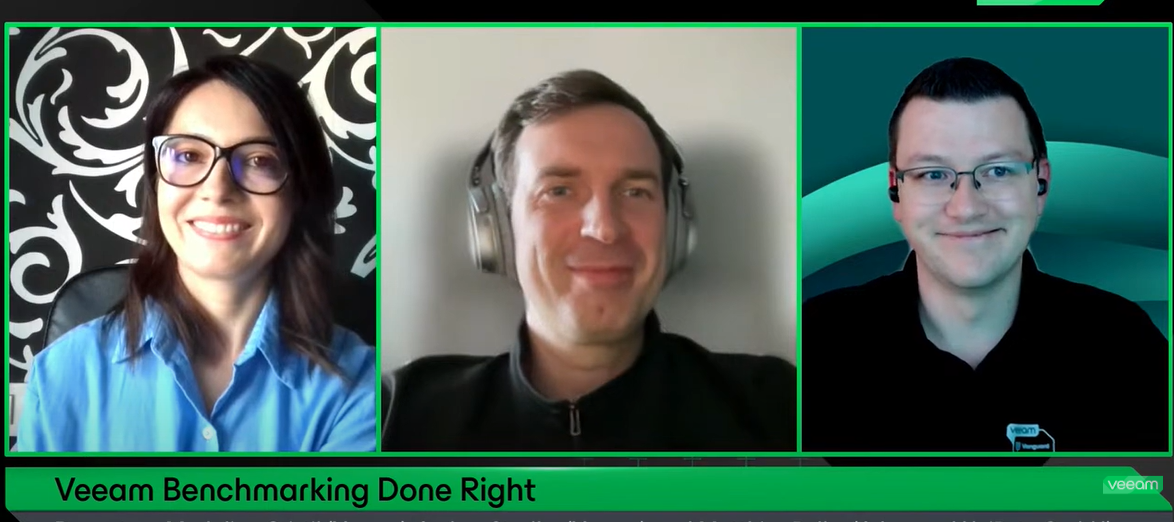
Have you watched the latest episode of the Veeam 100 Show ? If not you can rewatch it in here: In a #backup environment, repository performance is a critical factor that shouldn’t be overlooked. While high throughput is great for any backup administrator, there’s more to consider—especially when disaster strikes. Speed becomes essential to meet SLAs.In this technical deep dive, we’ll explore repository benchmarking best practices, answering key questions like:🔹 Is ReFS or XFS faster?🔹 iSCSI, FC, or SAS—what performs best?🔹 How do the number of HDDs or LUNs impact performance?This session will cover how to measure performance, the impact of disk parallelism, common pitfalls to avoid, and key lessons learned to optimize your backup storage in real-world scenarios.Finally, we’ll dive into how LVM can enhance a Linux-hardened repository, offering both flexibility and a final performance boost! Great to have @MatzeB and @Andrew.Zhelezko in the show!
I’ve registered for VeeamOn 2025 and paid, trying to sign up for sessions but cannot figure it out. I can get a list of sessions but don’t see an option to register. Any assistance would be greatly appreciated.
Hi,I am getting this error:Failed to prepare guest for hot backup. Error: VSSControl: -2147212522 Backup job failed. Discovery phase failed. Cannot start empty snapshot set. VSS error: VSS_E_SNAPSHOT_SET_IN_PROGRESS. Code:0x80042316.I’m aware this is a VSS related error and have been trying to work with this for a while. It happens on one of our servers every 3 or 4 days. It seems something is using the VSS service at the same time as the backup. The Veeam tech article about it so helpfully recommends ensuring your backup is not running at the same time as other backup or VSS related services. Yeah, got that!There aren’t, at least as far as I’m aware. The server does run shadow copies but this is at 7am and 12pm, backup is at 8pm. I’ve set up a scheduled task to stop the VSS service just before backups run but whatever is using it, restarts it.Any ideas about how to detect what process is using the VSS service?Thanks.
We observed our monthly back ups were deleted earlier than the 3 month retention set in the jobs . Short term retention is 35 restore pointsGFS is 3 months Repo is SOBR extents - Exagrid GFS Policy: Enabled, monthly backups kept for 3 months. Active full backup: Scheduled last monday of every month. Transform to synthetic full: Scheduled first sunday of every month. VSS settings: Application aware processing is enabled. We need to understand why the retention policy is not working as expected. Could you please provide a checklist of items to investigate, and explain whether the current settings would result in this behavior?
For those sharped eyed you may have noticed the recent release Veeam Backup for AWS and Azure.Summary and links to the release notes below: Veeam Backup for AWS v9Veeam Backup for AWS delivers AWS-native backup and disaster recovery that’s easy, cost-effective, and secure. Quickly recover from any cloud data loss scenario — whether due to outages, accidental deletion, malware, and more — in minutes.Amazon Redshift Serverless protection — manage your Redshift Serverless protection alongside other AWS workloads you’re protecting with Veeam. Benefit from flexible policy-based scheduling and experience seamless Redshift Serverless recovery in case of a disaster.AWS Organizations support — simplify data protection by integrating directly with AWS Organizations and create scopes to easily protect multiple accounts within a policy.New Web UI design — enjoy the updated design that offers a cleaner, more modern interface with improved accessibility for a better user experience.File-level recove
Already have an account? Login
Enter your E-mail address. We'll send you an e-mail with instructions to reset your password.