The Why Now Community Challenge: Veeam Data Platform 13.1. It’s time to vote!
News, guidelines and various community projects
Recently active
Not really a Question, just sharing and curious if anyone else has thoughts on it. In my experience Veeam’s Support asks for incredibly excessive data, asking for the same logs over and over, asking for logs that don’t seem at all related, and asking for copies of databases on VBR servers.Some other people have shared privacy concerns with me about the behavior. Personally, I’m not fond of it, but accept it as a cost of using Veeam. From my perspective none of this should be necessary if the software itself was:A, less buggy to begin with.B, had actual useful error messages so I could tell what the problem was without involving support.C, had actual useful error messages so that Veeam’s support could tell what was wrong.Noting B and C are different because I can accept that Veeam’s support may know more than me about what an error message means. Though if B and C are different, then it’s a good time for me to mention that Veeam needs to publish their “internal documentation” publicly.
Good day Community -With Linux being more prevalant in environments, including Veeam supporting Linux within its deployment components, it is a bit cumbersome to manage all these devices individually. So my question for the Community today is → what centralized management tool(s) do you use to manage your Linux server footprint?..to update, push scripts, monitor, etc? I’m needing to update & even push a script (change) out to our Linux servers and don’t want to touch all of them individually. Any info you can provide is greatly appreciated.I did a little bit of searching before posting and saw a tool called Landscape which looks promising, but don’t know anything about it & open to hear anyone’s experience with it...or again..any tool. Thanks in advance!
Today kicks off with another all-star cast! @Julia F Morgado, Lyudmila, Vitaly, and Alec all on stage to talk the shared features of all Veeam Backup for Public Cloud, and individual product updates! Shared FeaturesFirst up, we’ll see Veeam enabling us to leverage more granular permissions for service accounts, with a built-in validation check to confirm the permissions are assigned.We’ll also see updates to the workers, with the ability to assign tags automatically to all worker nodes for their lifecycle.The biggest announcement from this however is that we’re going to see future Veeam Backup for Public Cloud updates only become available to Veeam Backup for Public Cloud instances integrated into Veeam Backup & Replication. This will make the Veeam Backup for Public Cloud instance appear as a ‘managed server’ within VBR. The standalone Veeam Backup for Public Cloud will still exist, and all existing functionality will remain. Veeam Backup for AWSWe’re going to see support for Dyna
Hello, I am looking for a method or script to run backup jobs on a custom schedule.The built-in scheduler seems very basic, and as a result, I have to run all jobs as incremental and then manually trigger a full every two weeks.I have searched the veeam scripts and forum, could not find an solution.so does anyone have a script or technique to run backups on a custom schedule?perhaps using windows task scheduler, powershell, python or any such way?Thanks much,David
Dear Support, We have encountered a backup problem and cannot perform any backup operation at present. Please see the attachment for details. Could you please help us?
This week, @Madi.Cristil is on some well-deserved time off! I’m happy to have @safiya co-hosting this week’s recap with me! Good thing as we have a very special thing we are adding → Additional demos of the Veeam Data Platform upcoming release! This week’s demo is the YARA Scanning in SureBackup jobs. You can watch this week’s episode here:The linksvia @CarySun via @vAdmin via @dloseke Special Department NewsCheck out Veeam KB2443 for the latest update for VMware vSphere Support 8.0 U2 KB2443: Veeam Backup & Replication support for VMware vSpherevia @CarySun If you are the “BINGE WATCH” type - you can play the VeeamON Resiliency Summit on-demand now: Who’s NewWe are happy to welcome +96 new members this week! This week’s coolest usernames are: @bobsbackups @DaHoove31 @Fries-IT and @djhead This week’s Alfred’s Pick is @harmohits! Congratulations, you have a badge coming your way! Have a great weekend everyone!
Hello,For those who missed the information, there is a new snapshot mode for VSAN in vsphere 8. It looks promising for speed specially on large scale infra with vsan, it will obvisously reduce the time needed for snapshot processing on the backup jobs.Scalable, High-Performance Native Snapshots in the vSAN Express Storage Architecture | VMwareCan’t wait to test it in production to compare real number from the field!If anyone already tested it, i will curious to have a feedback.
I have put together a blog post going through what we have hacked during the Veeam Community Hackathon. I wrote about why we have done the project, how we developed the main functions and how we published the modules. Here is a link for the blog,https://adammazouz.com/post/2023/10/powershell-sdk-module-for-veeam-backup-replication-rest-api/happy reading :) cc:/ Team 2 @Markus.K1985 @Chris.Childerhose
I want one Tape full backup per month, do I need to configure the Media Pool for Incremental Backups?
Hi all.Trying to run a Backup Copy on a Dell T110-II with WinServer 2012 and Veeam Bkp&Rst v. 12 to a RD1000 cartridge drive (Sata).The drive works perfectly copying small and huge files from windows explorer, but doesn’t work at all with CopyBackup.After starting the job it creates a 4-5kb file on the corrected created folder and then hungs with the following message: 27/10/2023 02.14.11 :: Error: The request could not be performed because of an I/O device error.Asynchronous request operation has failed. [requestsize = 524288] [offset = 4096]The request could not be performed because of an I/O device error.Asynchronous request operation has failed. [requestsize = 524288] [offset = 528384]Failed to open storage for read/write access. Storage: [H:\Backups\Backup Copy Job 1\Backup Job 1\W22-APPS.vm-1005D2023-10-27T021229_94BF.vbk]. Any idea? (RD1000 drivers and tools are installed)Thank you!
Alt Text: Title image with the topic title as it’s textHi, a quick workaround story today from the field.I configured a NAS Backup job that was to protect an SMB share with a bunch of sub-folders & files. When the job ran, no files and only a few folders had been processed. When I browsed the backup, the folders I was critically aiming to protect were all missing.Upon further investigation of the share, the folders weren’t “actual” folders, but were instead unsupported symlinks. I discovered this because I attempted to change the scope of the backup job to a particular subfolder to confirm access. When I tried this, I received the following error message:Unable to backup root folder <Folder Name>: folder is unavailable. Invalid root item type: a file or a symlink is detected when a folder is required. Path: [Path [<Path>], RootId [ffffffffffffffff]]Well, that’s not good! Because these were soft symlinks, this was the reason why Veeam was unable to process the data. But
If you weren't able to join us for the first episode of Veeam 100 Show with @anthonyspiteri79 and @replicatius , don't worry ! You have the opportunity to catch the replay and gain access to insights, tips, and knowledge that was generously shared during this event. Featuring #VeeamVanguard and Opti9 Tech's Veeam Team Lead, Greg Barney, alongside #Veeam's Regional CTO for APJ, Anthony Spiteri, this session promises an in-depth exploration of the journey of creating DR-Ready.This unique orchestration platform integrates with Veeam and automates the process of transforming your Veeam backups on public object storage into a robust Disaster Recovery (DR) strategy. Be sure not to miss this chance to dive into the intricacies of building a resilient data protection strategy that can truly safeguard your business when it matters most. Best, Madi
Hi Team,Do we have any mechanism in VBR to transport all logs to external Syslog Servers? I do understand we save most of the logs on Installer folder but my requirement is to automatically transport all the logs to external syslog server.Regards,Sunny
Hi everyone, greetings…I am not sure the math behind for this settings I seen the default is Forwards Incrementals with Weekly FullsSo mean Mon-Sat incremental x6, Sun full x1Daily 30 which keeps 26 incremental, 4 fullMonthly 3 which keeps 3 fullYearly 3 which keeps 3 full For full I think it’s related to ReFS, but not sure how it become 9.92TBFor incremental backup I calculated as 30TB *5% *30days *50% = 22.5TB (somewhat different)Weekly 0 because GFS set 0Monthly 3 copies = (30 + 30.25 + 30.5) * 50% reduction = 45.375 TB if w/o ReFS (but I tested it is 39.24TB if w/o ReFS in sizer) - I tried it by index 30+30.24+30.48 *50% = 45.36TB also different Btw, what are the ReFS ~50% compression comes from? any docs for that? And lastly for yearly (30+33+36.3)*50% reduction = 49.65TB w/o ReFS (very close to calculator this time but not exactly) And why the ReFS does not significant in yearly ?Turning on /off does not affect the yearly sizing much If ReFS turned off
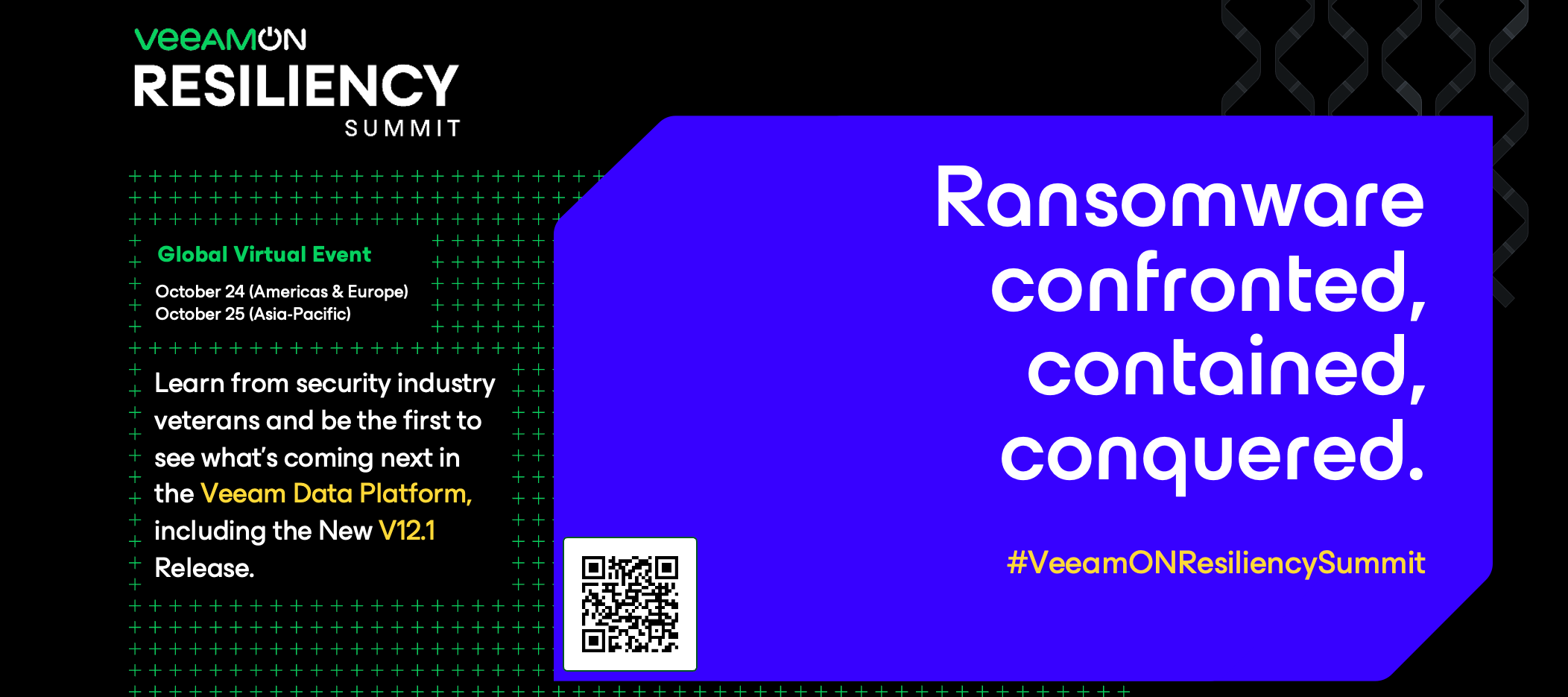
Hello Community!Here is the community discussion board for VeeamON Resiliency Summit!Share your reactions/questions to the sessions and announcements.What are you looking forward to learning? What do you think about the content shared?Everyone who engages will be entered into a raffle for a Veeam gift box from the community team 😸💚Looking forward to reading your thoughts!
Anyone using Veeam Enterprise Manager have issues with the API URL? We use a custom built tool that connects to VEM (VBR behind the scene) and provisions customers for our VCC. I have one server that cannot get to the API for some reason and shows the below connection reset message.I have upgraded the VEM to the latest patch from July and ensure everything with FW, etc. is configured correctly. Any suggestions appreciated.Veeam Enterprise Manager API URL - Connection Reset Message
Hi everyone,I am thinking of a design like that A tape library with x3 FC drives (say XYZ), connected to SAN switches Then the SAN switches connecting to 4 servers (say ABCD)Normally, the tape drives are backup up servers ABCWhich mean drive X-A, drive Y-B, driveZ-CWhen one of the servers down, (say B), server D will take up the role become X-A, Y-D, Z-Cwill it work and if Veeam support setting like that?
Back at it! Travels and crazy schedules got in the way last week, but @Madi.Cristil and @Rick Vanover were able to get the recap back on track! Overfilling the content, solid block of Special Department news and Who’s New to boot! Watch this week’s episode here:The Linksvia @Nico Losschaert via @dloseke via @Arun Das via @Stabz Special Department Newsvia @Madi.Cristil via @berat.cakirca via @DChiavari The VeeamON Resiliency Summit is NEXT WEEK! Be sure to register, and see my post about what goes on behind the scenes: Who’s New!Thank you @safiya for preparing 3 weeks of Who’s New! We welcomed +266 members this week! The coolest usernames are: @Shloop @oldbadger82 @FishingBDA @Veeam-User @SteelTown @giftmax @TDIZZLE @ironster As it has been 3 weeks, there are 3 Alfred’s picks. This again is a first!Congratulations @Backup-Noob @pathfinder @BogBeast! Have a great week everyone and we have a special guest host next week!
I have on the VBR a copy job, a backup copy job to a hardened repository and a tape job. Now for VBM the customer also wants the data to be copied on the primary repository, then a copy on the hardened repository and finally on tape, how can I configure this?
Hello, I’m new to Veeam. Are there any API’s I can use for Veeam for Salesforce. I could not find anything in Documentations. Only for other Veeam products. ThanksRainer
This week , Madi has two special community recap guests: @MicoolPaul and @coolsport00 , both Veeam 100 members! They talk field stories, coding, cybersecurity awareness month and VeeamON Resiliency Summit! The Linksvia @Michael Melter SQL log-shipping, but only on certain days - find out howvia @michaelcade Terminator - A Terminal Emulator on Steroids via @JMousqueton Introducing a Veeam Backup & Replication Log Anonymization Script Special Department News via @Madi.Cristil Blog of the Month September 2023 Winner via @berat.cakirca , @Bulent.Tolu , @Moro Veeam Türkiye Kullanıcı Grubu via @marcofabbri October 2023 - Cybersecurity Awareness Month Don't miss out on VeeamON Resiliency Summit!
Hallo everyoneI am trying to figure out what the best way to transfer Running backup jobs with tons of restore points pr. job, to a new Veeam server, without loosing any backup data/historyThe “old” Veeam server has to be decommissioned - and so will the current repository, over time.The new Veeam server should have all jobs and backup data (restore points) from “old” Veeam server and run on new repository/storage as wellWhat will be the best way on migrating all, from old to new server - and from old repo to new repo, with out loosing vital backup data and historyAnyone ?
Azure AD is a cloud-based multi-tenant directory and identity service that provides identity and access management capabilities in the cloud.Since choosing the correct authentication method is the first concern for organisations wanting to move their apps to the cloud. The following section helps you decide which authentication method is right for you by using a decision tree. It helps you determine whether to deploy cloud or federated authentication for your Azure AD hybrid identity solution.Scr: MicrosoftTo choose an authentication method, you need to consider the time, existing infrastructure, complexity, and cost of implementing your choice. These factors are different are different from Organisation to organisation. Because of this, I will be highlighting on the different authentication methods. They are as follow;Azure AD password hash synchronization: This is basically the simplest way to enable authentication for on-premises directory objects in Azure AD. Users can use the same
I’m going to be likely setting up a new client on a VBR VM with a local NAS as their primary repository (I know...I’d rather do a purpose-built physical server but cost is an issue) and Wasabi object storage for an off-site copy (and likely replication to 11:11 Systems VCC for DR). I’m curious now that we have backup to object and copy to object capabilities, what you folks are doing for that second copy? Traditionally I obviously have used a SOBR using Wasabi as the capacity tier in Copy mode (move mode disabled *usually*, but I just noted that I’m performing copy and move for my internal server) so that I had the data in both locations. However, now that we can backup and copy direct to object, curious if anyone has abandoned the SOBR and are instead using a copy job to send data to the object storage and are keeping the data there with the traditional copy job managing things. @Nico Losschaert posted a debate about the pro’s and con’s of this a couple years ago at the below link,
Hi, we have Veeam backup for Azure all setup and running and its been a couple of months. We have private network deployment with private endpoints in our environment with premium service bus and all subnets are allowed to access this service bus. We have 5 backup policies in total, 3 of them have been running fine but 2 of the jobs (with our file servers), the snapshots are running fine but the backup policy is getting failed after 4/5 hours of the session run with an error :Failed to perform backup of vm1 to Production Backups Repo 1. Worker VBA-5bf0973a-8e2c-4dda-ba63-28814324c1bb: getting of the job status failed (trace ID: b8b3fb4e-c7f0-4f86-aa22-4f2122f45b00)We have noticed that when the backup policy session starts, it backs up the data all the way to 60% percent and then it stuck for a very long time before erroring out this message. We have raised a support case with Veeam and they said they will need to check with their R&D team, as we have the same settings for all jobs
Already have an account? Login
Enter your E-mail address. We'll send you an e-mail with instructions to reset your password.