The Why Now Community Challenge: Veeam Data Platform 13.1. It’s time to vote!
News, guidelines and various community projects
Recently active
What is Scan Backup?Scan Backup is a feature introduced in Veeam Backup & Replication v12.1 that focuses on early threat detection by scanning restore points for potential malware or other cyber threats. This functionality enhances data security by allowing administrators to identify clean restore points after a malware attack.How Does It Work?The Scan Backup process utilizes a rule-based detection approach like antivirus software. Here's how it operates:Restore Point Scanning: You can initiate a Scan Backup session to examine restore points for signs of malware or other threats. Detecting Clean Restore Points: Post-Attack Recovery: If a malware attack is suspected, the scan can identify the last clean restore point, helping you revert to a safe state. Unknown Attack Dates: If the exact date of the malware attack is unclear, the scan can help find the most recent unaffected backup. Sensitive Data Search: The scan can also be used to search for specific information within backups
This is a follow on from the NoSQL - MongoDB blog I posted a few weeks back now - The premise of the above was how to automate the standing up of a 3 node MongoDB replicaset within my vSphere environment to show off the new MongoDB functionality in Veeam Data Platform 12.3. This got me interested in looking back at some previous database functionality we have had in the Veeam Data Platform for a while but also how I could automate the deployment to make this a fast, repeatable process as well as the ability to share with the community. The process for the deployments will be using terraform to stand up the Windows or Linux boxes for the databases we cover and then using Ansible playbooks to install the database software and get things to our desired state. PostgreSQL A lot has been happening with PostgreSQL and Veeam over the last few releases, the configuration database can now be stored in a PostgreSQL instance and also we have some integrations that give us some cool ways to help wh
My organization uses VMWare ESXi to manage all of our virtual machines. We do not have the correct license to be able to do simple “copy” backups of our virtual machines (according to the error messages that I get when I attempt those). We are having to run backups from the VEEAM agents, but, the last time that I had an issue and needed to restore, it was a pain in the a$$. I’m assuming that this is because of the way that we are using the agents, but I really don’t know any better way.Would it be possible for someone to point me to or help me out with a step-by-step for the best practices for backing up our virtual machines? How should my VM hard drives be set up to allow for the quickest possible backup/restore?
I noticed a problem with the console performance in the new version of Veeam Backup & Replication for VMware vSphere 12.2 when the PostgreSQL database is located on an external server.The essence of the problem: when switching to the list of backup jobs, the console wait for jobs for several seconds (about 5-6 seconds). Everything else works fine. However, the slowness of the console interface is annoying.In version 12.1, there is no such delay - neither when using an external PostgreSQL server, nor when using a local PostgreSQL server.In version 12.2, there is a delay when using PostgreSQL on an external server. When using a local PostgreSQL server, there is no delay.The problem is not in the settings and characteristics of the external PostgreSQL server, since I migrated the Veeam Backup v12.2 database to the server where Veeam Backup v12.1 is running (to a new database) - the situation was repeated.Installed Veeam Backup on Windows 2022 Server. The situation does not cause any e
Hi, i’ve the error in title when try to restore file from a windows machine.The restore of complete machine is ok but the session of browse file go down with error.Here is the log of the operation.Please, i need help.Thank’s
Veeam includes many great options for protecting databases. Here, I will outline the configuration for using Veeam plug-in for Oracle through the managed interface to create a database backup. We will use the Veeam Backup and Replication console to create a backup job that will manage your Oracle database as any DBA would prefer.Create a protection groupThe managed backup feature utilizes protection groups to identify the servers to be protected and create a deployment job which will manage the deployment of the Veeam Oracle Plug-in. Select the ‘Inventory’ tab on the left, then right click the ‘Physical Infrastructure’ option in the inventory list in the upper left area of the VBR console and ‘Add protection group’. The ‘New Protection Group’ dialog will open. New Protection GroupProvide a name for the group, click next and you will select the option ‘individual computers’ within the ‘Type’ section, hit next and then ‘Add’.This will open the dialog where you can select the Oracle serve
Hi there,currently i’m migrating a customers Veeam Backup for Microsoft 365 from local disk Storage to S3 (Wasabi). Doing this via the Script method from KB3067: How to Migrate Backup Data Between Repositories for Veeam Backup for Microsoft 365 and this works for me pretty well on another customers environment in the past. On the actual customers environment, i get Warnings regarding the Users Achive Mailbox:09.10.2024 07:08:36 :: Moving archive mailbox USERNAME completed with warning: archive mailbox USERNAME is not found in repositoryI have the info from my colleague, that this customer has no active archive function on many users (not all), so the warning is for sure correct.But as it’s currently in migration phase and not yet completed (will take a few days), i’m not sure if this will end up with problems after the migration (i.e. in a restore)? For sure, we will test some restores (with focus on those users with warnings).The script from KB3067 is not in support by Support, so con
How should data backups be structured in order to make most efficient use of Veeam Data Platform VUL licenses when backing up NAS File Shares? Suppose I have a NetApp filer with 10 volumes each with 300GB, would creating separate jobs for each volume consume 0 licenses because the data is rounded down to 0 for each one? Would it be different if all volumes were backed up in the same job? Does the total data get summed together anyways no matter the job distribution because the NetApp is added as a NAS Filer instead of each share being manually added?The docs here https://helpcenter.veeam.com/docs/backup/vsphere/nas_licensing.html?ver=120 don’t seem to clearly outline this case and how the licensing works for this.
I wanted to share with you the latest hands-on lab releases in to the ProPartner Portal. These expand our workload and hypervisor support. Test drive MongoDB backup with Veeam Data Platform Learn how to protect MongoDB with Veeam Backup & Replication. This hands-on lab introduces key concepts of Veeam Backup and Replication as well as MongoDB. It then walks you through how to create a new protection group with MongoDB deployment leveraging a backup policy to protect a MongoDB replica set, followed by recovering a single collection. Test drive Veeam Backup for Oracle KVM Learn how to use Veeam Backup for Oracle KVM to perform various tasks including Virtual Machine backup from Oracle KVM hypervisor and restore back to Oracle KVM, together with granular recovery functions. If you launch one of these labs, please feel free to feedback your thoughts/findings. You can find these from the main ProPartner Portal navigation menu:
So i been running V community for a year now backing up some vms and i just got a license to do immutable backups of a BareMetal server to a linux hardened repo. So i setup the repo with 7 days immutability and the backup with 7 days retention period. Setup Synthetic Full backups on Fridays and backup is running everyday.on the first Friday it did a full backup of server (like 1tb or so) then every day i guess its incremental since its only a few gigs. Now came this Friday and was a few gigs too. Wasn't supposed to delete it and create a whole full backup?Should i change retention from 7 days (to match repo immutability period) to keep 1-2 restore points instead? very confused on this scenario on what im supposed to be seeing on the logs. What's the best course of action for this type of backup?
Hi Guys,Amidst all my reading, prior experience with earlier versions of Veeam, Buexec, other related apps, trials and errors, its never too much or late to learn in the field of IT, especially from the experts, “Knowledge is never constant, only dynamic”. It has been a while, was so busy, Veeam is working like a charm. Note case below for a HYPER-V environment:Veeam BR 12 is at location A running fine Same BR 12 is at B doing nothing lol Location A is at HQ, fast bandwidth Location A & B are linked via WAN over “not so fast connection” Cloud backup was/is already used as offsite DR where important VMs/files are being backed up ( i came to this place and observed this)How can i use/setup Location B as a DR site/failover/redundancy?Can i also use location B to mirror exactly what is in Location A, if so, what is the process/best method?Your EXPERT GUIDANCE would be greatly appreciated as usual
Hi all, my first entry here :-)I use the Community Edition of VBR for backing up two proxmox-vms. Installation was no problem and worker was configured. If I backup linux-vms there is no problem. But if I try to backup two windows server 2022 vms (image for hpe proliant server) i get the error: Guid should contain 32 digits with 4 dashes (xxxxxxxx-xxxx-xxxx-xxxx-xxxxxxxxxxxx). If i check the guid in windows with power shell the guid seems to be good. I tried serveral things but it is not possible to do a backup.Anybody a solution or the same problem? Daniel
Does anyone have any experience migrating their virtualization platform from VMware to Nutanix that used Veeam both before and after? Are there any best practices or lessons learned that others can take advantage? As the migration of our vms is likely to take several days/weeks, we’re likely to want/need to use Veeam across both environments. Many thanks for any insight this community can offer.
First, we download and install Veeam Agent for Windows on the Windows server where we will install the Agent. After the relevant installation is completed, we create the Job in the following steps. Step 1 - First of all, we enter a name for the Job.Step 2 - In this step, we can take a file backup at the Image level with Entire Computer, or a volume on the server with Volume level backup, or at the File level backup level.Step 3 - Since I chose file backup, I chose an empty file since it was a test.Step 4 - Since we will be backing up to Azure Blob Storage, we select Object storage and continue.Step 5 - Here you can find the Account and Shared key information on the Access Key on the Storage Account you created in the Azure Portal, as shown in the image below. Step 6 - In this step, you need to select the Container you created in the blob storage you created on Azure and create a Folder inside it. If you activate Immutuble on Blob storage, you can also activate it on Veeam.Step 7 - Afte
We have a large windows fileserver with many disks/shares and have been backing them up with an agent with separate jobs for each drive selecting the Volume. Im wondering that since its a VM should I have another VM job that backups the VM but just the C drive. Since we are currently only backing up volumes I wonder if we could actually recover the entire server.
I’m trying to set up the Veeam SQL Agent and have it up and running on my SQL server, but when I try to backup a DB I get the following error:[ERROR] Failed to backup database model. Error: Error code: 0x80070005 Access denied. You must be logged in as a Windows administrator to create a virtual device. Failed to start VDI backup.I’m logged in as a domain administrator on the SQL server and am running the backup using a domain admin credential as well. So I’m not sure why this is failing.
I am working with a customer to move to Veeam but has to be NetApp targets. I know eseries doesnt dedup etc but maybe FAS storage.If anyone has good experiences please let me know. Need a good level of dedup and maybe writing direct to the storage not via a server. FAS supports iscsi, CIFS etc….thanks
Hey guys I have problem with new version of vm when I am running job to get data power store and thought the 10/25 that connected to datastore ,the problem each time it's 5 minutes for running job.
Hi everyone,I’m looking to explore how to effectively integrate Veeam with High-Performance Computing (HPC) environments to enhance data protection Here are some strategies for integrating Veeam with HPC for better data protection:Backup Scheduling: Utilize Veeam’s scheduling features to back up HPC workloads during off-peak hours to minimize impact on performance. Incremental Backups: Take advantage of Veeam's incremental backup capabilities to reduce storage requirements and backup windows, which is crucial for large HPC datasets. Data Reduction Techniques: Use Veeam’s built-in deduplication and compression features to optimize storage usage when backing up large HPC environments. Snapshot Integration: Integrate Veeam with storage snapshots to quickly capture the state of HPC workloads without significant downtime. Regular Testing: Implement a regular testing schedule for restores to ensure that your data protection strategies are effective and that recovery times meet your needs.I’d
Comparison in one image 🔎 🤓 Speaking of Virtualization Terms, It's very important to understand the backup strategy that we will be using, then is worth identifying Kasten's key differentiators relative to other offerings, such as Red Hat OpenShift Advanced Data Protection (OADP) that comes built into the various bundles. Generally speaking, OADP may be suitable for smaller environments that don't require advanced data protection features (e.g., application awareness), ransomware protection, or a user interface.
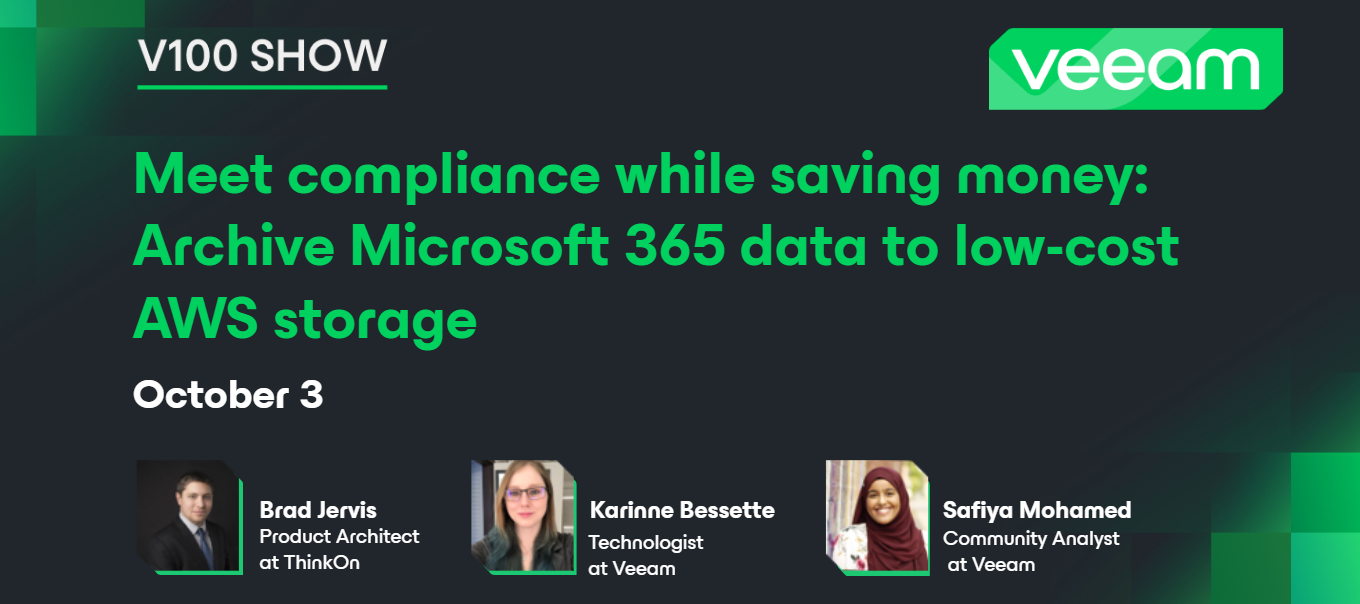
Hello community! Happy Friday 😃Yesterday, we had the 11th V100 Show! This month marks one year since we started the Veeam 100 show 🎉 Thank you to all who have participated and made this show a success. In this episode, Veeam Vanguard @bjervis joined to discuss how to archive Veeam Backup for Microsoft 365 users from "hot" object storage to "cold" archive storage using AWS S3 and glacier.💡 Thank you @Rin for moderating the show! Catch the replay on YouTube 🍂
Hi all,I recently published another blog posted based on my recent attendance at Edge Field Day 3. In this one I looked at VMware’s Edge Cloud Orchestrator, what they are doing and a potential use case that many of us who care about managed services and small business may be interested in. The post can be found at https://www.koolaid.info/vmware-edge-cloud-orchestrator-vmware-for-the-very-small-masses/ if you are interested.
Hi all,I’ve been using Veeam backup for 365 for a while now and every now and again I get the error ‘the specified database cannot be opened on this OS version when I try to open the adb backup in the Sharepoint explorer tool. I seem to remember I did the backup on Windows 10, and have tried to restore on Windows 10 and also Windows 11 but I still get the same error. The error is not particularly helpful and doesn’t actually specify what the issue is. Does anyone know what this issue is or how I can possibly resolve it? As it stands I’m not able to open the backups which is causing a big headache. Thanks Dan
I hope someone can help me. I manage my B&R server by installing the console on my Win 10 workstation. That’s all fine, it takes the B&R Console some seconds to come up, but it does. But on the desktop of the actual B&R server itself, if I try and bring the console app up, it will take forever - at the moment, I’ve been waiting 20 minutes. The console application came up on my workstation in a few seconds, but still hasn’t come up on the desktop of the server.And I’m not sure why. It can’t be a firewall issue, it will eventually come up (or used to - it’s been a long time since I actually tried to use the console app directly on the server). I see no error messages, just the warning that it’s taking longer than expected to happen. The server itself is running fine - all jobs are executing as expected. It’s just the console app not coming up on the desktop of the server. I have no problems using the console my my workstation, I can create jobs, run jobs, do backups, do rest
Hello, Thanks, cannot install VBR 12.1The server was running VBR 11.x, ran great for years, thanks Veeam! When I tried to upgrade to latest VBR, as downloaded from website The upgrade failed, complained about Veeam Agent for Linux. I tried to install again, and now there was no option to upgrade, just to install. So I clicked install and got error message I did a manual uninstall as perhttps://forums.veeam.com/veeam-backup-replication-f2/how-to-uninstall-v12-community-edition-completely-t89675.htmlhttps://forums.veeam.com/veeam-backup-replication-f2/trouble-installing-uninstalling-veeam-backup-replication-t49674.html But still, get the same error message as shown above.Here is the complete install log fromC:\ProgramData\Veeam\Setup\Temp\VbrSuite_26_05_2024_11_10_54.log[26.05.2024 10:32:34][INFO] Configuration file: G:\Setup\VBRSettings.xml[26.05.2024 10:32:34][INFO] Engine is starting...[26.05.2024 10:32:34][INFO] Creating wizard instance...[26.05.2024 10:32:34][INFO] Initializing engi
Already have an account? Login
Enter your E-mail address. We'll send you an e-mail with instructions to reset your password.