The Why Now Community Challenge: Veeam Data Platform 13.1. It’s time to vote!
News, guidelines and various community projects
Recently active
Please celebrate with us because we could not do it without the all your efforts in this #awesome #community 💪😎 https://www.linkedin.com/posts/activity-7269423304170455040-pcOl?utm_source=share&utm_medium=member_desktop
I’m using Veeam for backing up my virtual machines and I’m looking for a way to automate the backup process for multiple VMs at once. Can anyone guide me on how to set up automated backups for multiple VMs using Veeam, or point me to resources or best practices?
Introducing Veeam’s Smart Object Storage API Veeam Backup & Replication (VBR) v12 which was launched a month ago, has many great features and new capabilities. One of my favorite features is the Smart Object Storage API (SOSAPI). The purpose of this blog is to introduce you to this new and powerful feature.Let’s that off with explaining what the Smart Object Storage API (SOSAPI) is. It is a new tool which allows Veeam and our on-prem object storage partners to develop tighter integrations between our products. So, the great part about the SOSAPI is that a customer doesn’t need to do any additional work to get the benefits of this great addition to the Veeam portfolio. However, you do need to select an object storage platform that has the SOSAPI implemented within their product. When VBR v12 was launched last month, Scality and Object First were the inaugural launch partners for SOSAPI. Cloudian also released a version of their object storage which was integrated with the Smar
Introduction to Scality ARTESCA’s Veeam Assistant Veeam’s Object Storage Journey:For the past several years I have had the pleasure of working with my friend Pierre Gueant, Director of Solution Partners at Scality. Our latest collaboration is to create a series of blogs that we will publish together here on Veeam’s Community Resource Hub. This is the 1st blog in that series and its purpose is to introduce you to Scality’s ARTESCA Veeam Assistant. When Veeam started our “object storage journey” back when Veeam Backup & Replication (VBR) v9.5.4 was released in early 2019, we realized that object storage would become the predominant storage platform for secondary storage. This realization culminated when VBR v12 was released in early 2023. One of the major features in VBR v12 was the ability to directly backup customer data to object storage. With this direct-to-object capability, enterprises can now use cloud and on-premises object storage as their primary backup repository. Object
Hi Folks,just a quick Overview in Screenshots of the new Malware Detection Settings within V12.3. pre 12.3:the Tab Incident API & Notifications remain the same with V12.3 starting with V12.3:new Tabs with File Detection and Signature Detection. Suspicious activity detection (with Update malware definitions automatically) moved to the tab File Detection within the Release Notes, modified URLs are listed regards Signature updates, so keep this in mind for your Firewall - please also check the note regards to existing AVs (KB1999 will be your friend): after my Update in the Lab, the Signature Detection was on Bring you own antivirus - i changed it to Veeam Threat Hunter. File Detection Feature (extra Tab) - changed Signature URLsNew Signature Detection Feature EDIT:also checked the MITRE ATT&CK (under Indicator of Compromise / Attack tactics to monitor): i placed a TeamViewer on the System. See the results 😉Attack tactitcs to monitor new file “indicators_of_compromise”
Managing and filtering Syslog messages can reduce noise and highlight critical events. This blog post explains how the PRI value helps categorize messages by severity, describes syslog filtering, and shows how to use rsyslog in a Docker container to forward selected messages based on a filter.What is the PRI value for, and why does it matter?The Priority (PRI) value combines the facility and severity into a single numeric value. This value helps categorize Syslog messages. Each log message is assigned a Facility Code indicating its source, such as system processes, mail server, etc, and its severity. I could tell you from my memories and more about the origins of the Facility Codes 😉, but plenty of websites on the Internet describe this in detail. Veeam Backup & Replication leverages the user-level facility (Facility Code 1).Next is the severity. The table below shows how different severities map within the user-level facility (not all severities are covered in this table):PRI Val
Hello Everyone, I would like to check if anyone managed to configure SNMP v2c for Veeam Backup & Replication? I understand that Veeam Backup & Replication supports SNMP versions 1 and 2 (including including v2c and v2p), however when configuring SNMP in Veeam Backup, there are no options for me to select Version 2, on my monitoring system end I'm able to see that VBR is sending SNMP v1.
Dear Expert, Greetings! I have configured a lot of VAW server few of them server reset the portI checked this issue with the network security team and found that the traffic passed the firewalls, but there was a reset ports from the server side. Please put your feedback on this. Thank you.
In this blog post on deployingNATS.iofor VB365 with Podman discusses the implementation ofNATS.io to support Veeam Backup for Microsoft 365 version 8 at scale. It highlights the shift towards a more distributed and cloud-native approach, utilizing proxy pools for better load balancing and scalability. The post provides a detailed guide on setting upNATS.io using Podman, emphasizing the benefits of process isolation and container management. It also covers the configuration of environmental variables and sizing recommendations to optimize performance.For more information on how to deal with this check out my post on koolaid.info!https://koolaid.info/deploying-nats-io-for-vb365-with-podman/
The latest release of Veeam Data Platform v12.3, which bring exciting new functionalities and capabilities to elevate your data resilience, management, and security is available now. Capabilities and enhancements:Veeam Backup for Microsoft Entra ID New Veeam Threat Hunter New Proxmox VE support and expanded support for Nutanix AHV GenAI with Veeam Intelligence Security enhancements and third‑party integrations with Palo Alto Networks and SplunkWant to learn more, join the webcast on for EMEA: Friday, December 6 12 p.m. CET. Register here:https://www.veeam.com/webinar/new-veeam-data-platform-latest-releasesVDP v12.3 Release notes: https://helpcenter.veeam.com/rn/veeam_backup_12_3_release_notes.htmlUpgrading, please ensure you review the checklist: https://helpcenter.veeam.com/rn/veeam_backup_12_3_release_notes.html#upgrading-veeam-backup---replicationAccess the download from https://my.veeam.com
For everyone who uses Veeam to backup Nutanix, now in version 12.2 it is possible to have the "Dynamic backup job scope" It leverage Prism Central VM categories (a.k.a., “tags”) to facilitate automatic VM inclusion into backup jobs based on Prism Central VM category affiliation. Definition of category from Prism Central Infrastructore Guide: https://portal.nutanix.com/page/documents/details?targetId=Prism-Central-Guide-vpc_2024_2:ssp-ssp-categories-manage-pc-c.htmlA category is a grouping of entities into a key-value pair. Typically, new entities are assigned to a category based on some criteria. Policies can then be tied to those entities that are assigned (grouped by) a specific category value.For example, you might have a Department category that includes values such as engineering, finance, and HR. In this case, you could create one backup policy that applies to engineering and HR and a separate (more stringent) backup policy that applies to just finance. Categories allow you to im
Hello Veeam Community, maybe someone can Help me.I have an Virtual Machine that i need to backup. Before i do that, i need to shutdown the VM,create Backup and then Run the Vm again. I thought i can do that with Powershell script, but i run in an error.Script finished execution with exit code -1.When the Job starts, i can see that the VM shut down, then Veeam take 10 minutes to try to backup and run in the error.As i understood, Veeam should run the PS Script before the Job and when he´s done do it again. If i Run the Script in the Powershell console, then i have no problems.Did someone have an idea? Thanks and greetings
Hello everyone from TurkeyI know it's a bit late, but there have been minor problems. First of all, thank you very much to Veeam Software and @Madi.Cristil. This year's VUG Leaders gifts have been distributed. Thank you for the beautiful gifts. It feels great to be part of this community. Another year has finally come to an end and in the new year I will continue to do my best to grow the community with great things. Be a part of this community in you.I would like to thank especially @Madi.Cristil and @safiya for their support in my process of becoming a VUG Leader.
Veeam v12, does Wasabi support SOSAPI as I’m trying to create an archive tier. It looks like SOSAPI has to be used with archive. Is this correct?
t’s been a few weeks since I returned from the most excellent Veeam 100 summit, this time in Berlin! I’m lucky enough to have been a Veeam Vanguard since 2021, and this was the first time the summit happened in Berlin. The last time I was in Berlin was at least 15 years ago.In this post I am not going to sum up the summit directly; There are some blog post from fellow Veeam Vanguards and Legends I link at the end of the post. Instead, I want to focus on the new version of Veeam Hardened Repository (VHR), that was introduced during the summit.have set up VHR in my home lab before, and decided to load the ISO directly into the home lab from Berlin, because….why not;-)One big change is that VHR is becoming official…like production official. VHR will be supported by Veeam, so you can open a support case if you run into issues. Here is the statement from Anton Gostev, Chief Product Officer at Veeam.“Support This build is now a subject to Veeam Experimental Support. This means this build is
Running Linux Mint Mate 20.3. Successful weekly backups for several years. Today forgot to connect b/u medium when starting veeam, got “warning” message in the “success” column. Tried exiting and restarting backup with medium connected, got another warning message. Not sure what to do next.
Hello All,I will start using Huawei Cloud soon. According to my department, I will deal with backup and replications. Does anyone know how Huawei cloud integrates with Veeam? Can I replicate my on-prem server to Huawei cloud with Veeam? On the backup side, how is the backup again?
Hello Veeam Gnus ;)Got myself totally confused so can someone unpick this for me?I need to protect a single physical DC which has all FSMO roles. So guessing I don’t need a Protection group as its 1 computer. So do I just create a Veeam Agent job and add the DC ? But can I use a gMSA ? I want to use the Explorer and I am sure I read that you can’t use a gMSA with explorers ? In which case I need to create a domain account and add to BuiltIn Administrators group in AD ? (InfoSec are not going to like that !)Presume I also will not need a GiP because the Agent job will install the Agent on the DC which will remain persistent ?Have I got that all right ? I’m seeing double after reading so much ! Thanks Guys Phil
We have upgraded VBR and EM to version 12.2. According to our discussion with the OS team, due to a vulnerability, they need to remove the older version 3.1.32.31915. We can only see the highlighted .NET version required for version 12.2NET Framework and ASP.NET Core Shared Framework 8.0 We observed .NET Core runtime 3.1.32 and .NET Runtime 7.0.20 in VBR server We would like to know if we can remove .NET Core runtime 3.1.32 and .NET Runtime 7.0.20, as it is not mentioned in the articlePlease advise.
This week El Rickatron and @Madi.Cristil are both on the road as the end of the year is in sight, but not that close yet! We have a special episode this week as we start to highlight some of the great content from our Veeam 100 Members and more. Watch this week’s recap here:Veeam 100 Summit - Featured Contentvia @leduardoserrano via @Chris.Childerhose via @NikolaPejkova on LinkedInVeeam100 Summit: The power of Veeam100 Community | LinkedIn Veeam Backup & Replication v13 Featured Contentvia @Michael Melter via @Geoff Burke Featured Content & Vanguard Blog Spotlightvia @SteveHeart via @mhmdadl Cybersecurity Awareness month: The Overlooked Power of Backups in Ransomware Defense - ArchtonicSpecial Department NewsUpcoming VUG - ItalyUpcoming VUG - Denmark Upcoming VUG - BrazilAlso note that KB4514 took an update if you are not connecting Veeam servers to the Internet for the suspicious file list: KB4514: How to Manually Update Suspicious File ListWho’s NewWe are happy to we
1. I get the Error code: 0x80070005 for restore2. Whether i restore backed up database to existing database(to overwrite) or another database created, i get above error.3. After restore fail at 1st attempt, the existing database(Schooldb) was removed/gone, i had to recreate it.4. After restore fail at 2nd attempt, the second db i created to point restore to (Recoverydb) has also been delteted, no longer appears in ssms.I can still do backups via veeam sql plugin. The restore is just not working properyIs this a bug or am i doing something wrong?
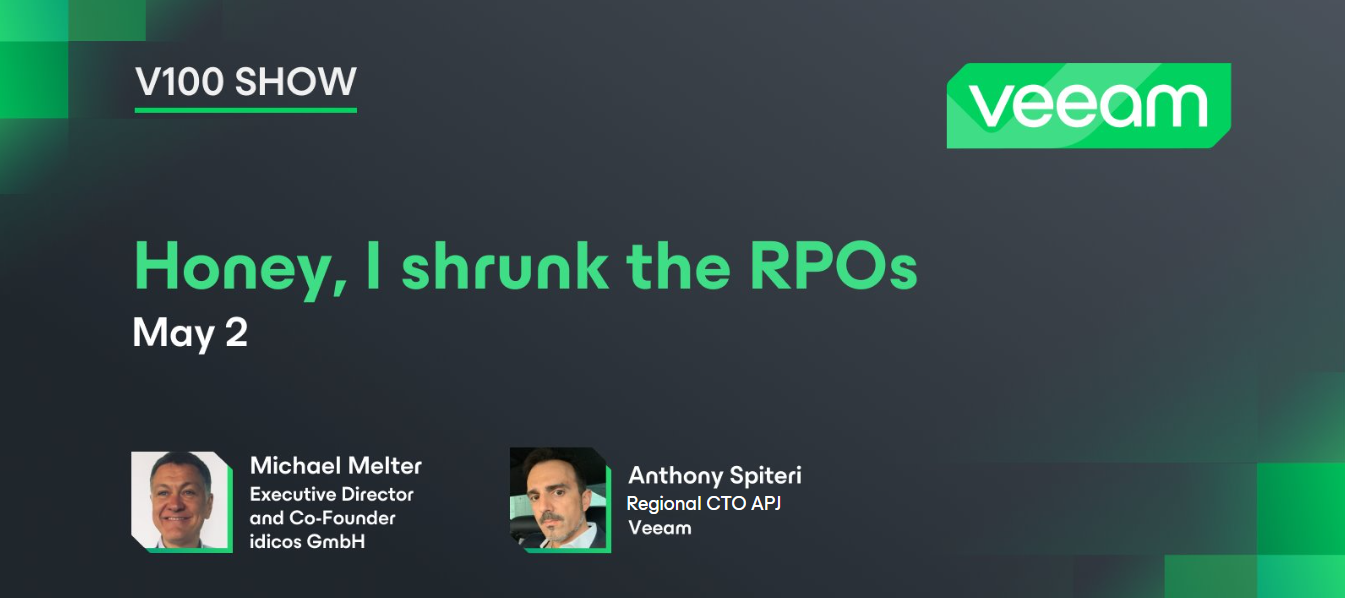
Honey, I shrunk the RPOs! 🐜 Happy Friday, community! In yesterday’s episode of the Veeam100 Show, @Michael Melter was joined by @anthonyspiteri79 to show how you can build the smallest RPO possible. Michael digs into his past as a scientist with a PhD in chemistry (wow!) and shows a Veeam relic from 2007! Catch the latest episode below 💫
When I went to download the updater for Veeam I get redirected to a page that ask to upgrade my profile and requires a business email which I do not have. I am running the community version.
It has been few weeks traveling for me, but I couldn't skip the invitation from community managers to share our experience at the Veeam 100 SummitThose who know me are familiar with my physical limitation and how my hearing starts to perceive distorted and incompressible sounds when discussions shift to technical topics, so my experience, I am sure, is quite different from the rest of participants.First. What is Veeam 100 Summit?Veeam 100 summit get together our most active community members (Vanguard, Legends MVP). This year the most active this VUG Leaders were invited for the very first time. What happens in Veeam 100 Summit?During the summit, Veeam has the chance to engage face-to-face with community members, sharing exciting products, news, that are not publicly available while receiving immediate and spontaneous feedback. You might wonder “Oh ok? So what were you doing there doing there if you are not a Veeam Legend or MVP, and not a product expert?”. Well I am in charge of th
Being my second Summit, I was more prepared traveling half way around the world this time, and excited to see everyone I previously met in Prague and Miami. DAY 1On Day 1 I received my swag and checked in. The trophy was such a awesome surprise! My nephews wanted to play with it but I had to explain it’s on my desk because it isn’t a toy. The jacket fits perfect and I’ve already put the screwdriver to use. Due to passport issues I had to book my travel last minute and couldn’t get a spot in the VRO workshop. I didn’t bring a laptop but would in the future as spots do open up. As I’m looking at a quote for VRO right now it would have been a great workshop. DAY 2To say I’m excited for V12.3 and V13 is an understatement. Some of the new Veeam ONE features are going to be game changers for me. I won’t dive too deep as there was some Yellow and Red content but I’m sure Veeam will be releasing some teasers shortly. If not VeeamON is going to be exciting next year. Finding out we can
Already have an account? Login
Enter your E-mail address. We'll send you an e-mail with instructions to reset your password.