The Why Now Community Challenge: Veeam Data Platform 13.1. It’s time to vote!
News, guidelines and various community projects
Recently active
One of our recent projects focused on modernizing a customer's data protection strategy, replacing a legacy environment with a resilient and recovery-ready architecture.A key success factor was the ability to reuse the existing physical backup server and LTO tape library from the legacy solution, avoiding additional infrastructure investments and making the project financially viable. This approach enabled the customer to modernize its backup platform while protecting previous investments and accelerating adoption. The ChallengeThe customer was operating with a legacy Arcserve backup solution that presented several operational and business risks.The environment faced a high risk of data loss and limited confidence in backup recoverability. Critical workloads lacked adequate backup coverage, creating protection gaps across the infrastructure. Operational management had become increasingly complex due to manual processes, limited visibility, and the challenges associated with maintaining
For anyone in the community preparing for the CISSP exam, there’s a free group mock exam taking place tomorrow, Saturday, September 19, at 3:00 PM Eastern Time. You can take the full practice exam, get domain-by-domain results, and compare notes with other participants afterward.No subscription is required for the event.Registration: CISSP Mock Exam Day
Hi everyone, sharing this, perhaps it might be useful to others, becasue it uses variables it should just bolt on to anyones’ setup witht he appropriate credentials and smtp relay details. $ErrorActionPreference = 'Stop'#region Configuration$Script:EnterpriseServer = 'https://xxxxxxxxxxxxxx:9398'$Script:User = 'xxxxxxxxxxxxxxxx'$Script:Password = 'xxxxxxxxxxxxxxxx'$Script:Cc = 'xxxxxxxxxxx@domain.com'$Script:ContactsPath = 'C:\Active-Scripts\veeam-contacts.csv'$Script:FromAddress = 'sender@domain.com'$Script:SmtpServer = 'xxxxxxxxxxxx’$Script:SmtpPort = 587$Script:SmtpUser = 'xxxxxxxxxxxxxxxxxxxxxx'$Script:SmtpCredential = New-Object System.Management.Automation.PSCredential( $Script:SmtpUser, (ConvertTo-SecureString 'xxxxxxxxxxxxxxxxxxxxxxxxx’ -AsPlainText -Force))#endregionfunction Get-VeeamEmailStyle { @"<style>body { font-family: Segoe UI, Arial, sans-serif; font-size: 10pt;}table { border-col
Why You Should Integrate Veeam with CrowdStrike Bridging the Gap Between Detection and RecoveryI'm in the process of integrating Veeam with CrowdStrike in my lab, which will be available for customer demos. In this first article, I'll talk about "Why you should integrate," and in the next, we'll walk through the configuration steps for the integration.Most organizations today are investing heavily in security tools to detect threats faster than ever. At the same time, they rely on backups to recover when things go wrong.But here’s the uncomfortable truth:Detection and recovery are still often completely disconnected.That gap is exactly why integrating Veeam with CrowdStrike is becoming a critical part of modern cyber resilience strategies. The Problem: Fast Detection, Slow DecisionsCrowdStrike is incredibly effective at identifying:ransomware behavior lateral movement credential abuse suspicious processesIn many cases, it detects threats within minutes.But once an alert fires, the ques
Good morning everyone.Our company has just installed Veeam version 12.To save databases we use the MSSQLRecoveryManager.exe executable.However, we don't understand how to exclude databases that are Offline. Thanks in advance. Claudio
Recently I faced an interesting issue with a Hyper-V VM backup in Veeam. One specific VM suddenly started failing during checkpoint creation, while all the other VMs in the environment continued to be protected normally.What made the case more interesting was that there was nothing obviously wrong with the affected VM. It was powered on, the operating system was accessible and the applications were working normally. From a production perspective, everything looked fine.However, every backup attempt failed with the following error:Failed to create VM recovery checkpoint (mode: Crash consistent)Checkpoint operation for 'SRV-IA-CONATA' failed.Checkpoint operation for 'SRV-IA-CONATA' was cancelled.'SRV-IA-CONATA' could not initiate a checkpoint operation:Incorrect function. (0x80070001).Error code: '32768'.Retrying snapshot creation attempt(Failed to create production checkpoint.)Unable to allocate processing resources.Error: Failed to create production checkpoint. Finding the real problem
Hi All,Unable to install the veeam agent to a windows server, this was working earlier.The service status is as below on the affected VMPS C:\Windows\system32> Get-Service *Veeam* Status Name DisplayName------ ---- -----------Running VeeamDeploySvc Veeam Installer ServiceStopped VeeamEndpointBa... Veeam Agent for Microsoft WindowsRunning VeeamTransportSvc Veeam Data Mover Service We have killed the msi and veeam services, uninstalled the veeam agents from control panel - cannot find the veeam agent for windows in the control panel though, restarted the server, still the status remains same. Kindly advise.
Hi, We are thrilled to announce the general availability of AsBuiltReport.Veeam.VBR 1.0.0 — a comprehensive PowerShell module that generates professional as-built documentation reports for Veeam Backup & Replication (VBR) infrastructure. What is AsBuiltReport.Veeam.VBR?AsBuiltReport.Veeam.VBR is a specialized report generator that plugs into the AsBuiltReport framework to automatically document your VBR environment. It produces multi-format reports (HTML, Word, Text) that capture the complete state of your backup infrastructure—from backup jobs and repositories to proxies, tape libraries integration, cloud gateways, and more. Key FeaturesReport Sections — Comprehensive coverage of all VBR components including backup repositories, jobs, proxies, WAN accelerators, tape integration, and cloud connectivity Diagram Types — Visual representations of your infrastructure, including backup-to-repository flows, proxy routing, and tape library topology Flexible InfoLevel Configuration — Contr
Please help me with this problemFailed to connect to backup server: Server Veeam Backup Server Certificate certifikate is not trusted
For my third blog in my new series which covers both Veeam and Wasabi, I wanted to look at something new in Wasabi called “Covert Copy”. It is very interesting technology and you can read about it below.Blog #3 - Wasabi Covert Copy – The Invisible Air Gap Your Backups Need Wasabi Covert Copy – The Invisible Air Gap Your Backups Need Ransomware attackers have gotten sophisticated. They do not just encrypt your production data anymore — they go after your backups first. If an attacker can find and destroy your backups, your recovery options disappear. That is the threat Wasabi designed Covert Copy to solve, and it is one of the most interesting data protection features to land in cloud storage in a while. What is Covert Copy? Wasabi Covert Copy is a feature of Wasabi Hot Cloud Storage that creates a locked, hidden copy of a selected S3 bucket. The copy is completely invisible to anyone accessing your Wasabi account through normal means — including authenticated users and, critically, a
Hi Community. I am unable to resolve the above referenced issue. This happened after an update to v13. After the install, it worked for 2-3 days. I then started to configure my tape infrastructure and when I finished, I was prompted to reboot the server. Now I can’t get back into the console. Any help would be greatly appreciated.
I'm using Veeam Backup & Replication Community Edition 13.1.1.18 in a home lab with Veeam Agent for Microsoft Windows 13.1.1.700.I'm seeing extremely poor performance with physical Windows Agent jobs configured as:Server -> Managed by backup server -> Veeam backup repositoryThe problem reproduces on multiple physical Windows PCs.The same machines perform normally when configured as:Server -> Managed by agent -> Shared folderThe difference is enormous.Example managed-by-backup-server test:- Destination was a LOCAL NVMe repository on the VBR server- Approximately 49 GB read- Approximately 30 GB transferred- Duration: approximately 4 hours 16 minutes- Average processing rate: approximately 3 MB/s- Veeam reported Network as approximately 99% of the bottleneckThe transfer frequently drops into the hundreds of KB/s or even tens of KB/s, with occasional short bursts of normal/high throughput.I specifically tested a local NVMe repository to eliminate the NAS/SMB repository path
In Japan, when Anthropic announced Claude Mythos in April, there was an enormous urgency in the Japanese government and the news was everywhere on the media. Finance Minister Satsuki Katayama called it “clear and present danger”. Prime Minister Sanae Takaichi commented that “finding vulnerabilities is a race against time” when she directed her team to “come up with concrete measures and implement them”.Three months have passed since then and nobody seems to talk about Claude Mythos on Japanese media anymore. I searched for related news to update myself. On August 27th a couple of major newspapers reported that Japan’s three megabanks finally gained access to Mythos and started evaluating how to use it. That is how the newspaper article is written, if I translate directly. TV and other media didn’t actively report on it, as far as I am aware.I also searched on English media. There were a lot more updates available, including the info about Project Glasswing. The ones that caught my eye
Hi,I’m working with MongoDB backups, and everything was going well until the restoration part.I was able to test all the restore options except: Restoring multiple collections to a point in time Publishing the instance I’m not sure why these two aren’t working. Has anyone faced the same issue before?
I’m facing an Active Directory security audit, and the account used for the backup job generate a discussion.If i’m correct the account used must me member of builtin\administrator group, and the security team do not like at all that the password is set as never expire.i’ve already implemented that the account cannot be used for interactive login, but it is not considered “enough”So i’m trying to echange my posture without breaking the restore functionality, and i’m evaluating several option:The Veeam Server in in a workgroup and in a segmented network.1) do not do application aware and use only the vmware tools.it seem that the backup of AD is done in a correct wayPS C:\Windows\system32> repadmin /showbackupRepadmin: running command /showbackup against full DC localhostLoc.USN Originating DSA Org.USN Org.Time/Date Ver Attribute======= =============== ========= ============= === =========DC=DomainDnsZones,DC=intrane
Today, I built a new Veeam environment using Veeam Backup & Replication 13.1 with oVirt KVM Plugin 13.8.0.395.When deploying the OLVM worker, the worker deployment completed successfully. However, the worker's network was not working afterward:Veeam could not retrieve the worker's IP address information. The worker could not be pinged from the Veeam server. The worker appeared to be deployed successfully in OLVM, but there was no functional network connectivity.To troubleshoot, I downgraded the environment to:Veeam Backup & Replication 13.0.3.63 oVirt KVM Plugin 13.7.3.63After the downgrade, I redeployed the OLVM worker using the same OLVM/network configuration, and everything worked as expected. The worker obtained an IP address, Veeam was able to detect it, and network connectivity was working normally.This makes me suspect there may be a compatibility issue or regression in Veeam 13.1 / oVirt Plugin 13.8.0.395 related to OLVM worker networking.
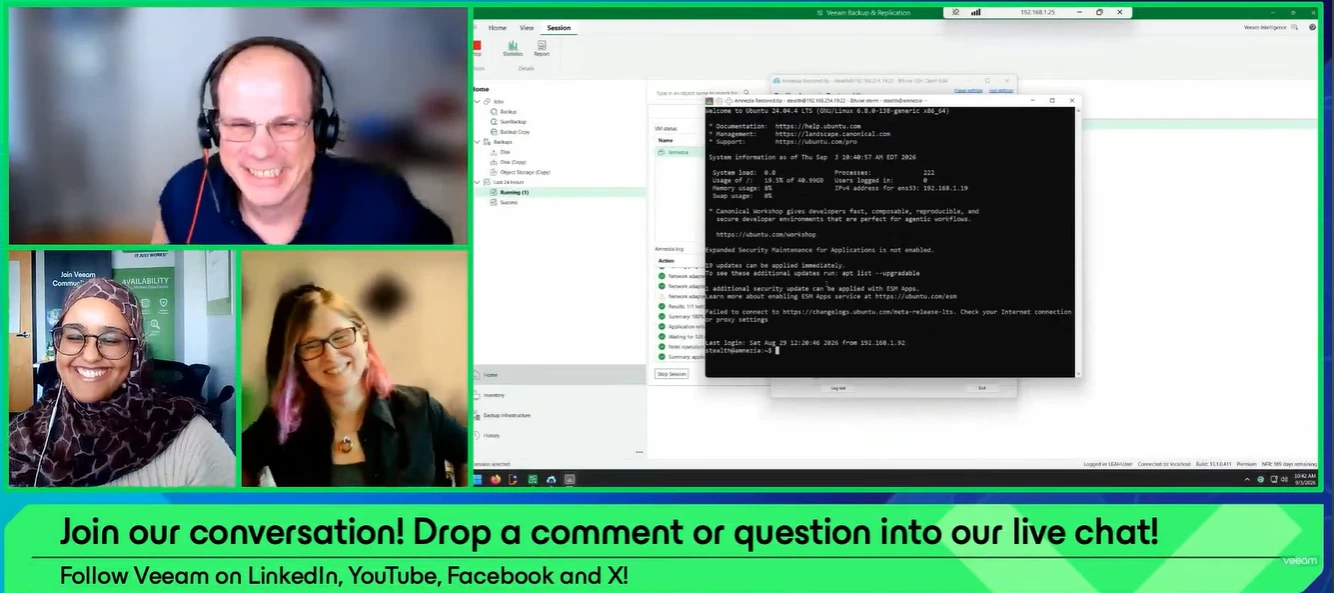
The proof is in the pudding! Yesterday, the September episode of the Veeam 100 Show aired: Proof, Not Hope: Validating Recovery with Veeam SureBackup. Thank you to @NicBackup for joining, and to @Rin for co-hosting 🤗If you missed the show or want to rewatch, catch it below ⬇ Overview:How do you know your backups will recover when you need them most? Join us for a quick look at Veeam SureBackup and how it automatically validates backup recoverability in an isolated lab environment. We'll walk through the fundamentals, build a SureBackup lab live, and demonstrate connecting directly to a machine running from backup. What you'll learn:Verify backup recoverability with automated SureBackup testing. Build and launch a SureBackup virtual lab in a live demo. Connect to and validate a workload running directly from backup.📖 Read Nico’s blog on Veeam Surebackup: https://nicostein.com/proof-not-hope-validating-recovery-with-veeam-surebackup/
Veeam Data Cloud (VDC) is Veeam’s cloud-delivered backup platform designed to simplify how partners deliver backup services. It removes the need to manage the underlying infrastructure while providing protection for Microsoft 365, Entra ID, Microsoft Azure workloads, Salesforce, and secure storage through Veeam Data Cloud Vault.If you’re a VCSP partner looking to explore VDC, getting started is fairly straightforward.The primary license administrator of the VCSP partner account (with an active rental agreement) can register the business for Veeam Data Cloud through VCSP Pulse.Steps to access Veeam Data Cloud in VCSP Pulse Log in to the ProPartner Portal and navigate to VCSP Pulse. In the top menu, go to Licenses and Subscriptions. Click Veeam Data Cloud Subscriptions. If your organisation hasn’t yet accepted the updated VCSP Terms & Conditions for Veeam Data Cloud, you’ll see a banner message indicating that the terms must be accepted before proceeding.To resolve this: Click th
Hi everyone,I am surprised that I could not find anything regarding this topic.Here is the situation :I have no issue adding a vCenter server in the console.But when Veeam does the volume discovery, I get the warning in the title. In the screenshot it show up for two hosts actually.The ESXi hosts belong to the same datacenter under that same vCenter.Weirdly, as you can see in the screenshot, the next steps is successful.I tried to edit the vCenter object to see if it would prompt me to accept an untrusted certificate, but nothing appears.Also I tried to edit the properties of the ESXi objects but still no prompt to accept certificates.Does anyone have an idea about what is happening and how to fix this issue ?Best regards
I’m really pleased that one of my feature requests got implemented by Veeam.Out in the field with customers, or in our own demo lab, we keep running into stumbling blocks or things we’d wish worked differently. Veeam’s R&D Forum is where you can submit feature requests like that. Veeam employees look at them directly there, evaluate them, and work on them. My feature requestI submitted a feature request in the Veeam R&D Forum: an option to skip the update check when adding Managed Servers (Veeam appliances).Feature request – Veeam Managed Servers – Option to skip update check The problemWhen you add a new Veeam Infrastructure Appliance as a Managed Server in V13, the appliance checks whether updates are available for it. On a standard installation with internet access, you barely notice this.On a dark site, or when internet access and firewall rules haven’t been configured yet, it’s a different story. For dark sites you should use a local offline repo, and in other environments
Hi Everyone, I installed Veeam 13.1 on Windows Server 2022 without joining an AD domain and in an environment without internet access. I used IP addresses when adding the PVE9.2, but when I deployed the workers, the installation failed with the error “Veeam Updater is unavailable.” Later, I set up DNS forward and reverse lookups for the PVE and worker IPs, but the same error persisted. I unchecked the “Check for updates online” option for the workers.Does Veeam require an internet connection for the worker to install packages? Translated with DeepL.com (free version)
VMs Living Inside Kubernetes: What Veeam v13.1's New KubeVirt Proxy Is and Why You Should CareIf you come from the traditional virtualization world, the first time you heard about "running virtual machines inside Kubernetes" it probably sounded like an architect's joke. Wasn't Kubernetes supposed to replace VMs? And now VMs run on top of Kubernetes?Well, yes. And not only does it work: it's becoming one of the most popular landing spots for organizations rethinking their virtualization platform. With the announcement of the KubeVirt Proxy in Veeam Backup & Replication v13.1, Veeam just made an important move on that board. In this post I'll walk you through what KubeVirt is, what exactly Veeam announced, and why it matters even if you don't have a single Kubernetes cluster in your data center today.First things first: what is KubeVirt?KubeVirt is an open source project (originally created by Red Hat and donated to the CNCF) that lets you run traditional virtual machines as first-cl
Blog #2 for my new series is out. Check below.Blog - Veeam 13.1 Platform Expansion – OpenShift, XenServer, XCP-ng, and Cloud Appliances Veeam 13.1 Platform Expansion – OpenShift, XenServer, XCP-ng, and Cloud Appliances The headline features in Veeam 13.1 — the VSA, Universal CDP, Proxmox replication — get most of the attention. But the platform expansion work in this release is equally significant for organizations running infrastructure that falls outside the traditional VMware-centric model. OpenShift Virtualization, Citrix XenServer, Vates XCP-ng, and continued cloud appliance improvements each address real gaps in Veeam’s platform coverage.Let’s go through each one and what it actually means for the people running these platforms. Red Hat OpenShift Virtualization This is arguably the most strategically interesting addition in the platform expansion category. OpenShift Virtualization — formerly known as KubeVirt — lets organizations run virtual machines inside Kubernetes clusters o
The previous guide in this series got SAML SSO working between a Veeam Backup & Replication 13.1 appliance and Active Directory Federation Services. This guide adds a second factor to that login: a time-based one-time (TOTP) code from any MFA/2FA authenticator app, and optionally a passkey.The appliance does not need to know that MFA exists. It receives the same SAML assertion as before, from the same identity provider, with the same claims. Everything the previous guide configured on the appliance stays exactly as it was: the same relying party trusts, the same three claim rules, the same external users and groups. All the work happens at AD FS, and that is the right place for it, because authentication is what AD FS is for.Unfortunately native Microsoft AD FS cannot do this on its own. That is why all kinds of services exists, to name a few Okta, EntraID or CISCO DUO.Out of the box ADFS supports Azure MFA (EntraID) and certificate authentication as additional factors, but our goa
Well, I finished my previous blog series on 13.1 and have now started another series of 10 blogs (1 per week) on both 13.1 and Wasabi. Some will be Veeam, some Wasabi and some Veeam + Wasabi. So enjoy this series as some might seem like my previous ones, but they are much different with more detail.Blog #1 - Veeam 13.1 Universal CDP – Continuous Data Protection Beyond VMware Veeam 13.1 Universal CDP – Continuous Data Protection Beyond VMware Continuous Data Protection has been one of Veeam’s most powerful — and most narrowly scoped — features for years. Until 13.1, CDP was exclusively a VMware vSphere capability. That changes with Universal CDP, which extends near-zero RPO protection to a broader set of workloads.This is a genuinely significant architectural shift. Let’s work through what it means, what the current limitations are, and how to incorporate it into your DR strategy realistically. What is Continuous Data Protection? Before covering what’s new, it’s worth being precise ab
Already have an account? Login
Enter your E-mail address. We'll send you an e-mail with instructions to reset your password.