
Hello everyone,
I'm reaching out today because we're experiencing performance issues with our Veeam backups. More specifically, I find that both the incremental backup duration and the Synthetic Full backup duration are extremely long.
Here's a quick overview of our current physical infrastructure:
- Veeam Backup Server running as a virtual machine (connected at 10 Gbps) - 13.0.2.29
- Backup Repository: Synology RS2418+ (Intel Atom C3538, 4 GB RAM, no SSD cache, connected at 10 Gbps)
- Disks:
- Disk 1: WDC WD80EFAX-68KNBN0
- Disk 2: WDC WD80EFAX-68KNBN0
- Disk 3: WDC WD80EFAX-68KNBN0
- Disk 4: WDC WD80EFAX-68KNBN0
- Disk 5: WDC WD80EFPX-68C4ZN0 (recently added, hence the different model)
For every backup job, the bottleneck consistently shows "Target".
Backup configuration
We currently have two backup jobs:
Job 1
- Selected production servers
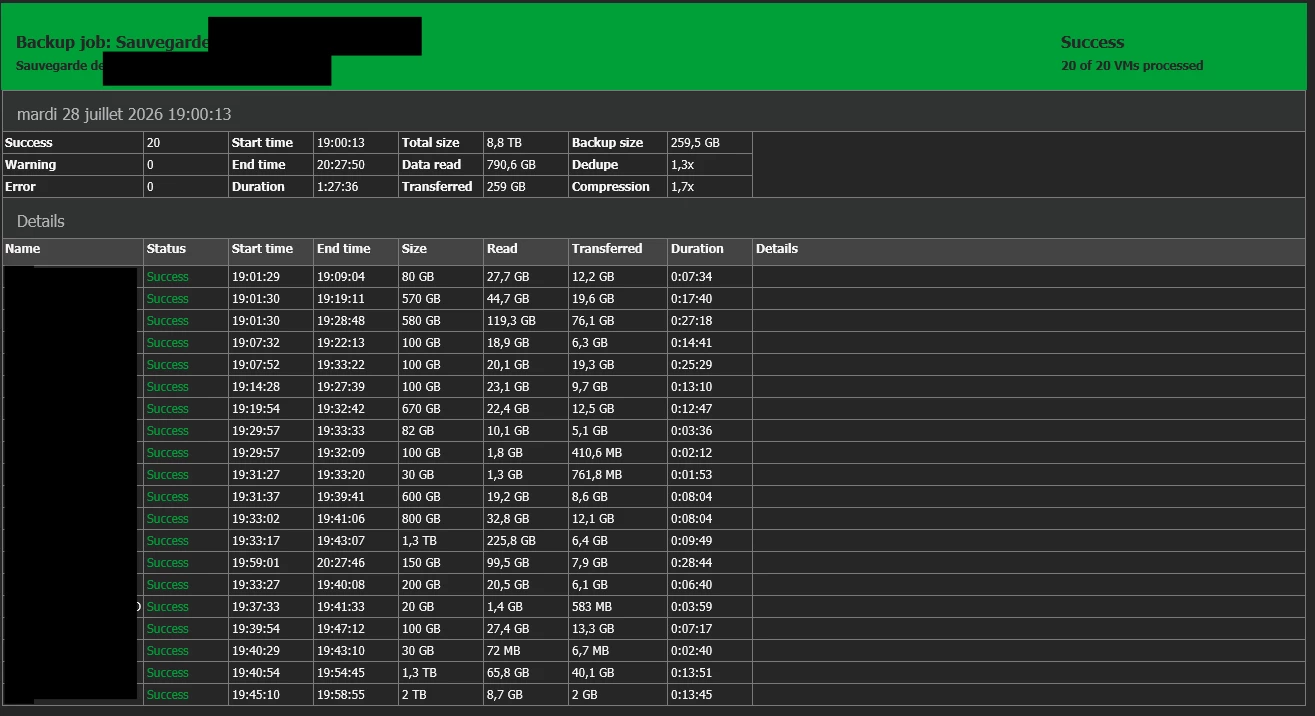
- Incremental backups: Monday to Friday, starting at 7:00 PM
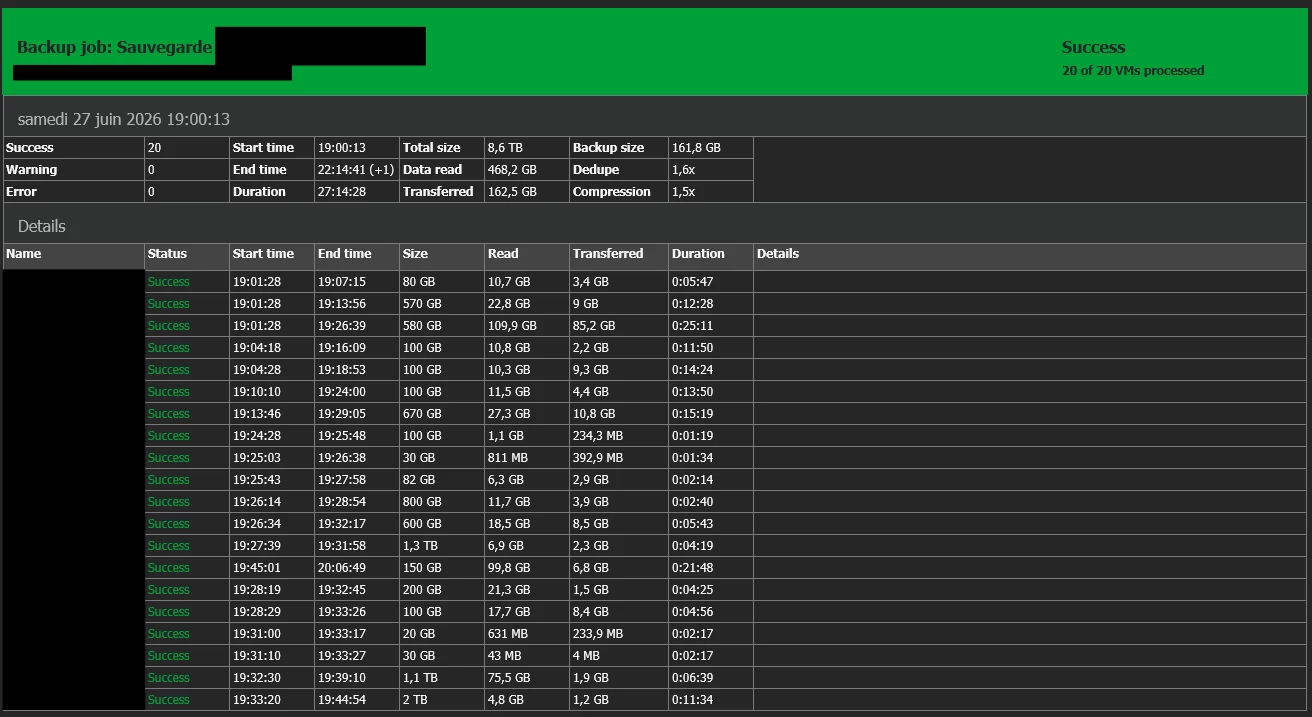
- Synthetic Full: Saturday (same start time, as it's not possible to schedule a Synthetic Full earlier than the job schedule)
Job 2
- Remaining production servers
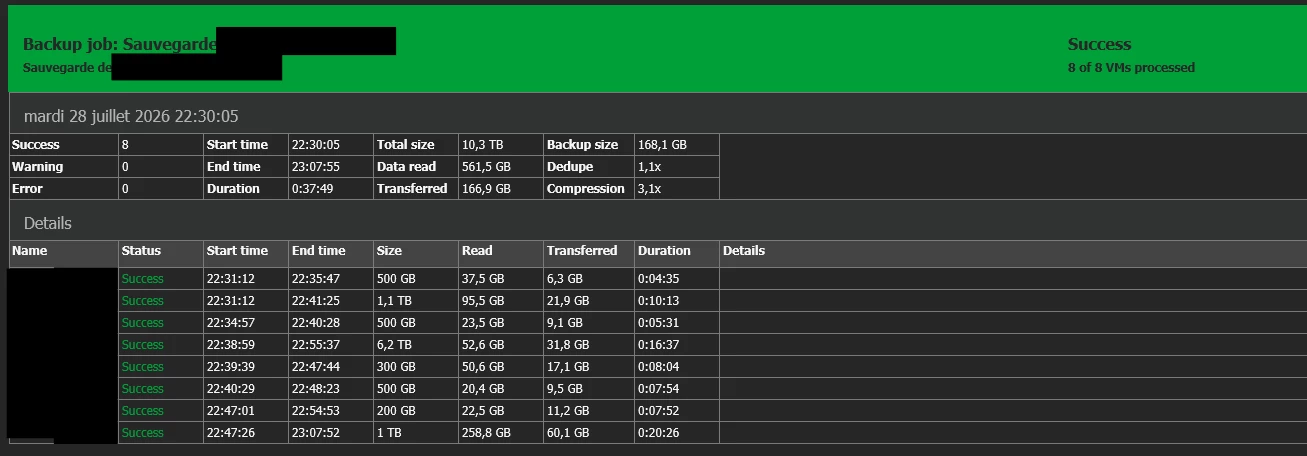
- Incremental backups: Monday to Friday, starting at 10:00 PM
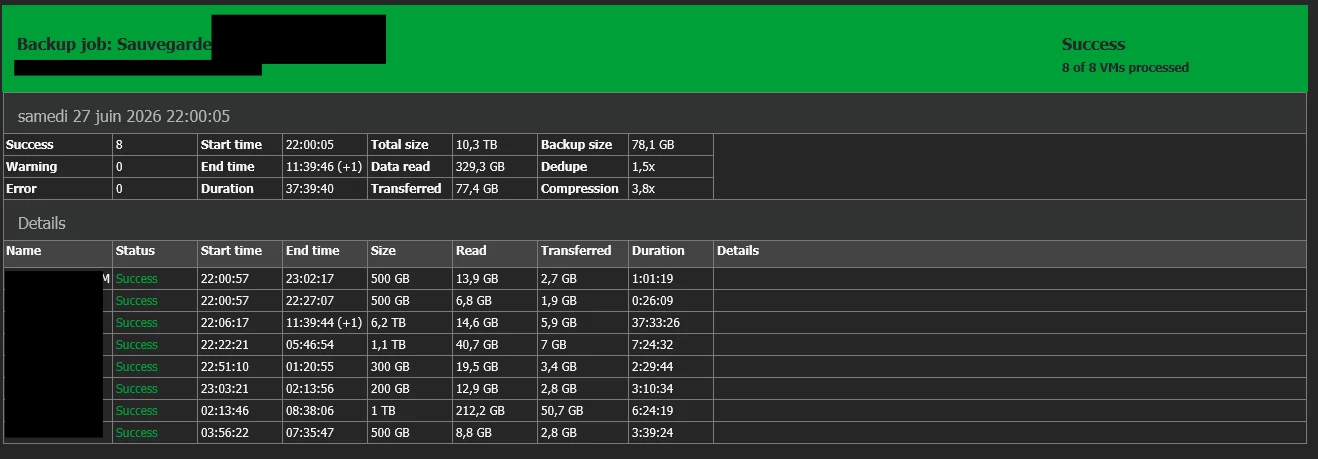
- Synthetic Full: Saturday (same start time for the same reason)
Normal incremental backup reports
Job 1:
Job 2:
Normal Synthetic Full reports
Job 1:
Job 2:
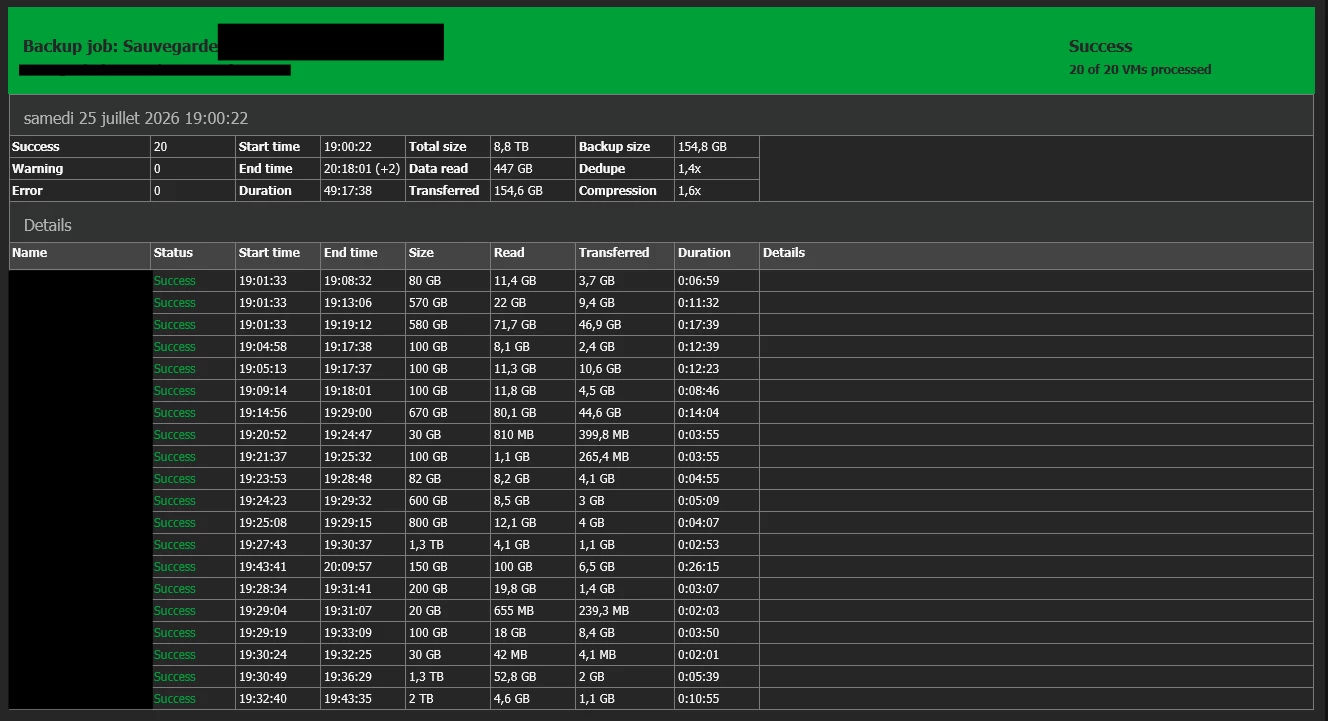
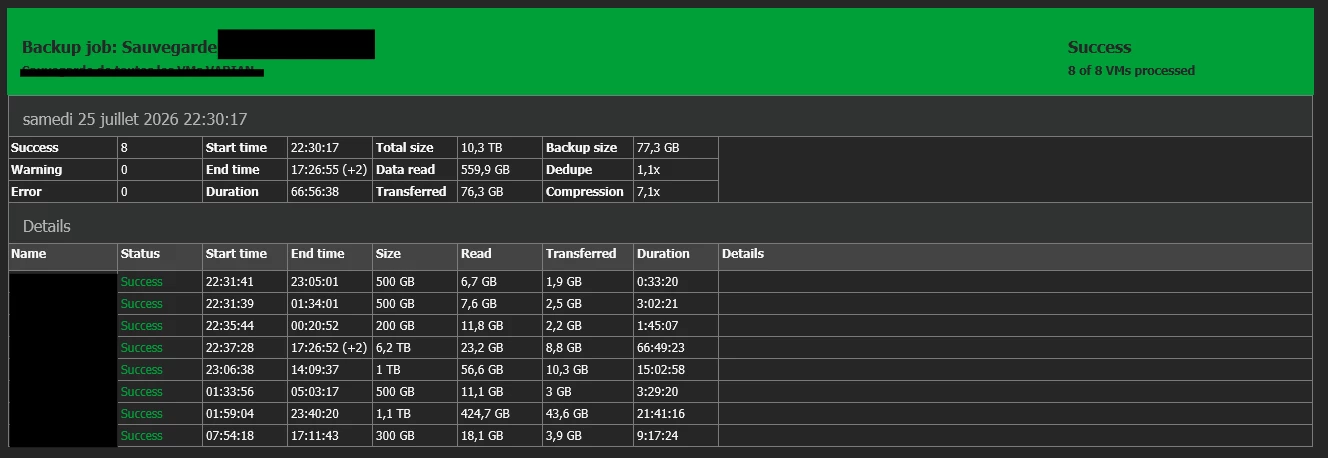
Synthetic Full report from this weekend
This week's Synthetic Full took even longer because the previous weekend's Synthetic Full could not complete. Even taking that into account, I still find the execution time excessive.
Job 1:
Job 2:
My questions
- Until we replace our hardware (planned in approximately six months), what can we do to improve backup performance?
Our production environment is business-critical, so the Synthetic Full must not extend into Monday. When it does, our production systems experience noticeable slowdowns.
- When we replace the infrastructure, what type of backup repository would you recommend?
Would it be better to use:
- a physical Veeam Backup Server with directly attached storage,
- a DAS (Direct Attached Storage),
- or another architecture?
What are the current best practices for a Veeam backup repository?
Thank you very much for your feedback and recommendations. I appreciate any advice you can provide and will take all suggestions into consideration.
