The Why Now Community Challenge: Veeam Data Platform 13.1. It’s time to vote!
News, guidelines and various community projects
Recently active
This week @Rick Vanover is on location at VeeamON Tour events in Latin America. Great energy here for Veeam with our customers and partners! We have a good block of content, Special Department news and the Who’s New for this week. Check out the latest episode:The Linksvia @TomKan via @NemanjaJanicic via @SteveHeart Special Department Newsvia @Madi.Cristil via @bjervis and Kevin AllanVMware Cloud Director users: A new KB has been posted: KB4489: VMware Cloud Director 10.5 Compatibility Patch (veeam.com)Who’s NewThank you @safiya for preparing the new member list for this week. We are pleased to welcome +72 members this week! These six are the coolest usernames: @OG1 @DANGAC @soporte @Hitz @packet_loss and @carminati And @Veeamnix → you are Alfred’s pick. You have a badge coming your way!
Check out our introduction to Containers, Kubernetes and Kasten K10. Look after your pets (services) and ensure fast recovery times.Introduction to Containers and Kasten - Veeam looking after your animals (services) Part 2 - Vets for your pets - Speedy Recovery of your pets (key containerised services) coming soon!
Hi,I have been facing an issue while trying to login with Veeam Backup & Replicaiton v10. The error is “failed to connect to Veeam Backup & Replicaiton server: No connection could be made because the target machine actively refused it 127.0.0.1:9392. Application Event log : Service cannot be started. System.OperationCanceledException: The operation was canceled. at Veeam.Backup.DBCreator.BackupDatabaseDeployer.CanDeploy(IDatabaseVersion databaseVersion) at Veeam.Backup.DBCreator.BackupDatabaseDeployer.DatabaseDeploy(List`1 inDeployChangedOptions) at Veeam.Backup.DBCreator.BackupDatabaseDeployer.Deploy() at Veeam.Backup.DBManager.SqlRetryableInitializer.Init() at Veeam.Backup.Service.CVbServiceImpl..ctor(CVbEnvironment env, CTerminationMediator terminator) at Veeam.Backup.Service.CVeeamBackupSvc.OnStart(String[] args) at System.ServiceProcess.ServiceBase.ServiceQueuedMainCallback(Object state) Please support anyone to resolve issue! Regards,
I am looking for recommendation on how to design a server that can run VBR and that can be a storage repository for critical VMs. I am thinking about using this new server for instant restores or other Veeam tools that can bring a work load up quickly. This server would have high speed storage to improve the performance of the restores. Currently I run VBR on the VMware cluster that I am backing up and I want to move VBR to stand-alone server that would stay up if the VMware cluster went down. We currently use a Linux server with spinning disks and immutable storage as our primary backup target. Thank you for your suggestions and recommendations.
Hello All, Could someone help me with adding servers to agent-based backup jobs via powershell/commandline. In the below command i get error while mentioning Job and backupobject.Set-VBRComputerBackupJob -Job <VBRComputerBackupJob> [-Name <string>] [-Description <string>] [-BackupObject <Object[]>]. Where RKTest is an existing Job, I’m trying to add objects or servers to the backup job RKTest. Error:cmdlet Set-VBRComputerBackupJob at command pipeline position 1Supply values for the following parameters:Job: "RKTest"Set-VBRComputerBackupJob : Cannot bind parameter 'Job'. Cannot convert the ""RKTest"" value of type "System.String" to type "Veeam.Backup.PowerShell.Infos.VBRComputerBackupJob".At line:1 char:1+ set-vbrcomputerbackupjob+ ~~~~~~~~~~~~~~~~~~~~~~~~ + CategoryInfo : InvalidArgument: (:) [Set-VBRComputerBackupJob], ParameterBindingException + FullyQualifiedErrorId : CannotConvertArgumentNoMessage,Veeam.Backup.PowerShell.Cmdlets.SetVBRCompu
Hi Veeam communityI would like to hear your thoughts about pros and cons regarding GFS and Standard Mediapools.
Hi Veeam Community,I have just started in a new company and was going through their Veeam backups solution, and here I found that the consultant company had 2 backup jobs running at the same time against all servers - 1 to the harded repo. and 1 to a cloud repo. (7 days immutability. My question goes on - what would be the best practice:2 Backup jobs of all servers ( 1 to local repository and 1 to Cloud repository) 1 Backup job of all servers to local repository and then setup a Scale-Oout Repository to move the backup onto a cloud provider. Just wanted to know your opinion before I go in dialog with the consultant.Looking forward to hear your recommendation… /Peter
Hi! In this video, I show how to install Veeam Backup for Google Cloud and integrate it with Google Cloud Plug-In for Veeam Backup & Replication. I hope it's helpful.
Ran across an interesting quick issue post v12 upgrade. I had a client who I upgraded to v12 (via our Service Provider Console). I had some clients where after the upgrade, some copy jobs were not reenabled. NOTE: The upgrade shows as a success, but if you view the upgrade job details, it does note that the jobs weren’t reenabled. Anyhow, I was poking that clients machine this morning and realized the copy jobs were disabled but also decided to convert them from per-job chains to per-machine chains. I changed the backup repositories to per-machine, but when I attempted to detach the backup job from the restore points, I received the below error message. Veeam error dialog stating “Disable the primary job and all dependent secondary jobs before detaching the backup.” The strange part about this was that I had already disabled the backup jobs, and the secondary copy jobs were already disabled. Thinking that perhaps it was tied to the replication jobs (metadata), I tried disabling
In this demo I illustrate how you too can utilize the Pure Storage platform to provide rapid recovery and near-zero replication for your Veeam repositories.This lab consists of 2 Pure arrays, 2 vSphere clusters and a single VCenter. Though in this lab we could use other means to provide recovery, say through vSphere, this setup up was used to simply illustrate an easy to use and efficient DR strategy from Production to a DR cluster. Utilizing, Veeam.In this lab I built 2 Veeam servers. The first holds the Veeam Backup Server, proxy, and primary repository. The second runs the Veeam Disaster Recovery (VDRO) server and is the remote repository. In this lab – I do not utilize VDRO for recovery – that will come in a later post.Normally, in a Veeam scenario like this there would be 2 Veeam jobs providing restores and the local and remote sites. The first would be the primary backup job to the repository local to the production site. The second, would be what is called a backup copy job from
I have been thinking a little more about how best customers can best utilize their technology to build in fool-proof data protection. Data protection which helps eliminates risk normally associated with managing a data protection solution.I have spent a long time dealing in this space, and I have found, that it’s common for organizations to put data protection solutions on the back burner. Utilizing cheaper, and sometimes older technology that lacks features and tools that reduce management risks. Because it isn’t viewed production data.This is only true, until it is. When your production is offline, you need a reliable solution to get you back to work, as fast as possible.Now, my approach has always been to match the best technology. Careful not to overcomplicate, but enough to allow best in breed, or match technology that is first class in their space to build the solution. So, in this demo I will show how features in Pure can help support those in Veeam. So, what does this demonstra
Hi, we have 3 backup copy jobs for one backup job. All backup copy jobs for a specific vm fail with the following error: 9-8-2023 22:31:45 Error: Failed to decompress LZ4 block: Bad crc (original crc: 5a73d881, current crc: 3fa0f4bc). Failed to upload disk '65505BFB' Agent failed to process method {DataTransfer.SyncDisk}. Exception from server: Failed to decompress LZ4 block: Bad crc (original crc: 5a73d881, current crc: 3fa0f4bc). Unable to retrieve next block transmission command. Number of already processed blocks: [132]. Failed to download disk '65505BFB'. The only way to solve this, was doing an active full on both the backup job and the copy jobs. I'm puzzled why this CRC error occurs. There is corruption on the source backup files (Backup validator also reports this). The backup files are located on a ReFS raid 6 volume. Integrity streams are enabled, so if there's corruption shouldn't refs detect that also? I can copy the file from windows explorer fine. If ReFS detects an inte
I'm running Server 2022 Definitely in 64 bit (Do they make 32 bit even????) and whenever I try to create a VMWare proxy or any other proxy I get the error "VMware backup proxy requires 64-bit operating system" I have no idea why, and I haven't found anywhere leading me to anyone else having this exact issue either. Any idea what might cause it?
Hi Guy’s The path to success is rarely linear; it often winds through setbacks, challenges, and moments of doubt. My journey through the VMCA (Veeam Certified Architect) exam epitomizes this truth, culminating in a well-earned victory with a score of 79%. It's a story of resilience, growth, and the satisfaction that comes from persevering against the odds.Adding a unique layer to my journey is the fact that I have spent the last seven years dedicated to working with Veeam, a prominent player in the realm of data protection and management. This experience has given me an extensive and intimate understanding of the intricacies of data backup, recovery, and virtualization management.The VMCA exam was no small feat during my first two attempts, with scores of 55% and 64% respectively. Yet, each outcome held within it a lesson, a piece of the puzzle that would eventually lead me to success. These results could have deterred me, leading to discouragement and abandonment, but they had the opp
Hi have currently this warning for 3 consecutive days. the backup jobs ara all success but I getthis warning message . can any one help me resolve thisWarning message:>>>>>>>>>>>>>>>>>>>>>>>8/31/2023 10:00:51 AM Warning Failed to connect to GCP plug-in: Failed to login to platform service: No connection could be made because the target machine actively refused it xx.xx.xx.10x:9xxThnanks in advance>>>>>>>>>>>>>>>»
I want to share my experience of an Active directory migration through the VB Replication software related to an Active directory environment 2012 R2 - forest and domain functional level 2012 R2.The customer asked me to migrate 3 Domain controllers from an old VMware 5.5 to the new VMware 6.5 infrastructure for a technological refresh.Given that the best solution from Microsoft is to create new VMs and promote them Domain Controllers and transfer FSMO roles.That said, there are scenarios like mine, where this type of approach was not possible as it was mandatory to maintain the same FQDN and IP address due to application configuration problems.Microsoft advised against demoting and promoting a DC with a different OS but with the same FQDN and IP, even if my environment was relatively small 3 DC one forest \ domain and not complex it could be done with the metadata cleanup procedure but the customer did not give the approval. So I have adopted the solution of VM replica. Scenario -----
We have six backup copy jobs that are failing with the following error;Error: Violation of PRIMARY KEY constraint 'PK_Storages'. Cannot insert duplicate key in object 'dbo.Backup.Model.Storages'. We have rescanned the repositories and reran the backup copy jobs, but still experiencing this error.A case has been opened with Veeam support and we are anxiously awaiting their response.Thanks
Hi all, i need some inputs if anyone is willing to share from their experience. I know about enterprise stuff but now i need some smaller scale solution for cca. 500TB of source data.We will use disk to disk copy and 3rd tier some tape library, what i want to know is what are the solutions for at least 2x LTO drives. (no manual intervention possible?)Environment is vmWare + some physicals (Exch...), also i need to get rid of SAN and Brocades and FC…thx in advance.
Hi All,I have a client that is running a 2012R2 Veeam server, that I’m replacing with a 2022 server. The plan is to have the data drive on this new server formatted with ReFS to take advantage of the space saving. I’ve came across the Veeamover feature in V12, but I’m not sure if I can use this to move just the performance tier of a SOBR. I still require the SOBR to function and retain history of the VMs in the cloud. Is this even possible? Or is there another way that I can achieve this? Thanks in advance
Due to multiple security vulnerabilities, many companies, including AWS, have deprecated TLS 1.0 and TLS 1.1.AWS Security Blog - TLS 1.2 to become the minimum TLS protocol level for all AWS API endpoints This could lead to customers not being able to backup into a repository based on AWS S3 Bucket.Veeam KB article was created to show the the error in VBR to help customers remediate this issue: https://www.veeam.com/kb4490
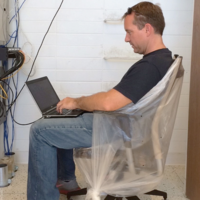
Hi there!I just wanted to share this pic that made my day today!🤣🤣🤣🤣🤣🤣🤣🤣🤣This is soooo true!Please share your favourite humor pics to have a great collection and lots of fun!happy Saturday.cheers!
I am not an MSP, but I take care of multiple companies. I would like to backup and see the status of about 40 PCs across about 6 companies. I have been working to setup VSPC and as I get deeper, it seems like I will need about 3 VMs running Windows Server (and not slow PCs either). I have a server setup in Azure, but at this point it seems like it is going to cost me a couple hundred dollars a month in VMs plus licensing. Am I missing something here? Am I doing something wrong, or is this more outlay than it is worth for my user base? Are there any other recommendations that I am overlooking for someone my size? Just looking for helping guidance for managed backups that I can check on from my office.
Hi everyone,we have a file to tape backup job and we wanted to browse the contents of a tape. upon clicking on properties of that tape, we see two tabs (General and Jobs) and we can see just the backup jobs (Have attached screen shot). On the Veeam user guide it states that you can see the actual contents on a particular tape and the two tabs shown on their screenshot are General and Files. (please refer link below)https://helpcenter.veeam.com/docs/backup/vsphere/viewing_backup_sets_on_tape.html?ver=120 Any ideas on how we can achieve this and see files just like in the user guide, instead of jobs? Thanks in advance!
We have quite some users, that work at least a few days per week in their home office, connected to the corporate LAN using a VPN tunnel. so the local Veeam Agent can connect to the VBR server, and therefore is doing regular Veeam backups over the VPN connection, cutting down the bandwith that much, that the users cannot work anymore in their home office. Two approaches:1.) limit bandwith used to an user adjustable speed rate2.) only run Veeam backups, if the IP address is pointing out “the-laptop-is-connected-to-the-Corporate-Network” (no VPN WAN IP address)
Can backup job be edited from one host to another when VM move to different host? Or do we need to create a separate backup job. Will there be any issues with restore if backup job is edited with different host.
Already have an account? Login
Enter your E-mail address. We'll send you an e-mail with instructions to reset your password.