The Why Now Community Challenge: Veeam Data Platform 13.1. It’s time to vote!
News, guidelines and various community projects
Recently active
Today, we will explore the Veeam App for Splunk, a new feature introduced in V12.2. Veeam has collaborated closely with several vendors to integrate its products with complementary solutions, enhancing visibility into your backups and security. This collaboration aims to provide users with deeper insights and improved data protection capabilities.In today’s data-driven environment, effective data management and protection are crucial for organizations of all sizes. As businesses rely more on data for decision-making, the need for reliable backup solutions and advanced analytics has grown significantly. This is where the Veeam app for Splunk proves invaluable—a powerful tool that allows IT teams to easily monitor, analyze, and optimize their Veeam backup environments.Splunk is a data platform enables organizations to search, monitor, and analyze machine-generated data in real time. It transforms large amounts of data into actionable insights, making it invaluable for IT operations, secu
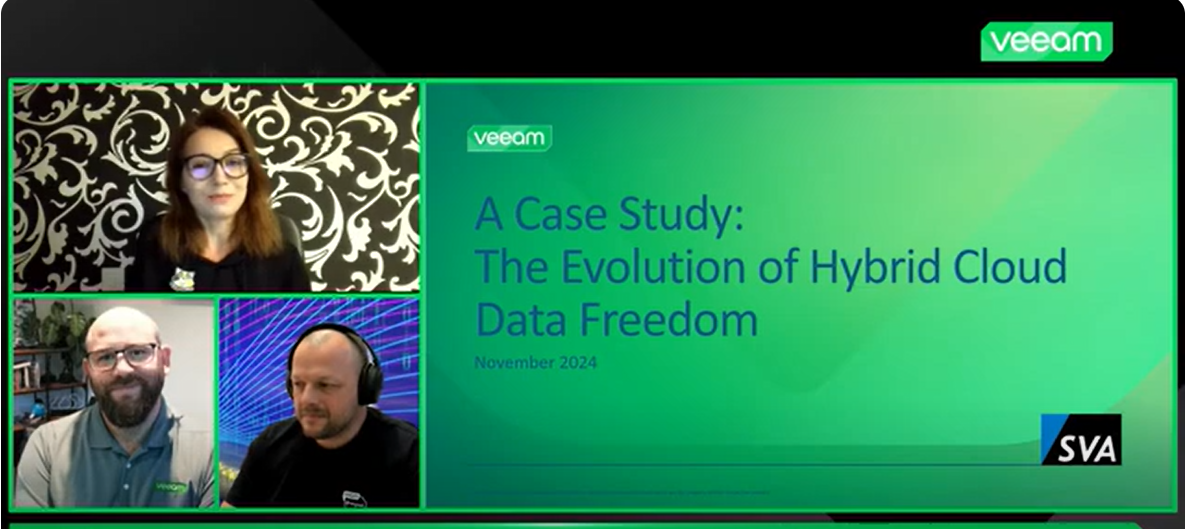
In this show, @JSeeger , @michaelcade and @Madi.Cristil are discussing how a real life customer backup (and production) environment evolved over the years and how Veeam supported the changes and the customer to fit both their on-premises and cloud needs. A journey to simplify, enhance and provide efficient data resiliency across the hybrid cloud environments.
Hi Community We woke up one day to a dead HDD. We are replacing the entire server, as the server is or was over 12 years old. New DELL Server coming in, which will be the host, and internal SSD drives now. It will have ESXi 8 on it. My question is. We had 2 servers (virtual machines) on the old server, both using Veeam Agent 6.0.2 shooting images to Wasabi, and incremental, with periodic full images on the weekends. This has worked for us for years, starting from Version 4 until today, we upgraded versions along the way. But never been in this situation. Being that the Windows Agent was directly installed on the machines that were affected, and now dead, and being that Wasabi has all our data, does anyone have a suggestion how to download those images or I should say, restore the vm’s to the new host? We have a few ideas, but with Veeam, making one wrong move can take hours and hours as you have to wait before it fails, where you think its potentially working. We’re pretty stuck and in
Hi allDuring the last physical event of Veeam VUG BeLux at the end of 2023 I gave a session about Veeam Surebackup.What it is, why it is needed and how it should be implemented and being used.In this post I will give a summary about the content of that session so everyone can enjoy the content 😁 What is surebackup ?Automated or manual mechanismTo verify the recoverability of the backupsCan be used for :For VMs on a Vmware or Hyper-V environment Since V12 : also possible for agent backups (physical devices or cloud devices)Possible for :Regular backups Backups from storage snapshots Regular replica’s (only VMware) Why do we need surebackup ?To be sure of the recoverability of our backupsTo apply to the 3-2-1-1-0 rule - to apply the 0 of the golden backup rule Requirements : License :Perpetual socket-based license : at least an Enterprise license Veeam Universal License (VUL) SAN licenses in case of storage snapshots (Vmware only) Infrastructure :The necessary memory The necessary compu
Hi everyone,How does a worker instance deployed in a “production account” access a S3 bucket repository in the “backup account” if there is no S3 bucket policy, cross-account IAM roles, etc. in place? Not sure if this is relevant but I’ve shared a VPC subnet between the production and backup accounts for the worker instances to use. I’m using the Veeam provided IAM roles for the backup appliance (vaws1-VeeamImpersonationRoleV1-XXXXXXXXX) and worker instances (VeeamInstanceBackupRestoreAccessRoleV1-XXXXXXXXX). What am I missing here? Thanks!Steve
When trying to deploy the worker instance to another account and in the North Virginia region, the error Processing instance failed: Cannot find any IAM instance profiles associated with IAM role arn:aws:iam::accountnumber:role/VeeamWorkerRoleis being displayed.We have already validated communication with the endpoints and egress and ingress rules in the security group on port 443 and it is ok.The roles and permissions as well as the Worker profile are also correct.Has anyone experienced this problem?Thanks.Cláudio Hipólito
In our Veeam environment, we scheduled for backup job to tape face such kind of status and time is too long. Please help to share your experience of this kind of issue. Please kindly see the attached.Thanks.
Dear All,Do we have lab setup for trying configurations of HPE MSL Tape Library with Veeam.Thank You
Dear Community, To reach this step, I resolved the error "SSPI authentication failed for user" by following the steps outlined in the official Veeam article: https://www.veeam.com/kb4542 However, I am now stuck at a point where I must assign the appropriate permissions to proceed. Could someone please guide me to where and how to assign the necessary permissions? Your advice and suggestions would be greatly appreciated!
Hello everyone,I was surfing the internet looking for a topic about VMware and I accidentally found this publication. It's only 25 pages long, but it explains in a very objective way how backup works for VMware. I found it very interesting for those who have little knowledge of VMware. It's well worth reading!It addresses the topics in a light and simple way.I recommend it to all of us! Even to value the writer “Lawrence Miller”
Hi there,In this article, I’m going to look at why, as the title says, it’s now crucial to give your infrastructure object storage for writing backups.To do this, though, we need to look at a few things. I’m going to run through them now. Why Enterprise Backups Are Becoming More and More Important In recent years, the amount of data being generated has increased a lot. Companies now need to manage information that is critical to their daily operations. At the same time, with this growth, there are also a variety of risks associated with different situations, such as:Cybersecurity: Ransomware and data breaches are happening more often and are getting more sophisticated.Regulations like GDPR and NIS2 require us to keep data safe and secure.Business Continuity: Losing data can cause a lot of problems for a company. It can damage their reputation, cause financial losses, and disrupt their operations. The answer is on-premises object storage.On-prem object storage is a pretty cool solution
Hello,I just read this solved topicIt’s very similar to my case but it doesn’t resolve it…The wizzard can connect to my proxmox node with root account, I validate the host key, it get storage information but when I click on “apply” at the end of the process : I try to check in the server log but I can’t see anything significant.In the topic I have linked, it talk about checking logs, can you tel me precisely wich log I can see ?I check on the promox node with journalctl and in /var/log but maybe I’ve missed something ?On the windows veeam B&R server, nothing in the event viewer … The other post solution is to remove MFA from root account, is there an other place to do it than on the proxmox web ui ? Thanks for your help
Hi Veeam communityThe calculator team just posted the latest build of the Veeam Calculators. You can read all about the new feature additions here: Calculators 1.2 released! | Veeam Community Resource Hub.I want to take a second to spotlight the addition of the simple Veeam Data Cloud Vault calculator. The calculators have been able to do Vault calculations for about the last 6 months or so, but in this release, and following the release of VDC Vault 2.0, we wanted to pare down the interface and make something really easy to use. We just ask the questions 'how much and for how long?'. From there you'll be given an estimate on your VDC Vault required capacity. Simple. A couple of notes:'Source Data' refers to the...well...source. That is to say, an estimate of how much is in your datacenter and within scope. The maths behind data reduction, the magic of Veeam datamovers, repo types...all that stuff is applied but hidden away. Advanced mode opens up some additional variables if needed.
Hello together,before you update VEEAM to Version 12 using VMware vCenter/ESXi please check VMs HardDisks for duplicate UUID. In Version 11 this was never a problem. In the new Version VEEAM checks the UUID and backup will fail.VMware has no problem with that most time. But they know the Problem - https://kb.vmware.com/s/article/2006865This command will find any HardDisk with duplicate UUID - please note that this is VMware PowerCLI commandGet-VM | Get-HardDisk | Select @{N='VM';E={$_.Parent.Name}}, @{N='Uuid';E={$_.ExtensionData.Backing.Uuid}} | Group-Object -Property Uuid | ?{ $_.Count -gt 1 }As Service Provider such changes in VEEAM are a total disaster!!
Hello,I’m using Ubuntu 24.04 and I would like to know how do you configure firewall on this system to allow only required port please ? If my research are correct, I could see I need only 22 + 6160 + 6162 port open and Veeam open the others when neededI think I understand the commands are differents if you setup it before you add it as managed server or after. Could you provide me both solution please ? Thanks for your help
Backups with a Twist: Adding Emoji Spice to Your Job NamesBackups are serious business. They’re the safety net that saves us from a world of pain when the data hits the fan. But let’s face it—backup job names are often duller than an accountant’s Christmas party. “BackupJob01” or “DailyIncremental” might get the job done, but they won’t win any awards for creativity. Enter emojis: the little digital sprinkles that can transform a backup job name from a snooze-fest into a masterpiece of expression. 🎉Why Add Emojis to Backup Job Names? Because You Can: Many modern backup platforms now support Unicode, which means emojis are fair game! It’s like discovering that your boring sandwich can be a gourmet burger with the right toppings. Instant Recognition: Instead of trying to remember if “Backup_Week1” is for your critical systems or just a test run, a 🌐 or 💡 in the name makes it instantly clear. Fun Factor: Who says IT can’t have a little whimsy? Let your backups reflect your mood, yo
With the release of Veeam Data Platform 12.3 the Nutanix hypervisor is now displayed in the installation splash screen see figure 1 below. In addition some highly requested features have been added to this release see the screenshots below. Figure 1Enabling Nutanix Guest Tools is now an option in the backup job setup screen in the VBN AHV appliance see figure 2. The Nutanix Guest Tools setting will also be available in the VBR console once the job is created in the VBN AHV appliance. It will appear in the “Advanced Settings” Nutanix AHV tab see figure 3 below. Figure 3You will see a new guest processing settings screen on the VBN AHV appliance. It will direct you to set it up in the VBR console for the job see figure 4 below. Figure 4 The application aware processing and guest indexing is now available in “experimental support”. You can still call Veeam support if any issues arise see figure 5. Figure 5Once job changes are made in figure 5. You will see a synchronized job settings on t
I’ve created a migration guide for moving from Veeam Backup for Microsoft 365 version 7 to version 8. As you know, version 8 introduces a lot of new changes in the technology and architecture - like postgres database, centralized cache, and proxy pools. This document will walk through the process of upgrading from v7 to v8, and migrating standalone proxies into the new proxy pools. Be sure to take care around a “next next next” install, as now with Postgres and NATS, that’s additional workload on the VB365 controller. It’s recommended to separate out the DB server from the VB365 server outside of the smaller deployments.
Last week Veeam released its newest Veeam Data Platform version – 12.3. Though I've only recently upgraded, after reviewing their What's New document and perusing around the Console a bit, I thought I would take some time to share with the Community some hidden gems in this newest VDP release.Some of us in the Community were already aware of a “big news” feature to be released “soon”, which was spoken about at VeeamON in Ft. Lauderdale back in June – Entra ID Backup. This feature did indeed make it as part of the v12.3 release…no need to wait for v13, slated for sometime in 2025 Q1 (hopefully). But, there are quite a few other features in this release you may not be aware of. So I thought I'd do another follow-up to my previous two Hidden Features posts – v12 Hidden Features and v12.1 Hidden Features. Let's dive right in! Cyber Resiliency EnhancementsThe main one here is what I’m most anxious to test drive – Veeam Threat Hunter. This new feature may not be a "hidden" one, but if what V
Hello, when we onboarding our M365 tenant to the VDC there is a requirement that we need Microsoft Global Administrator account.It’s will work for Global Admin with MFA enabled?
This is a quick post on how to setup the newly published Veeam Hardened Repository (Rocky Linux 9.4) base. I will post a quick guide later but for anyone else who deploys and wonders. Default username: vhradminPassword (changed on first use): vhradmin
We are using azure blob storage with immutable as our Veeam backup immutable backup. (Directly to azure with immutable). now, we are using azure export the blob storage to azure data box. Can we restore the data from there?From Veeam article, Veeam mentioned that “You cannot offload immutable data to the Azure Data Box Device”.https://helpcenter.veeam.com/docs/backup/vsphere/data_box_seeding.html?ver=120#preparing-azure-data-box-for-shippingI just want to confirm that this article referencing Azure Data Box as a target inside the Veeam software. Once the data is produced by Veeam you can copy it anywhere? or we can't copy to other placeExport data from our repository on Azure Blob immutable storage, get the Azure databox shipped to us, and then restore from the data box
Here is a brief video with introduction to Veeam Cloud Vault and demo, from my colleague James Blower (Veeam UKI - Enterprise SE). In this short video he runs through how quick and easy it is to setup Veeam Data Cloud Vault and sleep easier at night with Immutable, Encrypted backups.
Veeam Backup & Replication 12.3 – A big release with many new functions. Let me show you some of the exciting new possibilities with REST API. And yes, I have also created some scripts 😉Scanning Backups & Veeam Threat HunterVeeam Backup & Replication offers various methods of scanning backups for malware. The Secure Restore feature allows for malware scanning during recovery, preventing the reintroduction of infected files. The Scan Backup functionality will enable you to check backups for malware on-demand. SureBackup provides the possibility to execute this task on a regular or even continuous basis.With the introduction of the Veeam Threat Hunter in Veeam Backup & Replication 12.3, the scanning capabilities become even more powerful. Read the Veeam Backup & Replication v12.3 - What’s new document (page 7) describing the Veeam Threat Hunter capabilities.❗Don’t forget to select the Veeam Threat Hunter in the Malware Detection Settings.Scan Backups using REST APIWi
Hi All, I want to know Veeam to backup Nutanixby deploy more than one workers, can it choose which worker backup which host's VM for the backup job?
Already have an account? Login
Enter your E-mail address. We'll send you an e-mail with instructions to reset your password.