The Why Now Community Challenge: Veeam Data Platform 13.1. It’s time to vote!
News, guidelines and various community projects
Recently active
Can anyone point me in the direction of a best practices/recommended process for doing maintenance on VBO repos, for example doing hardware maintenance on the VBO repo server, and want to move the data to another storage location, either temporarily or permanent migration?Seem to be running into a lot of Jetdb errors, after we tried to figure out the best process
https://podcasts.apple.com/gb/podcast/exploring-2024s-tech-landscape-and-beyond-sottc-episode-09/id417182376?i=1000641900858In this episode, Anthony Spiteri hosts Michael Cade as they explore the technological landscape for 2024. They discuss the advancement and integration of AI across various sectors and use cases, including their everyday applications. We also examines the current trends and future potential of Kubernetes, changes in data platforms, and the critical nature of platform engineering. We also addresses the potential implications of VMware's acquisition by Broadcom and the ongoing need for skill development in the tech industry as that evolves. The episode concludes with forecasts for the tech landscape in 2024, particularly looking at Veeam's role and innovations and it's role in data protections.https://veeam.podbean.com/e/sottc-2024-e09-2024-tech-landscape/
If I upgrade to Veeam v11 to v12, the storage target is ExaGrid appliance (the backup flow is directly write to this appliance), what are the software requirements for ExaGrid Appliance, e.g. firmware? Please help.
This is a very simple calculator that uses backup size from the Veeam official calculator, the tape capacity, and the number/ retention amount required. Based on this information, it will tell you how many tapes you will need. http://tape.skitchlab.com
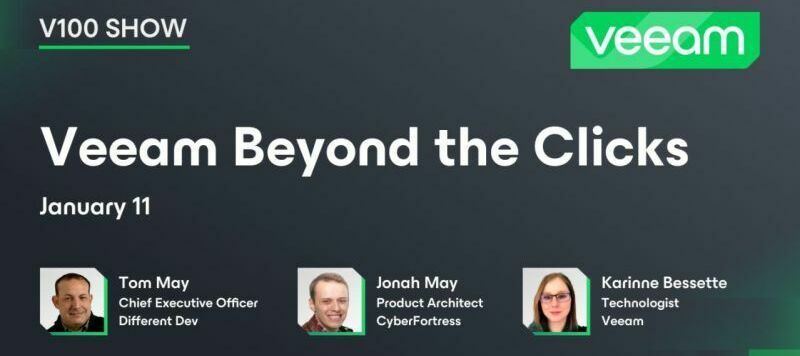
This week @Rick Vanover is in Las Vegas for a conference and I am back at home after a long journey from Columbus! We are discussing some awesome topics: how to resize a Linux volume used as a Veeam Repository in Linux OS, enhanced capabilities on Veeam Data Platform , related to AWS workloads and going through a demo on how to upgrade from previous versions Veeam One to Veeam ONE 12.1. Don't miss out on some special department news! The Links: via @coolsport00 Resize Multipath Volumes Used as a Veeam Repository in Linux OSvia @Roy Adiel Veeam Data platform update 23H2 – all you need to know related to your AWS workloadsvia @Iams3le Steps to Perform Veeam ONE Upgrade to v12.1 Special Department News:Veeam User Group Spain and Latam event - Backup y DR offsite con Backblaze de manera sencilla y eficiente , January 24th 2024Kubernetes Korner event -Kubernetes came from Google, but how do you get to Google?, January 25th 2024Veeam 100 Show- Fourth Episode- Veeam Beyond the Clicks
This week was a special one! We have great content to share, a whole lot of Who’s New and a special guest. The Community Team was planning the 2024 strategy and @Rick Vanover, @Madi.Cristil, and @safiya were able to take over the studio for some well overdue shenanigans (all courtesy of @Geoff Burke). Check out this week’s episode:The Linksvia @MicoolPaul via @Stabz via @Chris.Childerhose Special Department Newsvia @mhmdadl and @Amr Sadek هذه الجلسة ستكون باللغة العربية! - This session will be in Arabic!via @JonahMay @Rin and @Mayhem (12) Veeam Beyond the Clicks | LinkedIn the Veeam 100 Show for January: Behind the Clicksvia @safiya Who’s NewWe had +374 members join over the holiday break! But that doesn’t stop @Witty-Donkey4927, @GreaseMonkey, @idontknowusewhatusername, and @iH8usrnames from getting the coolest usernames and @VeeamMeUp is Alfred’s Pick! Welcome everyone and have a great weekend!
Happy Friday everyone!I hope that you’ve all had a good week 🙂 I’m back with an interesting news story to share, and it provides an example of how overengineering can impact the deliverables you’re trying to achieve. So, a gentleman called Jens Axboe has published an interesting patch update (link here) that claimed with their test case a performance increase from 108M IOPS to 115M IOPS, and they said they haven’t even enabled most of the costly block layer items that means the performance improvement could be even higher in real world utilisations. Now, such a claim could be met with scepticism, but I was intrigued, how is this working? Thankfully Jens provided some insights into this, and this is where I believe a lesson can be learned in overdesigning a solution to a problem, to its own detriment. Jens explains in his patch notes that the patch reduces the number of times that the time is queried for timestamps. Historically near enough every time that a write occurred, the time wo
It’s that time of year again where we need to plan for the year ahead and be sure that any upcoming end-of-life or end-of-support dates from our dependent software vendors are addressed.Why does this matter when I’m just trying to protect the data?Times change, and software changes with them, until it’s no longer supported. At any point, a patch to an operating system, a .NET framework update, or anything else really, could end up with the software no longer being backed up properly, or not working at all in production. Without valid support there’s no process to get a fix, and whilst your backup software may still be in support with Veeam, if the vendor won’t fix the problem, it’s time to start panicking.With this in mind, let’s explore the software & operating systems being declared end of life in 2024 so we can start planning our upgrades/migrations if necessary. VeeamLets start with Veeam’s, products that have an end of fix or end of support within 2024. As a recap, Veeam have
Hello, Thanks, I have a backup copy job from 12/27/2023 and I cannot stop it.The ‘Stop Session`menu option is disabled. The job details shows the job that stuck at 13% The job details also show that the job completed.Not sure what is going on, Please advise
I’m trying to set up Veeam Backup for Microsoft 365 on my regular BDR server and Veeam Backup system. The configuration seems to insist that I provide some Microsoft “organization” info. Am I misunderstanding this?For starters, this is a Community setup, and I normally use a Microsoft 365 Family subscription. That has no Organization ID or organization domain name. And it does not use, or give any access to, Azure AAD/Entra. Yet no one at Veeam seems to think that’s a problem…? Not sure they get it.Just as it happens, I do have a Microsoft Organization account, but it’s totally, completely separate from the Microsoft 365 Family subscription. I definitely have a lot of OneDrive data stored there that I want to back up, as well as Exchange data. If I use the Organization in the Veeam Backup for Microsoft 365, will I still be able to backup the Family subscription with Veeam Backup for Microsoft 365?And I am running a local Active Directory service, but it has nothing to do with a
After changing the hostname of your VBR server, you might have issues accessing the integrated PostgreSQL database. For example when creating a new database or restoring configuration, you see the following error: “SSPI authentication failed for User XYZ”While the database connection itself uses “localhost”, the pg_ident.conf references the hostname itself for administrative access.So after changing the hostname, you need to replace the old hostname with the new one inside the pg_ident.conf file. Also you can add additional or different users to access the PostgreSQL instance. The default path to this files is “C:\Program Files\PostgreSQL\15\data\”.There’s a KB article from Veeam which mentions this error. This also includes how to check the PostegreSQL logs: https://www.veeam.com/kb1471
With Veeam v12 and tape I need to look at integration into a key management system like CipherTrust or SKLM. Is there a compatibility list of products Veeam supports?
If you missed on our fourth episode of the Veeam 100 Show featuring @JonahMay and @Mayhem , with @Rin as the moderator, don't worry – you can still catch it!Tom, Jonah, and Karinne are discussing the importance of not letting your protection plans become outdated or your resources go down the drain. Find out how to keep your business on the cutting edge! Best, Madi
I have Veeam for testing purposes with a community license but I would like to try certain options to implement such as SQL and VTL that are under Enterprise. Is there a way to acquire a trial license to be able to use these options?
Hello everyone,How could VeeamONE monitor cloud storage?
Hello everyone,In version 12.1, it could backup Object storage to Veeam Repo. However, does it means to backup only Cloud object storage? or it can backup on-premise object storage like Nutanix objects as well?
Surebackup can’t be run in the same time if the backup job is running, what about the new mode of scanning only, would it be the same?
In today's data-driven landscape, where information reigns supreme, safeguarding data against potential threats and ensuring its swift recovery in the event of an unforeseen disaster is paramount. Among the array of strategies that bolster robust backup and recovery protocols, data classification stands out as a foundational element that often dictates the efficacy of these practices. Understanding Data ClassificationAt its core, data classification involves the systematic categorization of information based on its sensitivity, value, and criticality to an organization. This process assigns labels or tags to data sets, enabling businesses to prioritize their protection efforts, allocate resources efficiently, and adhere to regulatory compliance requirements. Classification typically involves labeling data as public, internal-only, confidential, or highly sensitive, among other classifications, based on predefined criteria. Strengthening Backup ProceduresData classification forms the be
Hello Everyone,As I know in the new 12.1 features, we can restore app items from CDP. How could we enable application-aware here? and which applications should be supported? because 12.1 documentation still not available yet.
Do backups and restores stop working ?
Hello my friends,Everyday, I have backup files of VM1 from Cloud ABC Provider.The request is : how to automatically restore from that backup file to on-prem ESXI everyday?The purpose is BA department does not want to connect directly to live DB and they only need to export / use data with Day -1.Is there any function of Veeam to support me? I am using Veeam Agent & Veeam BR free edition but if there is such function above, I can ask to pay licensed one from managers.Thanks and have a nice day.Kenny.
With the newest release V12, Veeam Backup & Replication is now capable of implementing immutability with HPE StoreOnce Catalyst stores. HPE calls this ‘Independent Software Vendor (ISV) Controlled Data Immutability (ISV-DI)’. With this post I want to quickly describe the requirements and configuration steps.RequirementsThere are some requirements, that need to be met in order to use immutability with StoreOnce systems.you need to have a Gen4 StoreOnce system with at least firmware 4.3.2 you need to configure Dual Authorization Maximum ISV Controlled Data Retention needs to be set to 365000 in the StoreOnce Catalyst Store you need to use forward incremental backup jobs and/or enable GFS for Backup Copy Jobs → For more information check the helpcenter Enable Dual AuthorizationWith Dual Authorization certain tasks on a StoreOnce require a second factor before they’re executed. This second factor isn’t a OTP token or something similar but rather a second user/password which you need to
The Veeam backup server operates on a 1-gigabit network, while the VMware proxy server and the data domain storage are on 10-gigabit networks. Despite this, the backup speed is consistently reaching only 270 to 300 Mb/s per second. Is there something overlooked in this setup? Additionally, would incorporating a WAN accelerator result in any performance improvements for the copy job over the WAN link?
Hi team:I have a question about the backup to tape:I have a job that backs up vm to tape which works, however when the tape is full, it asks for a new one to continue and continues without problems. The issue happens when doing a restore since it asks for 2 tapes and my unit has 1 tape. If I have only one drive, how can I make the job detect that the tape is almost full and request a new one? Regards,
On December 5th, 2023, Veeam unveiled a significant update to our Data Platform. This release introduces enhanced capabilities in detecting and identifying cyberthreats, facilitating faster responses and recovery from ransomware attacks, and ensuring comprehensive protection for our customers' data with robust security and compliance features. Our latest release incorporates an extensive range of supplementary features associated with cloud-native backup and backup services for AWS. This document will delve into these newly added capabilities. Veeam Backup and Replication 12.1 Backup of object storageProtect production data residing in both on-premises and cloud object storage with the powerful new backup and recovery functionality. Built on a storage-agnostic architecture, Veeam helps you to achieve your object storage recovery objectives without additional hardware investments. And when it comes to recovery, we ensure your recovery time objectives (RTO) are met by providing flexible
Already have an account? Login
Enter your E-mail address. We'll send you an e-mail with instructions to reset your password.