Join discussions around Veeam community projects, Veeam events, industry and technology news
Recently active
Hello everyone!Veeam 12.3.2.3617, Community Edition, Workstation Backup by veeam agentI’m having an issue with one of my home PCs. When I try to back it up, an error appears.29.09.2025 21:31:17 :: Error: Unable to resend traffic block '15863' because traffic history doesn't contain this block. History low block id '15869'.Failed to upload disk. Skipped arguments: [EmulatedDiskSpec>];Agent failed to process method {DataTransfer.SyncDisk}.Exception from server: There is no traffic block '15863' on the source side.Unable to retrieve next block transmission command. Number of already processed blocks: [25496].Failed to download disk 'bdd448f6-e7b0-4f2b-93b3-6eb675ad51c3' Backups of two other PCs to the same storage complete without any problems. What could be causing this behavior?I tried replacing the target HDD — it didn’t help; the error can also appear when backing up the SSD (the drive’s health is normal, no errors).I tried different backup types (volume, file-level, entire PC) —
Hi everyone,Im going to update Veeam from 12.3.2.3617 to 12.3.2.4165. How much storage should I keep free to upgrade it?Regards.
Here’s one to find out who has the largest backup in the forums. Currently my largest server I backup is 45.1TB. The largest one I had backing up was 115TB. It took a while but worked fine. I’ve been working on splitting it up in to multiple file servers to allow more concurrent streams to our backup/tape jobs.
Hi everyone, So we just made the switch from Symantec Backup Exec to Veeam a couple months ago, and so far I'm very happy. With Backup Exec however, you had the option to permanently retain backups, which seems to be missing from Veeam. For Windows Agent backups, Veeam forces you to choose a retention period for a maximum of 730 days or restore points. Problem is, this customer requires permanent retention with the ability to restore data from 10 or 20 years ago, if possible. What are my options here with Veeam? Isn't there a way to disable the retention policy or retain data beyond 730 days? And believe me, I've looked at all of Veeam's program options and haven't been able to find anything to this effect. We can't be the only company with a permanent retention requirement. Thanks for your help!Kurt
I’m running Veeam B&R v12. Veeam is the only backup software I’ve used that doesn’t have the option to backup a single server from a Backup Job. It’s all or nothing.
Seeking field experience for a Veeam repository on HPE Alletra 4120 (Linux Hardened repo) does SSD cache drives deliver measurable gains (ingest/synthetic/merge) compared to simply adding spindles?
Hello All, I need to take backup from postgres cluster using Veeam, the postgres is deployed in clustered nodes (3-nodes).As I know and did it before, we can use Veeam Agent for Linux to backup single node holding the postgres database, then I can perform the restore for the file using Linux FLR. Here I have some points to be discussed :1- I know we can perform image-level backup for the VM holding the postgres, and ask the DB admin to provide us pre or post-thau script. In this cause, would it be better to use Linux agent backup on the VM instead of VM-backup? What is the pros and cons for using Agent or VM back with postgres? 2- can we create a script from our end as backup admin as simple script if the customer does not have his own script? In this case appreciate if someone explained how the script works? 3- how can we backup clustered machines, do we have to install Linux agent on all cluster nodes? How can I point the nodes to take backup and restore? Comparing to Microsoft SQL
Hello community, Can someone provide instructions for the recent patch? I am looking to upgrade from 12.3.2.3617 to 12.3.2.4165. This is my first patch upgrade via ISO and I want to confirm I am installing correctly. Thanks!!
Veeam Backup & Replication includes several built-in credentials: Helper appliance credentials Tenant-side network extension appliance credentials Provider-side network extension appliance credentials Azure helper appliance credentials I understand that the documentation recommends changing the Azure helper appliance credentials before deploying Azure helpers.However, I would like to change all four built-in passwords (for security and compliance reasons), even though I’m not using Azure or Cloud Connect helpers. Is it supported and safe to change these built-in credentials (in the Credentials Manager), or could this cause issues with helper appliance deployment or communication?
Veeam patching needed on all V12 and lower installations: https://www.veeam.com/kb4771
The data shown in VSPC for virtual machines includes a field called ‘Platform’. How do I get that information via a REST query? For example, all I get back from /protectedWorkloads/virtualMachines is:instanceUid : 99cef482-482c-96a9-ece8-8414715e2feebackupServerUid : d5beda61-353c-4d6d-8de8-dacc624e38d4organizationUid : 708e82e3-ff60-4bb2-8d71-9c032afe8efbname : hierarchyRef : parentHostRef : objectUid : 4ef89479-7cbd-41c3-861b-18de5ada56aeipAddresses : provisionedSourceSize : 85899345920usedSourceSize : 85919269836totalRestorePointSize : 61589856256latestRestorePointSize : 2263212032restorePoints : 60latestRestorePointDate : 2025-10-07T22:10:18.9900000+00:00jobUid : 2727ab1b-08f8-4741-870a-b275dc6da6f8malwareState : UnverifiedCheers.
It's Time to Vote! Choose September's Top Community Blog Post!Hello Community,Before we dive into this month's finalists, a big shout-out to @safiya for managing the August Blog of the Month!September was another strong month of contributions from our talented members. We’ve narrowed the field to six incredible blog posts, and we’re inviting you to help choose the best entry.Your vote is crucial! Please take a moment to cast your vote by Monday October 6th (NYT) to ensure the most valuable contribution gets the recognition it deserves.Thank you to all the bloggers for sharing your insights—and congratulations to the finalists!@onurdemir , @tm67 , @eprieto , @Scott , @JailBreak , @allynz Best of luck, Madi
Many of you receive Email notifications for upcoming webinars, but did you know you can go back and watch hours of Veeam webinars and videos? This link connects you to 457 Webinars, Demos, and How-To Videos spanning 46 pages. The filter on the right can help you narrow it down to what you want to watch. Disclaimer, I am not responsible if you don’t get any work done and spend the next week learning 😂 https://www.veeam.com/resources/videos/
Congratulations @onurdemir for winning Blog of the Month September 2025! Thank you all for voting this month too! Best, Madi
I’m trying to backup one of our “workstation” but I am experiencing this error in our VSPC, why is that ?
This is the data shown in VSPC → Protected Data → Computers → Managed by Backup Server.Maybe I’m missing something obvious./protectedWorkloads/virtualMachines = on-prem virtual machines (vSphere, Hyper-V, AHV, oVirt, Promox)/protectedWorkloads/publicCloud/virtualMachines = cloud virtual machines (AWS, Azure, GCP)/infrastructure/backupAgents = agents managed by console
Scenario: A user submits an urgent ticket - a very important folder has been deleted from the file server.IT will ask ‘when is the last time you saw that folder?’ and they usually don’t know.So, I fire up Veeam Backup and Replication. Click Restore > Microsoft Hyper-V > From backup > Guest file restore > Microsoft Windows.I’ll (randomly) pick a backup from 2 days ago. Wait (forever) for the backup to spin up; then navigate to where the folder should be, only to find it’s not there. So I close it and spin up a different backup set. I’ll keep doing this until I eventually find the folder and restore it. This takes forever.Is there a faster way to do this?
Hello Community Members, I am just trying to figure following scenario but unable to put into action.Scenario:-I want to copy a SMB Share/SAN Intergration Full Backup job from last day of previous month i.e 29th of 30th etc. I cannot find an option to handpick a specific restore point from last day of previous month. I want to retain this job with two-year retention on tapes. VBR just offers to copy Full Backups via Copy to Tape but does allow to handpick specific full backups from a list of previous backup jobs/restore points etc. Is this functionality only available via PowerShell?
Is there a way to search the Veeam database to see if a particular file is in a backup and which backup/s its stored in? I was taught to just go to disk, search the server name and then hunt & peck through backup dates until I find the backup that has that file in it.
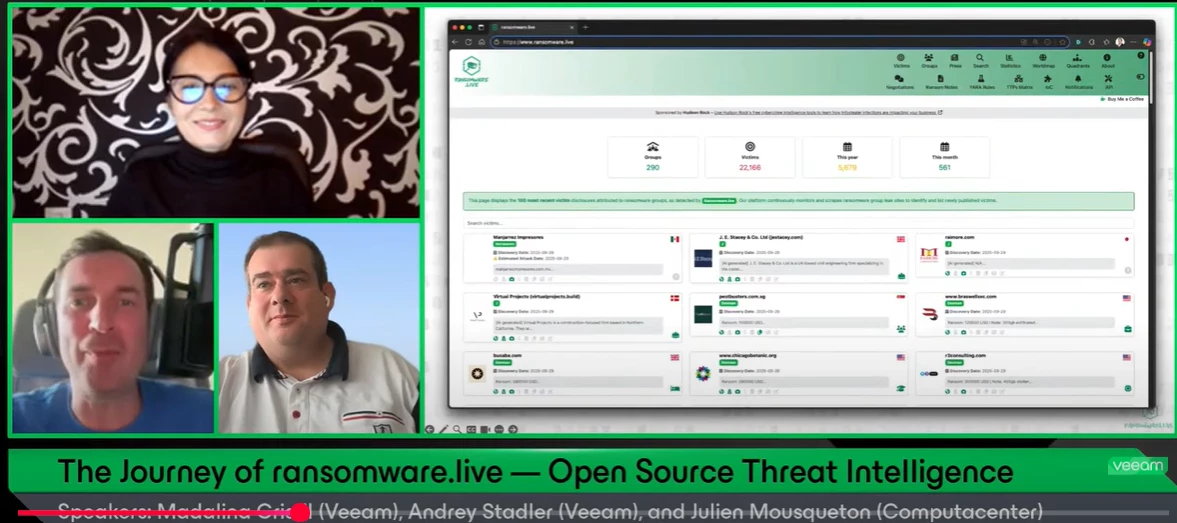
If you missed on the last Veeam 100 show, episode 19th '’The Journey of ransomware.live — Open Source Threat Intelligence'’ where @JMousqueton , @Andrey Stadler and myself are discussing Julien's personal project , ransomware.live, you can watch it in here. This open-source observatory shines a light on the hidden world of ransomware by tracking threat groups and their victims in real time. What started as a personal initiative has grown into a trusted source for the global cybersecurity community. Best, Madi
We currently use Veeam B&R to backup the share’s to a local repo on the backup box. I then created a second job (agent) to backup the drive B:\backups to the clients VSPC repo. It works but when I attempt a restore of the cloud data its a restore of what looks like a database and not browsable files like a restore of the original B&R job produces. Hopping for a more elegant solution that doesn't require a two restores to get client data into a usable form. thanks and sorry for this being one of those out there kind of questions.
Hi, I created “Backup Copy” and somehow is working if the Object Type is “Agents For Window Job” but not on “Repository”. Is there something I missed out ?
Hello Veeam Team and Community,I’d like to clarify something about partner and certification requirements.If my company plans to: Provide managed services to customers who use Veeam Data Platform (for backup and recovery management), and Also act as a reseller of Veeam licenses (via authorized distributor), do we need to hold any specific Veeam certification (e.g. VMSP, VMTSP, VMCE) or reach a certain partner tier in the ProPartner program?Or is being a registered ProPartner and sourcing licenses from an authorized distributor sufficient?Appreciate your guidance so we can ensure full compliance with Veeam’s partner requirements.
Hello Community!Thank you all for the votes you placed to select August’s Blog of the Month winner. It was a very close race between two blogs this month, but with 12 votes, the winner is…@PeteSteven with his blog, Virtual Lab/Sure Backup with small subnets! Congrats Peter 🎉Read his blog below: Congrats to the other nominees as well! Find their great work here here - Blog of the Month Nominations
Current LAB setup(all settings inherited from previous host): HypervHostB with a private switch 2 virtual machines on this private switch VM1 - ClientPC with windows 10 iso installedVM2 - PrimaryDC (Veeam restored from HypervHostA to HypervHostB - Session Type is Full VM Restore) - this server has roles(ad fs mgmt, dhcp, dns and gpo repectively) - has 2 vm switches, Data: ip 192.168.50.1, subnet 255.255.255.0, gw - 192.168.50.150, preferred dns:192.168.60.240(DC2) and secondary dns:192.168.50.1 Voice: 20.20.20.5 subnet:same, gw:20.20.20.1, dns1:PDC, dns2:DC2Observation:1.VM2 fired up nicely, AD components such as aduc, domains and trusts, gpo etc all open fine, able to logon with my local and domain AD accounts successfully 2. Fired up VM1, VM1 picked up IP via dhcp successfully, showing domain name schools.local on VM net adapter3. Both vm1 and vm2 can successfully ping each other via ip and dns name, nslookup works as well.4. vm1 is listed in dns on vm2Chec
Already have an account? Login
Enter your E-mail address. We'll send you an e-mail with instructions to reset your password.