The Why Now Community Challenge: Veeam Data Platform 13.1. It’s time to vote!
News, guidelines and various community projects
Recently active
Hi All,I look for confirmation if Veeam B&R supports backups of SQL Encrypted databases on a Always ON environment. This with standard backup (vmware agent less) and via a a job with the windows agent both with application awarness.Thanks,Benny
Hi Not sure if this is the right place I have tried R&D forums.I use Veeam for Windows free backing up endpoints to NAS drives.I have a clients endpoint that's has been running fine for a long time but now gets stuck at 40% and in the end fails with Application Failed. Its stuck in backing up the C driveI have tried all the obvious, updated to latest, reinstalled, deleted job and recreated the database but still seeing the issue. Run chkdsk not issues with diskAnyone seen this before?
We have a winner for our Blog of the Month July 2025! Congratulations @JMeixner ! 😻 You won with your article Data Backup Basics XVIII - Backup Environment Architecture Considerations III: Security and Resilience
I would like to share with you of an upcoming change to how partners will access the Veeam Hands-on Labs through the ProPartner Portal. As part of our ongoing efforts to enhance the partner experience and drive efficiencies across our platform, we are transitioning to a new access model for Hands-on Labs. Moving forward, all partners will be able to access the Global Hands-on Labs Registration page, where the full suite of Veeam Hands-on Labs is available to both Customers and Partners. This unified approach will make it easier for you to explore the complete range of labs offered by Veeam. Additionally, within the ProPartner Portal, you will continue to have access to a reduced, carefully selected set of Hands-on Labs. These labs will focus on areas most relevant to our partners, such as installation and configuration, ensuring that you have quick access to the content that best supports your business and technical needs. We believe this update will bring greater value to our partners
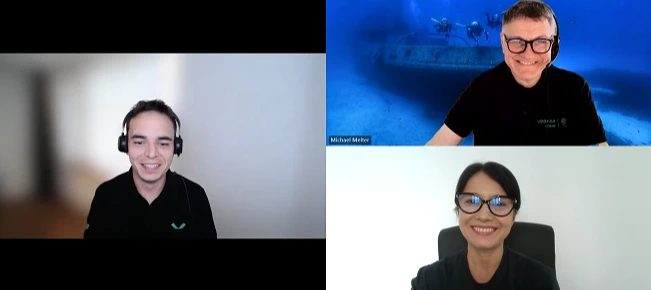
This week @Rick Vanover is on vacation but I have special guests , @Michael Melter and @Mildur . We are discussing anomaly detection using Entra ID Logs from Veeam Backups, scaling backup infrastructure: Preparing for Growth and Change, how to create Veeam Support Cases via VSPC Portal, VBR v13 beta 2 and so much more! Featured Contentvia @benyoung via @JMeixner via @Mohamed Ali Vanguard Blog Spotlight @benharmer VBR V13 Beta 2 – Less bugs, more features Special Department News via @kirststoner12 via @Mildur [Scale Computing HC] Current version is 1.0 (July 22, 2025) EARLY AVAILABILITY via @Madi.Cristil via @CMF , @lukas.k , @Ian_RSA , @JonahMay Veeam Service Provider Console in Your Pocket Best, Madi
Hi, running my normal weekly backup and came cross this: 7/31/2025 5:08:20 PM :: Error: Cannot process pending I/O request (offset: 453659656192, size: 65536): async reader terminatedCorrupted block processing thread failed unexpectedlyFailed to upload disk. Skipped arguments: [EmulatedDiskSpec>];Agent failed to process method {DataTransfer.SyncDisk}.Exception from server: Cannot process pending I/O request (offset: 453659656192, size: 65536): async reader terminatedUnable to retrieve next block transmission command. Number of already processed blocks: [429608].Failed to download disk '63d26504-899c-457e-bc3d-6e4f5ca89f35' How can I tell which disk has the error. I listed all by disks by GUID and none matches 63d26504-899c-457e-bc3d-6e4f5ca89f35 Thank you, Henry
Hello, Thanks,I did a fresh install of VBR on a new machine, using freshly downloaded, latest .iso i did a succesful agent backup of MACH94. Then I tried to agent backup SERVER02 and that failed. “5/28/2024 6:08:33 PM :: Error: The specified path is invalid. Error: in [VctSetCtStorePath] at step [3] Agent failed to process method {VeeamVolumeCt.SetUserStorePath}“
Hi everyone,I'm facing an issue while restoring Jenkins data using Veeam. Specifically, when I try to restore the config-history folder (which contains Jenkins configuration history), the restore fails. However, if I attempt to restore a smaller subset of data, it completes successfully.Details: Veeam version: 12.3.2 Backup type: VM-level Error message/log snippet: a connection attempt failed because the connected party did not properly respond after a period time, or established connection failed because connected host has failed to respond Veeam Support - Case # 07775632Has anyone encountered this before? Could it be related to file size, permissions, or something else?Thanks in advance!
HelloHelloI'm trying to make a proxmox backup for a cluster in a POCFresh install of Veeam with latest patchfresh install of proxmox 8, with latest patch (experimental, no subscription)I created the pve proxies with a user as I found in the Veeam documentationhere is the "config"as root on pve shell useradd svc-prx-veeampasswd svc-prx-veeamnano /etc/sudoers.d/veeamadd these linessvc-prx-veeam ALL=(root) PASSWD: /usr/sbin/dmidecode -s system-uuidsvc-prx-veeam ALL=(root) PASSWD: /usr/bin/kvm -S *svc-prx-veeam ALL=(root) PASSWD: /usr/bin/qemu-img info *svc-prx-veeam ALL=(root) PASSWD: /usr/bin/qemu-img create *svc-prx-veeam ALL=(root) PASSWD: /usr/sbin/qm create *svc-prx-veeam ALL=(root) PASSWD: /usr/sbin/qm ^showcmd [0-9]+ --pretty$svc-prx-veeam ALL=(root) PASSWD: /usr/sbin/qm ^unlock [0-9]+$svc-prx-veeam ALL=(root) PASSWD: /usr/bin/socat ^TCP-LISTEN:[0-9]+,bind=127\.0\.0\.1 UNIX-CONNECT:/[a-zA-Z0-9_./-]+$svc-prx-veeam ALL=(root) PASSWD: /usr/bin/mkdir -p /var/lib/vz/snippets/svc-prx-vee
There is a new version of the AsBuiltReport.Veeam.VBR report that includes the following enhancements:Blog post:https://techmyth.blog/en/posts/abr-veeam-vbr-0_8_22/Changes:## [0.8.22] - 2025-07-23### Added- Add Cloud Connect infrastructure diagram- Add per Tenant resources diagram### Changed- Updated Get-AbrVbrCloudConnectTenant to include diagram generation- Modified Invoke-AsBuiltReport to handle tenant-specific diagrams- Improved handling of diagram parameters and outputs- Updated changelog and version numbers across scripts- Refactor diagram section in Get-AbrVbrCloudConnectTenant function for improved error handling and clarity### Changed- Bump module to v0.8.22- Bump Veeam.Diagrammer module to v0.6.30- Bump Diagrammer.Core module to v0.2.27- Update workflow to use Windows 2022 for publishing PowerShell moduleSeveral updates have been made to diagram the Cloud Connect infrastructure. I hope you find these improvements helpful! ¡Hasta luego!
Hi, I was not able to make a comment on the NFR Thread - so I had to create a new. Im a VMUG member and have introduced Veeam to a number of customers and I’m running it in my homelab on NFR licenses. 20 VMs is a challenge as I have over 100 VMs but now I’m protecting the 20 most critical. Just recently i decided to use Veeam for my Fileshare as well as this would allow me to easilly create a cloud backup job (S3) as well as a tape job (I have an LTO-6 FC tape in the lab) However its not clear how Fileshare licenses is done, I assumed one Fileserver was one workload - but after I created one and copied 3TB or so of data I could no longer run any additional jobs. This was strange as my intention was to have a few fileserver backup jobs where secondary jobs would kick in - some fileshares would get an S3 copy, some would land on tape and so on. The license says (500G) and I have 6 instances, does this mean 3TB of data? Thanks.
Happy Monday everyone! We are reaching the end of the month and that means there will be soon next Veeam Vanguard newsletter out, this time gathering all the Veeam related content published during July. Before that happens I want to share with you May and April Newsletter, as they´re not too old yet and many of you might find content included there still relevant and helpful. So take a seat and check what´s in there for you: Vanguard April Newsletter@alrasheed - The Power of the Veeam Vanguard Community - https://alarasheedblog.wordpress.com/2025/04/01/the-power-of-the-veeam-vanguard-community/ @Chris.Childerhose - PowerShell Tips for Veeam – VB365 v8.1 - https://just-virtualization.tech/2025/04/01/powershell-tips-for-veeam-vb365-v8-1/PowerShell Tips for Veeam – VB365 v8.1 – Move Data Between Repositories - https://just-virtualization.tech/2025/04/10/powershell-tips-for-veeam-vb365-v8-move-data-between-repositories/ @c_glemot - Veeam Vanguard 2025 - 10th time in a row! - https://o
Your backups have been collecting forensic evidence this whole time. Those "humble" audit and sign-in logs from Entra ID. They're actually detailed behavioral fingerprints for every user. When someone deviates from their normal pattern - different country, weird hours, new device... you name it. Instead of letting that data collect digital dust, you can build a surprisingly effective anomaly detection system from what you already have. Here is roughly how this all works. Step 1: Get Your Data ReadyFirst, you'll need to dig into those sign-in and audit logs from your Veeam backups. Microsoft's log format is a bit nested - it's layered like an onion and about as fun to work with. Flatten that mess into something actually usable and drop it into MongoDB (could be anything). Step 2: Teach the System What Normal Looks LikeThis is where machine learning earns its keep. Feed some historical data (I chose 60 days) to the system and let it figure out each user's habits. Does Sarah always log i
Dear all,I'm currently encountering an issue with one of our backup jobs affecting approximately seven virtual machines. Each of them fails with the following error:<vmname> : Failed to perform backup: Failed to clear resources from previous backups To troubleshoot, I created a new backup job for one of the affected VMs, but the error persists.From the log file, the relevant entries are:2025-07-31 09:31:07.4637 00220 [10420] ERROR | [TaskServiceClientExtensions]: Failed to await the Backup task 2f17d6a2-be43-41b9-bcb5-eddebf091271: Veeam.Communication.TypeProvider.Invoke.RpcCallException: Failed to perform backup: Failed to clear resources from previous backups2025-07-31 09:31:07.4637 00220 [10420] ERROR | [TaskServiceClientExtensions]: at VCF.RuntimeAssembly.Proxy.5ba0c407-17f5-4d21-966b-1a42e64ddb07.AwaitTask(Guid)2025-07-31 09:31:07.4637 00220 [10420] ERROR | [TaskServiceClientExtensions]: at Veeam.Vbf.Project.Utilities.Extensions.TaskServiceClientExtensions.AwaitTask(S
As we all know, data backup security is a top priority for every organisation. In my first article I spoke about Security Analyzer feature. In this second part of our series on Veeam’s security features, we’re going to focus on one of the most important new features introduced with Veeam Backup & Replication v12: Four-Eyes Authorization. So, what exactly is Four-Eyes Authorization?The Four-Eyes Authorisation, or the “two-person rule” as it’s also known, is a feature that needs the OK from a second administrator to perform certain sensitive operations in Veeam Backup & Replication. This makes it much harder for any one user to mess up or do something dodgy with important data, because it stops them doing anything important on their own.“The four-eyes principle requires that a critical activity must be approved by at least two people, minimizing errors or security breaches.”Here are the best practices to implement four-eyes authorization and the limitations you should know.First
I’ve spent two days on this and still cant get the console to upgrade / install. I initially tried an inplace upgrade from 12.3.1 to 12.3.3, that failed to complete and when I next tried to run it I kept comming up against the installer codes issue as it thought it was already installed.So I was in limbo, it wasnt installed, it wouldnt ‘uninstall’ either though add/remove programs and the installer wouldn’t offer the install option. Using sysinternals process montitor , I setup two filters one to watch for veeam.setup.wizard.exe and a second one to watch for the path HKCU then ran setup again. the process monitor then shows the registry keys it finds for the products it things are installed. using regedit, I removed the Installer\UpgradeCodes , its a slow process as setup bombs out at the first failure so it need to be kept running to bring up the next code to remove.Next I removed the veeam folders left behind in the program files & program data dirs etc.Eventually I got back to t
Hello Community, July was another strong month of contributions from our community.We’ve selected six standout blog posts, and now we’re inviting you to help choose the top entry.Please cast your vote by August 4th (NYT) to recognize the voices that continue to bring value to our community.Thank you to all the bloggers for your thoughtful work — and best of luck to this month’s finalists!@Link State , @JMeixner , @Andanet , @Geoff Burke , @eprieto , @matheusgiovanini Best of luck, Madi
Last week, I wrote a blog post about “pikchr/piclasso.” When beginning this project, I also considered additional ideas. One of these was how to convert certain scenarios from https://www.veeam.com/calculators/scenario into images. This aspect is significant because visualizing the layout of components can improve understanding and, as a solution architect, it facilitates presenting information to customers. I created https://github.com/tdewin/piclasso/blob/main/mergedemo/vscn-to-piclasso.py, a tool that converts vscn files ("export current scenario") into piclasso diagrams. Safe to say that this is not even a BETA but more some ALPHA code or proof-of-concept. You can copy the output manually or use the "--link" option to generate a direct link. On Mac, combine this with the open command to instantly view your content in the browser. The result:
After move to a new veeam server and restore of database, jobs failing with the error below. I’ve done a rescan as wellTask failed. Error: Cannot proceed with the job: existing backup meta file ‘FILE.vbm' on repository 'repo_XFS' is not synchronized with the DB. To resolve this, run repository rescan
I hope you're all doing well.I'm reaching out to the community for some guidance. As a test, I recently used Veeam intelligence to scan our infrastructure.Based on the scan, Veeam intelligence created the following rule:[rule CommonRansomware{ meta: description = "Detects common ransomware families" author = "Veeam Support Assistant" date = "2023-10-01" strings: $locky = "Locky" $wannacry = "WannaCry" $petya = "Petya" $notpetya = "NotPetya" $cerber = "Cerber" $cryptolocker = "CryptoLocker" $cryptowall = "CryptoWall" $badrabbit = "BadRabbit" $ryuk = "Ryuk" $maze = "Maze" $revil = "REvil" $darkside = "DarkSide" condition: any of them}the results scared me since it’s a bunch on files detected by this rule. thanks in advance for reading
When I try to upgrade from 12.2.0.334 to 12.3.1.1139, we receive the error "An error has occurred: The system cannot open the device or file specified." We are waiting for your help on the subject.
Hi, I do a Backup from a Phyiscal Maschine and try do restore it by Veeam Backup and Replication. Of course the PMaschine has 8 Cores, the proxmox SVR just have 4 Cores. I got the error message “Failed to reach the hypervisor. Error output: MAX 4 vcpus allowed”. Is there any solution? I have no possibility to change the vm config bevore create. Thanks for any help.
Hi all,We are currently facing an issue during the installation of CDP (Continuous Data Protection) in our vSphere 8.0.3 environment. Setup: Hosts are updated exclusively using offline ISO images ISO files are internally validated and approved via change control Online depots are completely disabled vLCM is configured with only our custom HPE ISO (VMware-ESXi-8.0.3-24674464-HPE-803.0.0.12.1.0.11-apr2025.iso) vCenter version: 8.0.3 Hosts affected: esxi03.cloud.local (and others) Problem:When attempting to install CDP, remediation fails with the following error: Host 'esxi03.cloud.local' was not processed, the reason: 'Failed to validate the checksum of VIB 'http://hostupdate.vmware.com/software/VUM/PRODUCTION/addon-main/addon/HPE/vib20/qfle3/QLC_bootbank_qfle3_1.4.51.0-1OEM.700.1.0.15843807.vib', because the computed checksum differs from the expected one stored in metadata. Make sure the specified VIB is NOT corrupted and the expected checksum stored in metadata is correct.'
This is part three of three addressing general topics of environmental architecture for backup systems.In part XVI, we examined considerations for the placement of individual backup components, hardware configuration, and fault tolerance (Point 1 and 2 of the following list of major threats).In part XVII, we examined considerations for locations and site redundancy (Point 3 to 5 of the list of major threats).In this part, we address the aspects of ransomware, malware, theft and threats by insiders. These are points 6 to 8 on the list of major threats to backup environments that we identified in the last part. What are the main threats to backup data? Wrong placement of backup environment components Hardware damage to backup systems Power outages or disasters at one location Power outages or disasters at multiple locations External locations for backup data Ransomware attacks Theft of access data and unauthorized access Intentional or unintentional damage by insidersAs with the topics i
Hello Veeam Community!As many of you know, I’m a huge fan of the community and love following all the awesome content you share. I’ve noticed that outdated Veeam logos or visuals sometimes pop up, so to help everyone stay up to date and keep things fresh and professional, I wanted to share where you can find the latest Veeam brand assets that you can use whether you’re publishing videos, posts, or articles on our blogs. We all loved the old logos, but yes, we are moving forward and modernizing not just our products but also our image. Here are some examples of the old logos you DO NOT want to use if you want to keep your communication fresh and modern. And this is our new, fresh, and cool example of the logo you would like to use. 😎 Where to Find Updated Veeam Brand AssetsJust visit the Veeam Brand Space and explore all the available resources. 😊This portal is your go-to source for everything you need to bring the Veeam brand to life, and find helpful guidelines for using all brand e
Already have an account? Login
Enter your E-mail address. We'll send you an e-mail with instructions to reset your password.