The Why Now Community Challenge: Veeam Data Platform 13.1. It’s time to vote!
News, guidelines and various community projects
Recently active
Guys, I need to choose a technology to further my studies. Honestly, I don't know if I should focus on more traditional hypervisors, or consider something a little different like containers, clouds, etc., or even, of these traditional ones, which would be more interesting to focus on? We're seeing vSphere being migrated to KVM, Proxmox, Nutanix, and others. Which of these hypervisors that are being used instead of ESXi do you think will take off?This is a personal question for you. I know no one has a crystal ball, but your experience certainly counts.Thanks for your help, I’ll appreciate that!
Hello community,I've seen many customers using Veeam Backup Replication to back up vCenter Server Appliance VMs via image level backup.According to this KB https://www.veeam.com/kb2328 "vCenter Server Appliance - Backup/Restore Recommendations" Veeam do not reccomends you to run image level backups againts VCSA. You should use: So, I created this procedure to show how simple it is to back up a vCenter Server Appliance using VMware's own backup tool, which we call "vCenter Native File-Based Backup and Restore."Check out this link for details:https://techdocs.broadcom.com/us/en/vmware-cis/vsphere/vsphere/7-0/vcenter-server-installation-and-setup-7-0/file-based-backup-and-restore-of-a-vcenter-server-environment.html First of all, you must create a destination for the backup file, the destination could be accessed by several protocols, the protocols supported for backup are FTPS, HTTPS, SFTP, FTP, NFS, SMB and HTTP.I just created a folder called C:\Backup_VCSA on my VBR itself, and just
We have licensed Veeam via Socket License and want to Backup our Windows DCs from a different Console than the Rest.They are running on the same ESXI Hosts as the other VMs we already Backup.Is this possible with our license?
Hi, I’m trying to make room in my backup repository for new backups. My previous retention was set to 90 days and the oldest backup is from 45 days ago. I changed the retention to 30 days, thinking that Veeam will then delete the backups between 31 and 45 days ago to make room, but it’s not doing that. Is there a way to prompt it to do that? I’ve tried to rescan the repository and also re-running the Backup Job, but neither seems to work. Thank you!
Since this product is part of the Veeam family now I headed over to checkout what there was on the website. Very interesting courses. I did the ones that they offer to non customers and wrote for the other two requests to be allowed in given the fact that they really could use some Veeam evangelists on their side now 😁. We will see if they give in. Either way head over to their site and check out the courses, very interesting stuff https://education.securiti.ai/certifications/ai-governance/
Hi,Previous I have turn on backup notification but now after turn off, email is still send ? Any idea where I can turn off ? Sample email notification
I decided today to publish blog #3 for the Object First (OOTBI) series I am doing. You can find my blog at the following link as well as in this post.https://just-virtualization.tech/2024/09/06/object-first-ootbi-veeam-integration-backup-stats/ Object First (OOTBI) – Veeam Integration & Backup Stats Today, I am going to discuss the integration of Object First OOTBI into the Veeam Console and show you some backup statistics on the appliance’s performance. Again, I am part of the inaugural Object First Aces program, which has afforded me the opportunity to test both the physical hardware appliance and the virtual VSA for OOTBI.To begin, we must integrate the OOTBI appliance into the Veeam B&R Console by adding it as a Repository under the Backup Infrastructure tab. Once here, you will add a new repository by right-clicking or using the Add Repository button in the toolbar. This will start the wizard in which we will pick the Object Storage option and navigate to the S3 Compatibl
Hello Community! I am new to Veeam (last used 7 years ago, so might as well be new). Here is my current setup: I have two Mini PC’s running Proxmox as the “Compute”.They are connected over 10GB to a different server running TrueNAS, via iSCSI.So the VM “Data” does not actually reside on the Proxmox machine, it just acts as the compute side. Now, I have installed Veeam on a Barebones Windows machine. I configured the Veeam software to connect to the Proxmox servers (success) and it installed the proxy’s.First backup tested was successful, but the others failed.They show “succeeded” but with “Warnings” and no actual data has been backed up.“disk scsi0 has been skipped due to unsupported storage type” I find this odd since the storage type on the successful backup is the same as the other VM’s I am running, (Three Ubuntu VM’s & Home Assistant OS). Any insight would be appreciated!
I just updated the Veeam Agent version to 6.3.2.1302 on my home computer. I don't use a server because it's a single machine with a single backup job, although I do use the Community Edition in other environments.I re-burned the recovery agent to a USB drive, and when I tested it, neither the keyboard nor the mouse worked. The BIOS recognizes them fine, but when the agent starts loading, it disconnects them.I've tried having up to three different keyboards connected to different USB drives, and re-burning the USB drive four times, making sure the option to copy drivers is enabled, but nothing seems to work. I've never had this problem on this computer before.With this and the previous bug that prevented me from recovering backups from a network drive, which has since been fixed, I'm starting to think I spend more time trying to fix Veeam errors than actually using it.Any ideas on how to fix this?
Hi Community, time to talk a bit of RAID level, today I will bring to you some number when using R0, R1, R5 and R6, the goal fo this part it is to show how important is to use R6 configured on your RAID controller when you need to use some storage volumes as a DAS repository (using server internal disks, not one external Array) RAID level 0 - No Fault ToleranceA RAID 0 configuration provides data striping, but there is no protection against data loss when a drive fails. However, it is useful for rapid storage of large amounts of noncritical data (for printing or image editing, for example).S# = Stripe , B# = BlockAdvantages:• Has the highest write performance of all RAID methods.• Has the lowest cost per unit of stored data of all RAID methods.• All drive capacity is used to store data (none is needed for fault tolerance).Disadvantages:• All data on the logical drive is lost if a physical drive fails.• Cannot use an online spare.• Can only preserve data by backing it up to externa
Hi,I would like to backup with Veeam backup and replication 12 my new physical NAS with TrueNas Core.How can I proceed ?Do I need to add my TrueNas like an “unstructured data source” ?If so, what option should I choose in next window? File server, File share or NAS filer ?Thanks for your helpRegards,
Hi, new install of veeam with a dell poweredge server and powerstore connected via iSCSI. this will be a hardened repo.Has anyone tested the optimal settings for Veeam including immutability against the powerstore so the powerstore can still perform the data reduction tasks?
Hi Community,Recently i install Veeam Agent on Windows Server 2008 R2 via VBR 12 Inventory and got an error Failed to Verify C:\Windows\Veeam\Backup\Upload\VeeamDeploymentDll.dll Signature I found this page https://www.veeam.com/kb4677 and explain 2 possible causesAntivirus Block → Root and Intermediate CA is missingTo confim the issue we look at C:\ProgramData\Veeam\Backup\Svc.VeeamInstaller.log and gotFailed to verify file using the Authenticode provider. Verification status: A certificate chain could not be built to a trusted root authority. (-2146762486), last error: A certificate chain could not be built to a trusted root authority. All are pointing to Certificate Issue, so i install all CA listed on Veeam here https://helpcenter.veeam.com/docs/backup/vsphere/trusted_root_certificates.html?ver=120.After installing all CA still got same issue here. Are i missing something here? Any insight would be appreciated!
Hi All, I have a VBR 12.3.2 server running in AWS as an EC2 instance. Use Windows agent on other EC2s to back them up to an S3 scale-out repository. The backups work as expected. I am able to do file level restores with no problems. When I try to do a restore to EC2 (create a new EC2) I get the following error “Unable to import the instance from an encrypted volume snapshot” when I click Next on the Reason screen. I do have it set up to use a helper appliance. Do you have any thoughts on how to get this working? The volumes of EC2 that are backed up are encrypted with an AWS-managed key (aws/ebs). But shouldn’t it be pulling from S3 for the restore? Thanks for any help you can provide.Scott
Query related a IAM user and IAM role: Suppose if any customer has a Multiple AWS Accounts with Control Tower Environment AWS setup, approx. 50+ account and want to take a backup of instance and DB backup using veeam backup for aws appliance, is it possible using single IAM user and single IAM role to take backup of all workload of this separate account . Require a IAM role permissions for Control Tower Environment AWS setup, In veeam documentation it is not available.
Additional Details: Veeam Agent for Linux backup job fails with the following errors:[error] Failed to create volume snapshot[error] Failed to take volume snapshot[error] Failed to perform backup [error]Veeam snapshot kernel module not foundSystem informationSO: SUSE Linux Enterprise Server 12 SP4Kernel: Linux version 4.12.14-95.32-defaultkernel-default: kernel-default-devel-4.12.14-95.24.1.x86_64kernel-default: kernel-default-devel-4.12.14-95.32.1.x86_64kernel-default: kernel-default-devel-4.12.14-95.128.1.x86_64dkms version: dkms-2.6.1-9.1.noarchveeamsnap: veeamsnap-kmp-default 6.3.2.1207_k4.12.14_94.41VBR Console: 12.3.2.3617VAL: v6.3.2.1207I read ready the list of compatibility with extended Linux distributions of veeamsnap and blksnap https://www.veeam.com/kb2804 couldn´t see the compatibility for a 4.12.14-95.24 or 32 or 128 also on rpm veeam repository I don't see a version(*)After to installed manually veeamsnap-kmp-default-6.3.2.1207_k4.12.14_94.41-sles12.4.x86_64.rpm and cons
I have VBR installed in Site-B to backup VM under hyper-v and vmware in Site-A.Connection from Site-B to Site-A using ipsec vpn site to site with 2 internet link for redundant.The VPN have same policy for both connections. When the link use primary link then the VBR can backup the VM but if the primary link and connection switched to the backup link then i got error only for Vmware when using backup proxy.I try to ping from the backup proxy in Site-A then the proxy is able to reach HS-W2019.This error mean the backup proxy is not able to connect to the HS-W2K19 on port 2503? Error: Failed to connect to the endpoint [HS-W2K19:2503]. A connection attempt failed because the connected party did not properly respond after a period of time, or established connection failed because connected host has failed to respond
I have recently installed the Scale Computing plugin into our Veeam B&R 12.3.2 server. If we are currently using Microsoft Agent Backups, is there a migration path to moving to direct VM guest backups via the Scale plugin? If not, can I utilize VM guest backups via Scale plugins for 'new' guest servers and also back up pre-existing servers using the Microsoft Agent method?
Veeam Service Provider Console v9 has been released recently, and it’s one of the most impactful updates we’ve seen in years for VCSP partners. The new version focuses on simplifying MSP operations, expanding compatibility across the Veeam ecosystem, and giving service providers more control with less infrastructure overhead. No More Dependency on Veeam Cloud ConnectThe biggest shift in v9 is operational simplicity. The dependency on Veeam Cloud Connect for managing tenants is now optional. Partners can directly handle tenants, workloads, and agents within the Console. This reduces complexity, speeds up onboarding, and lowers infrastructure costs.All existing connected Veeam Cloud Connect servers will be moved to the Veeam Cloud Connect plugin Tenant Consolidation Under One CompanyV9 introduces tenant consolidation, allowing multiple tenants to be managed under a single company. Multi-site customers can now be grouped under one “company” instead of managing each tenant separately.This
IntroductionBackups are the last line of defense when cyberattacks strike. Veeam users rely on the platform to restore data quickly and reliably in critical situations. However, availability alone is not enough, backups must be trustworthy. To address this challenge, I created a Python script that uses the Veeam Data Integration API and runs the THOR APT Scanner against the presented restore point(s).Who is Nextron, and what is THOR?Nextron Systems specializes in forensic threat detection. Their flagship product, THOR, is widely used by incident response and security teams to uncover attacker tools and traces that traditional solutions may miss. Unlike classic antivirus integrations, THOR is designed to detect webshells, obfuscated scripts, malicious configurations, and backdoors, the kinds of artefacts that advanced attackers often leave behind. In addition, THOR parses system artefacts such as Windows Registry hives or Event Logs with dedicated modules, applying forensic rules that g
Migration from MS-SQL to PostgreSQL is way of preference or license topic.For small environment no one will provide tuning of PostgreSQL configuration.But for bigger backup environment is tuning necessary.Most of issues is possible to fix with 2 things:exclude PostgreSQL from antivirus change 3 values in postgresql.confExcluding from antivirus will prevent to exclude of scanning communication with database. After migration into PostgreSQLCPU usage is too high, even with high number of cpu (32 vCPU in this case) Enterprise Manager is unresponsive (in my case is installed together with VBR) Jobs are almost not running Postgresql.conf has 3 basic values for improvement, which need to be increasedmax_connections = 100 shared_buffers = 128MBwork_mem = 4MB As Veeam is providing connection for each action, it needs to have lot of connectionIn my VBR we are backing up 3500 VMs, where 1500 have application aware processingso I have increased tomax_connections = 3000shared_buffers = 32GBwork
Importantly, administrators are responsible for enabling and configuring the fencing mechanism after cluster deployment. Without the fencing configuration, node remediation and VM restarts will not happen as expected. In virtualized environments, high availability (HA) is essential to keep workloads running even when a node fails. In OpenShift Virtualization, HA leverages Kubernetes-native mechanisms combined with OpenShift’s self-healing infrastructure.A key element is fencing, the process of isolating a failed node to prevent issues like split-brain—a scenario where nodes lose communication but continue running independently, causing data inconsistencies and conflicts.When a node goes down, restarting virtual machines (VMs) happens in three phases: Failure detection – Identifying that a node has stopped responding. Fencing – Ensuring the failed node is safely isolated with no active workloads. Remediation – Restarting affected VMs on a healthy node. Through this approach, OpenSh
If you have not upgraded your Promox node yet due to dependencies on Veeam Backup and Replication (VBR). The wait is over as Proxmox Virtual Environment (PVE) 9.0 is now fully supported. It is packed with powerful new capabilities for modern virtualisation and software-defined data centres. Whether you are running a home lab or managing enterprise-scale clusters, this release is a game-changer.Recently, I created some blogposts on how to setup Proxmox VE and also how to Backup and Restore Proxmox VE virtual machines with Veeam.So I had wanted to upgrade to Proxmox 9.0. But because this was not supported by Veeam yet, I ended up protecting the VMs only running on Proxmox 8-3-1.Now, with the release of the new Veeam Plug-in for Proxmox VE v12.1.5.17 It now support for Proxmox Virtual Environment versions 9.0 For what’s New in Proxmox 9.0 and other details not discussed extensively in this guide, please visit the following link. Update Proxmox VETo update Proxmox VE, you can use either th
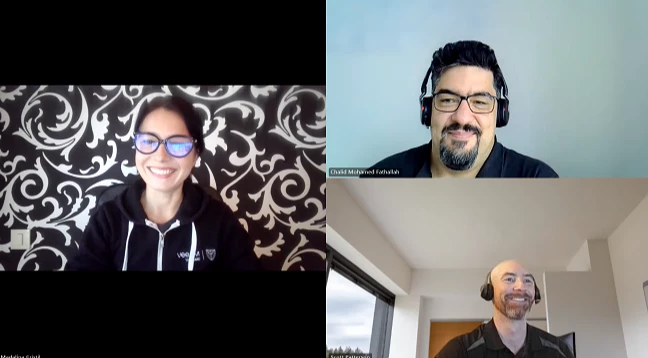
This week @Rick Vanover is on a well deserverd vacation but I have special guests, @Scott and @CMF ! We are discussing Block Repository - DAS Using Internal Disks, how to Veeam Recovery Orchestrator - Planned Failover, Veeam ONE V13 with a Veeam VBR V13 and so much more! Featured Content via @AndrePulia via @Dynamic via @PeteSteven Vanguard Blog Spotlight @benharmer : https://benharmer.blog/2025/10/13/automating-deployments-with-vbr-v13/Special Department News Have a great weekend everyone!Madi
IntroductionThis blog provides a practical guide to deploying a single-node Kubernetes cluster and integrating the Veeam Kasten K10 solution.The objective is to offer a clear reference that facilitates the exploration of Kasten’s features and benefits. EnvironmentTo carry out this env, the following components are required (depending on the defined scope):One or more servers forming a Kubernetes cluster. An instance of Veeam Kasten K10.Kubernetes Service (k3s)For the installation of K3s, a server (or more, depending on the needs of the lab) was deployed to simultaneously fulfill the roles of master node and worker node.The chosen operating system was Ubuntu 22.04 LTS, due to its stability and compatibility with K3s.Note: The provisioning of the virtual machine and the operating system installation are considered prerequisites and are not part of this procedure. Its recommend to install it with UI.To install K3s, you simply need an internet connection and run the following command:sudo
Already have an account? Login
Enter your E-mail address. We'll send you an e-mail with instructions to reset your password.