Join discussions around Veeam community projects, Veeam events, industry and technology news
Recently active
Hi teamCan someone shed some light on this and how best to go about it.We have Nutanix cluster A and Nutanix cluster B.VM have been moved from cluster A with Nutanix Move, which creates a new VM on cluster B and syncs data. My guess is that it creates a new UUIDThere is an existing backup to a Wasabi Repo from cluster A.How can I re-create/re-point the backups that are on the repo so that the copied VM on cluster B can continue to use the backups already there?I am not so sure if there is a remap function for this. I also cannot add vm from the new cluster to the existing job as it only allows me to select existing one. It appears that you select cluster first when creating the job.My guess is I may have to create a new job and let old one age out?
I have company policy to not use port 80 and i can see Veeam GatewayAPI was listen on port 80.Can we change this port?
Hello everyone,We have some old tape backups in the VBR software under “Backups”.We would like to delete them (or at least remove them from the view) but I can't find an option to do this.This backup was on old tapes and this tapes are no longer available.Can you help me further? Otherwise I ll open a support ticket.Thanks.
A number of clients have recently approached me for guidance on including Veeam in their tender specifications. Below is a summary of the key competitive advantages of the Veeam Data Platform to highlight in tender submissions. I hope you find this information useful. Supported Source Data PlatformsVMware, Microsoft Hyper-V, and Proxmox VE – Supports agentless backup, enabling data backup without deploying proxy software on virtual machines or hosts. Databases – Supports backup for databases such as MSSQL, MySQL, and others. NAS – Supports NAS backup and recovery with: Complete and permanent incremental backup Data deduplication (including deduplication rate) Browse-based recovery Remote replication Microsoft 365 (Email) – Supports backup for Microsoft 365 email data.Security & Compliance FeaturesSupport immutable storage to prevent virus tampering and deletion of stored data. The Root/Administrator account cannot access, browse, or delete the RAID, LVM, file system, or disk wh
My SubscriptionsHi everyone, what is the difference between Veeam Data Platform and Veeam Data Platform Advanced?I plan to upgrade our VBR server to v12 from v11. It does have Veeam ONE on it. Orchestrator is on its own server. I assume I want the Veeam Backup & Replication ISO and Veeam ONE ISO. However, I’m wondering what am I missing out if I don’t get the “Advanced” ISO. Thanks!
I need to back up my Windows without using the cloud. I mean that the backup should be stored on my own laptop, not in the cloud. When I downloaded Veeam One, its size was about 3.5 GB, which is quite large.
Hi All,I would like to share a scenario i encountered related to the Veeam SQL Plugin communication port and gather feedback from the community.By default, the Veeam SQL Plugin uses port 6791 for communication. In one of our customer environments, this port was already in use by another component (Elastic Agent), which caused a port conflict. As a workaround, we were able to change the SQL Plugin communication port by creating a custom configuration XML file.Workaround ImplementedWe created the following XML file:File name:veeam_common_config.xmlLocation:C:\Program Files\Veeam\Plugins\Microsoft SQLContent of the XML file:XML<Config><PluginParameters minPluginManagerPort="6792"></PluginParameters></Config>Show more linesThis allowed us to move the SQL Plugin communication to a different port (in this case 6792) and avoid the conflict with the Elastic Agent already using port 6791.Discussion Points / QuestionsAre there any known limitations or upgrade consideratio
Enterprise Manager Self-Service Portal - Server Error. I remember being able to fix this before but can’t remember the particulars. I had to go to IIS, I think application pools.
Hello guys,Have the following error regarding SureBackup Jobs: Ping is being skipped: Dedicated physical Hyper-V standalone server in use for only SureBackup tests.Production network is where the actual Hyper-V server is in (aka Production Network), and isolated network is newly created. Can’t find any much informations regarding those problems.
Hi all,I have recently built a new Veeam Backup for Microsoft 365 server (v8.3.0.2201 P20251212) and attached existing Azure Blob storage from a previous server which contains backup data I need to restore from.The issue is the Microsoft 365 tenant was previously named [OLD-TENANT-NAME].onmicrosoft.com and has since been renamed to [NEW-TENANT-NAME].onmicrosoft.com. Both entries share the same Office ID ([OFFICE-ID]) which is causing a duplicate conflict and preventing me from accessing the existing restore points.The error we are seeing is:A duplicate organization Office ID was found in the repository (Office ID: [OFFICE-ID])The old tenant no longer exists in Microsoft 365 as it was renamed. The backup data in the blob storage is tied to the old org entry and we need to remap it to the current tenant so we can perform restores.What we have already tried:Removed the old organisation entry from the Veeam console - did not resolve the conflict Removed and re-added the Azure Blob reposito
We have replaced are our physical servers and are decommissioning the old servers. I have two servers that were setup and functioning as proxies in Veeam. When i go to remove the server, i get a message saying the server can’t be removed because it is still associated with backups. The backups it indicates are blocking are no longer jobs and the only references to those names i can find are in the Orphaned and Exported Disks section, but there is no option in there showing an association to a server or a way to change anything.I have opened a case with support (02943295) and so far they are suggesting that we will need to manually edit the database records to remove this association.I am curious if any one else has had to manually modify database records just to remove old servers from Veeam Backup and Replication? This does not seem to make sense and is likely just masking the real issue.
I have been validating MongoDB full instance restore using Veeam Explorer for MongoDB (VBR v13) and would like to raise a discussion related to file ownership and permissions after restoring.Observed BehaviorWhen restoring a full MongoDB instance to a Linux server, the restored MongoDB data files are owned by the OS user used during the restore process (restore authentication user).As a result:MongoDB service fails to start under the original mongod service account, or The node cannot be cleanly added back to an existing MongoDB replica set Manual post‑restore steps are required (chown / chmod) to revert ownership to the original MongoDB service userThis aligns with current permission requirements documented for MongoDB restore operations, where the restore user must have root privileges on the target system. [helpcenter.veeam.com]Challenge / RiskFrom an operational and security perspective, this introduces several challenges:Requires manual intervention after every full instance resto
I would like to consult your suggestions and recommendations for my case. Please refer to the Veeam infrastructure diagram below. There are two Linux Hardened Repositories in the environment. The customer needs to upgrade the operating system from RHEL 9.7 to a supported version, as RHEL 9.7 will reach end of support soon. ConstraintsThe hardware for the Linux Hardened Repositories was purchased in 2023, and the customer intends to continue using it. The license subscription of RHEL will expire in December 2026. The customer is planning to upgrade to Veeam v13.
Hello, I have a cluster on my Veeam v13 software appliance I’m looking to configure with CDP, however when i go to install the I/O filter the cluster doesn’t show up. What am I missing. I do have CDP configured on Veeam and another cluster is configured with it. Any ideas?
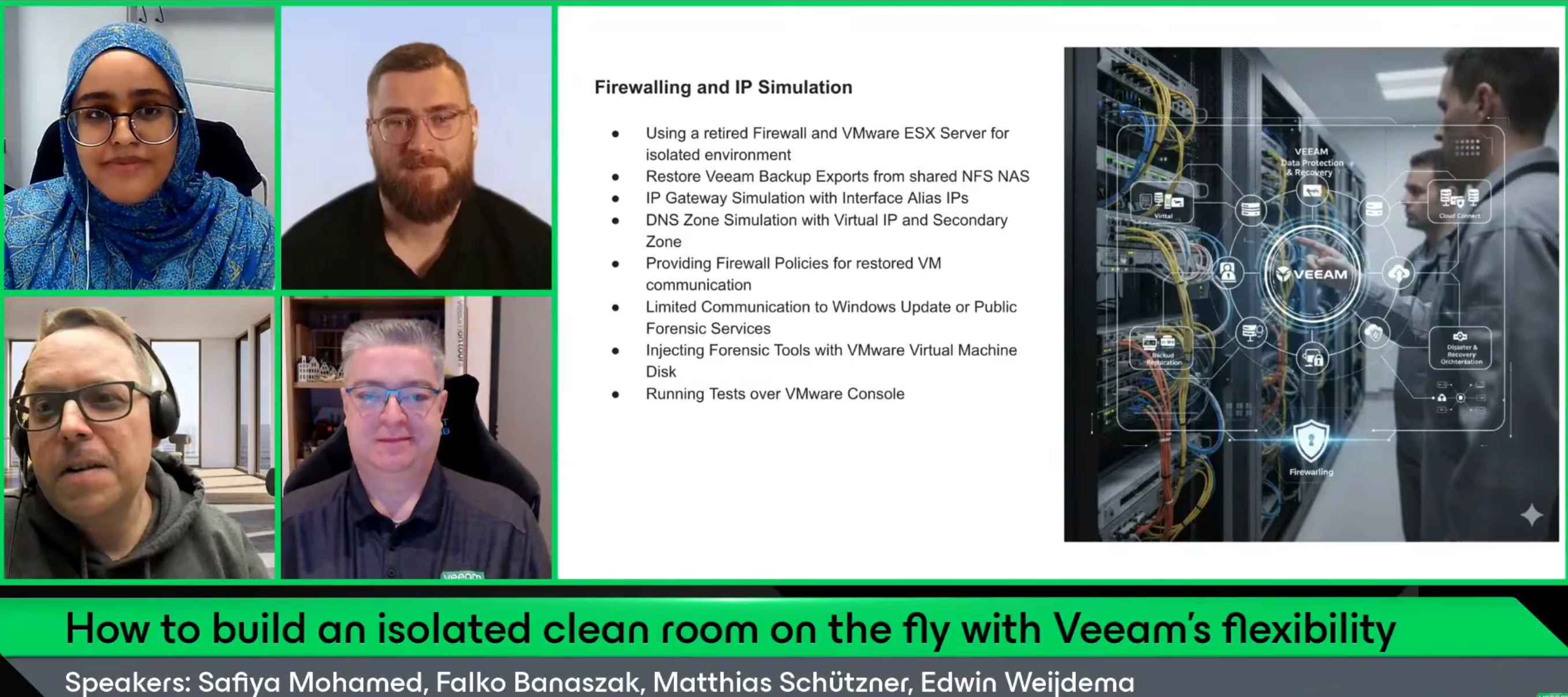
ICYMI V100 Show is back!Hello Community!Last Thursday, we had our first V100 Show of the year. If you didn’t know, we are slightly changing the V100 Show format this year, with a deeper focus on customer stories.For the first show of the year, we had on @falkob and Matthias Schützner, along with co-host @Viperian for a discussion on “How to build an isolated clean room on the fly with Veeam's flexibility”. This session is for anyone who wants a practical, real-world example of how to stay ready for a recovery emergency without overcomplicating things.If you missed the show or want to rewatch, catch it below: Matthias and Falko’s presentation is attached.
I installed the Veeam 12.3.2.3617 on a virtual Windows Server 2025 and this has been a very bad experience. I started to migrate the repository data to the new server, but it has become very unusable. Now when I look up the issues on the web with Veeam, other people seem to have similar issues when using server 2025 with the repository on a ReFS file system. At this point, everything is in limbo, meaning that the server randomly hangs when Veeam runs. 30% of the repository has been moved, but I can’t seem to do anything with the server. Every time we try to access Veeam repository it just hangs.Does anyone have any suggestions other than scrapping the Veeam backup installation completely?thanksMatt
We have to diable Backup Jobs for Updates and reboots. There is a risk of letting the jobs diabled after reboot! It would be great to disable the Jobs in the GUI for some time only! With API calls we have to diable MFA for this account what can bring a security risk!
Finally sharing this with all of you! 💚I’ve been looking forward to this for a while — the Veeam 100 Summit recap video is finally here! Seeing everyone in action, sharing ideas, and just bringing all that energy together was amazing, and this video really captures those unforgettable moments.I can’t wait for you to watch it, relive the highlights, and maybe even spot yourself or your friends in the crowd! What was your favorite moment or what excited you the most? Share it in the comments! — And let’s keep celebrating the Veeam 100 community together 🤝🎉💚
Let me explain the customer environment first.Customer has 3 Dell Poweredge servers (will name them pe1, pe2, pe3) and 1 Dell Powervault server. Customer uses pe1 and pe2 and has deployed 2 windows machines on them with hyperv on them respectively, pe1 has hyperv1 and pe2 has hyperv2. Customer has taken the storage of these hypervs from the Del Powervault server so that they have a large size. Customer has deployed a windows server on pe3 where veeam has been installed and the backup repository is on that pe3. Now, we added the 2 hyperv on veeam by adding them as standalone hyperv, hyperv 1 has 6 windows VMs under it and hyperv2 has 5 windows VMs under it.One of the windows VMs is showing a used capacity of 50 GB. Now this windows machine is a file server, has 2 partitions, the C partition where the 50 GB is used , and another Partition, the D partition that has almost 3 TB of files on them.On Veeam i only see the 50 GB used. If i run a backup schedule in order to backup the VM, this m
Hello, I try to restore some email for specific user let say user1@mydomain.com but i have error :When restore using user1@mydomain.comNone of the required roles (Global Administrator, Exchange Administrator) is assigned to the user : user1@mydomain.com When restore using administrator accountFailed to open mailbox : user1@mydomain.com. Failed to Access mailbox. The specific object was not found in the store. Default folder root not found. Anyone know why?
[Post updated on January 23rd]As a Solution Engineer, I never demo or validate a solution in production, and I shouldn’t. MS Dev tenants are the standard: isolated, safe, and disposable.On paper, they’re ideal: all M365 services are provisioned, licensed, and ready.In reality, they’re empty shells. Blank mailboxes. Empty SharePoint sites. Silent Teams. No data, no history, no behavior. And without behavior, I can’t properly demonstrate, test, or stress a solution.That’s the real issue: I don’t need just a tenant, I need a living environment. One that reflects real-world structures, volumes, permissions, and inconsistencies. Without that, demos feel artificial, performance tests are misleading, and edge cases only appear in production.I started by building scripts to automate content creation in M365. It worked, up to a point.As soon as I needed randomness in the assets, multiple item types, and all their specific behaviors, the setup became increasingly hard to manage. Too many scripts
Many vendors talk about "ransomware resilience".In real production environments, what are you actually doing with Veeam?Immutable repositories? Air-gapped? Object Lock?What failed in real attacks?Looking forward to your experiences and honest feedback.This could be valuable for everyone designing resilient backup environments.
Hi AllI’m currently assisting a client with a Veeam ONE deployment and they would like to send alarm notifications directly to Telegram in addition to the standard email alerts.Has anyone successfully implemented this type of integration? What method did you use? Was it done specifically with Veeam ONE or through Veeam Backup & Replication events? Has anyone tested or confirmed that it still works with Veeam 13? From what I have found it is possible, by default Veeam ONE natively supports email and SNMP notifications, with other integrations typically handled through scripts or external tools.I’m trying to confirm real-world experiences and any recommended approaches before implementing it for the client.Any guidance, scripts, or best-practice recommendations would be appreciated.
The error that I am getting is Outdated being agents, please upgrade or remove the following theme Agents from the production configuration. Shared-FS01 Veeam agent for windows 3.0.1.1039. And we got rid of that file share. But for some reason Veeam is still seeing it as a stale agent. I went back to the beam backup and replication console went to infrastructure physical. I found it an unmanaged, but it wouldn't allow me to delete it. So I tried creating a temp protection group. And the era I got was remote deployment and management is available for license agents only. Please change your backup service settings to allow manage agents to consume the license then perform a protection. Rescan. Then I went back to unmanaged and it disappeared.Sorry, I know to this whole Veeam thing. I have been tasked with it and I have very little experience with Veeam. Thanks.
Hello, Is there some Visio / Draw IO sample about common Veeam architecture ? I’m not “good” to create them and I guess there are some provided by veeam :) Thanks for your help
Already have an account? Login
Enter your E-mail address. We'll send you an e-mail with instructions to reset your password.