The Why Now Community Challenge: Veeam Data Platform 13.1. It’s time to vote!
News, guidelines and various community projects
Recently active
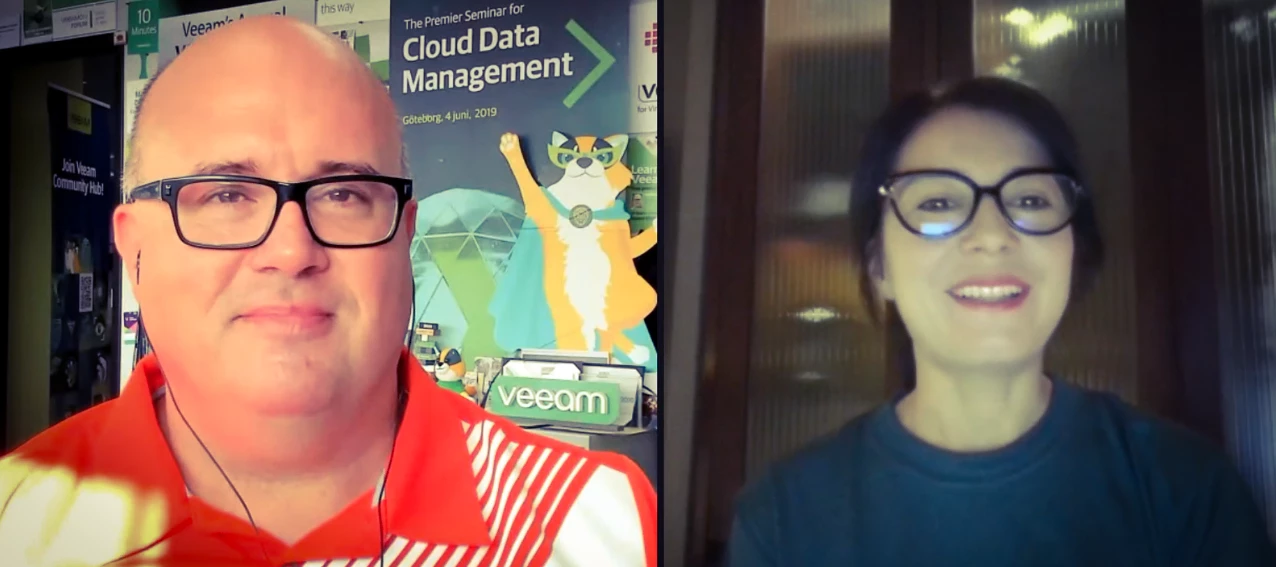
This week @Madi.Cristil and Rickatron are in normal circumstances and have a great list of content to share. You can watch the video below:Featured Contentvia @tm67 via @MicoolPaul via @michaelcade and @Geoff Burke Vanguard Blog Spotlight - Ben HarmerThis week @benharmer is featured for his homelab post! Spoiler alert: he won me over with the LED lights. Check out his post: Home Lab 2.0 – The art of continuous improvement – benharmer.blogSpecial Department Newsvia VUG UKvia VUG USAUpcoming Veeam 100 Show featuring @Julien Mousqueton @Andrey Stadler and @Madi.Cristil Upcoming Cloud Native Show featuring @michaelcade and @Geoff Burke Who’s NewThank you @safiya for processing the Who’s New members! We are happy to welcome +159 new members. The coolest usernames are @bigcargo77, @doc_spike, @Houman and @Octopus3846. Alfred’s pick is @Times are changing → You have a badge coming your way! Have a great weekend everyone!
I tested the new VSA 13 with SAML implementation and thought I'd share the process in the form of this little step by step guide. This guide provides instructions to configure Entra ID SAML integration for SSO access to VBR with version 13 As requirements, you need an Entra ID account with one of the following permissions: "Cloud Application Administrator" or "Global Administrator" for creating a new enterprise application. You also need a working Veeam version 13 installation. First, configure the Entra ID application: Access Entra ID (https://entra.microsoft.com) and navigate to Enterprise apps and create a new application. Search in the gallery for "Microsoft Entra SAML Toolkit" and select the app You can specify a name, I choose "Veeam 13 SAML" and then click on create In the newly created application, navigate to Single sign-on and select SAML. We now need some information from our VBR. Open "Users and Roles" settings Navigate to "Identity Provider" and enable SAML a
So I’ve been trying to restore a VM to my Proxmox cluster and I keep getting an error `Failed to reach the hypervisor. Error output: can’t open ‘ssh-public-key-string’ - File name too Long`. I tried recreating the workers, testing the connections and rechecking all the configs I can think of and I can’t get past this point. Every host is configured with IP and ‘root’ credentials. Each is available and the workers start up seemingly fine. Running ‘Veeam Backup and Replication 12 Build : 12.3.2.3617` on Windows Server 2022 Standard
This topic is for Lucho @JailBreak and others who want to easily install OpenShift virtualization. 🚀 Red Hat simplified OpenShift Virtualization setup with a more intuitive and faster installation experience in the Developer Preview of OpenShift 4.19, coming soon in tech preview, 🌐 making it easier in isolated environments and ⚡ speeding up deployment. The highlights its ⭐ key benefits, the new 🖥️ UI, 🆓 registration-free installs, and a 📘 quick start guide.We’ve made deploying OpenShift Virtualization easier and faster, enabling quicker adoption with: UI-driven configuration: simple guided wizard with best practices. Pre-installed operators: ready from day one. Registry-free installs: work seamlessly in air-gapped environments. Proven Red Hat technology: built on Agent-Based and Assisted Installers. 🤓Now, let’s go through the steps of this updated installation flow. In this example, we’ll demonstrate how to deploy a compact OpenShift cluster in a small test setup using thr
Hey everyone! Happy Friday 😃I had a quick question regarding Per-VM Backup chains. If I remember rightly, I think I read somewhere that in V12 it would be enabled by default. Are Per-VM backup chains now best practice? Anything to be aware of when transitioning to them on already existing backup jobs that do not utilise Per-VM backup jobs currently?Thank you!
I am running a daily configuration backup, as I should. :-) It is saving to my default repository, which in my case is a locally attached drive on my VBR server. (in fact, I had to do a configuration restore once, so I know that process works).But I just realized I don’t have a tape job, that copies the configuration backup to tape, in case of full on disaster and the building burns down to slag. And I guess I am drawing a blank, because I am a bit unsure how to set that up.Do I just need to do a Tape job, choose a “Files” backup, go to my VBR server, and choose the “VeeamConfigBackup” folder? What about the “VBRCatalog” folder? Anything else I need?A better way to do this? Obviously I would want this run every day, so it goes onto a tape every day, and once a week, we send all tapes that are FULL offsite for storage.Sorry if these seem like stupid questions.
Hello all, I don't know if this is the right place to ask for help but we have been running into a brick wall for 2 days now. We have only recently gotten back into using Veeam and we succesfully rolled out VSPC to a VM in our DC. We also have another VM in our DC running VBR (neither of these servers are part of a domain), first we had this installed without Cloud Connect purely to mess around a bit. But after that stage we decided to up the license to include Cloud Connect. The VBR obviously had the management agent from VSPC installed and everything was working as intended.However when we wanted to connect the newly added Cloud Connect service via VSPC we ran into an issue where we would go to Configuration > Catalog > Veeam Cloud Connect > Servers > New. We would then enter all the correct information, we will get a pop up stating we need to take ownership of the already installed agent. Which sounds reasonable but after that we just get a prompt saying “Access Denied”.
Resolving SQL Backup Error - Code 0x80040e14 (Dispatch error #3092) / failed: 112(There is not enough space on the disk.) IssueBackup operation fails with the following error:Failed to perform internal backup Code = 0x80040e14Code meaning = Dispatch error #3092/ failed: 112(There is not enough space on the disk.)Source = Microsoft SQL Server Native Client 11.0 Root CauseThis error typically occurs due to insufficient space for temporary transaction log (T-log) files during SQL backup operations. Resolution Steps1. Verify Transaction Log File SizeContact the SQL DB Team to check the size of the transaction log file. Confirm the required space for temporary log storage. 2. Check Drive AvailabilityIf lacks sufficient space, proceed to request a new temporary disk. 3. Request Disk AdditionAdd a new temporary disk to the server. Disk size should be based on SQL DB Team's recommendation plus 10 GB buffer. 4. Configure SqlTempLogPa
Hi everybody,I am not yet an expert on Veeam B&R but today something happened that is driving me crazy.I have a server on which I have installed Veeam B&R CE and two Windows 10 PCs on which I have installed Veeam Agent CE. I directly configured the two Agents (PC1 and PC2) to back up to the Veeam B&R repository on the server. Connecting to the B&R console on the server I noticed that only one Agent appeared in the Physical Infrastructure in Unmanaged.I repeated the procedure many times and I noticed that appears only the name of the first PC that is connected to the server.Until recently, the names of both PCs were shown in Physical Infrastructure!How is it possible?
👋 Hello friends!This is my first post here, and I wanted to take this chance to reach out to any partners in this space—whether you’re a VCSP or Reseller, brand new or a seasoned Veeam pro. If you’re looking to level up your marketing game, I’ve got great news for you!The Veeam Marketing Center (VMC) is our FREE, all-in-one tool designed to help you become a true marketing expert. With VMC, you get access to ready-to-launch campaigns, customizable assets, and step-by-step guidance to help you attract more leads and grow your business. And the best part? You don’t have to do it alone!I’m Dante Barreto, your Channel Marketing Concierge for AMER, and I’m here to make things easy and fun. Want a personalized training? Need help executing a campaign? Just have a question about marketing with Veeam? I’m your guy!Interested in getting started?Comment below, send me a DM, or connect with me to schedule your own 1:1 VMC walkthrough. Let’s make you a Veeam marketing superstar!🌎 Not in AMER?No
I keep getting the error when with the Windows Backup Agent:“Veeam Endpoint Backup is already running for user *MyUsernameImCurrentlyLoggetInWith* “When I try to edit the job currently running. But no other users are logged in or accessing the app. I have tried deleting the job. Now I can’t make a new one. Rebooting, of course. Shutting down the App and the Service. Uninstalling and reinstalling. Resetting the DB. Deleting the config folders in ProgramData and Windows Program Files. And I keep getting the error. Like something is still left on the machine, with a setting that is causing he fault. Ideas?? How do I completely remove everything from the Veeam Agent from the machine and start over?
Earlier this year, I kicked off a series on HPE storage platforms and their integrations with Veeam Backup & Replication. We started with the HPE Alletra Storage MP B10000 and then looked at Veeam Ready – Appliance Hardened storage servers as secure backup repositories. I paused the series for a while to let some important HPE announcements catch up with the story I was telling and to complete more hands-on validation. Now is the right time to pick things back up with the HPE Alletra Storage MP X10000, the next natural step in the conversation. This blog is not a deep dive into every feature of the X10000 — instead, it’s about where it fits into a Veeam-powered backup architecture, why it matters, and how it supports cyber resilience at enterprise scale. The X10000 is HPE’s flagship object storage platform, built to manage unstructured data at scale with an all-flash, disaggregated architecture. Independent scaling of capacity and performance, powered by NVMe drives and 100 Gb Ethe
Hello,i was trying to register linux server, but certificate file exists.I have deleted /opt/Veeambut still is echo about “File exists” Do you have any hints, where could be located for redhat? I have checked all logs, but cannot find even on VBR or linux itself. Its Veeam 12
Hello Everone, what is the default retention policy applied by Veeam Data Cloud for Microsoft 365 Flex? I noticed this was not covered during the onboarding process or while configuring the backup policy. Is there a default retention period that is applied automatically? Where can we find or view this default setting in the interface or documentation? How can we modify or override it if needed? Thanks in advance for your assistance.
Hi there,Veeam B&R 12 is installed on a Windows 2022 Server, which is installed on VMWare ESXi 6.5 U3. From there I backup our produtvie Server, which is a VMWare ESXi 6.7 with a Windows Server 2016 and a Windows Server 2012 R2 (Exchange Server) installed on it. Everything works fine, exept the backup of the Windows 2012 R2 Server. It does backup, but I receive the Warning “Failed to index guest file system. VSS Control: Index failed". Is there any way to fix this, except disabling the file indexing?
Does Veeam VBR 12.1 cover Server 2008 and 2008 R2 Virtual guests…? Thanks in advance.
Hey Everyone, wanted to share a few things with the community about Virtualisation or Virtual Machines on Kubernetes, in the field and with the overall Hypervisor Hunger Games all options are on the table it seems. I have made my feelings quite clear around vSphere being the best hypervisor and ultimately today still the best ecosystem but this is not stopping the exploration of alternatives. @Geoff Burke and I did a live stream at the end of August touching on a project called Kubevirt, this is the mechanism to run Virtual Machines on Kubernetes, either as an alternative hypervisor and / or alongside your containers. This is also what we find being used in the enterprise products such as Red Hat OpenShift and SUSE Harvester. Every month me and Geoff jump on the live stream and cover something cloudy, DevOpsy or just something interesting. From this episode and the release of the Veeam Software Appliance, I had an idea lets show the apples to oranges comparison here between say some
Hey Folks, I wanted to share my discovery of Veeam v13 beta with you. @Michael Melter made an excellent post on the installation.I had undertaken the same work so I'm sharing my version with you. On my side, in this first post I go a bit further by presenting the Host Management part. I wish you a good read! 1. Veeam Software ApplianceOne of the flagship announcements at VeeamON was the release of the Linux appliance version - yes, Veeam Backup & Replication is switching to Linux. (The Windows version is not deprecated for now, so don't worry).Objective: we want a product that performs backups without having to worry about maintaining operating systems.In this first article, we will cover the installation process of this new appliance, based on Rocky Linux, and the use of management consoles.⚠️Reminder: We are testing a beta version here. Some features are still missing, incomplete, or might not even make it to the final version.Deployment: In this Beta version, to deploy V13 as
HotAdd Manual Testing (kb1184) only works when VM is powered off. I did this test but only works if I turn off the VM. There is no text in the article saying that the VM has to be powered down in order to attach the snapshot vmdk but I would think this is normal where the snapshot vmdks are locked thus can not be attached to another VM. What did I miss in the KB?
HPE and Veeam jointly validated HPE Alletra Storage MP X10000 as an S3-compatible, immutable backup repository for Veeam Kasten v8. The team confirmed successful backup and restore behavior, Object Lock immutability enforcement, and post-retention cleanup. CSI-assisted local snapshot restore testing was performed with HPE CSI Driver 2.5.2. Reference Architecture (at a glance) Kubernetes cluster running Kasten K10 v8 Repository configuration: HPE Alletra MP X10000 S3 endpoint with Object Lock (immutability) enabled Policies: App-aware backups with defined retention and periodic export plus restore validation CSI for local snapshot flows: HPE CSI Driver 2.5.2 What HPE Validated HPE configured the repository settings in Kasten to use the HPE Alletra MP X10000 S3 endpoint with Object Lock enabled, then ran immutable backups governed by policy-based retention. HPE performed restores from the repository and observed expected behavior end to end. After the retention window elapsed, th
I’m working with Veeam SureBackup and I have 5 Virtual Lab running on one ESXi host. Now I need to move it to a different ESXi host.Is there a way to change the assigned host for the existing Virtual Lab, or do I need to create a new Virtual Lab on the new host and reconfigure everything?
Hello. I have a request to restore files from a specific host from a tape made earlier this year (2025-01-01). And I am not sure how to determine which tape it is that I need. Here’s the problem. At the time, the VM I need files from was running on vSphere. Since then, we’ve moved to Nutanix. If I try and do a Restore, choose VMware, I don’t see the jobs from that long ago. (which I kinda expected). But what I don’t know, is how to determine which tape made on (or around) 2025-01-01 has the backups from this VM. So I can recall the tape from offsite storage and do the restore.I realize this is probably a silly question, but I’ve never had to do a restore from so far back, it’s only on tape, and not still on disk storage.I tried to do a Restore, If I select “Files and folders”, I can scroll down to my server, and I can see the VM I want, but the backups listed only go back about 60 days. I need longer than that. Which means I’m looking in the wrong area. But I don’t know what the right
Hands-On with Scale Computing At Veeam on, Scale hinted to me they were at the event for a reason. As we are a large user of Veeam, this excited me as there is no chance of my installing VM’s I can’t backup. Things have progressed quickly in this area since and I’ll be testing these features out in the near future. Hypervisors have been such a hot topic this past year, with lots of discussion around cost, complexity, and future direction. I have been testing all options as the future is still unknown and there are a lot of new options available. Scale demoed how you could run a highly available cluster on just a few Intel NUCs, compact, inexpensive hardware that still delivers solid performance. That got me thinking: could this work in my environment too? I wanted to see firsthand how their platform performs, and I was especially curious about their Fleet Manager Platform, which makes it easier to manage multiple clusters from a single dashboard. Fleet Manager DashboardThe Dashboard i
We got it in! This week El Rickatron and @Madi.Cristil are able to record as the LATAM rush finishes. Check out this week’s video here:Featured Contentvia @Timothy Dewin via @Chris.Childerhose via @coolsport00 Vanguard Blog Spotlight - Paolo ValsecchiThis week’s spotlight is from @PValsecchi How to expand Object First OOTBI cluster • Nolabnoparty Special Department Newsvia VUG Brazil @wolff.mateus, @Jean.peres.bkp via VUG Spainvia VUG GermanyWho’s Newvia @safiya we have Who’s New this week with +187 new users. The coolest usernam@Cool_to_warm, @juniorwhere, @CriticalChance and @PrincessGalz. Alfred’s pick is @SillyGoose → You have a badge coming your way. Have a great weekend everyone!
Most of us love and embrace SOBRs as well as hardened Linux repos for obvious reasons.Once in a while a SOBRs shifts out of balance because VBR cannot predict sizes of VMs and especially chains with changes.Therefore, for a non-immutable repo we have ways to rebalance the SOBR: KB3100: Manually moving backup files between Scale-Out Backup Repository extents (veeam.com)V12 will even bring us the conservation of space optimizations here: New in VBR v12: True per-machine backup files - vNote42This though is and will not be an easy task for the hardened Linux repo, as it will prevent files from being moved between the extents. I e.g. currently face a customers SOBR with one extent having 0% free while the others all have more than 80% free...Question is: Did you ever face this challange? How did you solve it? (Build chains from scratch? Disable immutability, reorg files, enable immutabilty?)
Already have an account? Login
Enter your E-mail address. We'll send you an e-mail with instructions to reset your password.