The Why Now Community Challenge: Veeam Data Platform 13.1. It’s time to vote!
News, guidelines and various community projects
Recently active
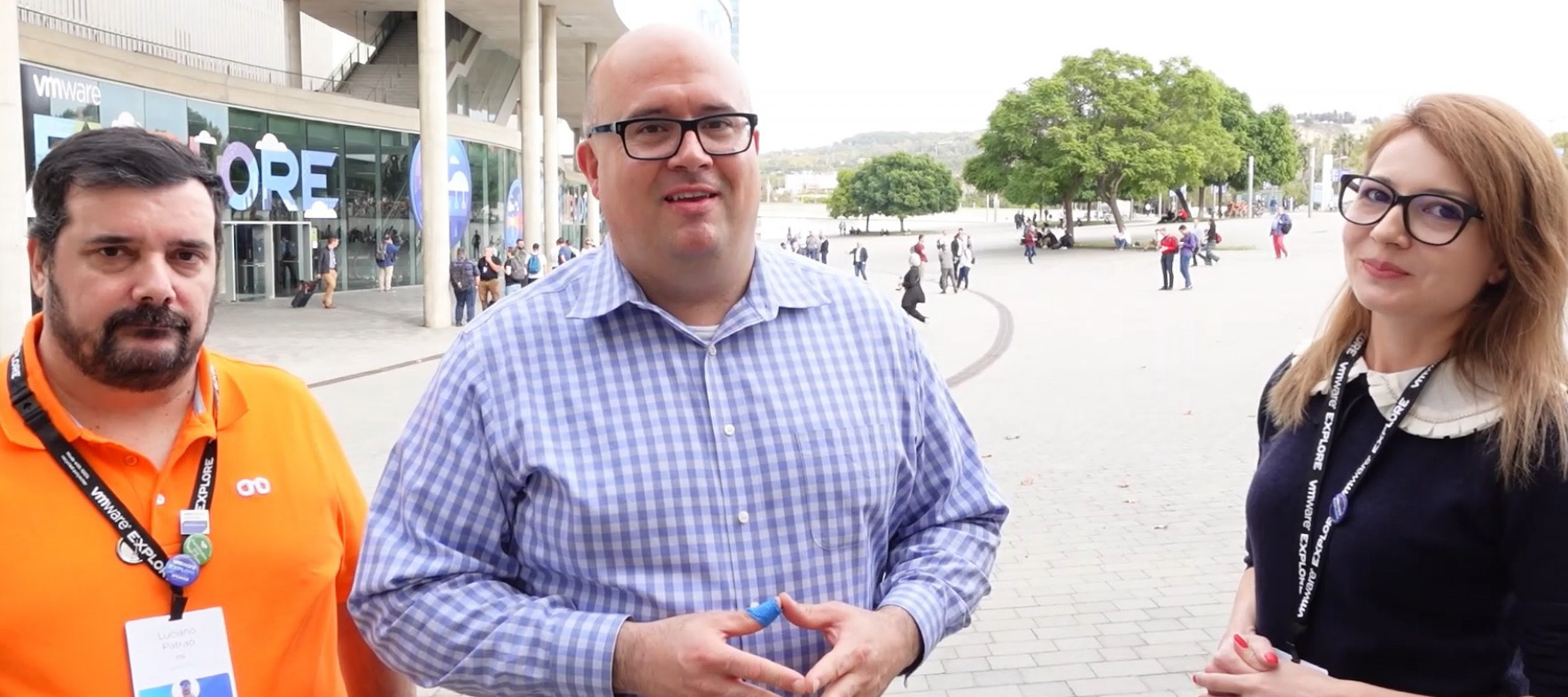
This week, @Madi.Cristil and @Rick Vanover were at VMware Explore in Barcelona. What a great event with a strong heart for technical communities! We’ll surely break the rule next week but we got a surprise visit from Luciano (@JailBreak ) one of the Veeam Vanguards for his point of view on VMware Explore. Watch today’s quick episode below:We have two special department news points to share as takeaways from the event. The first is @Madi.Cristilin the Code and Community Theatre giving an overview of the Veeam programs: The next is @Rick Vanover and @Madi.Cristil both giving an overview of Veeam’s community strategy with the CTO Advisor:Call it a VMware Explore “Takeover” but this episode is all about community. We’ll be back for #97 next week with featured content and Who’s New!
For an our customer I will have to integrate the backup of VM replicated by vSphere replication software, some one have tried to do this ? There are known issue or limitation ?Thanks Luca
Hello, Team So, i was trying to restore data and my restore keep saying my proxy is offline. THe communication is good and the services are running. Community on the actual port is good. I need help and it is important that this is sorted on time. See screenshots below:
Complementing my last post highlighting the Veeam software releases reaching end of support in 2023, I’m once again providing an expanded list of software that Veeam works with, that will be approaching end of life in 2023. Why does this matter when I’m just trying to protect the data? Times change, and software changes with them, until it’s no longer supported. At any point, a patch to an operating system, a .NET framework update, or anything else really, could end up with the software no longer being backed up properly, or not working at all in production. Without valid support there’s no process to get a fix, and whilst your backup software may still be in support with Veeam, if the vendor won’t fix the problem, it’s time to start panicking.With this in mind, let’s explore the software & operating systems being declared end of life in 2023 so we can start planning our upgrades/migrations if necessary. Microsoft We may as well start with one of, or potentially the largest softwar
It’s that time again to remind everyone that all good things run out of support eventually. The 2023 calendar year has the following products reaching end of support status for the following products.February 2023Veeam Backup & Replication v10 Veeam ONE v10 Veeam Agent for Microsoft Windows v4 Veeam Agent for Linux v4March 2023Veeam Backup for Nutanix AHV v2 Veeam Service Provider Console v4June 2023Veeam Agent for Oracle Solaris v2July 2023Veeam Disaster Recovery Orchestrator v3 (Formerly known as ‘Veeam Availability Orchestrator’)September 2023Veeam Agent for IBM AIXDates To Be Defined:Veeam Backup for Microsoft 365 v5 (Formerly known as Veeam Backup for Office 365) Veeam Backup for AWS v4 Veeam Backup for Microsoft Azure v3 Veeam Backup for Google Cloud v2As a footnote to this section, why do I say ‘dates to be defined’? This is because Veeam’s support for these products is based on ‘Next GA Date + 1 Version’ for the cloud protection products (AWS/Azure/GCP), and ‘Next GA date +
VMware vSphere 8 and vSAN 8 are GA now, anyone will try to test in Veeam v11?😁 https://blogs.vmware.com/virtualblocks/2022/10/11/announcing-initial-availability-of-vsan-8/?utm_source=rss&utm_medium=rss&utm_campaign=announcing-initial-availability-of-vsan-8 https://blogs.vmware.com/vsphere/2022/10/vsphere-8-now-available.html?utm_source=rss&utm_medium=rss&utm_campaign=vsphere-8-now-available
Hi! Thinking about Polish M365 users i prepared short article about Veeam Backup for MS365. https://inleo.pl/blog/veeam-backup-for-ms365-czyli-gdzie-zaczyna-sie-twoja-odpowiedzialnosc/Here is English summary. Microsoft’s Shared Responsibility Model, in the simplest words, says “Your data – your matter.”Many people aren’t aware of that and think they are protected against data loss. They are partially right, but only in case of internal Microsoft infrastructure failures. Microsoft replicates its regions between each other to maintain the continuity of the services. But replication and backup are different things. If your file gets damaged, it will be replicated in its current state, and you will not be able to restore it. If you delete a file accidentally, and 93 days are left (the time of MS Data retention), you will not be able to restore it. So how do you cope with it?The solution is Veeam Backup for M365, a great tool that allows you to protect data stored in M365, Hybrid, or On-Pre
This week, @Rick Vanover and @Madi.Cristil are back at their respective home bases; but not for long as there is another special episode next week. Given we didn’t cover content last week; it’s expected that we broke the rule :) and covered a lot of Special Department news. Watch today’s episode here:The LinkVia @regnor Via @ECraig34 Via @kevin.boddy Via @Geoff BurkeSpecial Department NewsA big thank you to EVERYONE as we have surpassed, 14,000 members in the community! Thank you all!Via @victorwu congratulations on your new book, including a chapter with Veeam!Yesterday was VeeamON Update and it was a blast! You can still watch the replay here: Register for VeeamON Update 2022We announced also on the episode the VMCE Course winners! Congratulations to @cosmik @marcofabbri @dips @alexheylin @Iams3le @Julien Mousqueton @mkevenaar @JailBreak @Vladan @Markus.K1985 @MartinLucansky and @vm_arena.Who’s NewWe welcomed +89 new members as we have passed 14,000 members. A big welcome to everyon
Hello everybody! I’d like to know if is possible to have a Multi-Factor Authentication to access Veeam Backup & Replication console?Do we have something native on Veeam about it?
I’d like to first thank Rick Vanover, Madalina Cristil, Nikola Pejková, Aubrey Galen, and everyone at Veeam for their efforts and support leading into the Veeam 100 Summit. It’s a HUGE undertaking that requires many levels of coordination. This was my first time attending the event in person. It was an honour to attend such a prestigious event and meet many fellow Vanguards, Legends and MVPs in person. It is amazing how being at an event and being able to speak to others of the same mindset makes you feel great. As for the host city of Prague, it never fails.Day 1 included a Welcome Reception.A big thanks to Jim Jones and 11:11 Systems for sponsoring our Go Kart event earlier in the day! It’s safe to assume everyone thoroughly enjoyed this experience!Day 2 was the official kickoff for the Veeam 100 Summit. Rick, Madalina, and Hannes Kasparick started the day with a presentation in which we learned more about the various Community groups managed by each. If you’re not familiar with e
Veeam now supports VMware vSphere 8.0 with some limitations.Link:https://www.veeam.com/kb4378
A quick note on an important point that I missed originally in Microsoft’s announcement. As users are starting to find their basic authentication mechanisms are being actively disabled, Microsoft have provided one last mechanism to prevent a complete outage if you rely on basic authentication currently. Which Protocols Are Impacted? If you’re using basic authentication for any of the following protocols, you might find that suddenly it has stopped working:Exchange ActiveSync (EAS) Exchange Web Services (EWS) IMAP MAPI Offline Address Book (OAB) POP Remote PowerShell RPC I Think This Impacts Me, What Do I Do? Microsoft are offering one final time to re-enable Basic Authentication, via the self-service diagnostics, direct link here.From this link, you can see which protocols are disabled, and choose a specific protocol that you can re-enable. Warning: Microsoft Are Serious This Time Microsoft have stated that any protocols that are re-enabled will be automatically disabled in the first c
Hi We have a Dell T130 RAID 5 - 4 X 1TB Drives No hot spare - DELL PERC H330 Adp SCSI Disk.What is best practice to back this up with Veeam ?Regards
Happy Friday everyone! I was having a chat with @regnor yesterday and we were getting a bit sarcastic about the gap between new products and how long it takes for them to have a proper data protection option available (Teams Chat API is a great example of this!). So I thought this might be a bit of Friday Fun.I want you to market data loss, like it’s a good thing! Whoever’s gets the most likes is the funniest and wins being the “answer” to the question (for those sweet sweet community points!) Scenario: You’ve just lost all your company data and you’re about to tell the board, what do you say? Example: “You know last month I was complaining about our tech debt? Well… it’s gone now!” Now your turn! And be as silly as you like, it’s fun Friday after all!!! 😁
Why protecting Microsoft 365 data is so important Your organization's data is one of its most valuable assets. That's why it's so important to have a plan in place to protect it. Microsoft 365 provides a comprehensive set of tools and services to help you safeguard your data, but it's up to you to put them to use.In this post, we'll explore some of the key ways you can protect your Microsoft 365 data, including enabling multi-factor authentication, using Azure Information Protection, using Veeam Backup for Microsoft 365, and more.Don't wait until it's too late to start protecting your data. Read on to learn more about how you can keep it safe with Microsoft 365.The Importance of Data Protection Data protection is critical for any organization that relies on Microsoft products and services. By ensuring that data is protected, organizations can maintain the confidentiality, integrity, and availability of their data. Additionally, data protection can help organizations meet compliance req
Hello everyone, it’s correct that concurrent tasks limit on the following repositories depend on the hardware (CPU/RAM) of the gateway server (transport server):DataDomain connected in FC to gateway servers with 16 cores and 32GB RAM Immutable on Linux servers with 16 cores and 32GB RAMConcurrent tasks are 32 or 16VMs as reported in the following documentation:Limitation of Concurrent Tasks - User Guide for VMware vSphere (veeam.com) NOTE Task limits set for backup infrastructure components influence the job performance. For example, you add a VM with 4 disks to a job and assign a backup proxy that can process maximum 2 tasks concurrently for the job. In this case, Veeam Backup & Replication will create 4 tasks (1 task per each VM disk) and start processing 2 tasks in parallel. The other 2 tasks will be pending. ThanksFederico
What are the best practices for agent base Linux systems data backups of larger than 2TB volume without any failure? As well as backup of NFS volume?
Hi Folks, I came across this great cloud community list of free IT certifications on github(Kasten is in there too). Seems to be kept up to date. https://github.com/cloudcommunity/Free-Certifications
Hey Guys,I have a scenario. I want to replicate VM from DC to DR site. At some point if the VM gets malware attack and the same is replicated to DR site. The DR site also gets malware infected. How to mitigate this kind of a scenario
All Dell Technologies Proven Professionals are invited to participate in the 2023 Knowledge Sharing Competition! To learn more and to submit your abstract, go here >> https://dell.submittable.com/submit/239107/2023-dell-technologies-proven-professional-knowledge-sharing-competition
I am trying to make a second scale out repository (not overlapping with the first) and I keep getting the following message when trying to save it… “Summary: Failed to save scale-out backup repository: F:\Backup Copy” I got this message another time but pointing to a different directory, which linked to some orphaned backups. I deleted those in hopes this would fix it, but it just keeps throwing a different backup path each time. This specific one doesn’t even exist on my server under backup repos or disk backups (copies or orphaned), so I have no clue how to get past this. When I check the logs, all I see is this… [13.10.2022 17:08:05] <01> Error Failed to save scale-out backup repository.[13.10.2022 17:08:05] <01> Error Failed to save scale-out backup repository:[13.10.2022 17:08:05] <01> Error F:\Backup Copy (System.Exception)[13.10.2022 17:08:05] <01> Error at Veeam.Backup.UI.Sobr.CSobrWizardCtx.SaveRepository(String& warni
We had a firm that upgraded our veeam to v 11.In the same time, we replace the SAN.The original SAN that was used for backup was replaced by the new unit.The original SAN was then used for the copy, and the copy SAN not use anymore.It appear that we lost all 95% of restore point that we had before cause of a disk space problem that corrupt the file for most jobs in the server. Now we only have one month of restore point cause. we lost everything else. We think that it was cause of a bad way to upgrade, but the consulting firm continue to claim that it was the disk space problem that caused the loss of six-month backup.is it possible that the disk space corrupt all the restore point and there is no way to recover the old backup or maybe from our old copy SAN that is still unused since the migration?Thanks for your help.
Hey all, getting ready to setup VDRO in the lab and production, but I have questions on the location of the vCenter server. Currently, my vCenter is located in the primary site, but wondering if it should be instead setup at the recovery site, or if I should have HA or ELM configured so that there is a second vCenter setup at the recovery site. ELM doesn’t sound as useful for this situation, but HA may work and there is low enough latency between the primary and recovery sites to support HA. That said, I was hoping to the put the witness at our third site, but latency is higher to that location so that may not work. Anyhow, I know I need to get my VBR backup server moved to the recovery site (was already on my list) but what’s considered the best practice here?
Hey guys, here are some cool gears for grabs! This is the right time to learn about VMware Aria Hub.This offer is only available during the VMware Explore Europe 2022 period which is from the November 7th through November 11th, 2022. Go to the Hands-on-Labs area and request HOL-2301-08-ISM “VMware Aria Hub – A look at what’s next in Multi-Cloud Management”.At the completion of the lab, you will be able to order Cloud Management gear as a gesture of our appreciation to be shipped to you*.Hey guys, let’s run with this….
Update from @Chris.Arceneaux (Nov 7th, 2022):Chris has created a new script to automate the commands described in my topic. Thank you very much. :)https://github.com/VeeamHub/powershell/tree/master/VB365-CheckTeamsProtectedAPI______________________ My code has the added benefit of not requiring parameters (TenantID/AppId/CertThumbprint) to be specified as long as the script is executed on the VB365 server. It also automagically installs required PowerShell module(s). This script is about KB4322 (Using Microsoft Graph Export API for Teams) Recently, we were asked in the R&D forum, how much time Microsoft will take, until they inform you, that you have been granted to access to the protected API’s.Unfortunately, it seems that Microsoft will not inform you per Mail about the successful approvement. In Microsoft Docs, their statement is to use your application to verify if your request has been approved. Microsoft will only write you an email, if they have more questions about the requ
Already have an account? Login
Enter your E-mail address. We'll send you an e-mail with instructions to reset your password.