News, guidelines and various community projects
Recently active
We have a location in the US where our VBR server in DE seem to have some connection issues sometimes. Latency and packet loss I see in smokeping is not that high, even better than for most of our other remote locations. Still we see errors like below in out backup and offload jobs for 2-3 VMs out of 35 on a daily base. The IP is the local proxy there. Processing xxxx Error: A connection attempt failed because the connected party did not properly respond after a period of time, or established connection failed because connected host has failed to respond 172.31.132.113:2508 First job retry is successful most of the time. Anyhow, I’d like to get rid of those errors. Support suggested to change following regkeys to adjust.ConnectByIPsTimeoutSecAgentStartTimeoutSec But this did not change anything. I think we need settings for retries not timeouts. Any other ideas? Network team already checked everything and did not find anything. As I wrote, monitoring graphs also do not look too bad.
Hi,I have a problem with add an organization on veeam Back EM with API.I certainly enter correct “HostUid” that belong to vcloud, but get below error:"FirstChanceExceptionMessage": null, "StackTrace": null, "Message": "Unable to find target vCloud host on VBR [25fc543e-0622-4dce-82ff-ee6296bb397c]", "StatusCode": 500, "Status": "InternalServerError" Sent body as below:{ "OrganizationName": "Org-01", "BackupServerUid": "urn:veeam:BackupServer:25fc543e-0622-4dce-82ff-ee6296bb397c", "RepositoryUid": "urn:veeam:Repository:a3718da3-2b89-4646-a5d4-df6dada65d8e", "QuotaGb": 100, "RepositoryFriendlyName": "Backup Repository 1", "JobSchedulerType": "Full", "HighPriorityJob": false, "HostUid": "urn:veeam:ManagedServer:425c2582-d46d-4316-9977-a3e5f49ec1f9" } P.S 1 : I can add it in web UI successfully.P.S 2 : All parameters that sent to veeam, taken from “Get” APIWould you please help me in this regards?
Hello, We’re trying to make a backup on a server using Agent but we’re facing this error message.
I wanted to ask any Service Providers out there that may use tape with Veeam - do you have sizing set up so that when you have X number of Tenants you add tape drives or another tape server?I am working on our design for our Veeam VCC to Tape offering and I am trying to put together some rough estimations of when you have X number of tenants on VCC you add either - X number of tape drives more or add a second/third tape server to the mix.We have currently 47 tenants with one tape server which had 3 tape drives connected (now it is up to 6 as we added 3 more yesterday) but it still seems to be a bit of a headache due to the number of jobs running plus when a Restore request comes in.Hopefully someone has experience around this as I have also asked our SA at Veeam as well to see if there is any documentation, they have similar to the limit's spreadsheet for VBM365 which is great.Thank for looking and chiming in. 😁
IntroductionOne of the most notable upcoming Veeam Backup and Replication v12 capability is Direct to “Object Storage” backups.I thought it might come in handy to share a small AWS cli cheat sheet with the community. Initial AWS cli configurationThe first step is to run aws configureAll you need to provide are access key and secret key. You specify the --endpoint-url directly in the commands.Next, make sure you are using v4 signature aws configure set default.s3.signature_version s3v4 Creating a simple bucketaws s3api create-bucket --bucket <yourbucketname> --endpoint-url=<yourendpointurl> --no-verify-sslNote: You don’t necessarily need the --no-verify-ssl option except if like me you are lazy with certificates in your lab. Creating a bucket with object lockCheck out this great post from my colleague Steve Firmes where he discusses “How to avoid an Immutability Migraine”.The command is pretty straight forward:aws s3api create-bucket --bucket <yourbucketname> --object-
Morning, Saw an interesting news story today relating to some new HDDs from Seagate, boasting a maximum capacity of 18TB, these 7.2k RPM SATA/SAS hard drive, capable of a maximum sustained transfer rate of up to 554MBps. For those interested it is the Seagate Exos Mach.2. So how does it reach these alleged high speeds? Let’s dive in 👇 Firstly, these hard drives have two actuators, with the disk capacity divided neatly in half between them. As always, the random IOPS falls through the floor with these disks, achieving 304 random read and 560 random write IOPS, tested at 4K Q16.For the cache, it’s a 256MB multisegmented cache helping boost some of these numbers which isn’t that surprising. These hard drives are designed for the datacenter, so pricing isn’t publicly shared and I don’t believe we’ll see these drives on shelves any time soon, and with power consumption of up to 13.5w under load, these will certainly be contributing some heat when used in bulky RAID Arrays. Whilst this cert
Account lockout help keep user accounts secure by preventing unauthorised users etc., from guessing the username and password. When your account is locked, you will have to wait for a specified amount of time before being able to log into your account again. Here is the link to the original blogpost. In the past, it was recommended to disable the local Administrator account due to several known vulnerabilities such as the built-in administrator account cannot be locked out no matter how many failed logins it accrues, making it a prime target for brute-force attacks that attempt to guess passwords. This is no longer true as beginning October 11, 2022, or later Windows cumulative updates, a local policy will be available to enable local administrator account lockouts. Brute force attacks are one of the prevalent ways Windows devices are attacked today. Previously, Windows devices did not allow local administrators to be locked out. This leads to scenarios where, without the proper netwo
A new feature in vSphere 7 is the ability to configure a VMkernel port used for backups in NBD (Network Block Device) respectively Network mode. This can be used to isolate backup traffic from other traffic types. Up to this release, there was no direct option to select VMkernel port for backup. In this post I show how to isolate NBD backup traffic in vSphere.ConfigurationIt is quite simple to configure backup traffic isolation. With vSphere 7 there is a new service tag for Backup: vSphere Backup NFC. NFC stands for Network File Copy. By selecting this, vSphere will return the IP address of this port when the backup software asks for ESXi hosts address.So all you need to do is to add a new VMkernel port, enable Backup service and set IP and VLAN ID. Host does not need to be rebooted. Now NBD backup traffic will be routed through this port. How does it look likeFor verification there are a few options. You can check log file or monitor ESXi network throughput. On my demo ESXi host, I
Hi Folks,It came to my mind long time ago this question, and my answer, but last night after chatting with a friend of mine, the topic came out to the table, so here it comes...What do you miss from your Veeam B&R?And my first answer would be, a Linux Based Appliance, getting rid of the Windows Based Installation at all.I've been "struggling" with this many times, usually people that doesn't want to have a Windows Machine (most of the time, they are full Linux / Unix Infra), or can’t afford a Windows Server License.What do you think? Best regards.Luis.
Hello,we want to change the naming of the media sets in our tape media pools and encountered a situation with the available variables.Our goal is to include date and time in the media set name in format ”yyyymmdd_hh:mm”The variable %date% gives date and time in the format “dd.mm.yyyy hh:mm” (ok, the date format is based on the system locale). But we cannot change the system locale for this…. 🙁With the variables %year%, %month%, %day% and %time% it should be possible to build a date_time string in the desired format. But unfortunately, the value of the %month% variable is the name of the month, not the numberDoes someone have an idea or a trick how to get the number of the month? Are the variables configurable? Just asking all the experts here before opening a support ticket. 😎 Documentation mentions nothing about this…https://helpcenter.veeam.com/archive/backup/90/vsphere/add_media_pool_set.html Please forget my question 😂😂😂You should look at the documentation for the correct vers
So in B&R v12 it is possible to directly backup to an object storage - same is valid for the agents if I’m not mistaken. Testing the current beta hasn’t given me that option to choose an object storage as target repository, so I guess it can only be achieved in combination with B&R? Or does it still have to be developed? Thanks!
Hi Everyone, Veeam Vanguard @mkevenaar has started a mastodon server masto.nu This should be a great place for Data Protection folks and It in general. I plan to push this also through my Kubernetes networks.Please feel free to join.
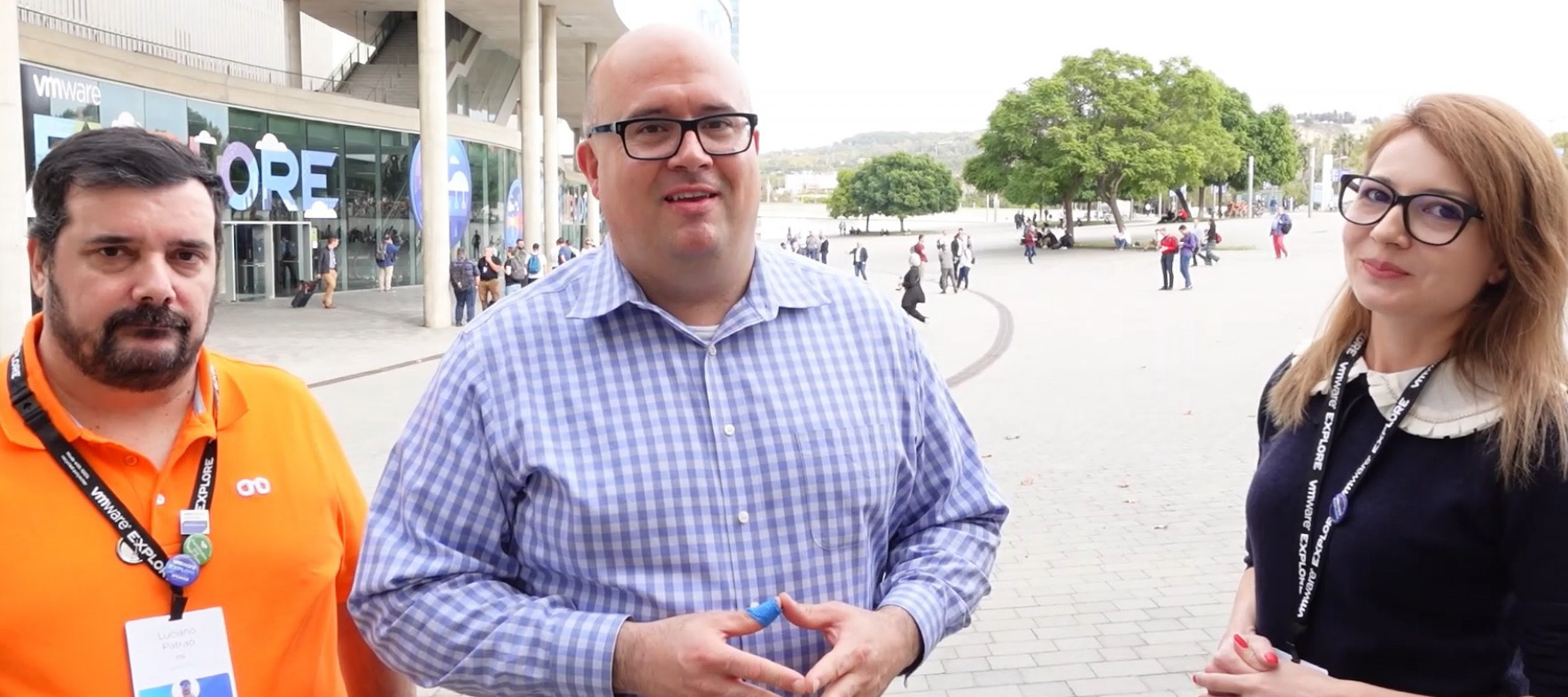
This week, @Madi.Cristil and @Rick Vanover were at VMware Explore in Barcelona. What a great event with a strong heart for technical communities! We’ll surely break the rule next week but we got a surprise visit from Luciano (@JailBreak ) one of the Veeam Vanguards for his point of view on VMware Explore. Watch today’s quick episode below:We have two special department news points to share as takeaways from the event. The first is @Madi.Cristilin the Code and Community Theatre giving an overview of the Veeam programs: The next is @Rick Vanover and @Madi.Cristil both giving an overview of Veeam’s community strategy with the CTO Advisor:Call it a VMware Explore “Takeover” but this episode is all about community. We’ll be back for #97 next week with featured content and Who’s New!
For an our customer I will have to integrate the backup of VM replicated by vSphere replication software, some one have tried to do this ? There are known issue or limitation ?Thanks Luca
Hello, Team So, i was trying to restore data and my restore keep saying my proxy is offline. THe communication is good and the services are running. Community on the actual port is good. I need help and it is important that this is sorted on time. See screenshots below:
Complementing my last post highlighting the Veeam software releases reaching end of support in 2023, I’m once again providing an expanded list of software that Veeam works with, that will be approaching end of life in 2023. Why does this matter when I’m just trying to protect the data? Times change, and software changes with them, until it’s no longer supported. At any point, a patch to an operating system, a .NET framework update, or anything else really, could end up with the software no longer being backed up properly, or not working at all in production. Without valid support there’s no process to get a fix, and whilst your backup software may still be in support with Veeam, if the vendor won’t fix the problem, it’s time to start panicking.With this in mind, let’s explore the software & operating systems being declared end of life in 2023 so we can start planning our upgrades/migrations if necessary. Microsoft We may as well start with one of, or potentially the largest softwar
It’s that time again to remind everyone that all good things run out of support eventually. The 2023 calendar year has the following products reaching end of support status for the following products.February 2023Veeam Backup & Replication v10 Veeam ONE v10 Veeam Agent for Microsoft Windows v4 Veeam Agent for Linux v4March 2023Veeam Backup for Nutanix AHV v2 Veeam Service Provider Console v4June 2023Veeam Agent for Oracle Solaris v2July 2023Veeam Disaster Recovery Orchestrator v3 (Formerly known as ‘Veeam Availability Orchestrator’)September 2023Veeam Agent for IBM AIXDates To Be Defined:Veeam Backup for Microsoft 365 v5 (Formerly known as Veeam Backup for Office 365) Veeam Backup for AWS v4 Veeam Backup for Microsoft Azure v3 Veeam Backup for Google Cloud v2As a footnote to this section, why do I say ‘dates to be defined’? This is because Veeam’s support for these products is based on ‘Next GA Date + 1 Version’ for the cloud protection products (AWS/Azure/GCP), and ‘Next GA date +
VMware vSphere 8 and vSAN 8 are GA now, anyone will try to test in Veeam v11?😁 https://blogs.vmware.com/virtualblocks/2022/10/11/announcing-initial-availability-of-vsan-8/?utm_source=rss&utm_medium=rss&utm_campaign=announcing-initial-availability-of-vsan-8 https://blogs.vmware.com/vsphere/2022/10/vsphere-8-now-available.html?utm_source=rss&utm_medium=rss&utm_campaign=vsphere-8-now-available
Hi! Thinking about Polish M365 users i prepared short article about Veeam Backup for MS365. https://inleo.pl/blog/veeam-backup-for-ms365-czyli-gdzie-zaczyna-sie-twoja-odpowiedzialnosc/Here is English summary. Microsoft’s Shared Responsibility Model, in the simplest words, says “Your data – your matter.”Many people aren’t aware of that and think they are protected against data loss. They are partially right, but only in case of internal Microsoft infrastructure failures. Microsoft replicates its regions between each other to maintain the continuity of the services. But replication and backup are different things. If your file gets damaged, it will be replicated in its current state, and you will not be able to restore it. If you delete a file accidentally, and 93 days are left (the time of MS Data retention), you will not be able to restore it. So how do you cope with it?The solution is Veeam Backup for M365, a great tool that allows you to protect data stored in M365, Hybrid, or On-Pre
This week, @Rick Vanover and @Madi.Cristil are back at their respective home bases; but not for long as there is another special episode next week. Given we didn’t cover content last week; it’s expected that we broke the rule :) and covered a lot of Special Department news. Watch today’s episode here:The LinkVia @regnor Via @ECraig34 Via @kevin.boddy Via @Geoff BurkeSpecial Department NewsA big thank you to EVERYONE as we have surpassed, 14,000 members in the community! Thank you all!Via @victorwu congratulations on your new book, including a chapter with Veeam!Yesterday was VeeamON Update and it was a blast! You can still watch the replay here: Register for VeeamON Update 2022We announced also on the episode the VMCE Course winners! Congratulations to @cosmik @marcofabbri @dips @alexheylin @Iams3le @Julien Mousqueton @mkevenaar @JailBreak @Vladan @Markus.K1985 @MartinLucansky and @vm_arena.Who’s NewWe welcomed +89 new members as we have passed 14,000 members. A big welcome to everyon
Hello everybody! I’d like to know if is possible to have a Multi-Factor Authentication to access Veeam Backup & Replication console?Do we have something native on Veeam about it?
I’d like to first thank Rick Vanover, Madalina Cristil, Nikola Pejková, Aubrey Galen, and everyone at Veeam for their efforts and support leading into the Veeam 100 Summit. It’s a HUGE undertaking that requires many levels of coordination. This was my first time attending the event in person. It was an honour to attend such a prestigious event and meet many fellow Vanguards, Legends and MVPs in person. It is amazing how being at an event and being able to speak to others of the same mindset makes you feel great. As for the host city of Prague, it never fails.Day 1 included a Welcome Reception.A big thanks to Jim Jones and 11:11 Systems for sponsoring our Go Kart event earlier in the day! It’s safe to assume everyone thoroughly enjoyed this experience!Day 2 was the official kickoff for the Veeam 100 Summit. Rick, Madalina, and Hannes Kasparick started the day with a presentation in which we learned more about the various Community groups managed by each. If you’re not familiar with e
Veeam now supports VMware vSphere 8.0 with some limitations.Link:https://www.veeam.com/kb4378
A quick note on an important point that I missed originally in Microsoft’s announcement. As users are starting to find their basic authentication mechanisms are being actively disabled, Microsoft have provided one last mechanism to prevent a complete outage if you rely on basic authentication currently. Which Protocols Are Impacted? If you’re using basic authentication for any of the following protocols, you might find that suddenly it has stopped working:Exchange ActiveSync (EAS) Exchange Web Services (EWS) IMAP MAPI Offline Address Book (OAB) POP Remote PowerShell RPC I Think This Impacts Me, What Do I Do? Microsoft are offering one final time to re-enable Basic Authentication, via the self-service diagnostics, direct link here.From this link, you can see which protocols are disabled, and choose a specific protocol that you can re-enable. Warning: Microsoft Are Serious This Time Microsoft have stated that any protocols that are re-enabled will be automatically disabled in the first c
Hi We have a Dell T130 RAID 5 - 4 X 1TB Drives No hot spare - DELL PERC H330 Adp SCSI Disk.What is best practice to back this up with Veeam ?Regards
Already have an account? Login
No account yet? Create an account
Enter your E-mail address. We'll send you an e-mail with instructions to reset your password.