Join discussions around Veeam community projects, Veeam events, industry and technology news
Recently active
Hello Veeam Community! June brought another round of fantastic contributions from our talented members — and now it’s time to celebrate that energy! We’ve highlighted six standout blog posts, as always, and we want you to help us choose the best one. Vote by June 30th (NYT) and show your support for the voices that keep our community thriving. Good luck to all the amazing bloggers — and thank you for sharing your insights with us! 💚@CMF , @Stabz , @PeteSteven , @Marcel.K , @Iams3le , @Chris.Childerhose Best, Madi
Hi allWe have multiple installations of Veeam and some of them have all roles on the same server (Backup, Proxy, Mount and so on), some roles are distributed on others servers. Some installations have PostgreSQL and some have MSSQL. Has anyone a idea how to get the installed roles on a server (registry, folders) so we can choose which service to monitor on which server. Additionally is there an overview of which service belong to which role? Thanks,Dario
Hello,I'm reaching out because I noticed that the previous certification and training portal (veeam.looop.co) has been decommissioned, and I’m now accessing the new Veeam website.Unfortunately, I can no longer find the certifications I completed on the old platform.Is there a way to recover or transfer my certification records to the new portal?Thanks in advance for your help!
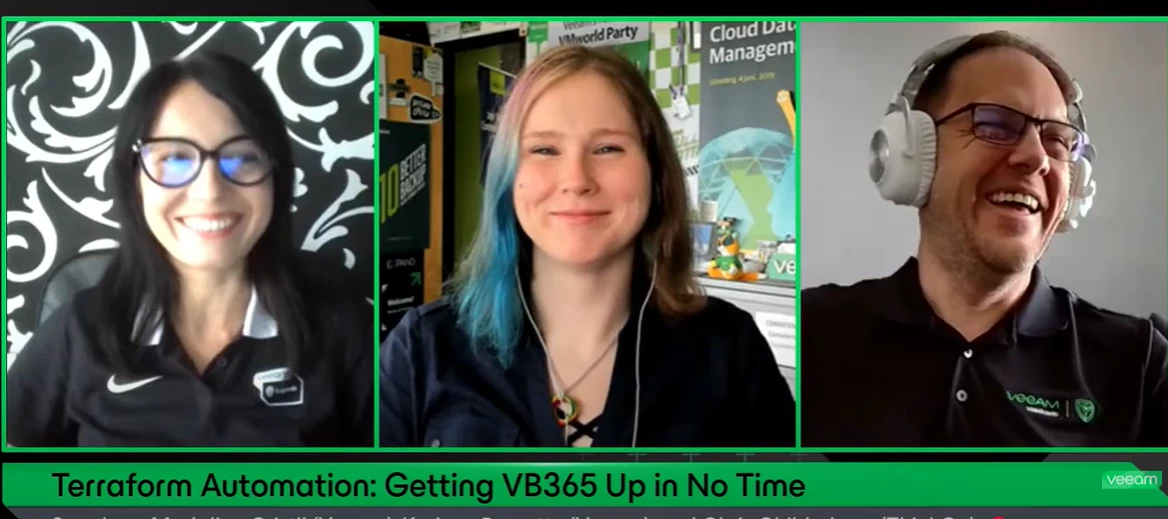
If you missed on the last Veeam 100 show, '’Terraform Automation: Getting VB365 Up in No Time'’ where @Chris.Childerhose , @Rin and myself are discussing on how to accelerate your Microsoft 365 backup deployments with the power of Terraform, you can still watch it in here: In this session, we’ll walk through how to automate the setup of Veeam Backup for Microsoft 365 (VB365) using Terraform, reducing deployment time from weeks to just days. Whether you're new to infrastructure as code or looking to streamline your current process, this session will provide practical insights, lessons learned, and a clear path to reliable, repeatable deployments. Key Takeaways:Deploy with Confidence: Learn how to configure and use Terraform to deploy VB365 quickly and reliably. From Zero to Ready: Understand the prerequisites and initial setup steps to get your Terraform environment running smoothly. Real-World Lessons: Discover tips and best practices from real deployments that cut setup time drama
Hello, when making a backup copy the following error comes up: Failed to perform post-processing: Agent invoke failed with non retryable error. Failed to delete 'vm-1042.281cD2024-08-02T222720_EFBF.vbk' per retention policy However the backup does not exist in our cloud storage.The backups from the 7 day retention are present but differently named. Anybody know a solution?
I am attempting to upgrade Veeam backup and replication but I get an installation failure. Error Failed to start service 'Veeam Backup Service' after installing package VeeamBackupSvc.msiError MSI package: VeeamBackupSvc.msi returned error code: 1603What could be causing the service start failure and m.si error code 1603?
Good Day.Premise of the infrastructureSERVER A: 192.168.1.10 (Windows Server 2022 Std)SERVER B: 192.168.1.4 (Windows Server 2022 Std)Veeam Backup & Replication is installed on Server B.I added both servers under Infrastructure > Managed Servers in Veeam.When I start a replication job from Server B, I receive the following error: Error: Target proxy 192.168.1.4 requires Veeam components upgrade. Here are all the troubleshooting steps I tried, with no success: Disabled Windows Firewall on both servers Forced a components rescan from Veeam on Server B Uninstalled Veeam and manually deleted all Veeam folders Reinstalled Veeam Removed version VeeamBackup&Replication_12.3.2.3617 Reinstalled version VeeamBackup&Replication_12.3.1.1139
I need to add an additional 35 licenses to Veeam for 365 and I have acquired the .lic file. The Update button in the Veeam License Information window does not allow me to add licenses, nor does it detect additional licenses. I was going to try just clicking the Install button and browsing to the file, but I am concerned it may overwrite the existing license file and not just add licenses to it. Can anyone confirm this is the correct method? Or should I be adding these licenses with another method? The email with my license file did not have instructions, only a link for support if I need assistance.
Hi, I’m planning to upgrade VBR towards 12.3 and facing an issue regarding Failed to stop service ‘VeeamRESTSvc'. with the below commands i try to stop the service get-service veeambackuprestsvc | stop-service -force But it not impact on VBR server as well. All services are stopped but not impact did any one face this issue during upgrade?
Congratulations , @CMF ! You are the winner of Blog of the Month June 2025, with your blog Automated Tape Import & Reporting 👏 Best, Madi
Hi guys,I m using the new Veeam Calculator, I have a doubt with the SAAS module.Here is my conf: I dont understand how the Source size is calculated ?For the Teams part we dont have the ability to change the values.also there is no option for the immutability. Is that on the roadmap ?
Hi Guys, There a workaround this error, I am running a replication from version 8.0 host to version 7.0.3 host? Client source HOST is on: On VM:ESXi 8.0 and later (Version 20)On Host:ESXi 8.0 and later (Version 20) Destination HOST is on: Hypervisor:VMware ESXi, 7.0.3, 19898904 09:55:59 Queued for processing at 2025/07/14 09:55:59 09:55:59 Required backup infrastructure resources have been assigned 29:4610:25:46 No available proxies are running on ESXi management interface subnet. Using proxies from a different subnet, performance may be impacted 10:25:48 VM processing started at 2025/07/14 10:25:48 10:25:48 VM size: 300 GB 10:25:51 Discovering replica VM 00:0010:25:53 Resetting CBT per job settings for active fulls 00:1510:26:08 Getting VM info from vSphere 00:0910:26:17 Creating VM snapshot 00:0810:26:31 Processing configuration Error: VM hardware version 20 is not supported by destination host (version 7.0.3.0) 00
Hi Veeam Team,I'm using the Veeam Backup Plug-in for Microsoft SQL Server and trying to offload SQL full backups to Azure Blob Storage (Cool tier) via SOBR, but I don't see any offload happening.Here's my setup:- Veeam B&R: Latest Version - SQL Plug-in installed and working on SSMS.- Full backup (not Copy Only) created from the SQL plug-in.- The backup target is a SOBR that includes: - Performance Tier: Data Domain - Capacity Tier: Azure Blob (Cool) - Archive Tier: Azure Archive- The SOBR has "Copy backups to object storage as soon as they are created" enabled- I verified the job runs and stores the backup on the Performance Tier (Data Domain), but **nothing appears in Azure Blob**- No entries under History > System > Capacity Tier I checked the Azure container and can't find any `.vbk` files. I also can't confirm if Veeam is sending anything to Azure at all.Is there something specific with the SQL Plug-in + SOBR that prevents offload? Do Copy Only or SQL Agent jobs b
Hi guys, I have a question regarding the immutability in the data domain, I have a Job ( 7 days (short retention policy) and weekly for 7 weeks) I configured the retention lock with 6 days min and 14 day max and on Veeam side I set the immutability to 7 days What is going to happen in that case for both short retention backup and GFS backup ?
An X8M-2 Exadata system hosting an Oracle database environment has an issue with some of its database backups.During the backup of very large databases and after many hours of it running, the RMAN plugin detects a socket timeout on the connection between the client and Veeam's Backup and Replication server (VBR), on its management port 10006, and throws the following exceptionRMAN-00571: ===========================================================RMAN-00569: =============== ERROR MESSAGE STACK FOLLOWS ===============RMAN-00571: ===========================================================RMAN-03009: failure of backup command on ch1 channel at 09/06/2024 14:25:53ORA-19506: failed to create sequential file, name="28045ae9-146a-42fd-837a-d32b1ac4a4bc/RMAN_2044054831_TPIIP_20240906_pv34bjb7_1_1.vab", parms=""ORA-27028: skgfqcre: sbtbackup returned errorORA-19511: Error received from media manager layer, error text: Failed to connect to the endpoint [172.26.173.14:10006]. Connection timed ou
Hi Community,I'm trying to implement a Veeam backup strategy for unstructured data stored on a file share (SMB or NFS). The goal is to: Back up the file share to a local repository, and Offload or copy the same data to Azure Blob Storage for offsite/cloud retention. I understand that Scale-Out Backup Repository (SOBR) is not supported for NAS backup jobs, so I’m looking for an alternative way to achieve dual-target backup for unstructured data.Has anyone here set up such a workflow?Would you recommend scripting the offload, using a post-job action, or integrating a third-party sync tool? Any best practices would be highly appreciated.
Hello Dear Community,Is it correct that with the Veeam Windows Agent free edition I can only create one job?I already have one job to USB disk attached to the computer I want to create another job to a VBR server which is icensePlease confirm even the VBR is license, the Windows Agent free edition is strictly limited to one job?Thanks,Edy
Hello,I have a question regarding how Veeam uploads backup files to Azure Blob Storage, and I’m a bit confused by the behavior. I believe the documentation might not be fully accurate or clear on this point.Here’s the scenario: I created an Azure Storage Account and set the default access tier to Hot. I also created a container inside that storage account. On the Veeam side, I configured an Azure object storage repository, and I left the "Use cool blob storage tier (may result in higher cost)" checkbox unchecked. Use cool blob storage tier My First question is: In this case, what access tier does Veeam use when uploading backup files to the container? Will the backups be uploaded with the Hot tier (as per the storage account default), or does Veeam explicitly set a tier regardless of the default?My Second question is: same scenario but with default access tier (Azure Side) set to Cool.My Third question is: same scenario but with default access tier (Azure Side) set to Cold.
I upgrade my VBR then when try to upgrade the component for my hyper-v i got error the destination file already exists.How we can solve this?
Hello,i would like to know if regkey for updating automatically thread hunter is workingKey Location: HKLM\ SOFTWARE\Veeam\Veeam Threat Hunter\Value Name: VTHInternetProxyValue Type: String Value (REG_SZ)Value Data: <proxy>:<port> could you please advise how to check easily that is working update of signatures? thank you
I was trying to open a case. First, “I need support for:” is just a spinning circle. “Product Version” doesn’t have any entries. It seemed to let me go through the rest of the form, but when I hit submit, I get: Something went wrong.We're having technical issues.Stay calm - our IT team is already solving the problem.I’m not sure if there’s really a problem, or if the issue is that I’m asking for support for the community edition (which I read can happen on a best effort basis). Is this supposed to work? Thanks
Some of my virtual Linux Server are unabel to backup. The job ends with the following error: Error: The request could not be performed because of an I/O device error.Asynchronous request operation has failed. [requestsize = 327680] [offset = 2509897728]Failed to download disk '<SERVER>.vmdk'.Shared memory connection was closed.Failed to upload disk '>'Agent failed to process method {DataTransfer.SyncDisk}.and:Processing <SERVER> Error: The request could not be performed because of an I/O device error.Asynchronous request operation has failed. [requestsize = 327680] [offset = 2509897728]Failed to download disk '<SERVER>-flat.vmdk'.Shared memory connection was closed.Failed to upload disk '>'Agent failed to process method {DataTransfer.SyncDisk}. Windows works fine. ESXi and Vcenter are on the latest version.
I’m trying to do my first backup with the Windows Agent, but it fails several hours in.After the first failure, I ran chkdsk on the target, and no errors were found; the second attempt failed in the same way. I have 2 drives in the system: It recorded success for the first one.I tried to open a case for this, but no luck so far.7/6/2025 12:14:22 AM :: Error: Shared memory connection was closed. Failed to upload disk. Skipped arguments: [EmulatedDiskSpec>]; Agent failed to process method {DataTransfer.SyncDisk}. Exception from server: The requested operation could not be completed due to a file system limitation Failed to write data to the file [E:\VeeamBackup\greatful\Job greatful\Job greatful2025-07-05T172307.vbk].Failed to download disk '251db751-6938-460c-8b6d-c34dc909537e' 7/6/2025 10:08:23 PM :: Error: Shared memory connection was closed. Failed to upload disk. Skipped arguments: [EmulatedDiskSpec>]; Agent failed to process method {DataTransfer.SyncDisk}. Exception from ser
Hi all,We have recently moved from VMWare to Hyper-V.We use Veeam B&R V12 and have encrypted offsite backups going to a remote backups repository via a site-to-site VPN connection to a third party. On VMWare, we used VMs as backups proxies and included only those VM addresses in the site to site VPN.When we moved to Hyper-V, because of the on-host backups proxy architecture, we needed to add the Hyper-V host IPs into the VPN profile. On any given day, I’m happy that the remote team follow best practice in terms of security but I’m not willing to expect that to always be the case. I’m really not comfortable having our host IPs being directly accessible from a third party location, when they have control over the remote IP scheme.Is there any way to introduce a VM as a backups proxy as per the VMWare architecture to remove the Hyper-V host from the VPN?If not, is there any reason why I can’t just block all inbound access from the third party IPs? I would expect that all activity i
Hello,We currently have backup jobs configured in Veeam Backup for Microsoft 365 (VBM365) with a retention period of 6 months.We would like to stop some of these backup jobs, while retaining the existing backup data for a period of one year.We have a few questions: If we change the retention policy of a job to one year and run a final backup, will the new retention period be applied to the previously backed-up data? If we disable the job after modifying the retention, will the new retention still be applied to the existing backups? Finally, could you please advise on the best way to ensure that our existing data is retained for one year, even after the backup jobs are stopped?Thank you in advance for your feedback.
Already have an account? Login
Enter your E-mail address. We'll send you an e-mail with instructions to reset your password.