The Why Now Community Challenge: Veeam Data Platform 13.1. It’s time to vote!
News, guidelines and various community projects
Recently active
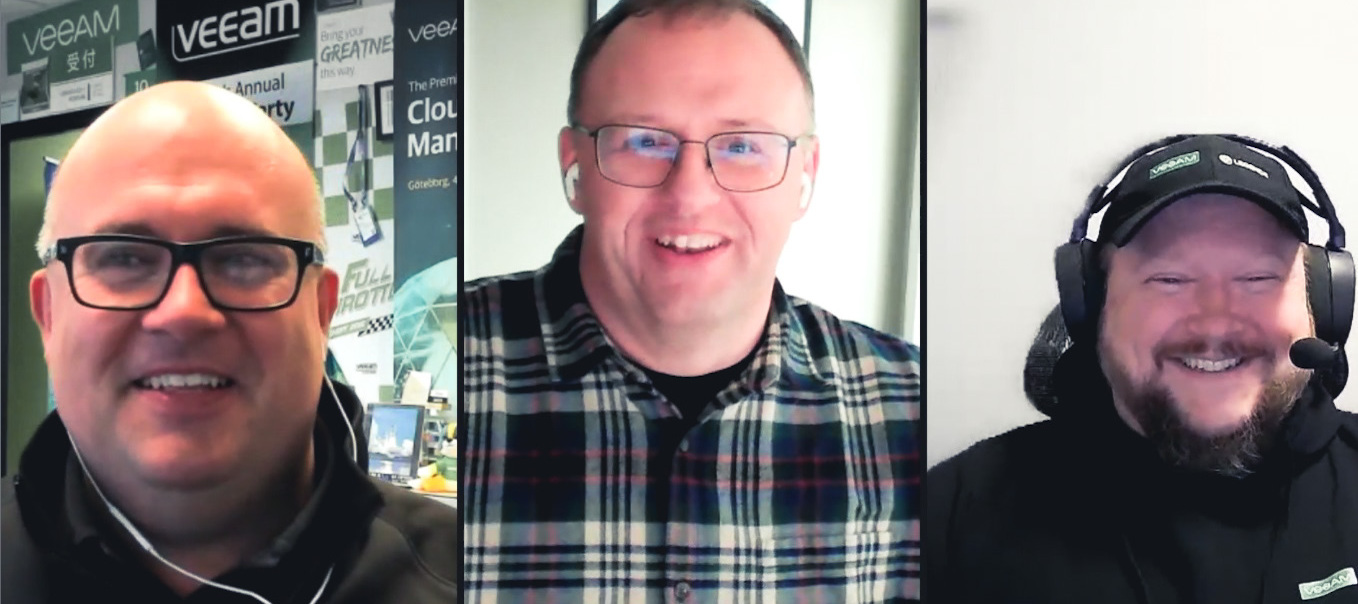
This week El Rickatron and @Madi.Cristil are showcasing a solid list of content, special department news and the Who’s New report is here. Check out this week’s episode:Featured Contentvia @SSimpson via @Iams3le via @kirststoner12 Vanguard Blog Spotlight: Victor Wu!via @victorwu Deploying the Veeam Hardened Repository ISO 2.0 – Victor VirtualizationSpecial Department NewsVeeam User Group Minnesota was a hit!via @lukas.k via @Madi.Cristil - Congratulations @Andanet for being Blog of the Month winner!Note that KB4514 has taken an update for Veeam Backup & Replication servers not connected to the Internet: KB4514: How to Manually Update Suspicious File ListWho’s NewThank you @safiya for preparing the Who’s New this week. We are happy to welcome +170 new users this week! The coolest usernames are @sacabay, @power22, @txus, @trading-tech, @T BOVO and @XYZ_Allround. Alfred’s pick is @GreatJob → You have a badge coming your way. Have a great weekend everyone.
Organizations worldwide use Microsoft Entra ID for identity and access management services. Microsoft Entra ID provides a solution to securely manage users, devices, applications, and data across cloud and on premises environments. Businesses rely on this service to manage and secure access to both internal and external resources, making it essential for their operations. With its integral function within organizations, it is also important that is protected.Universally, there is a common misconception when it comes to cloud applications, that there is no need for back up. Why do we think this? Because it resides in the cloud of course! However, despite this viewpoint, it is critical for organizations to protect cloud data for many reasons, I mean it is your data after all. 🤔The first reason we think of is security. It’s not only important to maintain the security of the environment but also its integrity. Implementing a backup system that can detect changes and restore data to its o
Recently, I had an insightful discussion on cybersecurity, where we dived deep into VHR (Veeam Hardened Repository) and OOTBI (Out-of-the-Box Immutability) by ObjectFirst. Since, these technologies play a crucial role in strengthening data protection strategies, I decided to create a blog post on it. This led to us discussing the pros and cons of both storage solutions, etc. If you are interested in some of the information we discussed and some I could share online, please take a look at “Best Storage for Veeam: Comparing OOTBI by ObjectFirst to VHR”. Below are some articles relating to OOTBI that we have shared with the community If you would like to learn how to overcome VHR Operational Challenges with OOTBI, please take a look at this article: https://objectfirst.com/blog/veeam-hardened-repository/. In the next guides, we will be discussing how to deploy and integrate VHR with VBR and also how to set up OOTBI VSA.
I started installing Veaam backup&replication (v12). I ran out of space on the VM where it was installed so I aborted the installation. After I did that I got the following error when running setup.exe:An error has occurred: C:Program FilesVeeam Backup and Replication CatalogVeeam.Backup.CatalogDataService.exeI deleted as much as I could and can't find any traces of Veaam. Then tried again, but it doesn't work. Server rebooted several times as well.
Hello Community,As I read in a Veeam KB for vCenter Migration Utility to fix the MoRef IDs change due to replacing an old vCenter with new one is no longer supported with VBR v12.1 anymore!So is there another method to migrate the MoRef IDs to the new vCenter to not affect the VBR backup jobs and match the IDs ?If someone know any method or solution to keep the backup woring fine after the vcenter replacing as the the IP and Hostname will be the same but the old one will be removed and installed a newer one as patching not worked with the old vCenter.Thanks
The interest from the community and our customers in KVM based hypervisors recently led me to examine HPE’s VME offering. HPE provided an environment to examine its capabilities. Like many platforms, it runs on top of KVM/QEMU to schedule and manage virtual machines on the host. It’s built with HPE hardware and uses its own management plane to create clusters, provide a user interface and expose APIs. Veeam doesn’t have a hypervisor-integrated backup solution today for this platform as its management/API layer is different from other platforms we support such as oVirt and Proxmox. The management platform does have an existing CLI from Morpheus Data that can be paired with Veeam’s PowerShell modules to automate tasks such as building protection Groups for Veeam Agents.Veeam Agent for Windows and Veeam Agent for Linux are components of the Veeam Data Platform that can be used to protect Windows and Linux servers on most platforms. Due to this being an in-guest approach, they can be used
Hello, I want to run backup job, which was already working. It was (dont know how) interrupted, but when I run job manually or with scheduler automatically.Actual version: 8.1.0.3503Starting job: M365 backup...[03.03.2025 11:52:52.261] 8 (1) Error: The job is already running.[03.03.2025 11:52:52.261] 8 (1) Type: System.ServiceModel.FaultException[03.03.2025 11:52:52.261] 8 (1) Stack:[03.03.2025 11:52:52.481] 1 (1) Error: The job is already running.[03.03.2025 11:52:52.481] 1 (1) Type: System.ServiceModel.FaultException[03.03.2025 11:52:52.481] 1 (1) Stack:[03.03.2025 11:52:52.481] 1 (1) at Veeam.SPP.Communication.TypeProvider.InvokeResult.ThrowIfError(Boolean enableRpcErrors)[03.03.2025 11:52:52.481] 1 (1) at Veeam.SPP.Communication.TypeProvider.InvokeResult.GetResultOrException(Boolean enableRpcErrors)[03.03.2025 11:52:52.481] 1 (1) at Veeam.SPP.Communication.TypeProvider._RemoteProxy.Invoke_TReturn_WithParameters[TReturn](InvokeAr
🚨 The wait is over! We're excited to announce the February 2025 Blog of the Month winner!With 11 community votes for his blog "Veeam Backup Jobs and Object Storage Best Practices", the crown goes to...🥁 @Andanet 🎉Huge congratulations on sharing your knowledge and helping the Veeam community thrive!Best, Madi
This week both @safiya and @Madi.Cristil were not available to do the recap, so what is the Rickatron to do? Well, I asked the community and got two responses effectively instantly and an offer for backup (Thanks @Chris.Childerhose!). Happy to host both @k00laidIT and @Tyler Jurgens (who shared a very special piece of news...) on the recap this week! You can watch this episode here:Featured Content - Breaking the Rules Too!via @Marco.Escobar FANTASTIC CONTENT MARCOrelated, also see: via @vmJoe [Also available for Azure and Google Cloud! ☁ ]via @coolsport00 via @haslund → FOOLED US THINKING THIS WAS NEW! This was a 4+ year old topic with a new comment, never featured on the recap (I think!). Also - see new calculators: Veeam CalculatorsVanguard Blog Spotlight - Al RasheedThis week’s Vanguard Blog Spotlight is on @alrasheed → He has a click-by-click how to upgrade to 12.3! Also, Al, what city is that in the background on your blog?Upgrading to Veeam Backup & Replicati
Recently, I had a conversation with one of my service providers that gave me the chance to dive deeper into Veeam’s Incident API. They had some specific questions about what they could achieve with this API, and it sparked an idea for me to put together this blog to share my insights. I'd love to hear your thoughts on this as well, especially if you've had any hands-on experience with the API. Personally, I’ve found it to be an incredibly useful integration for Veeam.In today’s fast-paced business world, protecting your data is more important than ever. For organizations using Veeam Backup & Replication—an essential tool for backup and disaster recovery—it’s crucial to ensure that backup processes are running smoothly and that any issues are addressed quickly. That’s where Veeam’s Incident API comes in.Veeam’s Incident API is all about helping you manage and automate responses to backup-related issues. In this blog, I’ll Walk through what the Veeam Incident API is, highlight its k
I recently wrote an entry about updating our OOTBI clusterNow, Object First has launched a new release of OOTBI, 1.6.63.10886These are the new features described in the release:The update process, as shown before, is super straightforward and allows you to update and reboot your cluster in a few clicks without any stress or «fancy» steps, guides, or troubleshooting. The feature I was looking forward to getting, and finally is here, is the user’s roles,I’m super excited about these:we will continue testing the new features, and describe them in the future.cheers.https://lfconsulting.org/ootbi-new-release-1-6
Hi. I want to do recovery on a machine for a test setup to replicate whats used in production. All the servers that are being backed up are in a remote location and I have logged in to a remote fileserver to download the backup files. I dont have access to the actual servers. I have created a bootable USB using a Veeam Recovery Media .iso that I previously created, but when I try to do a Bare Metal Recovery and selected the metadata file, I get the following error message:I have done this before, so I cant figure out why its not working now. I’ve downloaded backups of different machines and tried, and I’ve tried different Veeam Recovery Media .iso’s. I also downloaded a community version of Veeam, imported the backup and created recovery media there.We used the SIDSI Backup Wizard to configure backups and also did some recovery before the equipment went out into production. (But also did USB recovery before) Any help would be much appreciated!
Recently, I had the opportunity to lead a challenging project for Supermercados BH, one of the largest supermarket chains in Brazil. The mission? To migrate the entire Veeam Backup & Replication environment to a new server, rebuilding everything from scratch. Instead of simply restoring the old configuration, we chose to redesign the architecture to optimize performance, security, and ensure a more efficient RTO. One of the main concerns was the network design to ensure that backups and restores were fast and efficient. Properly segmenting the traffic, adjusting the transport proxies, and load balancing the repositories made all the difference. Additionally, we implemented an immutable repository based on Linux Red Hat, providing an extra layer of protection against ransomware. Another critical point was backing up critical machines. For this, we configured snapshots via SAN, minimizing the impact on the production environment and speeding up the process. Of course, one of the key
So you have a Veeam Backup for Azure (VBAZ) to protect your Azure resource, but wouldn’t it be great if you could truly see what’s happening under the hood? Basic monitoring is a start, but you should dive into the logs to understand your VBAZ environment better. And what better place to do that than with Azure Log Analytics, a feature of Azure Monitor?In this post, I’ll show you how to set up log monitoring for Veeam Backup for Azure using Azure Log Analytics, unlocking a wealth of insights into your backup operations.NOTE: Veeam does not support Azure monitor, however, it is a widely used tool for the monitoring of Production resources. Please consult your Azure technical resources before implementing. Why bother with Log Monitoring?Think of logs as the ‘black box’ recorder of your VBAZ environment. They capture everything from successful backups to insights into issues and things like failed logins and performance bottlenecks. By analysing these logs, you can:Identify and resolve is
As of the 12.3 release of VBR 11:11 Systems optimized AWS S3 product is directly integrated. This integration simplifies the setup and enhances efficiency by incorporating 11:11 Systems' storage directly into Veeam's UIs for Backup & Replication and Veeam ONE. Users can automate deployment, management, and monitoring through PowerShell modules or API calls. The post also provides a step-by-step guide for adding storage buckets using the AWS CLI.You can find more details on koolaid.info.
For those interested or using Veeam Hardened Repository, the latest release of v2.0.0.8 is available via the forum:https://forums.veeam.com/veeam-backup-replication-f2/managed-hardened-repository-iso-by-veeam-t96192.html This release brings in some new features:Repair Mode Re-installs only the OS while keeping the data partitions intact. Live Boot Provides a live system for troubleshooting Documentation for hardened repository is provided in the Veeam Backup & Replication User's Guide:https://helpcenter.veeam.com/docs/backup/vsphere/hardened_repository.html?ver=120 Download:Go to either of the official download locations: in the Customer Portal or trial downloads on our web site.In there, click Additional Downloads > Extensions and Other > Veeam Hardened Repository ISO For those not aware of the Technical Alliance Program, Veeam has a database of tested environments of which one is for Hardened Appliance: https://www.veeam.com/partners/alliance-partner-technical-programs.
Hello everyone, I'm trying to figure out the answer to a question which seems like it should be simple enough, and which I believe has been asked before in various forms, but which I've never seen really answered: How can we restore the Veeam server if the Veeam server itself is down, meaning that we can't run the Veeam software to perform a restore?I've seen several posts suggesting that the answer is in the extractor tool, but when I use the extractor tool, I get two files, both without any extensions: One very large file that seems to have some kind of serial number or GUID as a filename, and one file that begins with "digest". I'm not sure what I'm supposed to do with these two files, but if we have a server that won't boot, it seems logical to me that we would need some kind of boot media so that the server can boot before we do anything else, so I don't see how having two files would help without a way to boot the server itself.It seems to me, then, that we'd need some kind of bo
We need to enable Data Compression in offsite location. right now our data domain (backup target) utilization is 95+%. so it is possible to do to compression?If yes then what is the risk factors & any impact?
Entra ID, formerly known as Azure Active Directory (Azure AD), is a comprehensive cloud-based identity and access management solution from Microsoft. It plays a pivotal role in securely managing users, devices, applications, and data across both cloud and on-premises environments. Due to its integral function within an organization's IT ecosystem, having a robust backup and disaster recovery strategy for Entra ID is essential. Below are several key reasons why backing up Entra ID is critical:1. Business Continuity and Disaster Recovery2. Accidental Deletion or Misconfiguration3. Compliance and Auditing Requirements4. Protection Against Malicious Activity5. User and Group Management6. Migration and Transition7. Business or Organizational Changes8. Minimizing Human Error9. Enabling Seamless Rollback10. Integration with Third-Party ServicesVeeam Backup for Entra ID is a way to back up and protect data from Microsoft Entra ID (formerly known as Azure Active Directory or Azure AD). This is
I upgraded from 12.0 to 12.3.0.310. No other change.VBR runs fine, but now I cannot logon from my local console using the machine’s domain name; i can, however, using its IP address.I’ve tried:Remove the VBR server machine from the domain, then rejoin it - no change Ping the server with success NsLookup the server name with success Flush the DNS with IpConfig - no change Tried to rerun the VBR installer, but it can’t repair, only suggests to remove(!) VBRNothing about this in the release notes.Anything else to attempt? Or, has some bug been introduced with VBR 12.3 or its installer?
Hello, We have noticed lately that the VSPC “Active Alarms” page is very noisy and hard to work in. All of the errors from both our VBR host servers and our Veeam Agent for Windows workstations all end up in the “Active Alarms” tab and it makes the page far too hectic to easily manage. I’d like to request the ability to separate the alarms by what service/agent is throwing the alarm. This would make it much easier for us to deal with the alarms coming in and allow us to more easily manage and resolve the alarms. Thank you,
We have veeam backup job running and retention period is 14 days. However I see there is data for the backup job for over 20 days. What file is missing from the backup file list that is causing this issues. Anything you can see that is missing?
Hello,I was working on setting up VB365 for our smaller company and had some questions about setting up the NATS server. We are using a single proxy server that is set up on the same server that the VB365 console is running on. We will mainly be backing up M365 mailboxes to object storage for a handful of users.I read here, “The NATS server ensures communication between backup proxy servers that you group into a backup proxy pool.” Since we aren’t using a proxy pool, and just a single proxy server, is NATS still relevant? I ask because I noticed that in the installation instructions here that it reads, “Important: By default, the NATS server that you deploy along with Veeam Backup for Microsoft 365 on the target machine does not use the TLS encryption.” Should I set up the NATS server to use TLS, or does it not apply to our setup?Thank you in advance for any help.
Let me start by saying that I made a mistake. I upgraded a physical Dell R730XD from Server 2019 to Server 2025. It technically only supports up to Server 2019 but I didn’t find this out after having issues and doing research. The install went fine and Veeam ran perfectly for about 5 days. Then the server was locked up. I could only move the mouse and the CPU was pegged at 100%. I rebooted and it worked for a few days and locked up again. I noticed that after being on for about 15 minutes the CPU would quickly ramp up to 100% utilized and there was nothing I could do about it, even in Safe Mode with nothing running. Eventually after many reboots and testing sessions the OS will no longer boot.My only option was to install Server 2019 again on the original C: and restore Veeam with the backed up configuration file.I did this and reattached the compellent storage through iSCSI. Both the local server storage and compellent storage were recognized by Storage Manager but they are both RAW!
Hi guys, Firstly, thanks for the help you’ve given me so far with my previous posts, it’s nice that there’s a community as such that offers help.I have a question in regard to the internet proxy on the VMs running in the Virtual Lab. I’ve set the internet proxy address to one of our backup proxies given it has internet access and can ping externally, and on the VM running in the lab within the ‘Connections’ within ‘Internet Options’ referenced the virtual lab proxy (is this correct?) along with the port specified. Proxy Config / Internet Proxy ConfigVirtual Lab VM > Internet Options (references the Proxy appliance address (not the internet proxy referenced above)How based on the above I’m unable to both ping the Virtual Proxy appliance or even get out to the internet. Pinging Proxy appliance from VM within Virtual LabI’ve done all of the above based on https://www.veeam.com/kb1165 but I’m not sure why it’s not working - any ideas here as I wish to test a VM by applying Windows up
Already have an account? Login
Enter your E-mail address. We'll send you an e-mail with instructions to reset your password.