Join discussions around Veeam community projects, Veeam events, industry and technology news
Recently active
How should data backups be structured in order to make most efficient use of Veeam Data Platform VUL licenses when backing up NAS File Shares? Suppose I have a NetApp filer with 10 volumes each with 300GB, would creating separate jobs for each volume consume 0 licenses because the data is rounded down to 0 for each one? Would it be different if all volumes were backed up in the same job? Does the total data get summed together anyways no matter the job distribution because the NetApp is added as a NAS Filer instead of each share being manually added?The docs here https://helpcenter.veeam.com/docs/backup/vsphere/nas_licensing.html?ver=120 don’t seem to clearly outline this case and how the licensing works for this.
I wanted to share with you the latest hands-on lab releases in to the ProPartner Portal. These expand our workload and hypervisor support. Test drive MongoDB backup with Veeam Data Platform Learn how to protect MongoDB with Veeam Backup & Replication. This hands-on lab introduces key concepts of Veeam Backup and Replication as well as MongoDB. It then walks you through how to create a new protection group with MongoDB deployment leveraging a backup policy to protect a MongoDB replica set, followed by recovering a single collection. Test drive Veeam Backup for Oracle KVM Learn how to use Veeam Backup for Oracle KVM to perform various tasks including Virtual Machine backup from Oracle KVM hypervisor and restore back to Oracle KVM, together with granular recovery functions. If you launch one of these labs, please feel free to feedback your thoughts/findings. You can find these from the main ProPartner Portal navigation menu:
So i been running V community for a year now backing up some vms and i just got a license to do immutable backups of a BareMetal server to a linux hardened repo. So i setup the repo with 7 days immutability and the backup with 7 days retention period. Setup Synthetic Full backups on Fridays and backup is running everyday.on the first Friday it did a full backup of server (like 1tb or so) then every day i guess its incremental since its only a few gigs. Now came this Friday and was a few gigs too. Wasn't supposed to delete it and create a whole full backup?Should i change retention from 7 days (to match repo immutability period) to keep 1-2 restore points instead? very confused on this scenario on what im supposed to be seeing on the logs. What's the best course of action for this type of backup?
Hi Guys,Amidst all my reading, prior experience with earlier versions of Veeam, Buexec, other related apps, trials and errors, its never too much or late to learn in the field of IT, especially from the experts, “Knowledge is never constant, only dynamic”. It has been a while, was so busy, Veeam is working like a charm. Note case below for a HYPER-V environment:Veeam BR 12 is at location A running fine Same BR 12 is at B doing nothing lol Location A is at HQ, fast bandwidth Location A & B are linked via WAN over “not so fast connection” Cloud backup was/is already used as offsite DR where important VMs/files are being backed up ( i came to this place and observed this)How can i use/setup Location B as a DR site/failover/redundancy?Can i also use location B to mirror exactly what is in Location A, if so, what is the process/best method?Your EXPERT GUIDANCE would be greatly appreciated as usual
Hi all, my first entry here :-)I use the Community Edition of VBR for backing up two proxmox-vms. Installation was no problem and worker was configured. If I backup linux-vms there is no problem. But if I try to backup two windows server 2022 vms (image for hpe proliant server) i get the error: Guid should contain 32 digits with 4 dashes (xxxxxxxx-xxxx-xxxx-xxxx-xxxxxxxxxxxx). If i check the guid in windows with power shell the guid seems to be good. I tried serveral things but it is not possible to do a backup.Anybody a solution or the same problem? Daniel
Does anyone have any experience migrating their virtualization platform from VMware to Nutanix that used Veeam both before and after? Are there any best practices or lessons learned that others can take advantage? As the migration of our vms is likely to take several days/weeks, we’re likely to want/need to use Veeam across both environments. Many thanks for any insight this community can offer.
We have a large windows fileserver with many disks/shares and have been backing them up with an agent with separate jobs for each drive selecting the Volume. Im wondering that since its a VM should I have another VM job that backups the VM but just the C drive. Since we are currently only backing up volumes I wonder if we could actually recover the entire server.
I’m trying to set up the Veeam SQL Agent and have it up and running on my SQL server, but when I try to backup a DB I get the following error:[ERROR] Failed to backup database model. Error: Error code: 0x80070005 Access denied. You must be logged in as a Windows administrator to create a virtual device. Failed to start VDI backup.I’m logged in as a domain administrator on the SQL server and am running the backup using a domain admin credential as well. So I’m not sure why this is failing.
I am working with a customer to move to Veeam but has to be NetApp targets. I know eseries doesnt dedup etc but maybe FAS storage.If anyone has good experiences please let me know. Need a good level of dedup and maybe writing direct to the storage not via a server. FAS supports iscsi, CIFS etc….thanks
Hey guys I have problem with new version of vm when I am running job to get data power store and thought the 10/25 that connected to datastore ,the problem each time it's 5 minutes for running job.
Hi everyone,I’m looking to explore how to effectively integrate Veeam with High-Performance Computing (HPC) environments to enhance data protection Here are some strategies for integrating Veeam with HPC for better data protection:Backup Scheduling: Utilize Veeam’s scheduling features to back up HPC workloads during off-peak hours to minimize impact on performance. Incremental Backups: Take advantage of Veeam's incremental backup capabilities to reduce storage requirements and backup windows, which is crucial for large HPC datasets. Data Reduction Techniques: Use Veeam’s built-in deduplication and compression features to optimize storage usage when backing up large HPC environments. Snapshot Integration: Integrate Veeam with storage snapshots to quickly capture the state of HPC workloads without significant downtime. Regular Testing: Implement a regular testing schedule for restores to ensure that your data protection strategies are effective and that recovery times meet your needs.I’d
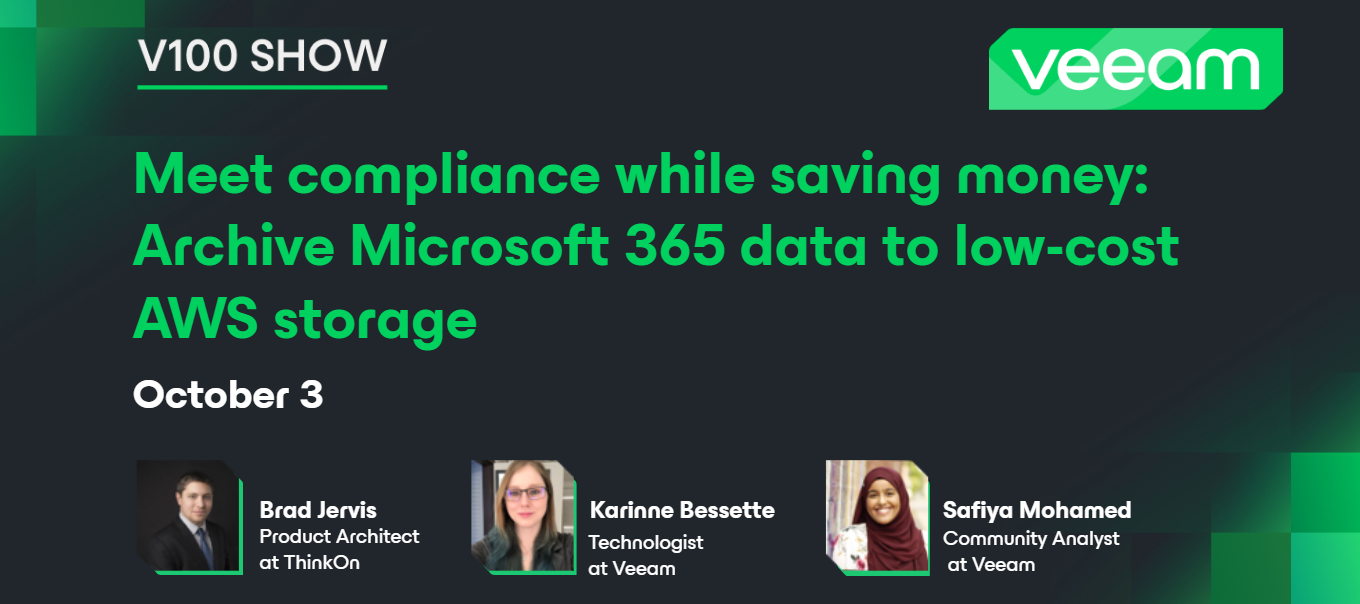
Hello community! Happy Friday 😃Yesterday, we had the 11th V100 Show! This month marks one year since we started the Veeam 100 show 🎉 Thank you to all who have participated and made this show a success. In this episode, Veeam Vanguard @bjervis joined to discuss how to archive Veeam Backup for Microsoft 365 users from "hot" object storage to "cold" archive storage using AWS S3 and glacier.💡 Thank you @Rin for moderating the show! Catch the replay on YouTube 🍂
Hi all,I’ve been using Veeam backup for 365 for a while now and every now and again I get the error ‘the specified database cannot be opened on this OS version when I try to open the adb backup in the Sharepoint explorer tool. I seem to remember I did the backup on Windows 10, and have tried to restore on Windows 10 and also Windows 11 but I still get the same error. The error is not particularly helpful and doesn’t actually specify what the issue is. Does anyone know what this issue is or how I can possibly resolve it? As it stands I’m not able to open the backups which is causing a big headache. Thanks Dan
I hope someone can help me. I manage my B&R server by installing the console on my Win 10 workstation. That’s all fine, it takes the B&R Console some seconds to come up, but it does. But on the desktop of the actual B&R server itself, if I try and bring the console app up, it will take forever - at the moment, I’ve been waiting 20 minutes. The console application came up on my workstation in a few seconds, but still hasn’t come up on the desktop of the server.And I’m not sure why. It can’t be a firewall issue, it will eventually come up (or used to - it’s been a long time since I actually tried to use the console app directly on the server). I see no error messages, just the warning that it’s taking longer than expected to happen. The server itself is running fine - all jobs are executing as expected. It’s just the console app not coming up on the desktop of the server. I have no problems using the console my my workstation, I can create jobs, run jobs, do backups, do rest
Hello, Thanks, cannot install VBR 12.1The server was running VBR 11.x, ran great for years, thanks Veeam! When I tried to upgrade to latest VBR, as downloaded from website The upgrade failed, complained about Veeam Agent for Linux. I tried to install again, and now there was no option to upgrade, just to install. So I clicked install and got error message I did a manual uninstall as perhttps://forums.veeam.com/veeam-backup-replication-f2/how-to-uninstall-v12-community-edition-completely-t89675.htmlhttps://forums.veeam.com/veeam-backup-replication-f2/trouble-installing-uninstalling-veeam-backup-replication-t49674.html But still, get the same error message as shown above.Here is the complete install log fromC:\ProgramData\Veeam\Setup\Temp\VbrSuite_26_05_2024_11_10_54.log[26.05.2024 10:32:34][INFO] Configuration file: G:\Setup\VBRSettings.xml[26.05.2024 10:32:34][INFO] Engine is starting...[26.05.2024 10:32:34][INFO] Creating wizard instance...[26.05.2024 10:32:34][INFO] Initializing engi
We have enabled malware scanning, and We got a warning that some of the servers has some potential malware detection.Specifically "Onion Links". I enabled inline entropyI took a look a the full logs of the scan on mount server C:\ProgramData\Veeam\Backup\Malware_Detection_Logs , and only the logs for windows machine appear here, however, as confirmed by Veaam's support, scanning backups for Linux machines are not supported at this time. So Linux VM logs are missing. When you click the malware detection event, there's nothing nor paths in the details.I equally checked c:\VBRCatalog\Index\Machines\Affected-Linux-VM\ransonwareidx , but i still cannot identify what files or path-to-Files.How can i scan our Linux machines to determine the paths to the files of the Onion links malware detected? I would like to identify what files are being flagged as malware so i can "mark clean" if need be.Any help regarding this please and thank you
Hi, There may be a doc out there but I have not found it.I am looking to deploy a new hardened repository. It seems the ISO is not available. I am not so concerned about the deployment steps as much as getting the disk partitioning setup correctly. I see Ubuntu version 20, but also people moving to 22 and version 24 is now available. What version are people using running Veeam version 12.2? I have a base deployment on 24 right now. I see some that go with the wizard and let the setup make the disk partition decisions. I have a server with 24 SSD disks and looking to create a raid 10 with 2 disks for the boot and OS etc. and the a raid 6 with the 22 disks. One doc has numerous volumes based on this comment. “If you want to align with security best practices (e.g. CIS Benchmarks), then partitioning is a bit more complex.”That article is here: https://www.veeam.com/blog/installing-ubuntu-linux-veeam-hardened-repository.htmlI created disks based on the article but not confident I have th
Hello team, I am trying to take backup for RHEL9 physical machine. This machine is running on laptop PC.Do I need to install Veeam agent for Linux before creating protection group?Actually, I tried to create protection group, but it was failed. Regards,
Hi all, having studying both CDP and VDRO a bit, I know the former is focusing on data protection with continuous restore points; while the latter focus on DR automation likes Re-IP and VM bootup priority setting.- can I conclude both CDP and VDRO are required for a complete DR solution?- any use case only CDP is required or just VDRO is required?- if our customer ask about CDP restore point keeping 24hrs is long enough, could I say those VMs are still being protected by backup?
Hi, We have several backup copy jobs. Some do copy to tapes, some to NAS and some to object repository. All of them are in a continuous running state; if a backup file is available, it will be copied. The issue we're facing is that the backup job using the object repository works well during incremental backups, but it waits for two days before starting the copy when it's a full backup. This is a significant delay that we need to address. Let’s say the full backup is finished on Saturday at 3 am, and I can see the .vbk file exists. All other backup copy jobs finish copying that file before Sunday noon, but the one with the object storage repository doesn’t even start before Monday afternoon. Does anyone have any idea why it could be happening? Thank you
Hello everyone,Veeam Inline Entrophy analysis feature checks if any encryption has started on VMs. Does this feature additionally perform text analysis with onion links and AI/ML? In other words, is it enough to scan the backup it received to perform these analyses or should the guest index file be open in the relevant backup job and the credentials of the machine should be entered?
We currently have our S3 retention set to 60 days. When I look at restoring from S3, it consists of all incrementals, with a full backup sitting at 61 days.Question 1: If we set our immutability to 30 days, wouldn’t we be at risk of our full backup being corrupted since it’s outside the 30-day window?Question 2: The formula for S3 storage is retention + immutability + block generation (30 days). So if we set retention to 60 days, immutability to 30 days, and S3 block generation to 30 days, would that give us 120 days of retention? Could we restore from 120 days back?Essentially, we are looking to ensure 30 days of immutability and need guidance on configuring that correctly.
Want to use VEEAM for my Proxmox Backup but got some Problem to get the Worker up and running. When i want to set up the Worker manually there is not Network to Add.The Network Access goes over Linux Bridge and the Veeam License is Enterprise.Has Anyone a clue where i can search or fix it.
customer on veeam v12.2. They have storeonce at both sites and S3 at site2.With backup copy at storage level (catalyst), Veeam controls the copy via the storeonce appliances performing the replication.If I choose image-level backup copy, this gives options for VMs and repos to copy. We also have “data transfer” for Direct. When it says direct is this storeonce to storeonce like storage level copy or does data go via another route?I need to know if there are considerable differences. thanks
Another month of amazing contributions from our incredible Veeam Community! Once again, we’ve selected six of the most engaging articles to compete in the September contest. Cast your vote to help us select the best one by the end of the day on October 6th (NYT).Your opinion counts, so don’t miss the chance to show your support for the dedicated bloggers!Best of luck to all our participants! 😊@k00laidIT , @marco_s , @MatzeB , @Scott , @eprieto , @Michael Melter Best, Madi
Already have an account? Login
Enter your E-mail address. We'll send you an e-mail with instructions to reset your password.