The Why Now Community Challenge: Veeam Data Platform 13.1. It’s time to vote!
News, guidelines and various community projects
Recently active
Hello everyone,We have some old tape backups in the VBR software under “Backups”.We would like to delete them (or at least remove them from the view) but I can't find an option to do this.This backup was on old tapes and this tapes are no longer available.Can you help me further? Otherwise I ll open a support ticket.Thanks.
Veeam Pulse allows administrators to create and manage licenses through a centralized and streamlined workflow. The process typically involves accessing the Pulse portal, generating a new license based on the required product and subscription parameters, and assigning it to the appropriate customer or environment. Once created, the license can be downloaded or automatically synchronized with Veeam products, ensuring proper activation and compliance. This approach simplifies license lifecycle management, reduces manual errors, and provides clear visibility over usage and entitlements. This is the error you receive when using a licence in legacy format.Veeam Software Appliance does not support legacy-format rental licenses. Enable your account to login on Pulse system Veeam ProPartner Portal Login click on LOGIN to VCSP PULSE Select Software LicenseThe complete list of your licences will appear.Request New LicenseEnter your company or customer detailsIf you need to create a new company
We've been running the Framework in corporations throughout the year.In this post, I'll share with you the main results and how this initiative has encouraged teams to work together to achieve the highest possible compliance. In early January, we started using the Assessment provided by Veeam. In our client base and new logos. Today, at the end of October, we've already surpassed 50 clients, guided by scope of work, documentation, numerous meetings, and excellent commercial results. After the Framework round, we typically move on to a series of Scope of Work and Commercial MovementThis has been quickly moving customers, distributors, manufacturers, and partners, and it's being treated with priority, according to projects already underway within organizations. Yet another reminder that backup, often seen as a dull necessity, once again proves to be the unsung hero when it matters most. Reviewing the model without governance Remembering that governance was the last tower added to the Fra
Hey all,I'd like to share an experience I encountered with one of my clients who uses the Virtual Lab functionality to test their backups.Problem:Suddenly the SureBackup starts to fail. When the SureBackup job launches, it fails during VM registration with vCenter Investigation:My virtual labs are properly set up in Veeam and the association with the ESXi is OK. As a reminder, a Virtual Lab must be assigned to a unique ESX host. If you move the Virtual Lab Vm to another ESX, your jobs will failed. On the vCenter side, all virtual labs are presents in their respective folder.But I noticed that the Resource pools are all missing.My client is using DRS in his Vmware infrastructure, I asked him if DRS has been disabled recently and the answer was : YES!Impact when DRS is disabled:As resource pools are a bit of DRS functionality, they are deleted when DRS is disabled.Solution:You may turn off vSphere DRS for a cluster.If you disable vSphere DRS, the resource pools are removed from the clust
I have been looking forward to testing Veeam Data Cloud for quite some time. I first discussed it during the Veeam Summit in Berlin (2024) and again in Prague (2025). Today, I finally have the opportunity to experience it firsthand. Thank you very much @Karinne B. Veeam Data Cloud is a comprehensive Backup-as-a-Service (BaaS) platform that provides cloud-native data protection for modern workloads. Unlike the self-managed Veeam Data Platform, this SaaS offering includes the backup software, infrastructure, and storage in a single package. I have previously discussed Why you should back up Azure, Entra ID, and Microsoft 365, and some deployment options. Please, see the belowToday, I bring you a guide on “A-Z on Veeam Data Cloud: Workload Enrollment and Onboarding”.
A number of clients have recently approached me for guidance on including Veeam in their tender specifications. Below is a summary of the key competitive advantages of the Veeam Data Platform to highlight in tender submissions. I hope you find this information useful. Supported Source Data PlatformsVMware, Microsoft Hyper-V, and Proxmox VE – Supports agentless backup, enabling data backup without deploying proxy software on virtual machines or hosts. Databases – Supports backup for databases such as MSSQL, MySQL, and others. NAS – Supports NAS backup and recovery with: Complete and permanent incremental backup Data deduplication (including deduplication rate) Browse-based recovery Remote replication Microsoft 365 (Email) – Supports backup for Microsoft 365 email data.Security & Compliance FeaturesSupport immutable storage to prevent virus tampering and deletion of stored data. The Root/Administrator account cannot access, browse, or delete the RAID, LVM, file system, or disk wh
At Veeam, community has always been more than a word — it’s a driving force. The knowledge sharing, collaboration, and genuine passion we see every day continue to shape not only our community, but the broader data protection ecosystem. As we begin a new year, we’re excited to celebrate that impact by welcoming the Veeam Legends – First Class of 2026.Recognizing Outstanding Community LeadershipThe Veeam Legends program is one of the flagship initiatives within the Veeam Community. It recognizes individuals who consistently demonstrate exceptional engagement, leadership, and generosity across Veeam platforms — from the Community Resource Hub and R&D Forums to blogs, discussions, and other community spaces.These community members don’t just build expertise for themselves; they actively lift others up by sharing real-world experience, practical guidance, and thoughtful insights. Their contributions help make the Veeam Community a place where everyone can learn, grow, and succeed.A Cor
Veeam Data Platform Advanced and Premium Editions give organizations powerful tools to document and report on their environment. This includes gathering data around capacity planning, protection policies, and performance insights. By utilizing this functionality, teams gain visibility into their data protection environment to help maintain security, achieve consistent compliance, and improve operational efficiency.The latest release of the Veeam Data Platform brought major updates to Veeam ONE’s reporting capabilities. By delivering a faster, more interactive experience, reporting within the platform has become more modern, moving away from traditional SQL Server Reporting Services (SSRS) to HTML5-based reporting. You will see this experience with Veeam Data Platform and Veeam Backup for Microsoft 365 reports.This modernization is accompanied by a new PostgreSQL-powered Veeam ONE Reporting Database designed to accelerate large report generation. Reports that used to take hours to gener
Veeam 13 offers new option to add as backup component into Veeam infrastructure with service account. If you are missing windows component and you would like to use same method as connection between appliances. Then this method is the right one.Method is described in KB. Let’s go how to achieve that step by step: Deployment kit is downloaded from windows Veeam 13 console. Here looks downloaded package.Installation from PowerShell, locally on windows server.Adding windows server via deployment kit = certificate Process is very easy and do not require service account for connection between other backup components in Veeam backup environment.Now you can use windows server as managed server in your Veeam backup environment.
Over the last decade, ransomware attacks have changed dramatically. What once was a simple malware encrypting user files has evolved into a business-driven cybercrime model. Today, attackers think strategically, move laterally, and aim directly at what truly hurts an organization: its ability to recover. To understand how to defend modern environments, we must first understand hacker thinking. This means looking at attacks from the attacker’s perspective — how they enter, how they move, and how they decide when an attack is successful. More importantly, it means understanding why backup infrastructure has become a primary target, not an afterthought. How Hacker Thinking Has Evolved Over Time In the early days, ransomware attacks were opportunistic. Attackers relied on phishing emails, weak passwords, and unpatched systems. Once inside, they encrypted whatever they could access and waited for payment.However, modern hacker thinking is very different.Today’s attackers are patient. They d
I’ve been running Veeam v13 in the Home Lab for a few months now. It’s working flawlessly, backup my servers locally and Wasabi immutable storage in the cloud, running replications, and using Sure Backup to verify my backups are actually working.With Version 13 Veeam improved Universal Continuous Data Protection(U-CDP). If you are wondering what even is this, let me quote Veeam here, as it is a pretty good explainer.“Universal continuous data protection (CDP) is a technology that helps you protect mission-critical workloads when data loss for seconds or minutes is unacceptable. Workloads of various types, such as virtual, physical or cloud machines can be replicated to VMware vSphere cluster or host. CDP provides minimum recovery time objective (RTO) in case a disaster strikes because CDP replicas are in a ready-to-start state.”In this post I’m going to walk through setting this up and running CDP. There were some gotchas I ran into my home lab, but at the end if was a pretty smooth pr
Veeam Backup Configuration Restore – MS SQL Error & WorkaroundContextDuring a Veeam Backup & Replication configuration restore on a new server, I encountered an error. “XML Parsing: document parsing required too much memory”Source server: MS SQL Standard Edition Destination server: MS SQL Standard Edition (same version)What I triedSame MS SQL Standard Edition → Same error Migrated to MS SQL Express Edition → Same error Switched to PostgreSQL → It worked!This confirmed that the issue was related to MS SQL.Veeam Support RecommendationsVeeam Support provided two options:Option 1: Restore without session history or backup/replica catalogRestore the configuration backup without the session history or backup/replica catalog.⚠️ In my case, this did not resolve the issue.Option 2: Change the SQL bulk write method to row-based writingIf the SQL Server is dedicated to Veeam and does not host any other production database, you can change the way SQL writes its data by switching from "bulk
Hey folks,A little share that could be helpful. As a reminder, in Veeam v13 we have a 100% Linux Veeam Infrastructure!New Linux Roles• Mount Server• Guest Interaction Proxy• Log Shipping Server• Gateway Server:SMB / NFS StoreOnce DataDomain Object Storage NDMP • WAN Accelerator • vPowerNFS • SMB and NFS components (network share backup) • Agent Distribution ServerWhat a big list! But what happens when you upgrade from Veeam 12?Here’s my situation: many Veeam Linux proxies were already present. After the upgrade, all the components were updated. So let's go ahead and add some of them as a Gateway Server… and what a surprise: no proxy present! After a quick check, I saw that the list of components was note updated I decided to remove a proxy, delete the managed server, and re-add it. During the enrollment, all the new components showed up!Once the server was added, it's visible in the list as a possible Gateway Server.So if you need to use an existing managed server for these new roles,
My SubscriptionsHi everyone, what is the difference between Veeam Data Platform and Veeam Data Platform Advanced?I plan to upgrade our VBR server to v12 from v11. It does have Veeam ONE on it. Orchestrator is on its own server. I assume I want the Veeam Backup & Replication ISO and Veeam ONE ISO. However, I’m wondering what am I missing out if I don’t get the “Advanced” ISO. Thanks!
When Veeam Recovery Orchestrator (VRO for short) is used, it is usually an infrastructure with a VDP Premium license. Alternatively, the use of VDP Advanced and additional 10 instance packs for the Orchestrator would also be possible.In the Orchestrator itself, there are various ways to map recovery plans.In this article, I would like to show a way to first shut down the productive workloads when using replication jobs, transfer the delta data to the DR-site and then boot it up there. This corresponds to a native planned failover within Veeam Backup & Replication (with more options and reporting functionalities). Replication Jobs in VBR In my lab, I work with various VMware vSphere tags, which map SLAs here (Gold, Silver, Bronze). My replication jobs within VBR are named in a similar scheme.Replication Jobs:REP_vSphere_Site A_RP_GoldREP_vSphere_Site A_RP_SilverREP_vSphere_Site A_RP_Bronze Within the respective replication jobs, my resources to be backed up are also selected via t
Recently, some of us had the privilege of receiving an invitation to participate in the Veeam ONE or Veeam Recovery Orchestrator Essentials training course. I don’t take this opportunity lightly and am genuinely grateful to @Federica, @NikolaPejkova and to the entire Veeam Team for the chance to learn and grow. I would also like to sincerely thank Tim Myers for the excellent course structure and outstanding delivery. The content was clearly organized, easy to follow, and reinforced with practical on-screen demonstrations. Absolutely amazing! Veeam Recovery Orchestrator (VRO) extends the functionality of the Veeam Data Platform by orchestrating recovery processes, providing one-click recovery plans for critical applications and rich features for documentation and testing. In recent times, Veeam Recovery Orchestrator (VRO) has evolved from Veeam Disaster Recovery Orchestrator (VDO), and Veeam Availability Orchestrator (VAO), reflecting its expanded capabilities and broader automation
Service providers can configure the VSPC with SSO SAML authentication. I recently tested this in combination with EntraID for a customer and thought I'd share the process in the form of this step by step guide. You can configure SAML for you as a service provider but also for each customer with their own identity provider.In this guide, I configure for the company "Test Company" an SAML EntraID IDP. First, log in as the Test Company owner account and add a new Single Sign-On provider: You need for each customer a different URL, in this example I use "https://testcompany.vspc.my.company:1280" Now in the provider info, you only need to set Display name and Client ID, the rest comes later.For Display Name, I choose "TestCompany SAML EntraID"And for Client ID, I set "TestCompany_SAML_EntraID"Next, click on "Create SP entity ID link…" and "Create Assertion consumer link…" We need those two links in EntraID later.Now go to EntraID and create a new Enterprise Application. Search for "Microso
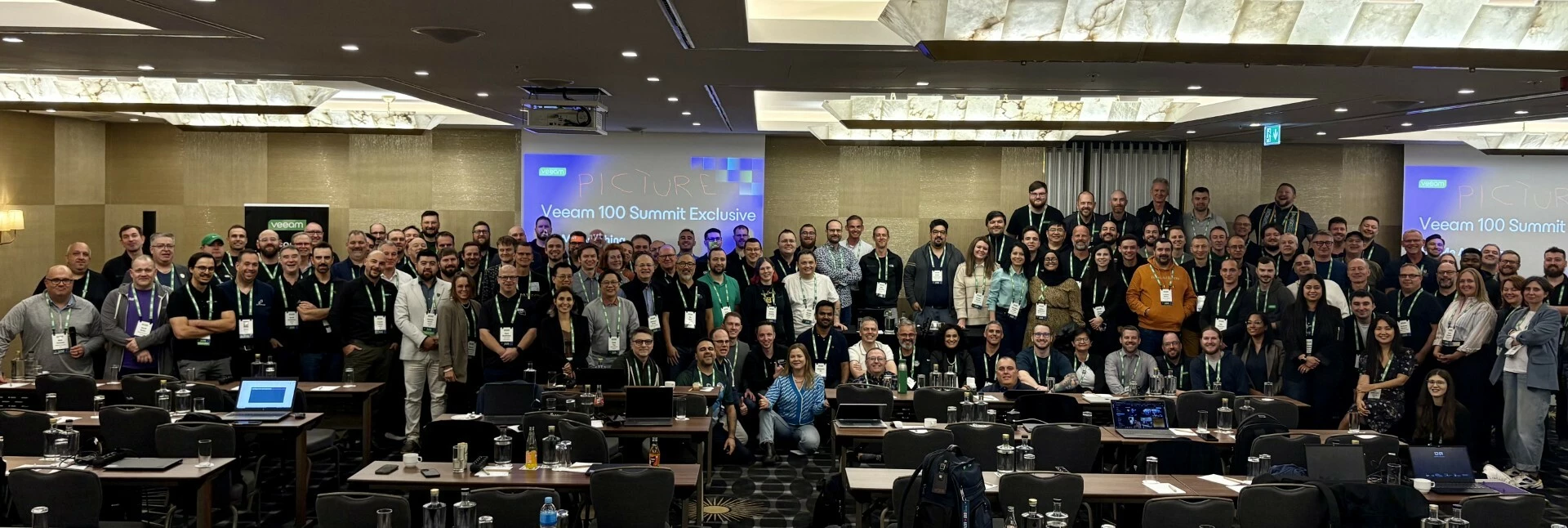
🎬 Sneak Peek Alert!We’re cooking up the full Veeam 100 Summit 2025 Prague recap, but couldn’t resist giving you a little teaser first! Thank you @safiya for this one! 👀 If you spot yourself in this clip… consider this your friendly challenge: share it on your socials! Don’t worry, we won’t embarrass you… too much. Yep, I see you! 😉Stay tuned—the full recap is coming soon, and it’s going to be epic! Best, Madi
I need to back up my Windows without using the cloud. I mean that the backup should be stored on my own laptop, not in the cloud. When I downloaded Veeam One, its size was about 3.5 GB, which is quite large.
Hi All,I would like to share a scenario i encountered related to the Veeam SQL Plugin communication port and gather feedback from the community.By default, the Veeam SQL Plugin uses port 6791 for communication. In one of our customer environments, this port was already in use by another component (Elastic Agent), which caused a port conflict. As a workaround, we were able to change the SQL Plugin communication port by creating a custom configuration XML file.Workaround ImplementedWe created the following XML file:File name:veeam_common_config.xmlLocation:C:\Program Files\Veeam\Plugins\Microsoft SQLContent of the XML file:XML<Config><PluginParameters minPluginManagerPort="6792"></PluginParameters></Config>Show more linesThis allowed us to move the SQL Plugin communication to a different port (in this case 6792) and avoid the conflict with the Elastic Agent already using port 6791.Discussion Points / QuestionsAre there any known limitations or upgrade consideratio
Enterprise Manager Self-Service Portal - Server Error. I remember being able to fix this before but can’t remember the particulars. I had to go to IIS, I think application pools.
Hello guys,Have the following error regarding SureBackup Jobs: Ping is being skipped: Dedicated physical Hyper-V standalone server in use for only SureBackup tests.Production network is where the actual Hyper-V server is in (aka Production Network), and isolated network is newly created. Can’t find any much informations regarding those problems.
Hi all,I have recently built a new Veeam Backup for Microsoft 365 server (v8.3.0.2201 P20251212) and attached existing Azure Blob storage from a previous server which contains backup data I need to restore from.The issue is the Microsoft 365 tenant was previously named [OLD-TENANT-NAME].onmicrosoft.com and has since been renamed to [NEW-TENANT-NAME].onmicrosoft.com. Both entries share the same Office ID ([OFFICE-ID]) which is causing a duplicate conflict and preventing me from accessing the existing restore points.The error we are seeing is:A duplicate organization Office ID was found in the repository (Office ID: [OFFICE-ID])The old tenant no longer exists in Microsoft 365 as it was renamed. The backup data in the blob storage is tied to the old org entry and we need to remap it to the current tenant so we can perform restores.What we have already tried:Removed the old organisation entry from the Veeam console - did not resolve the conflict Removed and re-added the Azure Blob reposito
We have replaced are our physical servers and are decommissioning the old servers. I have two servers that were setup and functioning as proxies in Veeam. When i go to remove the server, i get a message saying the server can’t be removed because it is still associated with backups. The backups it indicates are blocking are no longer jobs and the only references to those names i can find are in the Orphaned and Exported Disks section, but there is no option in there showing an association to a server or a way to change anything.I have opened a case with support (02943295) and so far they are suggesting that we will need to manually edit the database records to remove this association.I am curious if any one else has had to manually modify database records just to remove old servers from Veeam Backup and Replication? This does not seem to make sense and is likely just masking the real issue.
The project announced here became even bigger. However, the Veeam Data Integration API remains the "main actor", except that many new options have now been added, as "my ideas factory" and feedback on a similar script have been incorporated. Let’s look at what’s NEW.📑 SearchThe host2scan parameter scans a selected restore point of the specified host. The repo2scan parameter can display all hosts with supported restore points in the specified Backup Repository. Then select a host and start the scan. NEW Or with repo2scan and the option all to scan the latest restore point for all found and supported host types in the specified Backup Repository. NEW🔍 Scan & StoreThe scan parameter triggers the malware and LOLBAS detection scan. The store parameter collects the metadata for all relevant binary files (ideal for hash analysis). NEW The yaramode parameter triggers a YARA scan using the stored rule(s). NEW📊 Display NEWThe data is displayed in a wonderful Streamlit Dashboard. In the pi
Already have an account? Login
Enter your E-mail address. We'll send you an e-mail with instructions to reset your password.