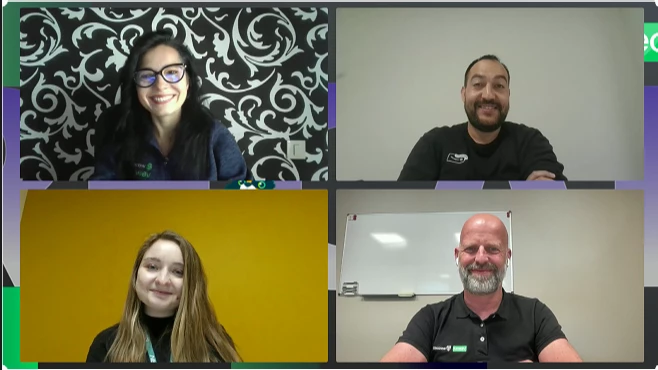
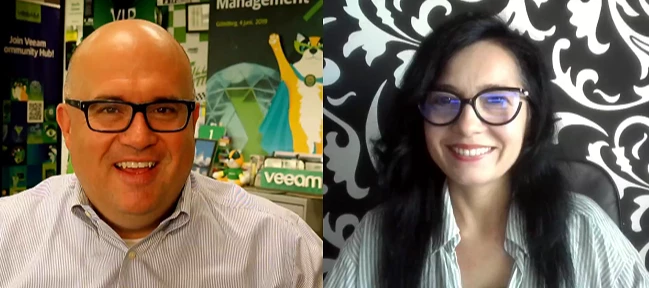
The Why Now Community Challenge: Veeam Data Platform 13.1. It’s time to vote!
News, guidelines and various community projects
Recently active
I was given a challenge, to make explain a technical process more interesting. So I came up with the gamification of an instant recovery. Concept: "Veeam Recovery Quest"Instead of presenting recovery as a technical process, turn it into a game. The Published Recovery Workflow (simplified)1. Incident declared2. Recovery target identified3. Backup validation4. Recovery method selected • Instant VM Recovery • Full VM Restore • Application Restore • File Restore5. Restore execution6. Validation testing7. Business sign-off8. Recovery completeBased on published Veeam recovery processes. https://victorious-beach-03fc63910.7.azurestaticapps.net/veeam-recovery-lab-clarity.html
How we can make exclusion for virus warning when backup m365 using VBO?
Happy Tuesday, Veeam Community!Last month brought so many fantastic articles to the Community Hub that I'm sure @safiya had a tough time narrowing them down to just six finalists—and I'm sure the community had an equally tough time choosing a winner! 😄A huge thank you to everyone who wrote, read, and voted. Your contributions are what make this community so special.And now, it's time to celebrate our Blog of the Month July 2026 winner...Congratulations, @falkob !
Hi everyone! This is my first post on Veeam Community Hub, and I’m really excited to share with you all a little bit about my summer. Since starting with Veeam this past June for my Product Strategy internship, I’ve been working through all Securiti AI’s public certifications including AI Security & Governance and Data Security Posture Management (DSPM) while also digging into Veeam’s products. One surprising part is how much those two things line up. But once I started looking at Veeam Intelligence through the perspective of what those certifications teach, I kept noticing a pattern showing up again and again.What My Certifications Actually Taught Me The AI Security and Governance certification covers how organizations manage the risk that follows when placing AI into real workflows, including data visibility, access control, and being able to build trust in your data that you can rely on what an AI system does with it. The core lesson is that an AI system is only as trustworthy a
As part of recently announced initiatives to strengthen the partnership between HPE and Veeam for the year 2026, the Veeam Data Platform is integrating with the latest versions of HPE StoreOnce Catalyst to achieve amazing data storage reduction, remove incremental backup limits, boost restore speeds to new market levels, and reduce total cost of ownership (TCO).One of the big news items in the Enterprise Backup Storage market is undoubtedly the launch of the HPE Alletra MP X10000 for Data Protection, which delivers Backup at AI speed.It is currently the world's fastest backup storage solution, numbers backed up by HPE's rigorous testing and real-world comparisons against publicly available performance metrics from other major enterprise backup storage vendors, as described in the official blog:HPE sets new data protection standard with world's fastest enterprise backup storageThe architecture's strength lies in the combination of HPE Alletra Storage MP X10000, HPE´s cutting-edge obje
Hello, Veeam Community! I am pretty late to the party with the June newsletter, but I´ve been on a long PTO and didn´t want this content being forgotten as there are so many great articles I wanted to share them with you rather later than never! 🤓 The June Vanguard Newsletter brings together a broad set of community-created content focused on Veeam v13 readiness, cyber resilience, immutable storage, AI-driven operations, service provider enablement, and practical recovery workflows. Across blogs and videos, Vanguards emphasize hands-on guidance: how to deploy and validate new capabilities, harden environments, troubleshoot upgrade issues, and modernize data protection strategies across virtual, cloud, Kubernetes, Microsoft 365, and service provider scenarios.A major theme of June´s edition was secure, immutable backup storage, especially around Object First / Ootbi integrations with Veeam. Several posts walk through deploying Object First appliances, creating S3 keys and buckets, enab
One of the things I enjoy most about every Veeam release is seeing how it continues to simplify day-to-day administration. While the headline features often get the most attention, it's usually the enhancements that streamline deployments, improve integrations, and reduce operational complexity that deliver the greatest value to customers.As someone who spends much of my time in the SHI Customer Innovation Center (CIC) building proof-of-concepts, validating solutions, and demonstrating real-world recovery scenarios, I wanted to take a closer look at two areas of the newly released Veeam Backup & Replication 13.1:The Veeam Software Appliance Storage integrations with enterprise backup repositoriesThese capabilities help organizations deploy Veeam more quickly, simplify ongoing management, and provide the flexibility to leverage the storage platform that best aligns with their performance, security, and business requirements. Throughout this article, I'll share what I found while tes
Hello everyone,I am backing up MS SQL in my test environment with Application-Aware processing enabled, and I want to exclude some transaction logs. I followed the steps outlined in Veeam KB2104, but the transaction logs are still not being excluded. Is there something I might have missed or done incorrectly?Thanks.
Honk Honk everyone! V13.1 is here, and with it the time-honoured sysadmin tradition: a lifecycle page in one tab, release notes in the next, then security advisories, upgrade documentation, and an ever-growing pile of KB articles. All fueled by copious amounts of coffee.I've spent more time on that routine than I care to admit, so I did the only reasonable thing and built a website.Upgrade Brief is an easy place to start researching a Veeam upgrade: https://upgradebrief.comI'm posting this one of a kind idea because I hope it makes upgrade research easier for everyone here. It exists to answer one question: "What do I need to know to upgrade?". It pulls from publicly available Veeam sources to help you find:Support and lifecycle information Documented upgrade routes, with links to the official instructions Relevant security advisories What changed in the version you're consideringIt can also generate a short PDF summary if you need something easier to share with a manager or change-app
Well, back this week with Blog #7 in the v13 series, and this one talks about Direct to Object Storage.Blog - Direct-to-Object Storage in v13: One Practical Lab Test Direct-to-Object Storage in v13: One Practical Lab Test Introduction Object storage has become a serious part of modern backup design because it changes how teams think about retention, off-site protection, and ransomware resilience. In Veeam v13, any direct-to-object workflow deserves a practical test that goes beyond whether the job can write data successfully.The production question is broader: can the environment store data efficiently, preserve it immutably where required, and still restore it inside acceptable recovery windows? A short lab test should answer all three before the design is promoted into daily use. Validate Ingest and Policy Behavior The first step is to confirm that the backup job writes to object storage consistently and that retention behaves the way the design expects. Production teams should pay a
I believe database restoration is one of the worst types of restores to perform.Not because it is a difficult or complicated restore to carry on.But normally, there's a lot other things tagle with the business when this type of server are involved with. So, there's a lot of pressure to restore those servers. The SLA with this kind of appliation are agressive and its really common the necessitty to restore it as soon as possible. The ProblemVery often, databases servers are connected to different networks/VLANs than the backup server. Database restoration involves a specific set of ports used during the process. All of these are listed in the Help Center, but if you haven't yet mapped and opened these ports between the networks, you will likely hit connectivity error similar to this one: The SituationNow you need to hurry to open those TCP/UDP ports with the network team to finish and complete the backup restore. In the meantime, the bussiness needs to wait until everything is cleared s
As a Managed service provider BCDR offering mean you can provide via Cloud Connect offsite storage into your MSP Datacentre. The lab design I build for reference. The use caseBack up customer(s) workloads from VMware or other hypervisors and restore them to the MSP's Hyper-V environment.The Testing use case validity under Veeam Data Platform (VDP) Version 13.01.In V13.01 it was my understanding was that Instant Recovery is supported to a Hyper-V host.However, after doing some due diligence, it appears this is only supported with standard backup scenarios and not when leveraging Cloud Connect service as an MSP.After reviewing the Considerations and Limitations section of the documentation, I found that the following capabilities are not supported on the tenant side:Instant VM Recovery to Hyper-V Multi-OS file-level restore Restore to Proxmox VE / oVirt KVM Restore to Microsoft Azure and Amazon EC2 from cloud repository backupsTo validate this in practice, I set up a small POC in my
Short Look at what’s new in Veeam v13.1 for MorpheusPlugin is Already part of the installation so no separate add-ons needs to be installed. Moprheus backup got supported with v13.0 but lacked the guest processing for SQL, AD and so on. it’s back as well as Guest indexing. Automatic Driver injection of the Virtio driver during restore.So this is the mostly missing features from v13.0 that we missed, but as you can now see Veeam do have fully support for Morpheus and the Automatic driver injection will be a great add-on to assist us with migration from other Hypervisor-platforms.
Why True Cyber Resilience Requires More Than One Immutable Repository "You wouldn't protect your house with just one lock. So why protect your last line of defense with just one immutable technology?"For years, the 3-2-1-1-0 rule has been the benchmark for designing resilient backup environments. It has helped thousands of organizations improve their backup strategy and defend themselves against ransomware.But cyber threats continue to evolve.Attackers are no longer just encrypting production workloads—they are actively targeting backup infrastructures because they know that if they can destroy your backups, they control your recovery.That made me think...Is one immutable repository really enough?Or should we apply the same security principles that we use everywhere else? Protecting Your HomeImagine you're leaving your house for a two-week vacation.Before you leave, what do you do?Certainly not just this:✔ Close the front door.Instead, you probably do something like this: 🔐 Lock the
With the release of Veeam 13.1, I couldn't wait to upgrade my lab environment and see how the new update process worked firsthand. When a new Veeam release becomes available, one of the first things I do is upgrade my lab before recommending it to customers. Working in the SHI Customer Innovation Center (CIC), our lab is where we validate upgrades, test compatibility, and make sure everything performs as expected before customer demonstrations and proof-of-concepts.One of the biggest advantages of the Veeam Software Appliance is how simple it makes deployment and lifecycle management. Instead of manually mounting ISOs, upgrading Windows components, or worrying about operating system patching, much of the update process is integrated directly into the appliance.When Veeam Backup & Replication 13.1.0.411 became available, I wanted to see just how seamless the upgrade experience would be. Since I use the Software Appliance in my lab for customer demonstrations and testing, this was a
once i try to install VeeamBackup&Replication the setup refuse to complete it just once started it gives that The error "unknown exception occurred vmaGetpropertiesFromRegistry"and close the setup and refuse to continue i am sure that happes related to uncorrect uninstalled veeam application is that mean i look for another application ?
@Rick Vanover is busy with VeeamON NY this week, so I called in a few community friends to help with the recap show 🙂Joining me are @jos.maliepaard and @HunterLAFR , plus a new face on the show — my new colleague @Karolina Basak .We talk through a bunch of community and technical topics, go slightly off track more than once, and have a pretty good laugh while doing it.Come for the tech, stay for the fun!😉 Featured Content via @Nico Losschaert via @Tommy O'Shea via @Raghu Vanguard Blog Spotlight via @Ian Sanderson aka Snurf : https://www.snurf.co.uk/disaster-recovery-business-continuity/ai-layer-data-protection/ Special Department Newsvia @kira.bezhanova via @Jason Orchard-ingram micro via @MikkoVanttinen and @Ville via @mkevenaar , @JonahMay , @jorge.delacruz Who's NewWelcome to all new +131 members! Have a fantastic weekend!
I can’t believe it - Normal Circumstances - for @Madi.Cristil and myself this week. We have some amazing content to share this week. Catch this week’s episode here:Featured Contentvia @Andanet via @eprieto via @Iams3le Vanguard Blog Spotlight - Tomasz MagdaThis week’s Vanguard Blog Spotlight is from @Tomasz.Magda What really limits the backup backup speed? - anti.expert. In this post, Tomasz overviews what goes in to both backup, and restore speed! Great post, Tomasz! [Be sure to right-click and translate to English in your browser if needed!]Special Department Newsvia VUG Brazilvia VUG Netherlandsvia VUG Saudi Arabia (New Group!)via VUG Argentinavia @Madi.Cristil - Blog of the month voting time!That’s all for this week, no Who’s New but should be back next week. Have a great week everyone!
In this article, we will discuss how to Leverage Azure Blob Storage as an Object Storage Repo in Veeam. Azure Storage Accounts provide the foundational management layer for storing cloud data in Microsoft Azure. For the entire blogpost, please see https://techdirectarchive.com/2026/05/16/leverage-azure-blob-storage-as-an-object-storage-repo-in-veeam/They create a unique, secure, highly scalable, and globally accessible namespace for your data. Azure Storage Account give you access to Azure’s core storage services. Such as the Blob Storage (object storage), Azure Files (SMB file shares), Queue Storage (messaging), and Table Storage (NoSQL key-value data).Types of storage accountsAs mentioned above, Azure Storage offers several types of storage accounts. Each type supports different features and has its own pricing model. To learn more about blob storage, please take a look at this Microsoft Learn article. This matrix below outlines the different Azure storage account tiers. It shows th
Normal circumstances this week! I am happy to cover a full docket of content with @Madi.Cristil, special department news and more. You can watch this episode here: Featured Contentvia @kciolek via @Andreas Buhlmann via @matheusgiovanini Vanguard Blog Spotlight - Othon OliveiraThis week we are pleased to feature @Othon Oliveira with this post: Inline Analysis: The Mechanics of Malware and Entropy Detection in Veeam (use browser for translation). Special Department Newsvia @Madi.Cristil - Congratulations @Jason Orchard-ingram micro Veeam is happy to be mentioned in the 2026 Gartner Magic Quadrant for Backup & Data Protection Platforms. You can download the report here: Gartner Magic Quadrant | Backup & Data Protection PlatformsWho’s NewThank you @safiya for prepping the Who’s New! We are pleased to welcome +99 new users! The coolest user names are @Red75, @Plankton82, @redcarpet12 and @WilsonWilson! Alfred’s pick is @Alchemist - you have a badge coming your way! Have
This week, we received two interesting questions from a customer regarding backup scheduling and archive retention in Veeam. Since these topics may be useful for others as well, I decided to share the answers in this quick post. Q: Is it possible to configure RDS backups to run every 15 minutes?A: No. The minimum backup frequency supported for Amazon RDS backups is once per hour. Running RDS backups every 15 minutes is not supported.If you need more frequent recovery points, you can configure RDS snapshots with a higher frequency. In the schedule settings, select the "1 per hour" option and adjust the value to the desired number of snapshots per hour (for example, up to four snapshots per hour, resulting in a snapshot every 15 minutes).Specifying Daily Schedule - Veeam Backup for AWS User Guide Q: Is it possible to run monthly and yearly backups without requiring a daily or weekly backup schedule, sending them directly to an archive bucket?A: No. It is not possible to configure mont
Hi Community, During the projects I have been working on, or in the VMCA classes I teach, I use drawio.com to make diagrams. It is a simple and free tool to use. However, the Veeam icons are not always up to date on it. So, to improve the quality, quantity and standard of the Veeam icons, I share many other formats with you.So, you can use drawio as a diagram tool and the Veeam icons in SVG format. Once drawio is open, you just need to copy and paste the desired icons into the drawio window.For those who use Visio, I’ll attach the visio stencils as well.
Dear Community!Last week, I updated my Veeam environment to version 13.1. After upgading my Veeam One installation, I’m no longer able to connect through the Veeam One Client, but from the WebUI it works fine.I don’t know what is going on and I cannot contact support because I’m currently evaluating Veeam One product to see if it’s fit out needs.Here is what I have from the Veeam.Reporter.log file:03.08.26 14:10:08 [INF] 0x10f8 - 45t 2580c CertProviderService - - - - - : -->TryGetWebGrpcCert03.08.26 14:10:08 [INF] 0x10f8 - 45t 2580c CertProviderService - - - - - : <--TryGetWebGrpcCert (in 0:00:00.0013216) Thumbprint: <removed for security>03.08.26 14:10:08 [INF] 0x10f8 - 45t 2580c CertProviderService - - - - - : -->GetOrCreateCommunicationCert03.08.26 14:10:08 [INF] 0x10f8 - 45t 2580c CertProviderService - - - - - : <--GetOrCreateCommunicationCert (in 0:00:00.000948) Cert: [<removed for security>]03.08.26 14:10:08 [INF] 0x
Estou usando a Community Edition e vi que ela é compatível com o Veeam Data Cloud Vault; comprei-a em 23/07, mas até agora não consegui usá-la nem acessar o suporte ao produto. Como não tenho uma licença padrão da Veeam, não consigo falar com o suporte técnico nem abrir um chamado.
Hi everyone,I'm trying to determine whether this is a bug or if I'm missing something in my configuration.EnvironmentVeeam Backup & Replication Community Edition 13 Build: 13.0.2.29 Proxmox VE 9.2.2 2-node Proxmox cluster Shared QCOW2 storage Backup Proxy/Worker successfully deployed HotAdd transport modeProblemAll Windows VMs are backed up successfully.Any Linux/BSD VM fails with: Failed to perform backup.Failed to prepare disks for backup.So far I have reproduced the issue with:Debian 13 (fresh installation) pfSenseWindows Server VMs work without any issues.What I have already testedCreated a brand new Debian VM → same error Manual snapshot from Proxmox → works Snapshot through Proxmox API (pvesh) → works qemu-img check → no corruption Guest Processing disabled Inventory rescanned Worker redeployed VM migrated between nodes Same storage used by both Windows and Linux VMs Windows backup succeeds using the same repository and proxyExample:pvesh create /nodes/nodo2/qemu/108/snapshot
Already have an account? Login
Enter your E-mail address. We'll send you an e-mail with instructions to reset your password.