The Why Now Community Challenge: Veeam Data Platform 13.1. It’s time to vote!
News, guidelines and various community projects
Recently active
Hi Folks,Following on from the news regarding a backdoor in the Linux library xz, a Yara Rule is now available that can be used in Veeam 12.1 if you do not utilise a vulnerability scanner in your environment. Great way to check by leveraging Veeam to do the scanning for you. There is more info about the vulnerability on the post by @JMeixner :Yara Rule can be found here: https://github.com/Neo23x0/signature-base/blob/master/yara/bkdr_xz_util_cve_2024_3094.yar
hi veeam communityI researched air gap backup and came across a company called stonefly that I found interesting.I wanted to know if anyone has experience using this solutionhttps://stonefly.com/backup/dr365-for-veeam/Automated Air-Gapping: Enable/Disable physical or logical air-gapping directly from the Veeam data platform through seamless integration with StoneFly. In your opinion, what is the best solution for having an air gap?What solution do you use?
Dees Latest Version (Version-12.1) of Veeam Backup and Replication supports backup and recovery of IBM Spectrum Scale GPFS file system. Please guide.
Hi all,i was testing and studying the FileServer Backup. Reading the guide from “Top to bottom” :-) under Requirements and Limitations for File Shares i see"To support the VSS for SMB File Shares feature, make sure that requirements listed in this Veeam KB article 3099 are met."Link at the kb https://www.veeam.com/kb3099Under Requirements of that Kb it says "The Veeam Backup Server and the Windows File Server hosting the SMB Share must be joined to the same Active Directory domain."? Is this real? I cannot use vss on fileserver that are not in the domain of the VBR Server?The guide is for the V12Thanks for helps.
Backup Job Chains… If I keep seven (7) restore points and run an Active Full on Saturday (point #7) what happens to the six (6) files in the prior backup chain? Are they useless but don’t get deleted because we’re keeping seven (7) restore points? Backup Copy Jobs are different if not mistaken. If you keep seven (7) restore points and the seventh is a periodic full, the six prior restore points are deleted all at once?
Hi Community team! I have a doubt regarding the availability of VDC 365 Data Residency in Brazil's South Azure Region. I didn´t find this information in the documentation.The service´s docs state that backup data created by Veeam Data Cloud for Microsoft 365 or Veeam Data Cloud for Microsoft Azure can be targeted to and reside in any Azure region as end users request. Metadata is encrypted and stored in one of the following Azure regions: United States West. United Kingdom South, or Australia East.Do you know if storing the backups in Brazil's South Region in an LRS redundancy schema is possible?Choose the Right Azure Region for You | Microsoft AzureThanks so much for your help!
Hello everyone,VSPC allows us to be alerted when a computer has not been backed up for a specific number of days.However, when a device has multiple jobs configured, what if one of those jobs has not been running for some time but other jobs completed? An example scenario is this:Job 1: when a backup target is connectedJob 2: daily at midnight What if job 1 never gets executed as the target is never connected but job 2 does?Is there a way I could be alerted? Thank you in advance.Daniele Capuano
Hello again! Onto my second post for world backup day, this time looking at the moments leading up to a disaster. In this post we’re going to look at ways to proactively prevent failures. After all, the best backups are the (tested) ones that didn’t need to be used because everything is fine.Let’s kick this off with a trip down memory lane. During the days that all storage media was a traditional hard drive with spinning disks, it was typically pretty obvious when a hard drive was failing, we could hear issues such as failed bearings or the scratching of a needle as these were mechanical faults that were developing. However, when we look at flash storage, which doesn’t contain any mechanical parts, the lack of being able to hear problems developing can result in people taken by surprise when storage fails.Nearly 30 years ago, Compaq released S.M.A.R.T into the public domain, providing a standard of storage health for all vendors. S.M.A.R.T (Self-Monitoring, Analysis, and Reporting Tech
Hi Community,i would like to give a suggestion for maybe a future release.When moving a backup to another repository, the job occupies all free task asap. Other jobs on that server will be delayed until the Move-Jop is finished.I suggest a dialog where one can limit the tasks the Move-Job is using, so the normal backup routine is not on full hold.What are your thoughts on this?
I’m not sure if this is an existing issue or new, however, when doing a Quick Migration in VBR 12.1, I see no processing rate of the job when completed. In VBR 11, we would get a XYZ MB/s or GB/s in that “area”. Any ideas? Can this be found in logs? Some DB table (how to connect to DB if so)?
Hello, Running free community edition Veaam backup agent for Linux on RHEL9.3. For the past few days I am getting an error when checking for the update from Veaam repository. This is the same repo I initially used to install the agent. Is there another Veeam repo that I can use for RHEL9? [root@bnrhlx:~ ]$ yum check-updateUpdating Subscription Management repositories.Veeam Backup for GNU/Linux - x86_64 2.1 kB/s | 986 B 00:00Errors during downloading metadata for repository 'veeam': - Status code: 403 for https://repository.veeam.com/backup/linux/agent/rpm/el/9/x86_64/repodata/repomd.xml (IP: 108.138.26.22)Error: Failed to download metadata for repo 'veeam': Cannot download repomd.xml: Cannot download repodata/repomd.xml: All mirrors were tried[root@bnrhlx:~ ]$ cd /etc/yum.repos.d/ [root@bnrhlx:/etc/yum.repos.d ]$ cat veeam.repo[veeam]name=Veeam Backup for GNU/Linux - $basearchbaseurl=https://repository.veeam.com/
hi Veeam community I want to buy new storage for the repository and I got acquainted with the option “Backup direct from Primary Storage Snapshot”My question is where is the best way to use this option?For what server and services it is better to use?It also has disadvantages?And finally, if you have the experience of using this feature, I would appreciate it if you could share and what kind of storage you used.thanks
Each time I talk to customers at installation dates or health-checks, I spend some time talking about vSphere transport modes. These are: Direct Storage Access, Storage Integration (I take this as a separate mode), Virtual Appliance and Network mode. This is a topic with a lot of facets still not widely known. Here I will try to compare these transport modes on the basis of some characteristics. Direct Storage AccessSecurity Honestly rather bad. Since production volumes are presented to a Veeam proxy host, a local admin/root can easily delete all volumes within seconds. Much better if the storage system is able to present volumes in read-only mode. Network As the name suggests, backup traffic is kept in storage network. Configuration Effort It is more complex to configure than other modes. This is also because you need to configure different layers like storage switches and arrays. You may have to configure the array with each new volumes for backup too. It could be more tricky to
It is our great pleasure to announce the first half of 2024 Legends class ! Veeam Legends program, which is among the top initiatives of Veeam Community, acknowledges individuals who actively participate in the Veeam R&D Forums, the Community Resource Hub as well as other Veeam platforms. Veeam Legends is part of the bigger program Veeam 100, together with Veeam Vanguard and Veeam MVP programs. Veeam 100 program plays an important role in empowering data protection industry specialists who possess a strong passion for technology and innovation and are enthusiastic about advancing their career while also contributing to the community by sharing their insights and experiences.Congratulations to all the new and returning Legends of the first half of 2024! Your dedication and contributions are truly exceptional! 😻👏💚Alex Heylin @alexheylin Alessandro Tinivelli @atinivelli NEW Antonio D'Andrea @Andanet Cary Sun @CarySun NEW Chris Childerhose @Chris.Childerhose Chris Eromosele @Ia
Hi, for this year’s world backup day I’ll be providing two posts on topics that I believe are important for data protection, this is the first one: SLAs & Exceeding them!So, what is an SLA? An SLA (Service Level Agreement) is typically an accepted standard for a service. In the case of data protection, SLAs might be RPOs (Recovery Point Objectives) or RTOs (Recovery Time Objectives). The metrics measured by these are already well defined from various others so I won’t go over old ground here, but they are important for the topic at hand.Typically any organisation will have an RPO, the maximum tolerance for data loss when restoring from backup. There might be multiple RPOs depending on the “tier” of the service being protected. 24 hours for a reporting server but 1 hour for a SQL database as an example.Whenever I engage with a customer and look at configuring backups, I’ll ask for how frequently they want to backup their data, and the frequency I’m given always equals the RPO for th
I have a pretty simple request that I just can’t seem to identify the correct command for.I’m just looking to be able to query what job a system is a member of. It’s very easy to do for any virtual systems, but harder for physical. Connecting and getting the job are easy. And the $Job.BackupObject property contains the Physical Infrastructure object I’m interested in, but not the actual members of the Physical Infrastructure box.The script:The Physical Infrastructure Object:The contents I’m really trying to get:
dears, please we have configured the backup job to be encrypted from advanced menu and we create and pass for encryption, but when try to restore individual file the file restored normally and visible without asking for key, so please i need to know how to fix it
In the ever-evolving landscape of cybersecurity threats, ransomware stands out as one of the most insidious and pervasive dangers facing organizations today. As cybercriminals use increasingly sophisticated tactics, it is essential for IT professionals to establish robust measures to securely protect their data protection solutions from ransomware attacks.In this article, we delve into specialized backup strategies and technologies tailored to combat this growing menace. Understanding the Ransomware ThreatRansomware attacks continue to plague organizations worldwide, posing significant operational and financial risks. Attackers deploy sophisticated malware to encrypt data and demand hefty ransom payments for decryption keys, often leveraging tactics such as phishing emails, exploit kits, and remote desktop protocol (RDP) vulnerabilities to infiltrate networks. In addition to encrypting files, ransomware attackers may also target backup systems, aiming to disrupt recovery efforts and ma
After a successfully instant restoration of hyper-v vm to another hyper-v host, not able to open AD users and computers, it is throwing error of not supported OS version.
we have backed up a Redhat Linux Oracle VM using normal vm backup and enabled application aware processing by providing required credentials. later backup was successfully completed. but when we start Oracle application based restore, it launches Veeam explorer for Oracle and directly asks for target server connection details for Huesrisitc analysis . As per documentation, after Veeam explorer is launched, we should be able to see and select our backup restore points. in our case it directly asks target server connection details. when i checked in Veeam documentation link given below, this target server details are asked for Hueristic analysis for non-application enabled backups.https://helpcenter.veeam.com/docs/backup/explorers/nonvss_restore_wizard.html?ver=120 below is the error we get in huerisitc analysis stage after we provide target server credentials, please help to resolve this issue.
Hello, I’m actually testing surebackup with a sql server always on cluster.Setting to test default SqlChecker script.Unfurtunatelly, it seems not to be working well.All the databases (exepts system db) are in RECOVERY_PENDING state in the mounted vm lab.Is surebakup working for always on clusters ?Am I missing something ? thanks for your help.Fred
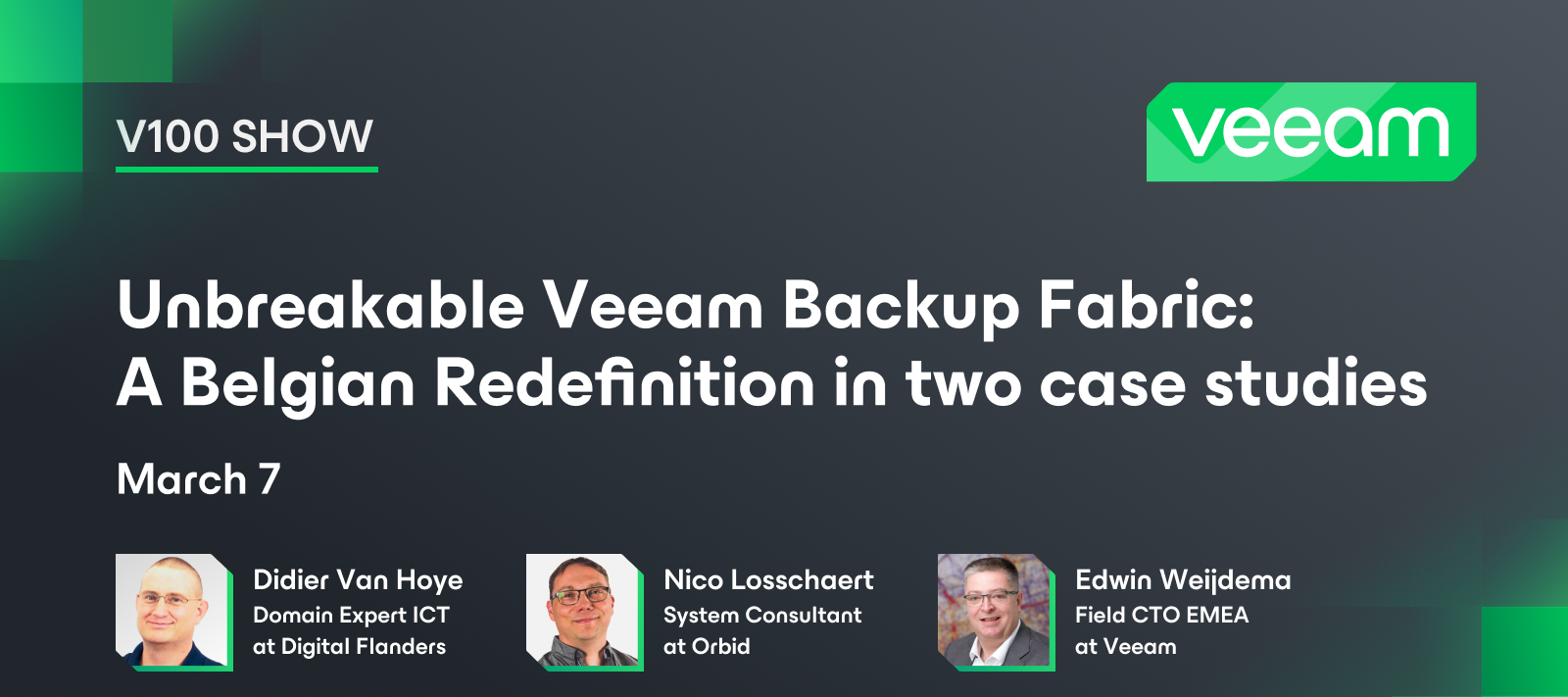
We had our 6th V100 Show this month! Can you believe it? The V100 Show highlights the innovations of our Veeam 100 members and how they are benefiting the community at large. Hosted by @Viperian, @Nico Losschaert @WorkingHardInIT explain Belgian companies’ data protection strategies and how they were able to create an unbreakable Veeam backup fabric. Didier and Nico also share their stories of joining technical communities and the rewarding parts of community involvement. Catch the replay here!
HelloI have installed Veeam backup 12.1.1.56 on a vsphere vm. The backup service is running, but I cannot open the console.I am getting in the screen: String was not recognized as a valid BooleanI have no issue with enterprise manager, it can be logged into.Will be glad for adviceThank you Keren
Can you use and test with SureBackup if you are only using a Linux Hardened Repository?
Hi wondering if anyone can help with an error I am getting on a backup I have a few hyper v VMs backing up and a couple of Windows 10 machines.1 machine is causing a bit of hassle and was wondering if anyone has seen this before.I see this warning message in the GUI:26/03/2024 13:55:22 :: Collecting recovery media files Details: Access is denied I see this in the logs:[26.03.2024 13:57:35] <01> Error Failed to add recovery media files to the backup[26.03.2024 13:57:35] <01> Error Failed to build WIM file at C:\WINDOWS\TEMP\oovnnf03.5ok\sources\boot.wim (System.Exception)[26.03.2024 13:57:35] <01> Error at Veeam.Core.Common.CWimBuilder.Build(String wimPath, Int32 imageIndex, ITaskLog taskLog, ICancelFlag cancelFlag, IWimBuilderAction bootFilesExtractionAction, IWimBuilderAction adkFilesExtractionAction)[26.03.2024 13:57:35] <01> Error at Veeam.Core.Common.CWinREFilesCollector.CollectFiles(CWimBuilderOptions options, ICancelFlag cancelFlag)[26.
Already have an account? Login
Enter your E-mail address. We'll send you an e-mail with instructions to reset your password.