Bring your knowledge and expertise while creating blogs and podcasts
Recently active
We just had the situation during an upgrade from 12.0 to 12.2 that the installer complained with the following message:In our case it was related to the Veeam Agent for Unix (actually Solaris).But in general, this can happen with any other module as well.First, we tried to nudge the installer to the *.MSI for this package on the mounted 12.2 ISO manually (VAUredist.msi). But the installer would not want this package.Reason is, that you have to provide the *.MSI of the older version, that you want to replace with the current upgrade.Background: Windows holds an MSI cache for every installed program. Usually in the hidden path C:\windows\installer.If, for whatever reason, you loose an MSI in the cache (inappropriate cleanup, unintended deletion, AV-scanner over-reacting, etc.) you will not be able to uninstall the program.This is actually what happened during the VBR upgrade. The MSI for the older “Veeam Agent for Unix Redistributable” was not on the machine any more. But the installed m
Veeam Backup & Replication v12.1 + Spectra BlackPearl = On-Prem Archive Tier Veeam Backup & Replication (VBR) v12.1 is loaded with many great new features and enhancements. One of the new features is the extension of the Archive Tier to on-premises storage solutions that are Amazon S3 Glacier compatible. Spectra’s BlackPearl S3 Hybrid Cloud Storage is one of those solutions.But what is the Archive tier? It was first introduced in Veeam Backup & Replication v11 back in February of 2021. The Archive tier is an additional tier of storage that can be attached to a scale-out backup repository (SOBR). You can transport applicable data to the archive tier for archive and cost saving purposes.The following types of backups files are eligible to be sent to the archive tier:GFS backups Orphaned GFS backups Veeam Backup for Red Hat Virtualization GFS backups VeeamZip backups Exported backups Kasten K10 backups For the purpose of this blog I will be using backup files with GFS f
Hello, I wanted to share with you a customer’s feedback that I encountered. They contacted me to report extremely slow restoration times during a file restoration process.I was a bit surprise cause I had tested all types of restauration on his infrastructure and everything worked properly.The restore type : “Guest File Restore” OS: Microsoft Restore option: Keep Folder Size : 64 MB Restore Time: 1h30min 😱I first checked the log in the History I directly noticed the fact that the restoration is via vSphere guest interaction API and not using a Veeam proxy .After a brief exchange with the admin, it figured out that the VM to which the files should be restored is in a new Vlan ! You’ve probably guessed it, but it’s once again the fault of the network!Indeed, the network openings between the Veeam environment and the production environment for this new VLAN have not been set up, after having done the necessary we tried again the restore.This time, the restore used my proxy and took only f
INTRODUCTION Hello everyone, as you know the new version of Veeam released the past few days is full of new features.In this post I would like to go into more detail about the two new roles added for VBR management: Incident API Operator role and Security Administrator role. INCIDENT API OPERATOR ROLE Following the least privilege principle, this new role does not have access to the VBR console, but it can interact only with Veeam Incident API REST endpoint and manage malware detection events.MFA is not supported for this role (it is considered like a service account) and it is disabled by default. For example, if you create an event from the embedded swagger you can see that it will be registered in the VBR console: SECURITY ADMINISTRATOR ROLE This new role is designed for security teams, considering that it enables the user to perform operations on credentials (add, edit and delete), manage Security & Compliance Analyzer (run a security check, configure scan scheduling, exclude p
THERE IS NOW NATIVE FUNCTIONALITY TO DO THIS EASILY Greetings everyone, Audit Logging always is an interesting topic, it doesn’t matter if you need this due to compliance, or just for best practices. Having visibility of restore operations of something as critical as emails, documents, etc. should be a must.When I am mentioning the word Audit, I am talking about all the Restore operations that anybody does using the Explorers, PowerShell, or API, or even using the new Restore Portal (meaning opening an email, restoring it, saving it, etc.)As we stand today, we have the next methods to Audit the Restore Operations:Inside the Veeam Backup for Microsoft 365 Console, under History - Restore On Windows Logs, on the Client who opened the Console and Explorers (bear this in mind) RESTFul API can send real-time alerts RESTful API to obtain RestoreSessions with extreme great detail Windows Logs to parse some Infrastructure actions like Job Creation, Edit, Deletion, etc.Advanced VB365 AuditPower
According to @Rick Vanover , the Scale-out Backup Repository (SOBR) is a logical entity that groups several backup repositories called extents. This is a software way to pool storage for backup data management. I have written a detailed guide on my blog “how to Achieve 3-2-1 rule with SOBR on Synology or OOTBI and Wasabi”.We can implement the 3-2-1 backup rule via the SOBR. The 3-2-1 backup rule recommends having three copies of your data, stored on two different types of media, with one copy kept off-site. Here is a great post by Rick below as well.https://www.veeam.com/blog/321-backup-rule.htmlA scale-out backup repository is an architecture that enables you to extend your backup storage by adding multiple repositories. Adding a new extent to an existing scale-out repository is an easy way to extend storage without relocating backup chains.The focus of this article is using Synology DS923+ Appliance. But you can also achieve 3-2-1 with the Object First OOTBI appliance. With the recen
Recently, I’ve been creating videos to help others get started with Veeam Backup for Microsoft Azure. While I was working on the videos, things got meta because I realized I needed to update my own environment. That evening, I sat down to play Sims and needed to run game and mod updates. As I ran those updates, I thought about how I had just gone through a similar process earlier that day at work. So today I want to talk about software updates and share how to update Veeam Backup for Microsoft Azure, part of the Veeam Data Platform. Why Update?Even though I know they’re important, unmanaged software updates can be inconvenient, especially if you’re in the middle of something. As a general piece of advice, schedule software updates when they’re convenient to you rather than letting the software decide for you. Just remember that the longer you push off a software update, the more risks you run. In addition to missing features, outdated software is more likely to have compromised securit
I recently helped a partner integrate their Veeam solution with Sophos so I thought I would provide some details and information around these processes.Sophos is a global cybersecurity company that provides a range of solutions to protect organizations from various digital threats. Their offerings include:Endpoint Protection: Safeguards individual devices such as computers and smartphones from malware, ransomware, and other threats. Network Security: Includes firewalls and intrusion prevention systems to protect network traffic and prevent unauthorized access. Cloud Security: Protects data and applications in cloud environments from security breaches and data loss. Email Security: Filters and scans email traffic to prevent phishing attacks, spam, and malicious attachments. Unified Threat Management (UTM): Combines multiple security functions into a single appliance or service to simplify security management. Sophos Central: A centralized management platform that provides a unified int
AppLocker, on the other hand, relies on static rules that may not adapt well to changing circumstances. You could also leverage the recent introduction in VBR 12.2 to ensue RBAC as shown below.Microsoft AppLocker itself is not a Zero Trust principle, it can be part of a broader security strategy that aligns and achieve Zero Trust principles. AppLocker helps control which applications are allowed to run on Windows devices by defining rules based on file paths, digital signatures, and other criteria.You may want to utilize 3rd oartt tools like TheatLocker and PolicyPak as they come with intuitive dashboards and advanced logging/monitoring capabilities that make it easier to track policy enforcement and application behavior. AppLocker’s monitoring is less robust and may require third-party tools to get comprehensive visibility into policy violations.By using AppLocker, organisations can limit user access to only authorised applications, which aligns with the least privilege access princip
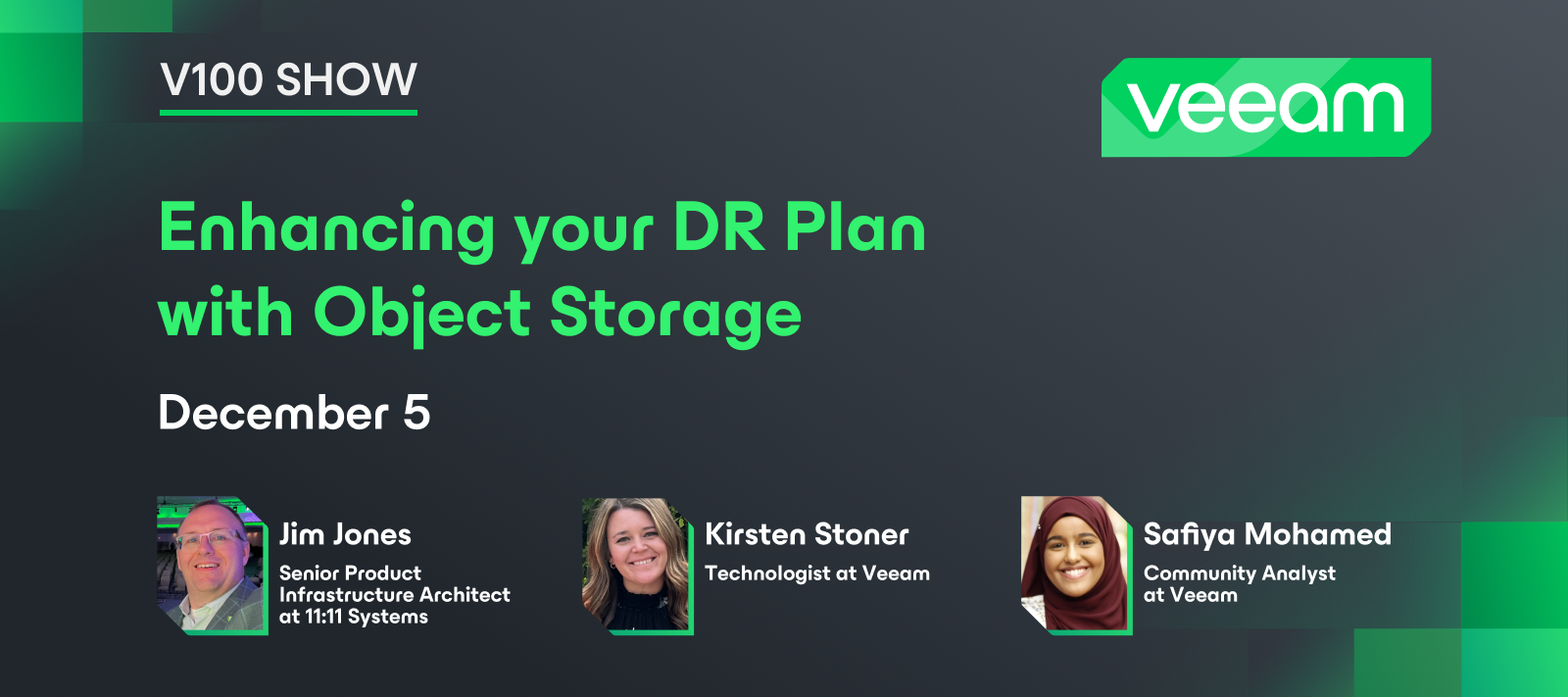
While it’s on my work blog site I’ve written up a primer on AWS S3 storage classes and how they can be used. Please forget the marketing speak but I think there is good, general purpose information here. https://1111systems.com/blog/introduction-to-object-storage-and-aws-s3-storage-classes/
Hi all,In this blog series, I’m going to talk about plenty of things around the sizing and architecting for using Object Storage with Veeam Backup & Replication. Each part of this blog series covers different topics and things.The first part of Sizing and Architecting for Object Storage with Veeam covers the following topics:On-premises vs cloud object storage Pro’s and Con’s regarding on-premises and cloub object storage How does Object Lock & Block Generation work with Veeam What is Compliance and Governance Mode ?Feel free to check out the blog post here, as I don’t copy and paste the content here :) https://www.virtualhome.blog/2024/08/27/object-storage-with-veeam-sizing-and-architecting-part-2/
For those of you that either work for service providers or leverage a VSPC enabled Veeam Cloud Connect one of the options is to leverage VSPC to automate the upgrade of one or more Veeam Backup & Replication to the latest version. This is a great use case for a distributed organizations with multiple VBRs.If you are a end customer you will need to work with your service provider to gain access to VSPC for this process.Once you login navigate to Computers and Backup Servers. Once you select your VBR(s) you can choose Manage Updates\Upgrade Server.In the first step of the wizard I recommend that you keep the default of downloading directly from a Veeam server. Do make sure that any and all servers have at least 3x the ISO size free on the system disk to allow for download and working space. As of VSPC 8.1 Veeam will allow for saving credentials for future upgrade use but at least for this version you still have to actively provide credentials that the management agent can use to int
Something New!I am creating a new series of blog posts with the goal of highlighting a feature or capability that one of our object storage partners has which can benefit the Veeam community. I will continue to publish new blogs as part of my ongoing Veeam Amazing Object Storage Tips & Techniques, which will focus on non-vendor specific topics. Optimizing OSNEXUS QuantaStor for use with Veeam Storage Class Auto-Tiering Rule:When Veeam Backup & Replication (VBR) v9.5.4 added the S3 compatible object storage backed Capacity Tier to its Scale-Out Backup Repository (SOBR) back in January of 2019, it was the start of my object storage journey within Veeam. During this 5 ½ year journey I have had the opportunity to work with many of our object storage partners and I have witnessed the work they have done to enable their object storage to work more efficiently with VBR and Veeam Backup for Microsoft 365 (VB365).One of those object storage partners, OSNEXUS, recently released version
Hi all,In this blog series, I’m going to talk about plenty of things around the sizing and architecting for using Object Storage with Veeam Backup & Replication. Each part of this blog series covers different topics and things.The first part of Sizing and Architecting for Object Storage with Veeam covers the following topics:Calculating your real block size on disk, which helps you with sizing object storage for Capacity or Performance Tier in Veeam General Best Practices when using Veeam & Object StorageFeel free to check out the blog post here, as I don’t copy and paste the content here :) https://www.virtualhome.blog/2024/08/21/sizing-and-architecting-for-object-storage-with-veeam-part-1/ Would love any feedback, comments, and thoughts on this :=)
We all learnt about the recent update to Veeam Backup and Replication 12.2. A lot of Legends have written excellent pieces and I will kindly let you take a look at one of the articles yourself. Also, @Chris.Childerhose recently also performed an upgrade to the latest version. Kindly take a look at his article as well. Because this topic has been dealt with already, I will proceed with the upgrade steps just to add more colours to Chris’ images :-) Note: Before proceeding with these steps, I recommend taking a look at the upgrade checklist to ensure an error-free upgrade. kindly keep in mind that a reboot is also required for the upgrade To download the Veeam Backup & Replication 12.2 ISO image, kindly navigate to the following URL Upon clicking on Download, you will be redirected to enter your login credentials. Upon download, navigate to the download folder and mount the image.Upon mounting the image, double click on the setup as shown below.On the upgrade screen, click on upg
As you may have seen VB365 v8 was released today. This is a very impactful release for me and my company so I took the time to document some first thoughts today. Please check this out on my blog https://www.koolaid.info/veeam-backup-for-microsoft365-v8-release-thoughts/ where I talk about things such as proxy pools, architecture, permissions and object storage!
Although the post is very small, the news in it is big 😃With v12 you can start a Active Full backup of a single VM processed by a job. Just open the progress dialog of the job and right-click the VM you want to backup. As you can see, this can also be used to run a Retry just for selected machines. Important: this will just work when you use the also new feature in v12: True per-machine backup files
This is going to be huge change. VeeamON never disappoints!
I created a second blog for the OOTBI series and you can view it on my blog site or below.https://just-virtualization.tech/2024/08/19/object-first-ootbi-web-ui-users-buckets-more/ Object First (OOTBI) – Web UI, Users, Buckets & More In my first blog post I took you through the journey of OOTBI to my datacenter and then through the Cluster Configuration and setup. You can see that blog post here – Object First (OOTBI) – Installation & ConfigurationI am now going to go through some of the Web UI features, including first launch, and show how you configure things such as –Users Buckets Access Keys Email Alerts Software UpdatesWhen you first go to the Web UI URL for your OOTBI box, you need to log in using the “objectfirst” user and password you set during the initial setup phase, which you can see in my first blog post in the link above. After you log in for the first time, OOTBI prompts you through the main setup wizard, starting with creating S3 Keys for your user account. Afte
Way back in December (really, it was only 4 weeks ago ?!?), I posted on my personal blog about the Broadcom acquisition of VMware, and how they were ending all of the current perpetual licensing and moving everything to subscription licensing. However, there were many, many questions, and FUD about the changes and what this would mean for licensing VMware products going forward. After many conversations with VMware, reviews of presentations VMware provided to partners and distributors and reading of FAQ's, I finally have an understanding of just what direction exactly VMware is going with their licensing and how it applies to the end user clients. Please note that this is more oriented towards the newly announced vSphere Foundation subscription and it's smaller siblings, vSphere Standard and vSphere Essentials Plus Kit subscriptions which are more oriented to the SMB space. And to be up-front, I'm not really going to talk about vSphere Foundation as that's really the replacement to Ent
With the release of Veeam Data Platform 12.2 on 9/28/24. The new Veeam Backup for Nutanix version 6 was released. It adds some highly requested features that our customers have been asking for. Please see the screenshots below. I also added additional links at the bottom of the page for more details. Please continue to share your valuable feedback for future improvements😀. New virtualization option menu Updated Nutanix AHV logo added Nutanix Prism Central supportVeeam Backup for Nutanix AHV Proxy v6Nutanix Prism Central Categories support (AKA Tags in VMware)Use snapshots from Replica siteCustomizable compressions and block size settingsMulti-Network supportVeeam Backup for Nutanix Appliance Dashboard Veeam Backup for Nutanix AHV Release Noteshttps://helpcenter.veeam.com/rn/veeam_backup_nutanix_ahv_6_release_notes.htmlVeeam Backup for Nutanix AHV v6 User Guidehttps://helpcenter.veeam.com/docs/vbahv/userguide/overview.html?ver=6Build Numbers and Versions of Veeam Backup for Nutanix AHV
What my surprise this week, I found a relic, a working Veeam Version 7 Server ! Yes I know in term of cybersecurity risks we are right in the middle of it ! I let you imagine the infrastructure version. Remember the console and her colour ?In v7 Surebackup and Tape was already present ! So many evolution from here to now. We are not getting any younger
Dear community, I just managed to finish a new blog post regarding the Entra ID Backup beta version. Currently I have many customers looking forward to the feature release and I prepared an overview on my blog: 15 – Veeam Entra ID Backup Beta – Backup and Restore – Disaster and Recovery (disaster-und-recovery.de) Trying not to loose myself in a deep dive I tried to address the integration into the well-known VBR GUI and the basic functionality and different job types. Looking forward to licensing - hopefully we stay below the prices of CommVault. :-) Best regards from Germany and thank you for feedback!Lukas
What is Health Check?A health check is a planned process within a backup or backup copy job that helps ensure the data integrity of the backup chain. When Veeam Backup & Replication initiates a health check, it performs a CRC check for metadata and a hash check on VM data blocks.CRC Check stands for Cyclic Redundancy Check. It is an error detection algorithm used to check whether data is corrupted during transmission or storage. This algorithm calculates a CRC value from the sent data and adds this value to the end of the data. The receiving party calculates the same CRC value from the data it receives and compares it with the sent CRC value. If the two values match, it means the data is transferred or stored intact. Why Are Health Checks Important?Health checks are important to ensure data consistency in the event of a disaster. Computers can make mistakes. The more systems interact with each other, the greater the chance of errors occurring. When performing a backup, Veeam com
I remember the days of using VMware and Veeam watching the VMworld videos, all those cool cats on stage working in Tech Marketing roles (remember Clint and Luca back in the day?) rocking the stages, dishing out deep dives and updates, and company credit cards flying all over the place. So cool, right?Well, I eventually made it to Tech Marketing and decided to jot down my thoughts here.I know a lot of people also want career advice and thinking about what next in tech, so maybe this helps.
Already have an account? Login
No account yet? Create an account
Enter your E-mail address. We'll send you an e-mail with instructions to reset your password.