Bring your knowledge and expertise while creating blogs and podcasts
Recently active
Hi CommunityToday I’ve spent my time in our lab and I realised I made a mistake by choosing a bucket without immutability in our backup job.So I dedicated some time looking into how I could move backups to another repository in Veeam B&R Console.Before I started, I wondered why I would want to use the 'Move backup' function in a production environment.I said to myself that it might be necessary to do this in such cases as: Wrong configuration in a backup job Backup repository is close to full capacity. I must replace my repository (because out of warranty). Backup job policies are changed (immutable backup request or different policy needed). “Move Backup” operation permit to continue to use the same Job, moving backup files to a new backup location, and keeping job history and backup chain. SCENARIOIn our lab we have this scenario:Veeam B&R v. 12.1.2.172 OLD repo: S3 Bucket without versioning called Pippo02 (yes is Goofy) NEW repo: S3 Bucket with versioning enabled (immutable)
Please note ** This article is an update from an earlier article on the same topic**Security is always extremely important. Encryption should be used whenever possible. When using Veeam plug-in for enterprise database, you should be aware of the options for encryption and settings that can be configured.With the latest update of Veeam, v12.1.2, the following links should help clarify encryption for Veeam Enterprise plugin backup.Network Traffic EncryptionStarting with v12.1.2, by default, network traffic encryption is in place for Veeam plug-in backup. See the following links for detail on utilization for each plug-in. The encryption may be disabled if desired. Specific commands and steps required are illustrated with each plug-in:OracleSAP HANASAP on OracleMicrosoft SQL ServerDB2 Repository EncryptionOracle - Specific encryption conditions are in place. “The Oracle Secure Backup SBT library supports RMAN encrypted backups. Veeam Plug-in does not support directly encrypted backups of O
The one and only!!! https://objectfirst.com/blog/out-of-the-box-interview-with-rick-vanover-part-1/
One of my friends is a senior network engineer. At dinner the other night, we were talking about how our days went. I said I was creating a series of demos for the Veeam YouTube channel about deploying and managing Azure appliances. I told him when I hear the word appliance in an IT context, I picture a network diagram with little stoves and refrigerators in place of servers and clouds. The visual made us laugh and wonder why we use the term “appliance” for both stoves and servers. So I’m focusing this week’s Friday Blog on appliances and how Veeam Backup for Microsoft Azure helps you manage them. What are Appliances in the Cloud?In our kitchens, appliances are devices or equipment we use to perform specific tasks. The concept is similar in IT where an appliance is a device that performs a specific function or set of functions. Examples of computing appliances include routers, firewalls, storage appliances, load balancers, virtual machines, media streaming devices, and IoT-enabled devi
“But…are you still master of your domain.” - Jerry Seinfeld This is the introduction to a multi-part series on getting your Veeam servers out of your production (i.e. main user account) Active Directory domain. Authn. Authentication. Who are you?Authz. Authorization. What can you do?An explanation of ADDS is beyond the scope of this series, but for context…Active Directory Domain Services (ADDS) provides a logical and physical structure for authn and authz within your network. Authn flows across a ‘Forest’ whilst domains are used primarily as replication partitions, being sub-units of a forest (namespace ‘trees’ being a way to organize domains). Another reason to use domains is as a logical security boundary for the seemingly all-powerful ‘Domain Admin’ account. Generally, the best practice is that Veeam components, where appropriate, are "off the production domain". There are two primary reasons for this: first, a compromised production domain admin account can not only wreak havoc o
So I had a unique support case recently, a customer using Veeam Agent for Linux with mixed success, they had one particular server that worked fine during implementation and then after a week the backups had started to immediately fail. The server was unable to load the veeamsnap module.Veeam themselves have a great article dealing with this in general and it helps resolve the majority of the cases, link here.One point I believe this article doesn’t properly discuss though is why this can happen, especially when it previously worked properly. To understand this we need to know a bit about how Veeam works with its Linux Agent.To fully understand how the Veeam Agent for Linux works, the first question we need to answer is, what is “veeamsnap”? veeamsnap is a Linux kernel module used by Veeam to create volume snapshots. Due to the huge variety of Linux systems and updates supported by Veeam, there are some pre-requisites that must be met for veeamsnap to function, these are documented her
Integrating Veeam Backup for Microsoft Azure into Your Backup Environment and Deploying Azure Infrastructure The first step is to download the Microsoft Azure Plug-in from my.veeam.com and deploy it to Veeam Backup & Replication. After the deployment is complete, we need to select Veeam Backup for Microsoft Azure on the Managed Servers side of the “Backup Infrastructure” Tab in Veeam B&R. This step asks if there is a Veeam Backup for Microsoft Azure server on the Azure side. If there is, continue with the existing appliance, otherwise Deploy a new appliance is required. Azure account must be added in this step. To add our Azure account here, we first set the name that will appear on the Veeam side. In this step, we specify the region where our Azure account is located. Since we are doing this for the first time, we continue by saying Create a new account. Since no such integration has been done with our Azure account before, there is nothing registered. We log in as a
Overview of Veeam ONE Alarms The Veeam Data Platform provides data resiliency through backup and replication, recovery orchestration and monitoring and analytics. Through these different capabilities, Veeam powers data protection for organizations to mitigate threats and orchestrate recovery when disasters occur. Veeam ONE, a part of the Veeam Data Platform Advanced and Premium editions, provides comprehensive monitoring and analytics, providing complete visibility of critical events that are happening in the data center. Through the different alarms that are included within ONE, you can respond and remediate issues in real-time, avoiding downtime and data loss. With over 300 predefined alarms included, it’s important to understand the alarm lifecycle, how you can adjust alarms and their configuration parameters. All the alarms have predefined thresholds based on industry standards and best practices, however they can be adjusted or tailored to fit your business needs. Popular AlarmsWi
Hi folks, I continued my tests on the lab, and did a I wanted to share the results and thoughts with you.After the initial setup, and installing Tailscale on my Veeam V&R Server vm, I also installed on a client machine outside of my network (also internet connection, emulating a remote client).Tailscale has a Magic DNS service that, when the agent is installed, you can call the clients by their DNS names (or names configured at the Web console),So, I though, why don't I deploy a backup agent and connect it through the Tailscale VPN network?instead of opening ports, and mapping IP addresses, I give it a shot,I created a protection group and added the test client in the process, as you can see in the screenshots:the, with the agent deployed, I created a backup job to test it out.Now, let's trigger the backup, the fist one will be a FULL one, so I was anxious and “scared” at the same time:Fire in the hole!Backup has started and seems to be doing fine…and here it comes the magic, perfo
IntroductionIn the first of 4 blog posts of this [Migrate Veeam Infrastructure Off Production Domain series], we described the fundamental security reasons behind moving the Veeam infrastructure components OFF Production domain. In this blog post, we will provide step by step guidance for moving a Veeam Backup and Replication™ (VBR) infrastructure to Child Domain of the Production Domain. Disclaimer: This is not intended to be a complete Security Best practice reference, nor does it address every possible scenario. A Veeam Solutions Architect can be engaged as needed to assist with VBR Security Best Practices, especially with complex deployments.SetupThe scenario is comprised of the following servers:A Production Domain Controller / DNS server A Child Domain Controller server 2 ESX hosts and 1 vCenter Veeam Backup and Replication server (VBR) with local PostgreSQL database Veeam Enterprise Manager server (VBEM) with local PostgreSQL database Veeam Gateway server Veeam Mount server Veea
I often find it helpful to remind my partners about the full range of features Veeam offers, especially when speaking with the sales team. While everyone acknowledges that Veeam excels in backup, its capabilities extend far beyond that. To highlight the depth of Veeam's solution, I’ve put together a concise list that showcases its extensive features. Veeam is built for powering data resilience.Advanced Data Protection: Data Backup Backup and Replication: Provides reliable backup and replication of virtual, physical, and cloud environments, ensuring your data is safeguarded across various platforms. Backup Copy Jobs: Allows you to create additional copies of backups for enhanced data protection and offsite storage, ensuring redundancy in case of data loss. Multi-Platform Support: Provides backup solutions for virtual machines (VMware and Hyper-V), physical servers, and cloud environments (AWS, Azure, and more), offering a unified approach to data protection. Cloud Integration: Offers
Like many kids, my daughter started high school this week. Throughout this summer, I’ve been preparing her for the changes that come with a bigger school, more demanding classes, and new extracurriculars. A couple weeks ago, we went back-to-school shopping then spent the afternoon glued to Olympics coverage. As we watched diving and dressage, we talked about the skills the athletes had to learn to compete at that level. We were as interested in how the athletes prepared as we were their performances. This got me thinking about how much time we humans spend preparing.Whether getting ready for school, an athletic competition, or countless other activities it seems like humans are always preparing for something. Proper preparation helps us succeed and achieve our goals. It also helps us plan for things to go wrong. The same is true when you make changes to your technology environment, such as installing Veeam Backup for Microsoft Azure. Once installed, Veeam Backup for Microsoft Azure sec
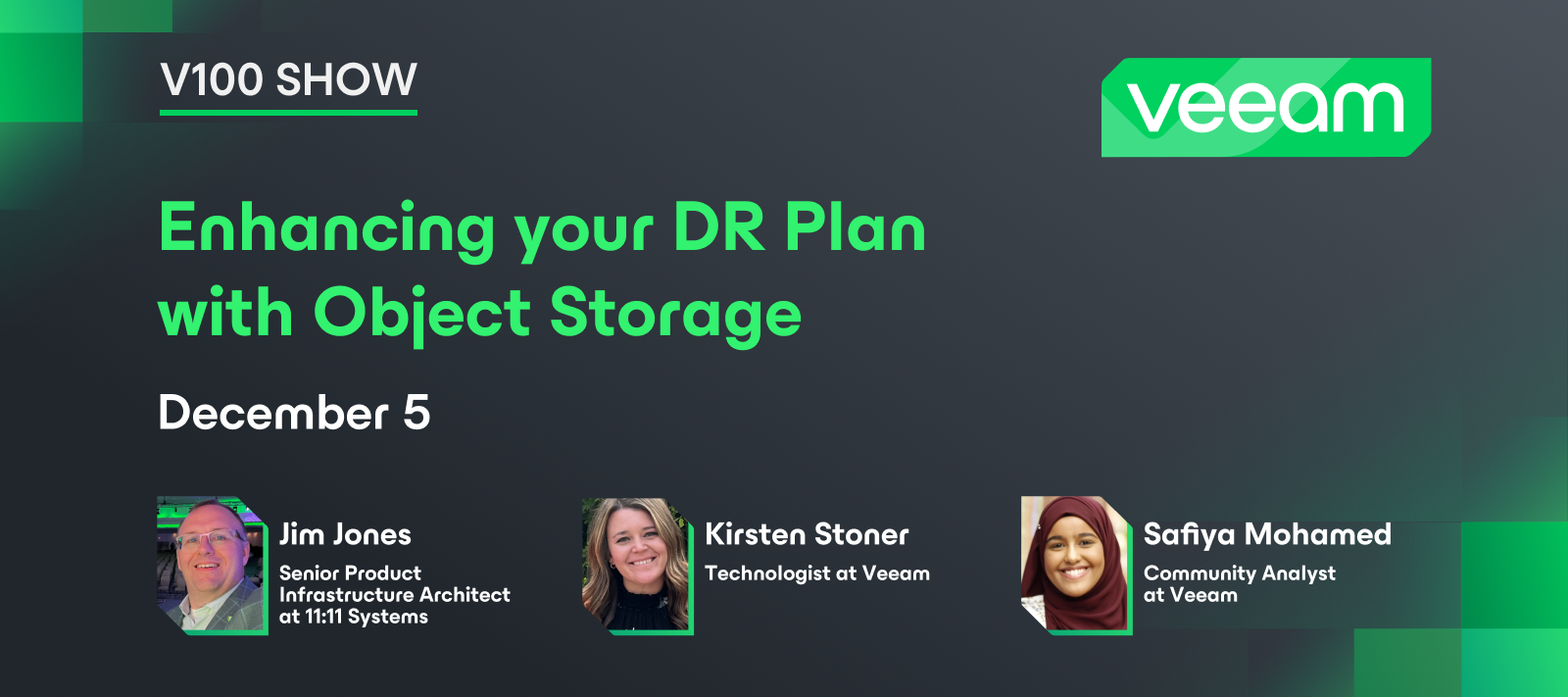
Hello community! Hope everyone had a nice weekend. Last Thursday, we had our 9th V100 Show! This was another special edition where we discussed projects from last year’s Veeam Community Hackathon. In this episode, you can learn about the M365 Best Practice Analyzer project from team members @HangTen416 @vmJoe. 💡 It’s also a chance to hear about this year’s Hackathon from co-founder, @mkevenaar. Catch the replay on YouTube 💫 Don’t forget to register for the Hackathon: https://veeamhackathon.com/
The Veeam Plug-in for Microsoft SQL natively integrates with Microsoft SQL Server Management Studio. It transfers database and transaction logs to backup repositories associated with Veeam Backup & Replication.Compared to image-level backups created by Veeam Backup & Replication, Veeam plug-ins can offer more flexible scenarios for database backup.This plug-in’s users can backup and restore individual Microsoft SQL Server databases and configure independent backup scheduling for full, differential, and log backups using the native SQL Agent Job functionality.Some highlights about the Veeam Plug-in for Microsoft SQL:SQL administrators have complete control over backup and recovery processes; User interface (UI) integrated directly into Microsoft SQL Server Management Studio; Scalability and performance: up to 2,000 databases per SQL server and up to 10,000 databases per backup server; Possibility to perform database backups without waiting for the image-based backup (backup of
How to avoid an Immutability MigraineWith direct to object storage backups coming in Veeam Backup & Replication (VBR) v12, we expect to see many more folks using object storage for their backup repositories. This means there will be folks using object storage for the 1st time. If they are like me they will probably use the graphical user interface (GUI) native to the object storage platform to manage their object storage.The native GUI will definately make the management easier, but it can also cause some headaches that you don’t expect. The reason I am writing this is to help you avoid one such migraine when you are using your object storage’s native GUI to configure your object storage bucket to create an immutable object storage repository in VBR.The ScenarioThe 1st thing you need to do to create your immutable object storage repository is to create the bucket which will store your VBR backup data. For this scenario we want to create the bucket with immutability (object loc
Occasionally, Veeam releases software updates to fix bugs, performance enhancements and introduce new features apart from major version releases of Veeam Backup & Replication. Here is an article on how to update Veeam Backup and Replication [VBR]:https://techdirectarchive.com/2024/08/14/how-to-update-veeam-backup-and-replication-vbr/ Also, in this article, I have provided the steps on how to update Object First OOTBI Cluster. You will learn how to perform cluster update via the Object First management Console, and via the TUIhttps://techdirectarchive.com/2024/08/14/how-to-update-object-first-ootbi-cluster/
Hi Everyone,I posted a while back about some free sites that help you detect AI generated text.There are also manual methods to detect it. I for one have noticed that the intros all tend to be very similar in structure and phrase use. Another aspect of AI generated text in English is the over use of “the”. I am not against using AI as a tool but don’t think it is a good idea to create AI blogs and then claim authorship. I had a conversation with one AI expert this weekend who said that in the long run the people who stay real will win. As humans get more used to detecting AI it will get the “spam in a can” reputation and will become the mental fast food of the blog world, potentially with a warning from the Surgeon General “loss of brain cell risk if used excessively or consumed not in moderation” :) . He ventured on to say that it will be the same thing if and when humans start creating Androids (not the phones silly, but the human like robots). There you go would AI have the guts to
gMSA with VBR Why you should, how you do it and why they don’t solve all your problems This is the first part of a three-part series on gMSA usage with Veeam. This part will cover the background and the basic concept behind it. We will also answer the question, why to use gMSA accounts in the first place. gMSA - one account to rule them all? BackgroundOne of the vulnerable spots of every backup infrastructure originates to the fact that we must communicate with the inside of the workloads to get them in good shape for a proper backup. This is what we call transaction consistency or “Application-Aware Processing” when it comes to Veeam Backup and Replication. Without this functionality all your backups would only be considered “crash-consistent”. That might be ok for some semi-relevant workload, but the crown jewels in every environment need to be backed up transactionally consistent. In many cases we even want to do additional things inside the workload. This can be purging transaction
As the global solutions architect for Veeam's Pure Storage alliance, I have been asked this question many times. I am pleased to report that we now have performance results, and they are exceptional.But first, a bit on the test environment:Figure 1Figure 2As you can see the Veeam Backup & Replication Backup Proxies were configured as Virtual Machines (VMs). This was done to reduce the hardware requirements in the lab testing environment. This also means that the backup traffic to these virtual Backup Proxies is over in-guest iSCSI, which adds overhead to the CPU and memory workload on those proxies. It is expected that if the Backup Proxies were on physical machines that are physically connected to the storage network, the performance would have been even better.PerformanceEven with virtual Backup Proxies connected via in-guest iSCSI, performance was impressive:Active Full backup performance of 4GB/s (14.4TB/hr) Full restore performance of 4.7GB/s (16.9TB/hr)And this was with a
Hot off the presses! Today, we’re announcing the general availability of the newest entry to our long list of supported hypervisors, with the addition of Oracle Linux Virtualization Manager. As some of you may be aware, Veeam Backup & Replication has been supporting Red Hat Virtualization for several years now, which runs oVirt and KVM under the hood. Although Red Hat has stopped development on RHV in favor of OpenShift, Veeam Backup & Replication will continue supporting RHV as a source until December 2026.But let’s focus on what’s new: Oracle Linux Virtualization Manager support as a source. The process to get up and running is straightforward: just download the oVirt KVM plug-in and install it on your VBR server. Once completed, you can head back into the console and go to Inventory --> Add Server, and you’ll now see Oracle Linux KVM listed as an option.The experience of adding a server is very similar to what Veeam users have come to expect: Just provide a DNS name or IP
Data is crucial for businesses, driving operations, decisions, and innovation. To safeguard against threats such as cyber-attacks, hardware failures, and natural disasters, a backup strategy is essential. Veeam backup solutions are notable for their portability, which helps organizations maintain data resilience amidst evolving technology.Data portability involves moving data smoothly across different environments, systems, and locations, ensuring it remains accessible and recoverable. Portable data backup with Veeam is essential for maintaining this accessibility and recoverability in various situations.1. Disaster Recovery Preparedness: In the face of disasters like cyber-attacks, hardware failures, or natural events, rapid data recovery is crucial. Veeam's portable backups allow easy transfer to other locations or cloud environments, enabling quick restoration of critical data and minimal downtime.2. Flexibility and Scalability: In today’s dynamic business environment, data needs ca
Hi!I have been working with TP2 of Veeam M365 and have published the first (of several) blog articles on this topic:13 – Veeam M365 v8 Technical Preview 2 – Installation & Service Accounting – Disaster and Recovery (disaster-und-recovery.de)As I am known for my focus on security and hardening, I first looked at what the automatic creation of service accounts means and examined this in the lab. I am happy to go into further deep dives, feedback is welcome! Stay safe!Lukas
Nutanix introduced AOS 6.8 and it is causing some API issues with Veeam Backup for Nutanix. This can result in restore failures and other issues. We are recommending Veeam customers not to upgrade until an updated version is available from Nutanix. The timeline we received for the update is later toward the end of the year. Please see the links below for the latest details😀.Veeam Forums link https://forums.veeam.com/nutanix-ahv-f51/aos-6-8-veeam-ahv-support-interoperability-validation-t93415.htmlVeeam Backup for Nutanix User Guide (Supported Versions)https://helpcenter.veeam.com/docs/vbahv/userguide/system_requirements.html?ver=50Thanks,Pete
I was alerted to the CVE in some Slack RSS feeds. I figured why not get the new patch that was released and installed it. Quite simple and straight forward, which is usually the case with Veeam.I did a bit of digging into the KB and was quite excited to see that they included more features into this than I was expecting. I figured this was mostly to fix the CVE’s. New Features and EnhancementsPlatform SupportAlmaLinux 9.3 and Rocky 9.3 supported for use as Linux-based backup repositories and backup proxies. Microsoft Azure Stack HCI 23H2 (March 2024 build) support. Microsoft SharePoint Subscription Edition 24 H1 support for application-aware image processing.GeneralImproved VMware NBD (Network Transport Mode) transport mode performance by up to 2x. Backup Copy jobs now support using other backup copy jobs as a source for VMware, Cloud Director, and Hyper-V workloads. Reduced the performance impact of disk fragmentation on ReFS repositories with Integrity Streams disabled by removing
I’m really happy to let everyone know about some news yesterday where we announced that Veeam will be supporting Microsoft 365 Backup Storage in Veeam Data Cloud. If you didn’t see the news yesterday → Veeam Brings Data Resilience to Over 21 Million Microsoft 365 Users with New Microsoft 365 Backup Storage Capabilities for Veeam Data Cloud Important Update: New Veeam Data Cloud onboarding will now support Microsoft 365 Backup Storage! Another Veeam-first! Read more here: Veeam Backup Services: Microsoft 365 I’m further excited to let everyone here know that I’ll be presenting with Russ Kerscher from our Veeam Product Marketing team and Microsoft MVP Drago Petrovic about this new enhancement on August 20th. This is planned to be implemented in early August in Veeam Data Cloud. Join our webinar here, I’ll be on this one live for any questions everyone may have: NEW Capabilities of Veeam with Microsoft 365 Backup StorageJoin the webinar here: NEW Capabilities of Veeam with Microsoft 365
Already have an account? Login
No account yet? Create an account
Enter your E-mail address. We'll send you an e-mail with instructions to reset your password.