The Why Now Community Challenge: Veeam Data Platform 13.1. It’s time to vote!
News, guidelines and various community projects
Recently active
I had the chance to spend some of my evenings on adding some more functionality to my little pet project… or as I have been referring to it, the RVtools for your Cloud and Kubernetes environments and platforms. We already had the ability to grab details on your Kubernetes, AWS and Azure resources, I also did add some Veeam Backup & Replication inventory as well. With this 0.0.3 release we added Google Cloud Platform (GCP) and Terraform State File inventory. But probably the biggest feature has been around the user experience. The concept of the tool was to be able to use either the CLI or browser and this remains the same but the UI now can be used with a lot more flexibility. I did a full on demo session of the state of the project and would love to get your feedback. What should I add next? What are we missing? What doesn’t work? Project can be found here - https://github.com/MichaelCade/kollect
Recién integrándome al grupo, me llamó la atención el sistema de insignias (badges) en el perfil de muchos usuarios. Esa curiosidad me llevó a investigar más sobre cada una, y aquí te comparto lo que descubrí 👇En la Comunidad Veeam, tu participación no pasa desapercibida. Cuanto más compartes, ayudas o lideras... más visibilidad y reconocimiento puedes ganar. Desde certificaciones hasta hackathons, hay una insignia para cada perfil.🧑🤝🧑 Comunidad y Reconocimiento🏅 Medalla 🎯 ¿Cómo la consigues? 🐼 Veeam Legend Ser constante, activo y colaborativo en el Hub 🛡️ Veeam Vanguard Postularte con aportes técnicos relevantes (blog, labs, presentaciones) 🧠 Top Contributor Publicar y responder con contenido útil y validado por la comunidad 👑 Top Panda (1000+) Acumular karma por tus contribuciones valiosas 🎓 Certificación y Especialización🏅 Medalla 🎯 ¿Cómo la consigues? 📘 VMCE Aprobar el examen de Veeam Certified Engineer 🌟 VMCA Obtener la certificación como V
Hi.I have Veeam One 12.3.0 installed and running. When I start setup.exe form 12.3.2 version I have only option Install instead Upgrade. Is any way to force upgrade mode? Or some registry changes maybe? Thanks and regardsPiotr
We are using a Quantum Scalar i3 tape library with a 25-slot license. Accordingly, we've created a partition for 25 tapes and currently have 25 tapes loaded, the cleaning tape ist tape 26 and not in the partition.The problem:We need to perform a cleaning operation via Veeam using the cleaning tape. However, the cleaning tape is not showing up under 'Unrecognized' or anywhere else in the tape libraries within Veeam.When trying to initiate automatic cleaning from Veeam, it says it cannot find the cleaning tape.Steps already taken: Rescanned the tape library in Veeam Performed a full inventory Ran a catalog operationAdditional Information:• Library Firmware Version: 330G.GS118• Veeam Version: 12.3.1.1139• The cleaning tape is correctly shown in the Quantum Scalar i3 web interface. It has the type set to 'Cleaning', a barcode 'CLN001L1', and is marked as 'Accessible'. Its location is also properly listed.• The cleaning tape is not in the partition of the 25 Tapes.Description of the Library
Over the last few years, the time to execute ransomware attacks dropped 94%; now, criminals take, on average, just 3.85 days to deploy a ransomware attack.On the other side, according to the “Veeam Ransomware Trends – 2023 Global Report”, recovering the affected environment after a ransomware incident takes an average of 3.3 weeks of work, equivalent to 136 business hours of business downtime.Here is the link for this Veeam’s report:https://go.veeam.com/ransomware-trends-report-2023Along with exploiting application vulnerabilities, hackers heavily utilize client-side compromise techniques to deploy ransomware.In each attack, criminals must take well-known steps to reach their targets. Based on this, models were created to identify and prevent cyber intrusion activity. One of the most famous is the Cyber Kill Chain, developed by Lockheed Martin.For this purpose, we will focus on four stages of a client-side attack: delivery of exploitation, installation, command-and-control, propag
We are using Veeam Enterprise Backup & Replication 12 in a mixed VMware VM and physical Windows network.We have upgraded all of our Windows servers to Server 2025. Backups on non-domain controllers had no issue post update but our domain controllers are all failing with the same error once the OS was upgraded: Failed to index guest file system. VSSControl: Index failed There are no connectivity issues between the domain controllers and the Veeam servers and proxies. The domain controllers were not all upgraded on the same day, but each would fail as soon as the OS upgrade occurred. So one day the DC running on Server 2022 would be able to be backed up with no issues, the night its upgraded it would fail. No other changes other than OS upgraded. No changes to virtualization or network infrastructure.
VBR and VEM using PostgreSQL, however VeeamONE still using MSSQL, I am looking forward to see VeeamONE using PostgreSQL, it will be great to unify the DBs for Veeam infrastructure.
Hi,I have recently inherited a site using Veeam Backup & Replication V12One of the components of a Backup Copy Job is failing with the following errorCannot proceed with the job: existing backup meta file 'XXX-XXX-DC01_764B4.vbm' on repository 'XXX-XXX-BK02 - VMs' is not synchronized with the DB. To resolve this, run repository rescan When I run the “repository rescan” I get the warning belowFailed to import backup path /|drs-vms|backups|XXX-XXX-BK02 VM Copy|Cluster Windows VM Dailys|AIR-PIC-DC01_764B4.vbm Details: Root element is missing.387164The repository is offsite and it is a Ubuntu SystemAny advice would be appreciatedThank You
In part I of this series we have seen how to move a tape library with all data to another VBR server which has already data on it.https://community.veeam.com/blogs-and-podcasts-57/veeam-and-tape-i-moving-a-tape-library-with-data-from-one-vbr-server-to-another-1654 The open question was, how do I get my tapes with data to the correct media pools without losing my data…When you select to move a tape to a media pool the following message appears:So, the tapes are marked free, and the data is lost when a tape is moved? A quick check of the helpcenter and the forums says exactly this…https://helpcenter.veeam.com/docs/backup/vsphere/moving_tapes_to_custom_pool.html?ver=110But is this correct?Fortunately, it is not. The tape is marked free when it is moved, but the data on the tape is not lost. Its metadata is deleted from the Veeam database – and this can be recreated. All the tapes from the new library are assigned to the pool “Imported” Move the tapes to their corresponding media pools.
I am setting up VBO to back up 365 data to the cloud as we are starting to migrate all users to 365. I have read it’s best to separate repos instead of just having one repo for the whole organization.Anyone have an example of best setup? So far I am starting out creating separate repos for OneDrive, Teams, Sharepoint, Groups and separate jobs for each one of those. Is this a good approach? I was also going to add one more repo for Users. Would that cover everything for now as we are currently still using exchange on prem? Should I also make one repo and job for the entire Org with all data in it? Or only have one repo with everything in it? Just want to make sure I set it up properly so I don’t realize I should have set it up differently a year down the road. Thanks!
Scenario:Very recently a customer asked me if Veeam could leverage Data Domain mtree replica for DR purposes.Of course, the answer is YES! While this idea is not new, I thought it would be a good reminder of Veeam’s backup import capabilities. Steps:You must use Data Domain repository on the source site. It most likely will be declared as a DDboost share. The mtree should be replicated to the DR site. Note that the mtree replica will be Read Only! The mtree replica needs to be exposed as a share over your protocol of choice (CIFS, DDboost), so it can be defined in the DR VBR server. In this example, I chose DDboost.Note again that this DDboost share is Read Only! The last step is to declare that DR DDboost share and import backups You should now be able to access these backups from the “Disk (Imported)” section. Remember that you will have to manually rescan that repository in order to refresh new “mtree replicated” restore points.
Backup Copy Job targeting a SOBR (Scale-Out Backup Repository) with a Synology extent are failing.Error;Error (3): No scale-out repository extents have sufficient disk space to store the backup file. (System.Exception)No extents found for backup chain. Tried this registry fix , no luck https://www.veeam.com/kb2282The SOBR extent has 2.9 TB of free space.Backup objects size is 11.9 TB I don’t know if this will help the required size Svc.VeeamBackup.RTSDispatcher.log14.05.2025 10:58:22.234] <32> Info (3) [RTS] Updating Extent id = 96963ca1- - actual free space to 722861084509. 2494699352227 is excluded from real free space 3217560436736 as 1% of capacity reserved[14.05.2025 10:58:22.234] <32> Info (3) [RTS] Estimated free space on Extent id 96963ca1- is 722861084509 bytes, (original size = 722861084509, active tasks = 0)[14.05.2025 10:58:22.234] <32> Info (3) [RTS] Updating Container id = 003b65d0 actual free space to 722861084509. 249469935
Since upgrading our backup server to Windows 2025, on Veeam the WD devices are showing as unavailable and we are unable to rejoin them to active directory.This has only happened since upgrading to windows server 2025
Not new to the software but new to setting up a backup system. I will be “promoted” to Backup Administrator and as part of the training I need to set up my own system. Currently, I have VEEAM B&R 12 installed on a desktop and running two tests - one successful, the other is a failure.Test One is creating a simple job - VEEAM to back up a directory on the same desktop which is my “server”. The job works fine, understand the setup and job tasks.Test TWO is creating a simple job to an endpoint (my laptop). I managed to set up the job and laptop has windows agent installed.VEEAM cannot:2025-05-28 1:42:45 PM Failed Failed to send backup job configuration to <laptop> Error: Failed to update backup job Managed by agent job ID: 04100ad7-e66a-4b4d-8221-74baf1c52987. Managed by agent job name: Agent Backup Policy 6. Invalid job configuration. Connection problems. Exception has been thrown by the target of an invocation. Failed to establish connection: no valid IP addresses were found
Hi all,Relatively new to the community; been working with Veeam a while now, though!After finally sorting some bits out, I’ve built out a home lab to play with Veeam, but also use my own data as a way to gather experience about day-to-day use of Veeam (I am an architect, so naturally, I never touch the product in anger 🙄 - hoping to fixing that!)I’m loosely aware that the Veeam for Mac agent is relatively new, so while I understand there will be bugs, my current experience has been fairly frustrating (I don't want to treat this as a support-request post, so wont go into specifics). What is your experience of using the Mac agent so far?
I wanted to ask here in the community if anyone has developed a Veeam Tape report mainly for size reporting that they can share? I am looking in to VONE but the reports there are not sufficient enough for our reporting.We have a service that clients send to VCC then it tapes out for long term offline storage. So each month we need to automate reporting on size for each tenant of consumed data on tape.I am also asking in the Vanguard slack too about this so some of you may see this there as well. Also doing my Googling too. 😋
VM networking was much simpler. In VMware, there is a lot of planning when managing the network. You create virtual switches per host and assign properties like MTU size, VLAN, etc and pair those with physical NICs. You setup VMkernel NICs with specific roles to control host traffic. With Scale computing, you set a native VLAN on the physical switches and use standard VLAN Trunking to the host. You assign an IP on the management network which uses the default VLAN and then tag VMs on their virtual NICs directly, skipping all the complex concepts of a vSwitch. A separate Linux bridge with different physical NICs or a subinterface with a VLAN is used for the cluster backplane used for storage and inter-node cluster communication depending on how many NICs the host has. If a VM needs to be on multiple networks, you can assign one NIC with a certain VLAN, and another NIC with a different VLAN. You can also choose not to tag at the port and let the guest OS setup VLAN tagging, similar to as
In some situations/scenarios it is absolutely necessary to move the Veeam Configuration Database (PostgreSQL) to another hard disk of the Backup & Replication Server (e.g. if the C: partition is too small). After installation, the Postgres databases are located under: C:\Program Files\PostgreSQL\xx\data (Unfortunately, the path cannot be changed during the Veeam installation).Moving the PostgreSQL database is actually quite simple and can be done with pgAdmin. Before you start the migration, you should create a VMware snapshot and/or a Veeam Configuration Backup.Download pgAdmin from their website (pgAdmin – PostgreSQL Tools) and install it on the Veeam Backup & Replication Server.Add a second hard disk to the VBR server and create a folder for the database in it.Because the PostgreSQL service runs under the “Network service” account, the folder must be correctly authorized. To do this, add the “Network service” user with “Full control” to the folder under “Security”.Stop the V
We've been a certified Scality ARTESCA partner for almost six months. In addition to my lab installations, I've already deployed four productive ARTESCA systems for our customers, both single-node and three-node cluster systems.Since the beginning of June, version 3.1.1 has been available for Scality ARTESCA. Documentation & Release NotesThe corresponding documentation and release notes can be found at https://documentation.scality.com/ . Access is via OneLogin with an existing Scality account. To upgrade from version 3.1.0 or 3.0.X to the latest version, follow the steps described here: https://documentation.scality.com/Artesca/3.1.1/upgrade.html . Or check out the step-by-step process in the corresponding blog post here 😉. ARTESCA UIAfter successfully logging into the ARTESCA UI with the appropriate authorization… …we are greeted by a notification that a new ARTESCA version is available.The update components can be downloaded via the ARTESCA UI, as in this scenario, with the
Hi Team,Got a VM running on a ESXi host. Need to add additional disk space to C: drive. However, couldn’t increase it any further using the VM properties under storage. The provisioned disk capacity is 230GB and the total disk utilization is closer to 230GB as well. The machine is thin provisioned. The connected SAN storage got free available space too. Just wondering the best option to add more disk capacity to C: drive please?Appreciate your feedback.kind regards,Andrew
This week Rickatron is on the road and @Madi.Cristil has picked up a great selection of content here for featuring on this week’s recap. You can watch the episode here:Featured Contentvia @Chris.McDonald via @Iams3le via @cody.ault Vanguard Blog Spotlight - Lukas KlostermannCheck out this great post by @lukas.k on a Privileged Access Workstation hardening: 21 – Veeam Windows Hardening Script v1.1 for PAWs – Disaster and Recovery Special Department NewsWho’s NewWOW! We are again happy to welcome a bunch of new folks to the Community, +172! The coolest usernames this week are @Scott Winning , @KooHoo, @couchman75 and @Mashies (What’s the story of that? LOL). Alfred’s pick is @LostCause001 → LOL! Have a great weekend everyone.
Using S3 Object Lock’s Governance mode with Veeam Backup & Replication v12.1 Veeam Backup & Replication (VBR) v12.1, which was launched in December of 2023, has many great features and new capabilities. One of those features is the ability to use S3 Object Lock’s Governance mode when you setup an object storage repository to be immutable. The purpose of this blog is to introduce you to the Governance mode and how to use it within VBR 12.1.So, what is Governance mode? To answer that I first need to briefly explain S3 Object Lock. It is a feature of S3 and S3 Compatible object storage to prevent objects from being deleted or modified until the object lock retention has been met and the lock expires. There are two modes for the object lock retentionCompliance GovernanceCompliance mode has been used by Veeam Backup & Replication since v10 of VBR was released in February of 2020. Compliance mode locks the objects with a high level of strictness. This strictness includes: p
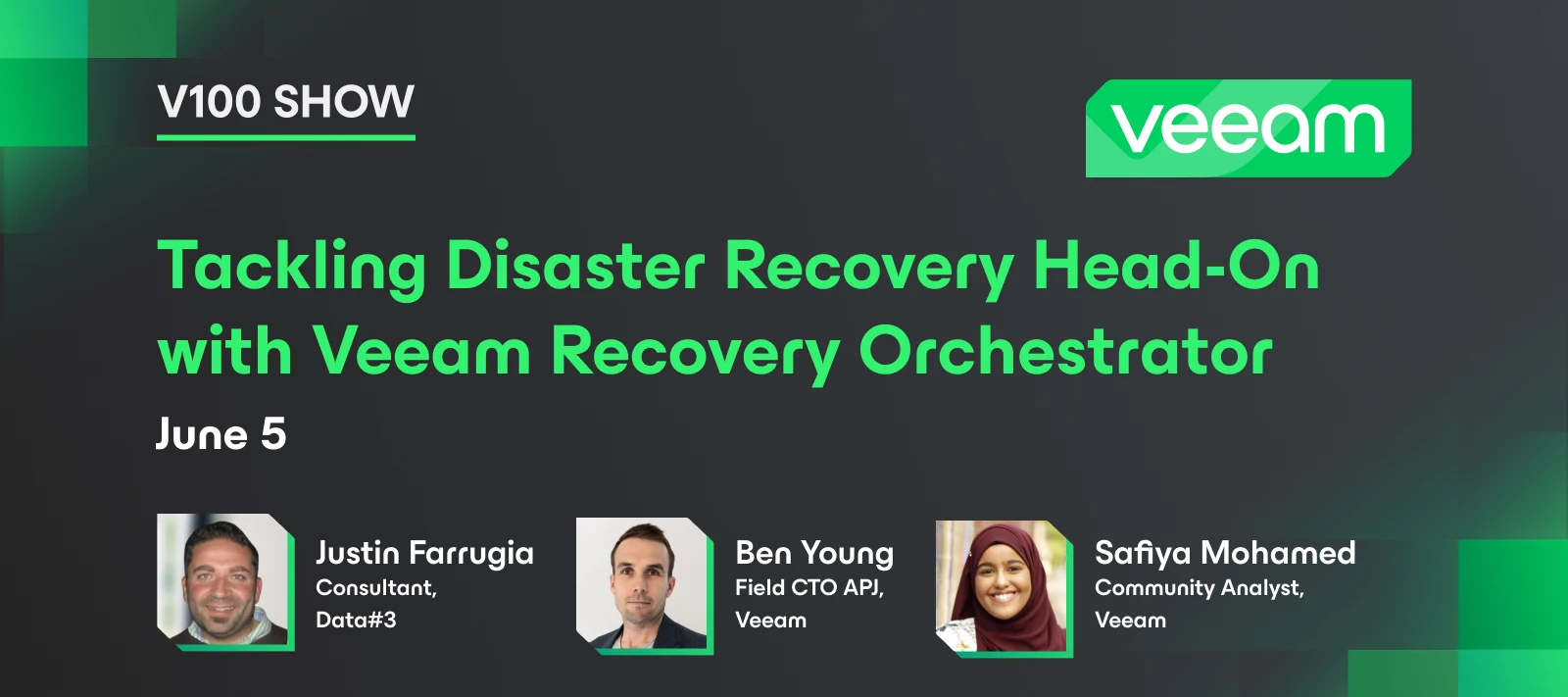
Veeam 100 show is back! We took a pause in May, but we are back this month discussing how to tackle disaster recovery with Veeam Recovery Orchestrator. Hear from Veeam Vanguard, Justin to learn about his strategies for RTO/RPO, how VRO simplifies recovery on Azure and Hyper-V, and see real-world use cases showcasing VRO's orchestration and reporting capabilities. And stay tuned to see Justin give a live demo of VRO. Thanks @Faruge @benyoung for joining us this month! If you missed the show, catch the recording here: 💭 Stay updated with Justin on his YouTube channel - https://www.youtube.com/@labbingit 💡 Follow the VRO Heroes Den here on the Hub for more VRO content: VRO Heroes Den
Happy Tuesday everyone! It seems like we have a clear winner this month, congratulations @Dynamic ! 👏
One of the standout features in Veeam’s arsenal is the ability to verify backups in an isolated VMWare and / or Hyper-V environment using SureBackup and DataLabs. These tools allow organizations to automatically spin up virtual machine and agent-based backups in a secure, sandboxed network…. often referred to as a “Clean room”, where Veeam can (but not limited to):Ensure the backup does not contain any malware / ransomware / virus’ Check for file system consistency Verify application services start as expected Perform custom script checks to validate functionalityWhile these capabilities shine in an on-premises VMware and Hyper-V environment, verifying backups in Azure brings a different set of technical challenges:No vSwitch / vRouter control in Azure Lack of deep VM network customization No ability to intercept or NAT Traffic Azure resource constraints and API GapsWhile Azure presents challenges, the importance of verified, clean backups remain critical. Even with these challenges, w
Already have an account? Login
Enter your E-mail address. We'll send you an e-mail with instructions to reset your password.