Solved

Kasten10 Connection Error 404 after reinstall/upgrade to 5.5.0

  • November 14, 2022
  • 7 comments
  • 720 views

I just did a reinstall/upgrade of my kasten10 install. Now i get a 404 when trying to connect via portforward…


Connection Error

Request failed with status code 404 (dashboardbff-svc)


i already did:

  • restart my browser
  • kubectl rollout restart deployment -n kasten-io


my deployment via fluxcd:

---
apiVersion: source.toolkit.fluxcd.io/v1beta1
kind: HelmRepository
metadata:
name: k10
namespace: flux-system
spec:
interval: 10m0s
url: https://charts.kasten.io/
---
apiVersion: helm.toolkit.fluxcd.io/v2beta1
kind: HelmRelease
metadata:
name: k10
namespace: flux-system
spec:
chart:
spec:
chart: k10
version: 5.5.0
sourceRef:
kind: HelmRepository
name: k10
interval: 1m0s
targetNamespace: kasten-io
serviceAccountName: helm-controller

yes all pods are running…

kubectl get pods
NAME READY STATUS RESTARTS AGE
aggregatedapis-svc-656dd6874b-wft9x 1/1 Running 0 11m
auth-svc-5dddbc4c8c-b2nvx 1/1 Running 0 11m
catalog-svc-5b5ff956c4-khz29 2/2 Running 0 11m
controllermanager-svc-86dcdcfd57-fd5dm 1/1 Running 0 11m
crypto-svc-799b6f4cd7-bhq7q 4/4 Running 0 11m
dashboardbff-svc-84c8b44c7-z8dcc 1/1 Running 0 11m
executor-svc-5554f87f8c-578cf 2/2 Running 0 11m
executor-svc-5554f87f8c-t8qgv 2/2 Running 0 11m
executor-svc-5554f87f8c-xwk8w 2/2 Running 0 11m
frontend-svc-75fcfb956d-2ffzb 1/1 Running 0 11m
gateway-7b5946f847-9bgc2 1/1 Running 0 11m
jobs-svc-8467dccdb7-gz22l 1/1 Running 0 11m
kanister-svc-85745d46cc-7lbqh 1/1 Running 0 11m
kasten-io-k10-grafana-5b4df4fc79-j2wcg 1/1 Running 0 11m
logging-svc-66fdb5ddd6-887x4 1/1 Running 0 11m
metering-svc-f4b59dff-m4m6k 1/1 Running 0 11m
prometheus-server-dd7985f44-cz4m5 2/2 Running 0 11m
state-svc-78cb8f9df8-lhw4p 2/2 Running 0 11m

logs of dahsboard-scv

{"File":"kasten.io/k10/kio/tracing/tracing.go","Function":"kasten.io/k10/kio/tracing.StartProfileBuffers","Line":109,"cluster_name":"a4e9857e-fb28-4963-a067-1c3e2cd ││ {"File":"kasten.io/k10/kio/bff/dashboard.go","Function":"kasten.io/k10/kio/bff.NewDashboard","Line":74,"cluster_name":"a4e9857e-fb28-4963-a067-1c3e2cd51e9b","hostna ││ {"File":"kasten.io/k10/rest/srv/dashboardbffserver/kio_inmemorystore_handler.go","Function":"kasten.io/k10/rest/srv/dashboardbffserver.ConfigureHandlersForInMemoryS ││ {"File":"kasten.io/k10/kio/utils/swagger_utils.go","Function":"kasten.io/k10/kio/utils.ServerLogger","Line":11,"cluster_name":"a4e9857e-fb28-4963-a067-1c3e2cd51e9b" ││ Log message dropped (buffer): {"File":"kasten.io/k10/kio/tracing/tracing.go","Function":"kasten.io/k10/kio/tracing.StartProfileBuffers","Level":"info","Line":109,"M ││ {"File":"kasten.io/k10/kio/bff/dashboard.go","Function":"kasten.io/k10/kio/bff.NewDashboard","Level":"info","Line":74,"Message":"Created new DashboardBFF","Time":"2 ││ {"File":"kasten.io/k10/rest/srv/dashboardbffserver/kio_inmemorystore_handler.go","Function":"kasten.io/k10/rest/srv/dashboardbffserver.ConfigureHandlersForInMemoryS ││ {"File":"kasten.io/k10/kio/utils/swagger_utils.go","Function":"kasten.io/k10/kio/utils.ServerLogger","Level":"info","Line":11,"Message":"Serving dashboardbff at htt ││  Error: {"message":"Fluentbit connection error","function":"kasten.io/k10/kio/log/hooks/fluentbit.(*Hook).handle","linenumber":97,"file":"kasten.io/k10/kio/log/hook ││ {"File":"kasten.io/k10/kio/storagemgr/repository_stream_monitor.go","Function":"kasten.io/k10/kio/storagemgr.(*RepositoryStreamMonitor).Run","Line":82,"cluster_name ││ Log message dropped (buffer): {"File":"kasten.io/k10/kio/storagemgr/repository_stream_monitor.go","Function":"kasten.io/k10/kio/storagemgr.(*RepositoryStreamMonitor ││  Error: {"message":"Fluentbit connection error","function":"kasten.io/k10/kio/log/hooks/fluentbit.(*Hook).handle","linenumber":97,"file":"kasten.io/k10/kio/log/hook │


help appreciated

Best answer by jaiganeshjk

I am not sure why the probes are failing. It seems to fail intermittently I guess(10 times over 13 hours).

Probably cluster network/kubelet related.

However, I see from the describe output, the release name is `kasten-io-k10`

This might be related to how flux rolls out the helm release <NamespaceName-HelmReleaseName>

https://fluxcd.io/flux/components/helm/helmreleases/

// ReleaseName used for the Helm release. Defaults to a composition of

// '[TargetNamespace-]Name'.


You should try pointing the url to /kasten-io-k10/

Labels:       app=k10

              app.kubernetes.io/instance=kasten-io-k10

              app.kubernetes.io/managed-by=Helm

              app.kubernetes.io/name=k10

              component=dashboardbff

              helm.sh/chart=k10-5.5.0

              heritage=Helm

              pod-template-hash=84c8b44c7

              release=kasten-io-k10

7 comments

Madi.Cristil
Forum|alt.badge.img+8
  • Community Manager
  • November 14, 2022

@jaiganeshjk

@Yongkang 


jaiganeshjk
Forum|alt.badge.img+2
  • Experienced User
  • November 15, 2022

 @markbon Thanks for your question. 

I don’t see any 404 in the dashboard logs that you have shared. Your request doesn’t seem to come to dashboard itself.

Can you confirm if the name of the helm release is k10 and you are trying to access the URL with the correct port and path `/k10/`

Usually this path is derived from the helm release name.


  • Author
  • Comes here often
  • November 15, 2022

yes i can confirm that. But lets take another look…


kubectl get hr
NAME AGE READY STATUS
cert-manager 244d True Release reconciliation succeeded
crunchy-postgres-operator 244d True Release reconciliation succeeded
gatekeeper 244d True Release reconciliation succeeded
k10 16h True Release reconciliation succeeded
traefik-ingress 244d True Release reconciliation succeeded
kubectl describe hr k10
Name: k10
Namespace: flux-system
Labels: kustomize.toolkit.fluxcd.io/name=flux-system
kustomize.toolkit.fluxcd.io/namespace=flux-system
Annotations: <none>
API Version: helm.toolkit.fluxcd.io/v2beta1
Kind: HelmRelease
Metadata:
Creation Timestamp: 2022-11-14T19:13:29Z
Finalizers:
finalizers.fluxcd.io
Generation: 1
Managed Fields:
API Version: helm.toolkit.fluxcd.io/v2beta1
Fields Type: FieldsV1
fieldsV1:
f:metadata:
f:labels:
f:kustomize.toolkit.fluxcd.io/name:
f:kustomize.toolkit.fluxcd.io/namespace:
f:spec:
f:chart:
f:spec:
f:chart:
f:sourceRef:
f:kind:
f:name:
f:version:
f:interval:
f:serviceAccountName:
f:targetNamespace:
Manager: kustomize-controller
Operation: Apply
Time: 2022-11-14T19:13:29Z
API Version: helm.toolkit.fluxcd.io/v2beta1
Fields Type: FieldsV1
fieldsV1:
f:metadata:
f:finalizers:
.:
v:"finalizers.fluxcd.io":
Manager: helm-controller
Operation: Update
Time: 2022-11-14T19:13:29Z
API Version: helm.toolkit.fluxcd.io/v2beta1
Fields Type: FieldsV1
fieldsV1:
f:status:
f:conditions:
f:helmChart:
f:lastAppliedRevision:
f:lastAttemptedRevision:
f:lastAttemptedValuesChecksum:
f:lastReleaseRevision:
f:observedGeneration:
Manager: helm-controller
Operation: Update
Subresource: status
Time: 2022-11-14T19:14:51Z
Resource Version: 5019457668
UID: c032872b-2899-44d2-98f0-c05f5844eca1
Spec:
Chart:
Spec:
Chart: k10
Reconcile Strategy: ChartVersion
Source Ref:
Kind: HelmRepository
Name: k10
Version: 5.5.0
Interval: 1m0s
Service Account Name: helm-controller
Target Namespace: kasten-io
Status:
Conditions:
Last Transition Time: 2022-11-14T19:14:51Z
Message: Release reconciliation succeeded
Reason: ReconciliationSucceeded
Status: True
Type: Ready
Last Transition Time: 2022-11-14T19:14:51Z
Message: Helm install succeeded
Reason: InstallSucceeded
Status: True
Type: Released
Helm Chart: flux-system/flux-system-k10
Last Applied Revision: 5.5.0
Last Attempted Revision: 5.5.0
Last Attempted Values Checksum: da39a3ee5e6b4b0d3255bfef95601890afd80709
Last Release Revision: 1
Observed Generation: 1
Events: <none>


Well the event logs states the aren’t healty… but i cant figure out why...


kubectl get events
LAST SEEN TYPE REASON OBJECT MESSAGE
17m Warning Unhealthy pod/controllermanager-svc-86dcdcfd57-fd5dm Readiness probe failed: Get "http://10.2.4.48:8000/v0/healthz": context deadline exceeded (Client.Timeout exceeded while awaiting headers)
19m Warning Unhealthy pod/dashboardbff-svc-84c8b44c7-z8dcc Liveness probe failed: Get "http://10.2.5.170:8000/v0/healthz": context deadline exceeded (Client.Timeout exceeded while awaiting headers)
33m Warning Unhealthy pod/dashboardbff-svc-84c8b44c7-z8dcc Readiness probe failed: Get "http://10.2.5.170:8000/v0/healthz": context deadline exceeded (Client.Timeout exceeded while awaiting headers)
kubectl describe pod dashboardbff-svc-84c8b44c7-z8dcc
Name: dashboardbff-svc-84c8b44c7-z8dcc
Namespace: kasten-io
Priority: 0
Node: nodepool-b2-30-nov-2022-node-315238/51.75.88.5
Start Time: Mon, 14 Nov 2022 20:35:00 +0100
Labels: app=k10
app.kubernetes.io/instance=kasten-io-k10
app.kubernetes.io/managed-by=Helm
app.kubernetes.io/name=k10
component=dashboardbff
helm.sh/chart=k10-5.5.0
heritage=Helm
pod-template-hash=84c8b44c7
release=kasten-io-k10
run=dashboardbff-svc
Annotations: checksum/config: 73618af76bc5fbcf422d13aa36648f4f5c01de805720afb434b0ac005dd99710
checksum/frontend-nginx-config: 8ef964e44c825efbe25977f03144e4db444d5a49a7855516af167f93e877e0b2
checksum/secret: 545c38b0922de19734fbffde62792c37c2aef6a3216cfa472449173165220f7d
cni.projectcalico.org/containerID: 30df56ebc170abebb485ed545024ded9572400aea614e841b9e5aae496b3b3f9
cni.projectcalico.org/podIP: 10.2.5.170/32
cni.projectcalico.org/podIPs: 10.2.5.170/32
kubectl.kubernetes.io/restartedAt: 2022-11-14T20:34:49+01:00
Status: Running
IP: 10.2.5.170
IPs:
IP: 10.2.5.170
Controlled By: ReplicaSet/dashboardbff-svc-84c8b44c7
Containers:
dashboardbff-svc:
Container ID: containerd://a3cd025059f71e0d8cc35a42cefc388e739ace68b1ab9063ca094ca953c48960
Image: gcr.io/kasten-images/dashboardbff:5.5.0
Image ID: gcr.io/kasten-images/dashboardbff@sha256:bd412356e1e7cdcfe66f573334c936e0d68640718f206153f18886ab9f4cc62a
Port: 8000/TCP
Host Port: 0/TCP
State: Running
Started: Mon, 14 Nov 2022 20:35:15 +0100
Ready: True
Restart Count: 0
Requests:
cpu: 8m
memory: 40Mi
Liveness: http-get http://:8000/v0/healthz delay=300s timeout=1s period=10s #success=1 #failure=3
Readiness: http-get http://:8000/v0/healthz delay=3s timeout=1s period=10s #success=1 #failure=3
Environment:
VERSION: <set to the key 'version' of config map 'k10-config'> Optional: false
MODEL_STORE_DIR: <set to the key 'modelstoredirname' of config map 'k10-config'> Optional: false
LOG_LEVEL: <set to the key 'loglevel' of config map 'k10-config'> Optional: false
POD_NAMESPACE: kasten-io (v1:metadata.namespace)
CONCURRENT_SNAP_CONVERSIONS: <set to the key 'concurrentSnapConversions' of config map 'k10-config'> Optional: false
CONCURRENT_WORKLOAD_SNAPSHOTS: <set to the key 'concurrentWorkloadSnapshots' of config map 'k10-config'> Optional: false
K10_DATA_STORE_PARALLEL_UPLOAD: <set to the key 'k10DataStoreParallelUpload' of config map 'k10-config'> Optional: false
K10_DATA_STORE_GENERAL_CONTENT_CACHE_SIZE_MB: <set to the key 'k10DataStoreGeneralContentCacheSizeMB' of config map 'k10-config'> Optional: false
K10_DATA_STORE_GENERAL_METADATA_CACHE_SIZE_MB: <set to the key 'k10DataStoreGeneralMetadataCacheSizeMB' of config map 'k10-config'> Optional: false
K10_DATA_STORE_RESTORE_CONTENT_CACHE_SIZE_MB: <set to the key 'k10DataStoreRestoreContentCacheSizeMB' of config map 'k10-config'> Optional: false
K10_DATA_STORE_RESTORE_METADATA_CACHE_SIZE_MB: <set to the key 'k10DataStoreRestoreMetadataCacheSizeMB' of config map 'k10-config'> Optional: false
K10_LIMITER_GENERIC_VOLUME_SNAPSHOTS: <set to the key 'K10LimiterGenericVolumeSnapshots' of config map 'k10-config'> Optional: false
K10_LIMITER_GENERIC_VOLUME_COPIES: <set to the key 'K10LimiterGenericVolumeCopies' of config map 'k10-config'> Optional: false
K10_LIMITER_GENERIC_VOLUME_RESTORES: <set to the key 'K10LimiterGenericVolumeRestores' of config map 'k10-config'> Optional: false
K10_LIMITER_CSI_SNAPSHOTS: <set to the key 'K10LimiterCsiSnapshots' of config map 'k10-config'> Optional: false
K10_LIMITER_PROVIDER_SNAPSHOTS: <set to the key 'K10LimiterProviderSnapshots' of config map 'k10-config'> Optional: false
AWS_ASSUME_ROLE_DURATION: <set to the key 'AWSAssumeRoleDuration' of config map 'k10-config'> Optional: false
K10_RELEASE_NAME: kasten-io-k10
KANISTER_FUNCTION_VERSION: <set to the key 'kanisterFunctionVersion' of config map 'k10-config'> Optional: false
K10_PROMETHEUS_HOST: prometheus-server-exp
K10_PROMETHEUS_PORT: 80
K10_PROMETHEUS_BASE_URL: /k10/prometheus/
K10_GRAFANA_ENABLED: true
Mounts:
/var/run/secrets/kubernetes.io/serviceaccount from kube-api-access-464k9 (ro)
Conditions:
Type Status
Initialized True
Ready True
ContainersReady True
PodScheduled True
Volumes:
kube-api-access-464k9:
Type: Projected (a volume that contains injected data from multiple sources)
TokenExpirationSeconds: 3607
ConfigMapName: kube-root-ca.crt
ConfigMapOptional: <nil>
DownwardAPI: true
QoS Class: Burstable
Node-Selectors: <none>
Tolerations: node.kubernetes.io/not-ready:NoExecute op=Exists for 300s
node.kubernetes.io/unreachable:NoExecute op=Exists for 300s
Events:
Type Reason Age From Message
---- ------ ---- ---- -------
Warning Unhealthy 34m (x10 over 13h) kubelet Readiness probe failed: Get "http://10.2.5.170:8000/v0/healthz": context deadline exceeded (Client.Timeout exceeded while awaiting headers)
Warning Unhealthy 19m (x10 over 16h) kubelet Liveness probe failed: Get "http://10.2.5.170:8000/v0/healthz": context deadline exceeded (Client.Timeout exceeded while awaiting headers)


jaiganeshjk
Forum|alt.badge.img+2
  • Experienced User
  • Answer
  • November 15, 2022

I am not sure why the probes are failing. It seems to fail intermittently I guess(10 times over 13 hours).

Probably cluster network/kubelet related.

However, I see from the describe output, the release name is `kasten-io-k10`

This might be related to how flux rolls out the helm release <NamespaceName-HelmReleaseName>

https://fluxcd.io/flux/components/helm/helmreleases/

// ReleaseName used for the Helm release. Defaults to a composition of

// '[TargetNamespace-]Name'.


You should try pointing the url to /kasten-io-k10/

Labels:       app=k10

              app.kubernetes.io/instance=kasten-io-k10

              app.kubernetes.io/managed-by=Helm

              app.kubernetes.io/name=k10

              component=dashboardbff

              helm.sh/chart=k10-5.5.0

              heritage=Helm

              pod-template-hash=84c8b44c7

              release=kasten-io-k10


  • Author
  • Comes here often
  • November 15, 2022

omg you are right. Thank you so much @jaiganeshjk ;)

its working again ୧〳^౪^〵୨


michaelcade
Forum|alt.badge.img+7
  • Product Strategy
  • March 29, 2025


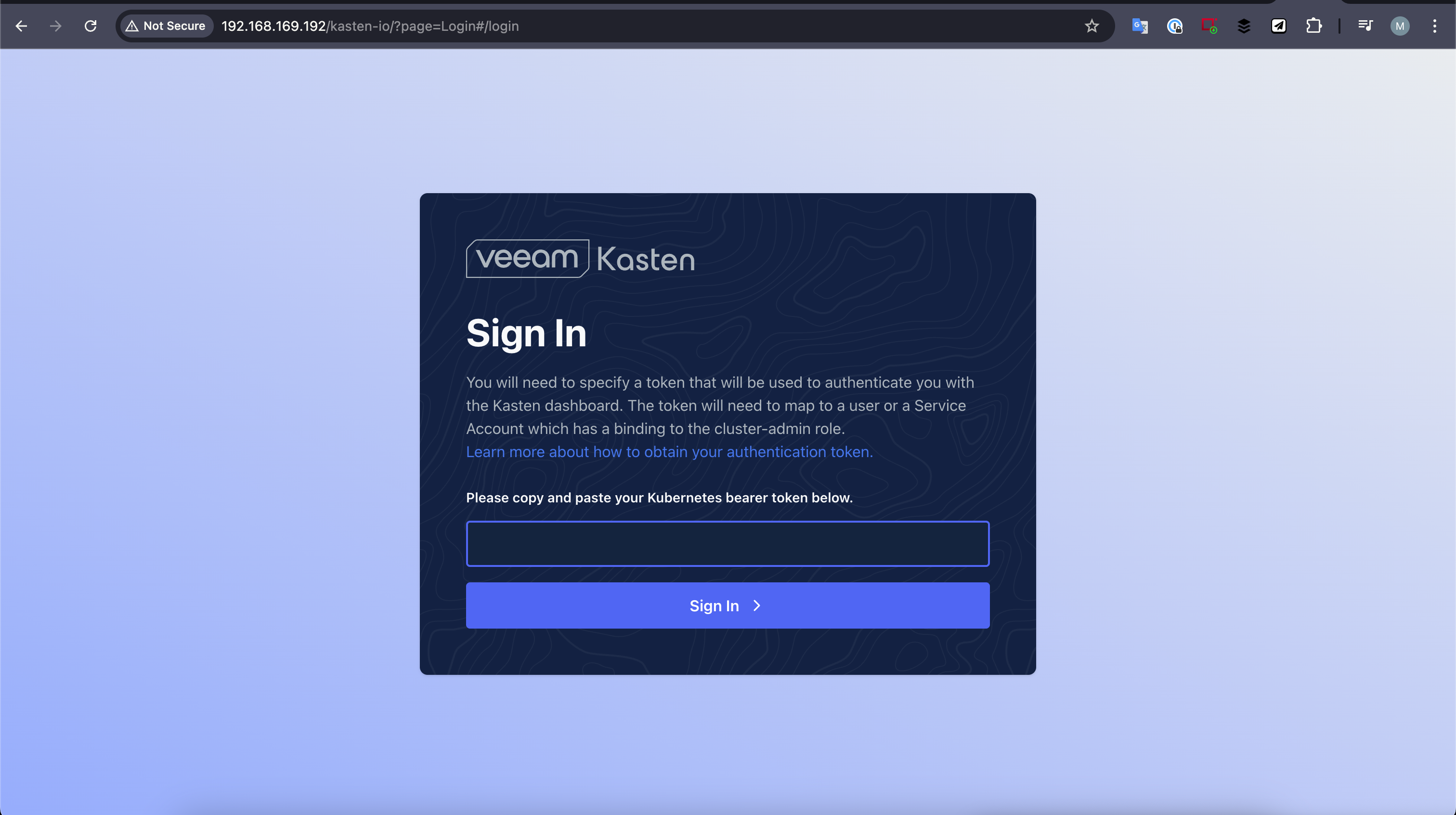
I know this was a while ago but it might help someone using ArgoCD having the same issue as above, I used ArgoCD to deploy the latest version of Veeam Kasten and /k10 did not work for me, I found this page so started troubleshooting. 
 

apiVersion: v1
kind: Service
metadata:
annotations:
kubectl.kubernetes.io/last-applied-configuration: >
{"apiVersion":"v1","kind":"Service","metadata":{"annotations":{},"labels":{"app":"k10","app.kubernetes.io/instance":"kasten-io","app.kubernetes.io/managed-by":"Helm","app.kubernetes.io/name":"k10","helm.sh/chart":"k10-7.5.8","heritage":"Helm","release":"kasten-io","service":"gateway"},"name":"gateway-ext","namespace":"kasten-io"},"spec":{"ports":[{"name":"https","port":80,"targetPort":8000}],"selector":{"service":"gateway"},"type":"LoadBalancer"}}
creationTimestamp: '2025-03-28T19:28:05Z'
labels:
app: k10
app.kubernetes.io/instance: kasten-io
app.kubernetes.io/managed-by: Helm
app.kubernetes.io/name: k10
helm.sh/chart: k10-7.5.8
heritage: Helm
release: kasten-io
service: gateway
name: gateway-ext
namespace: kasten-io

I think its the ‘app.kubernetes.io/instance: kasten-io’ that determines this, on a non deployed Kasten deployment via ArgoCD this was k10. 

Hope this helps someone, also in the regards of deploying Kasten via ArgoCD or Flux, are you then using CD for policies and configuration? Would be interested to hear your story. 


michaelcade
Forum|alt.badge.img+7
  • Product Strategy
  • March 29, 2025

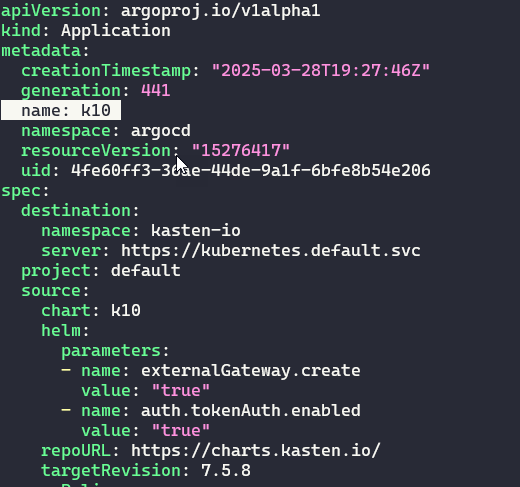
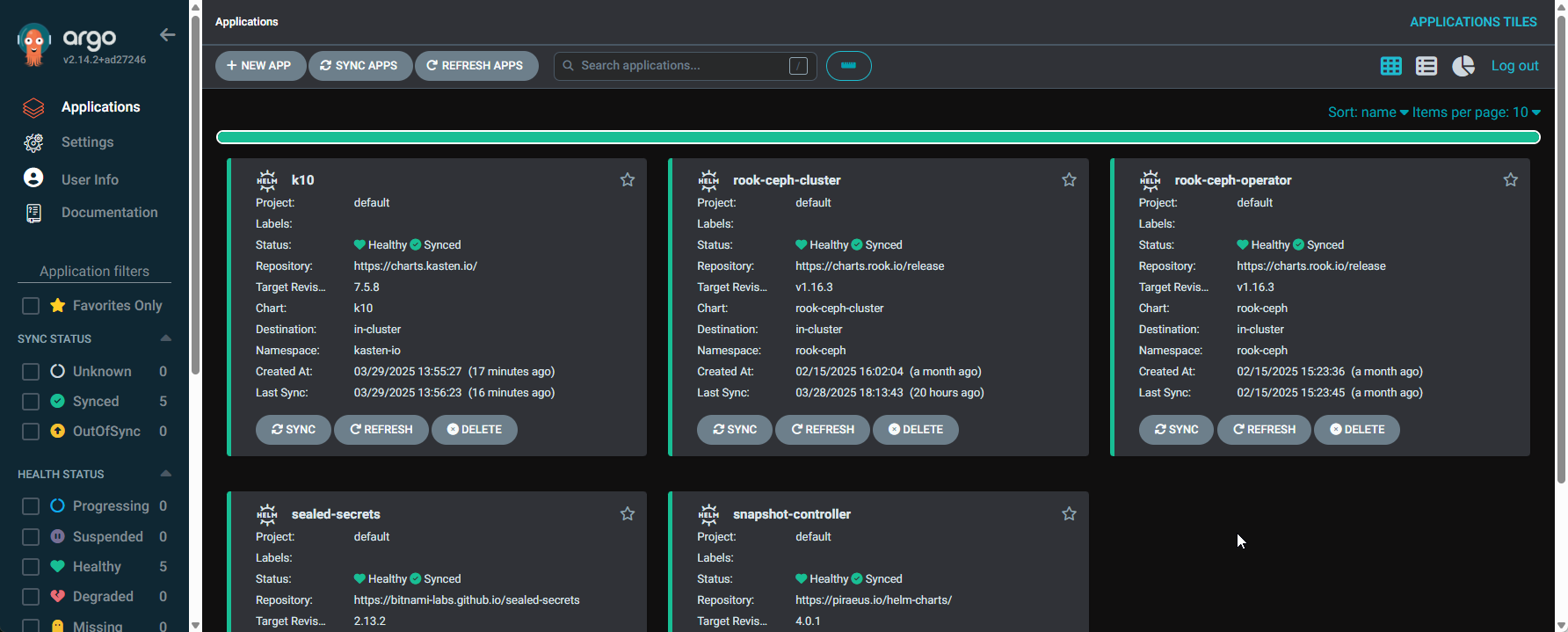
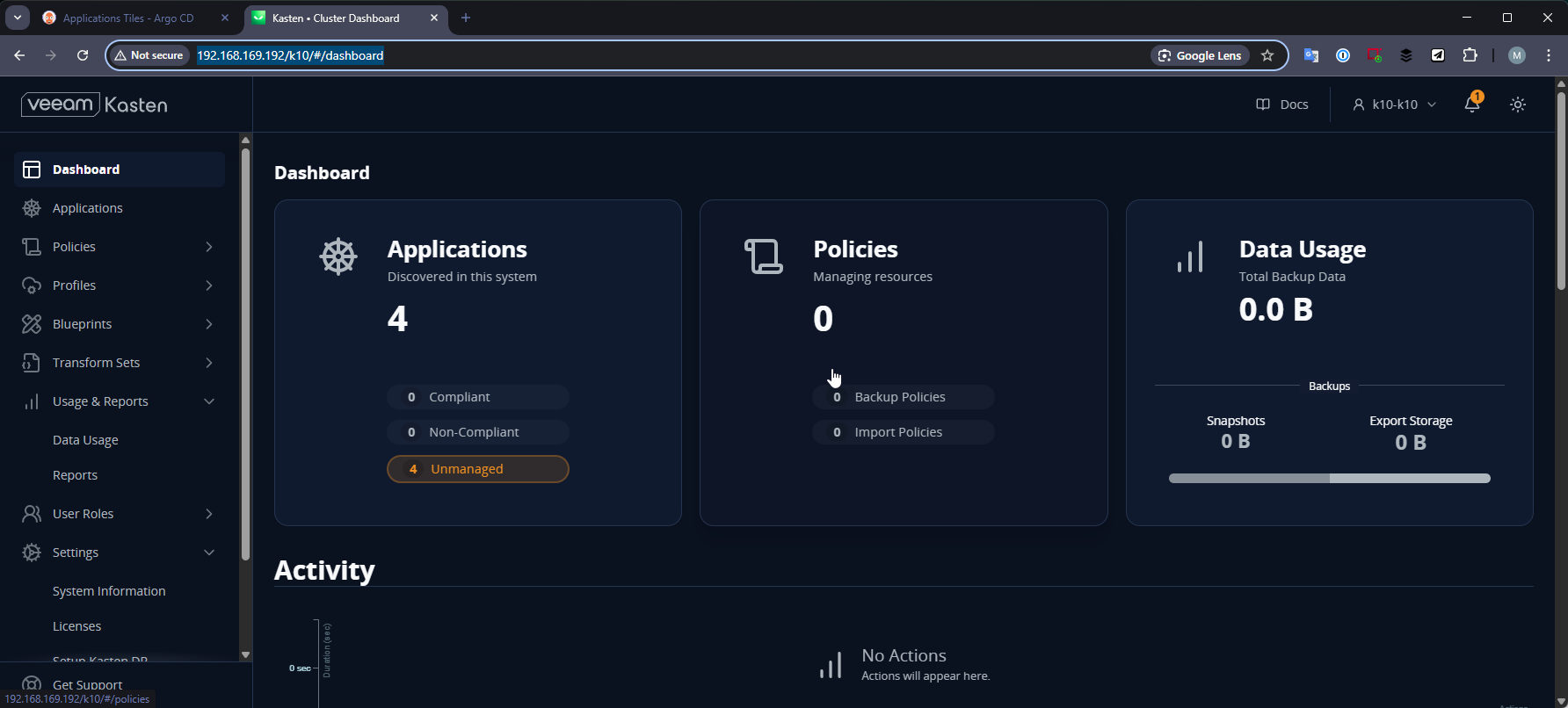
To confirm my theory above… I changed the name of my argo application 


Which in ArgoCD looks like this with k10 


and our browser to the dashboard is as so