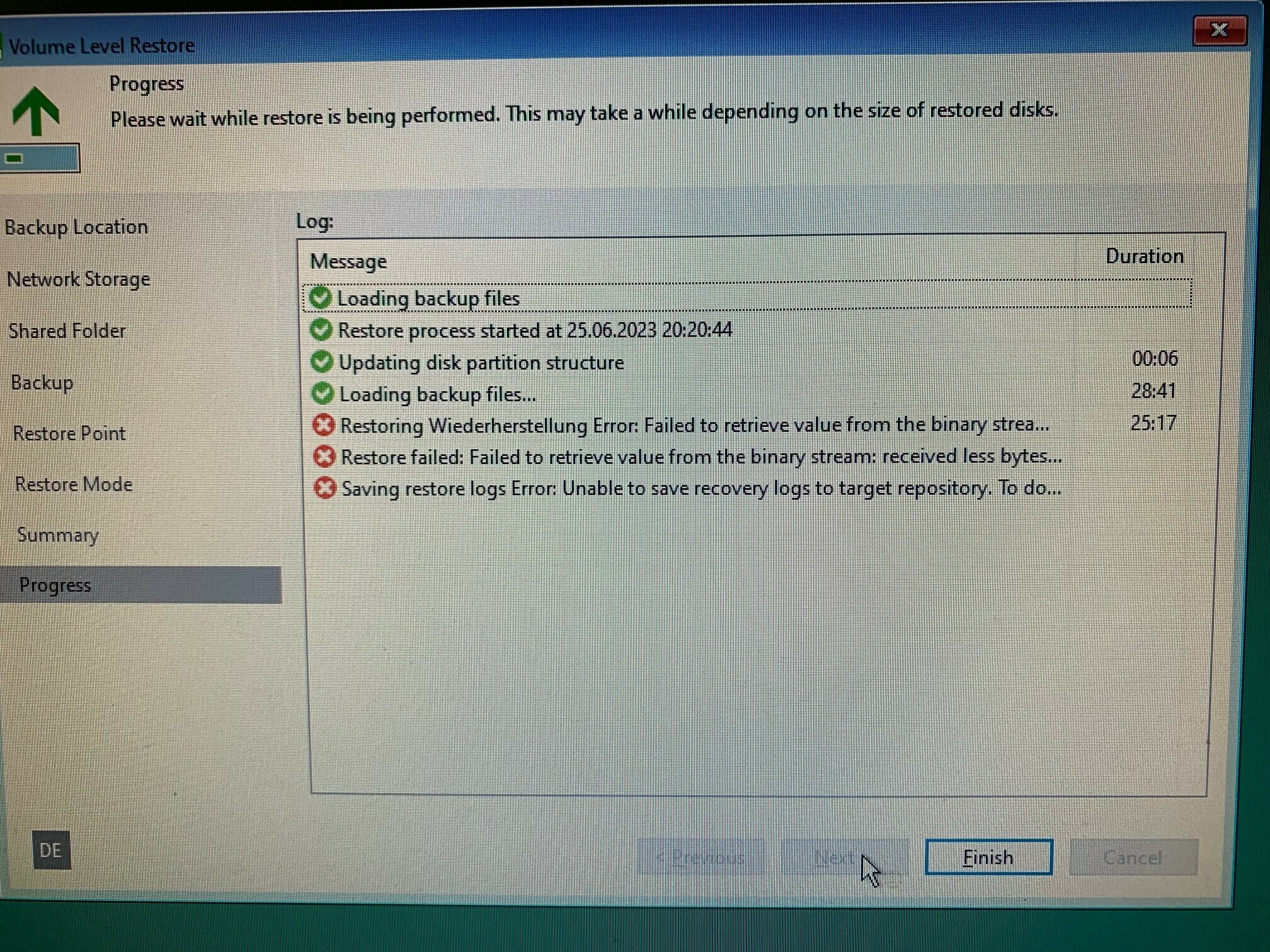
Ich hatte letzte Woche einen genau gleichen Fall (war privat/ Agent Free Edition). Ein Bare Metal Recovery auf das orginale Laptop war NICHT möglich mit genau diesem Fehler. Ich hatte diverse Dinge versucht, z.B. andere SSD verbaut und manuelles Partition mapping. Bei mir kam der Fehler allerdings früher, nach wenigen Gigabyte. Auch ein kopieren der Backup Files auf USB hat kein Unterschied gemacht.
Schlussendlich habe ich mit dem gleichen USB Stick und der gleichen Freigabe auf einem anderen Notebook erfolgreich recovern können……
Falls es dir nur darum geht Daten direkt aus dem OS recovern zu können und deshalb temporär recoverst könntest du auch in eine VM restoren.
Gut zu hören, dass ich nicht allein bin … allerdings möchte ich das System auf genau diese Maschine aufspielen, da wäre eine VM nur ein Testfall. Könnte die Netzanbindung (Kabel, …) ein Problem sein? Oder hat sonst noch jemand eine Idee?
Based on the error, it almost seems like there could be a networking issue with the retrieval of the required files. I would check networking and also the firewall ports if enabled on the SMB server (if relevant).
Based on the error, it almost seems like there could be a networking issue with the retrieval of the required files. I would check networking and also the firewall ports if enabled on the SMB server (if relevant).
Hi Chris,
yes it could be an issue with SMB credentials. On the other hand I use the same setup for backup and get no errors. A big problem is that the error comes up so very late after many bytes have been transferred. Would like to set up a small test case but don’t know how!
Tests run so far:
Restore “operating system only” with a USB-drive → works.
Restore “operating system only” via network (new, very short cable) from last full-backup → step “loading backup files” is much faster, but again an error during “restore” phase
Question: is there any way to have a look to log-files. i.e. via opening a command line?