As a Solution Engineer, I never demo or validate a solution in production, and I shouldn’t. MS Dev tenants are the standard: isolated, safe, and disposable.
On paper, they’re ideal: all M365 services are provisioned, licensed, and ready.
In reality, they’re empty shells. Blank mailboxes. Empty SharePoint sites. Silent Teams. No data, no history, no behavior. And without behavior, I can’t properly demonstrate, test, or stress a solution.
That’s the real issue: I don’t need just a tenant, I need a living environment. One that reflects real-world structures, volumes, permissions, and inconsistencies. Without that, demos feel artificial, performance tests are misleading, and edge cases only appear in production.
I started by building scripts to automate content creation in M365. It worked, up to a point.
As soon as I needed randomness in the assets, multiple item types, and all their specific behaviors, the setup became increasingly hard to manage. Too many scripts, too many parameters, too much orchestration logic spread everywhere.
That’s when the idea shifted.
Instead of juggling independent scripts, I needed a single engine capable of building realistic M365 environments on demand. One orchestrator that drives data creation across Exchange, OneDrive, SharePoint, and Teams, following real usage patterns..
I control the scale, the variability, and the timing. I can generate a tenant that looks six months old, simulate intense collaboration, or reproduce complex folder and permission hierarchies in a single run.
The result isn’t just more data, it’s confidence.
Demos feel authentic, tests reflect real conditions, and my MS dev tenants finally behave like the environments my customers actually run.
That’s exactly why I built my M365 Fake Data Generator :
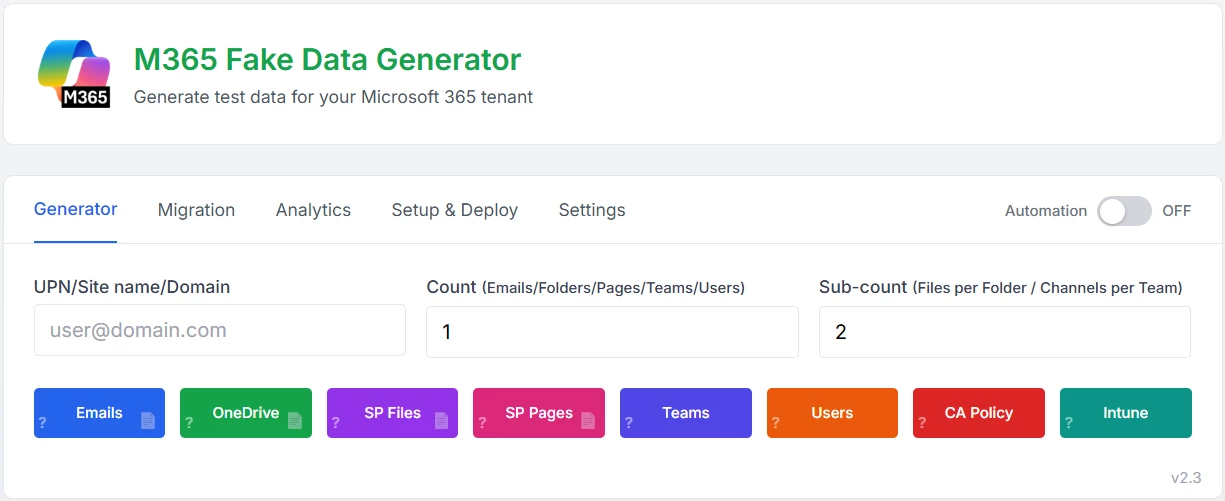
The main idea is to act in 3 steps:
- Generate data
it automatically create realistic M365 content (users, mailboxes, OneDrive and SharePoint files, SharePoint pages, Teams activity, CA policies, Intune compliances) following real usage patterns.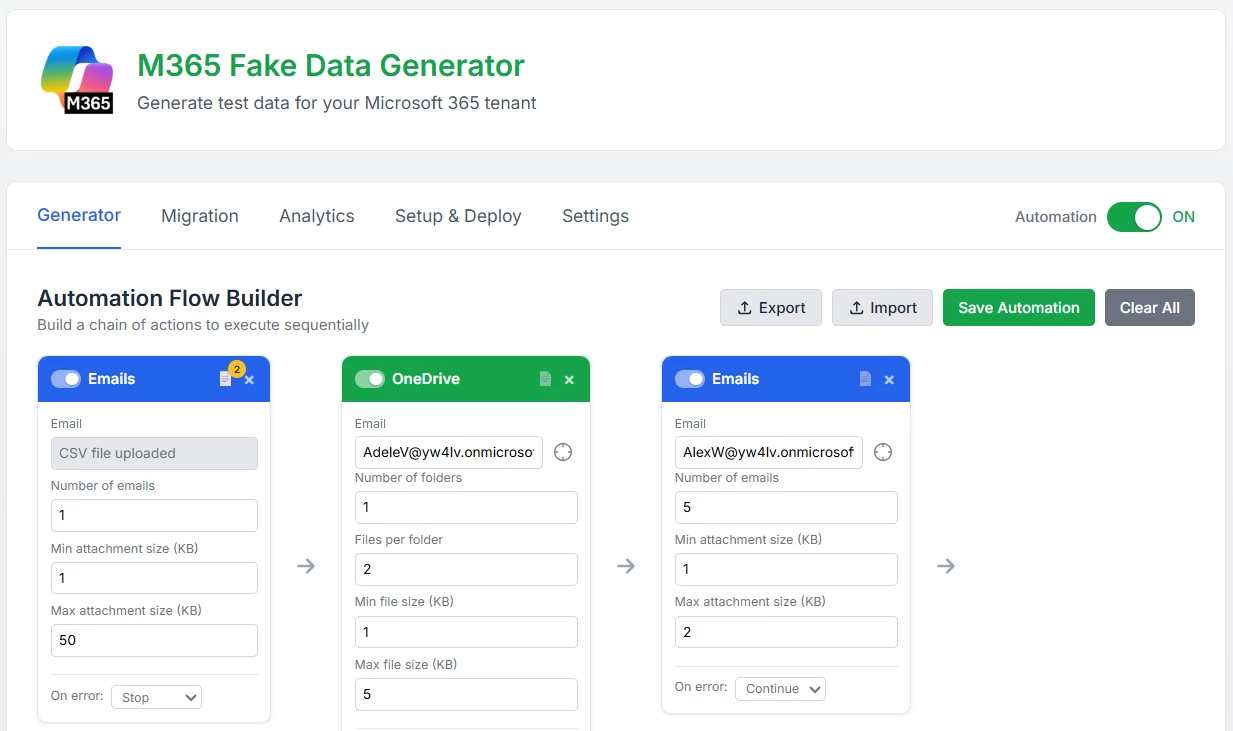
- Copy / migrate data between UPN
Easily scale a user’s data asset model to another user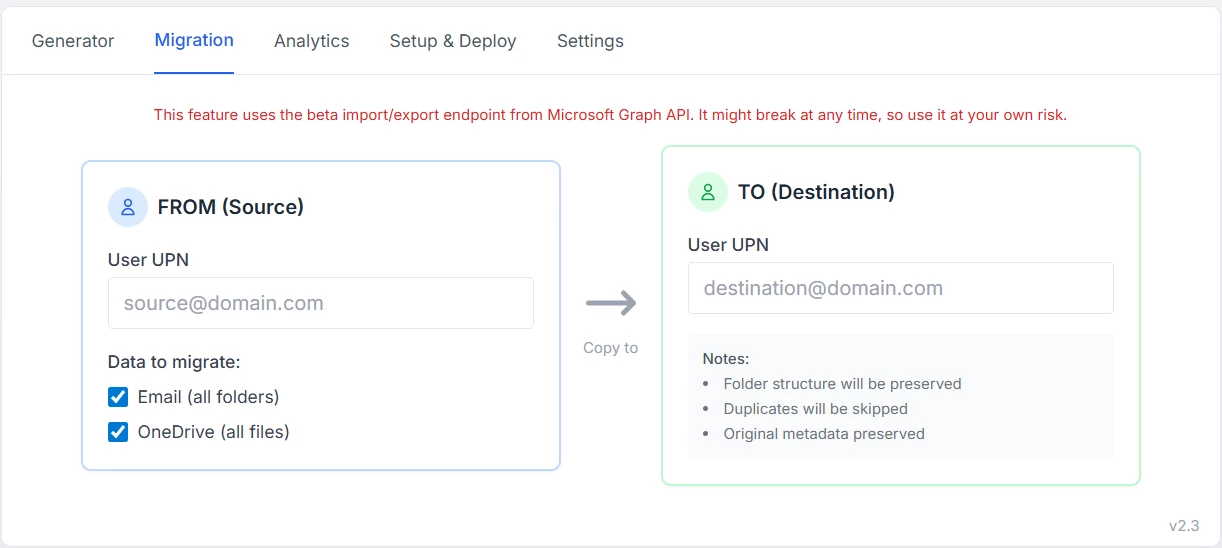
- Analyze your MS dev tenant
it extract insights from the tenant to understand data distribution, relationships, volume, and overall behavior.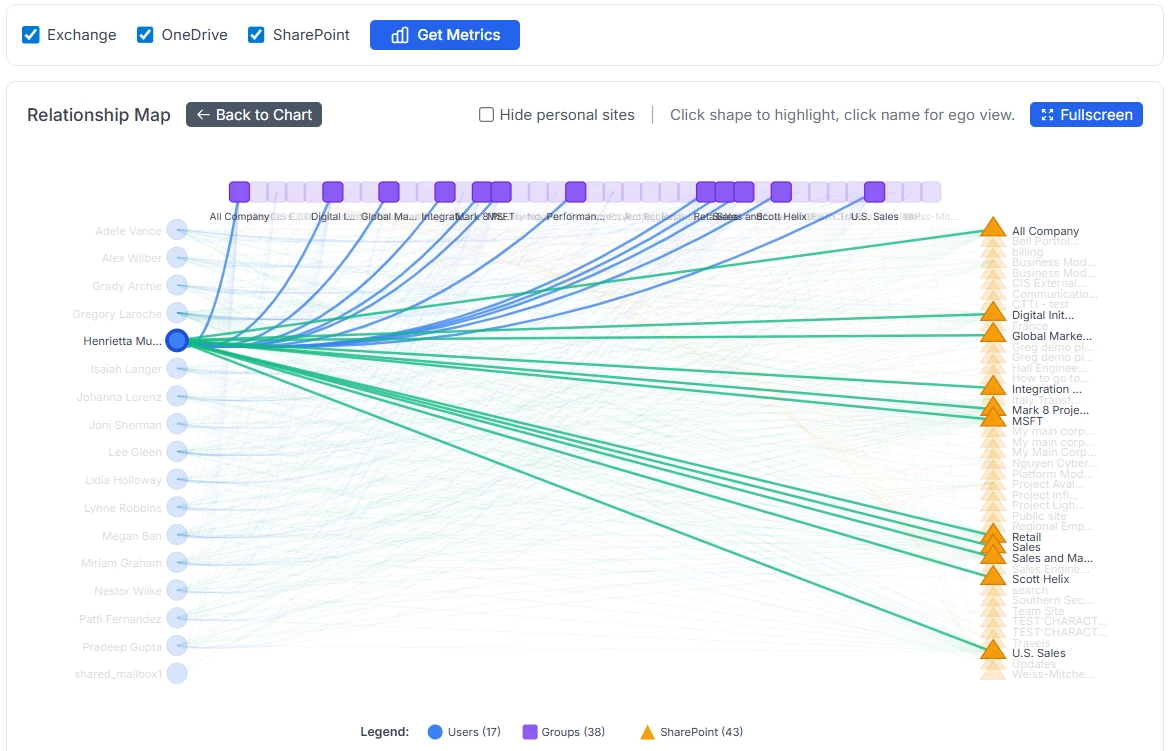
If you want to try it, I host it myself and you can find it here:
https://m365generator.point4.fr
login : GregHSH
Password : Bilbothehobbit
it comes with a pretty long list of features. To avoid repeating the full explanation here, I’m sharing my blog article where all details are documented: https://home.point4.fr/m365-fake-data-generator-and-data-migration/
Here’s my very first post to this awesome community, super excited to share it with you all!😊
Cheers,
Greg.