Announcing AsBuiltReport.Veeam.VBR 1.0.0

  • April 11, 2026
  • 25 comments
  • 131 views

jcolonfzenpr

Hi,


We are thrilled to announce the general availability of AsBuiltReport.Veeam.VBR 1.0.0 — a comprehensive PowerShell module that generates professional as-built documentation reports for Veeam Backup & Replication (VBR) infrastructure.


What is AsBuiltReport.Veeam.VBR?

AsBuiltReport.Veeam.VBR is a specialized report generator that plugs into the AsBuiltReport framework to automatically document your VBR environment. It produces multi-format reports (HTML, Word, Text) that capture the complete state of your backup infrastructure—from backup jobs and repositories to proxies, tape libraries integration, cloud gateways, and more.


Key Features

  • Report Sections — Comprehensive coverage of all VBR components including backup repositories, jobs, proxies, WAN accelerators, tape integration, and cloud connectivity
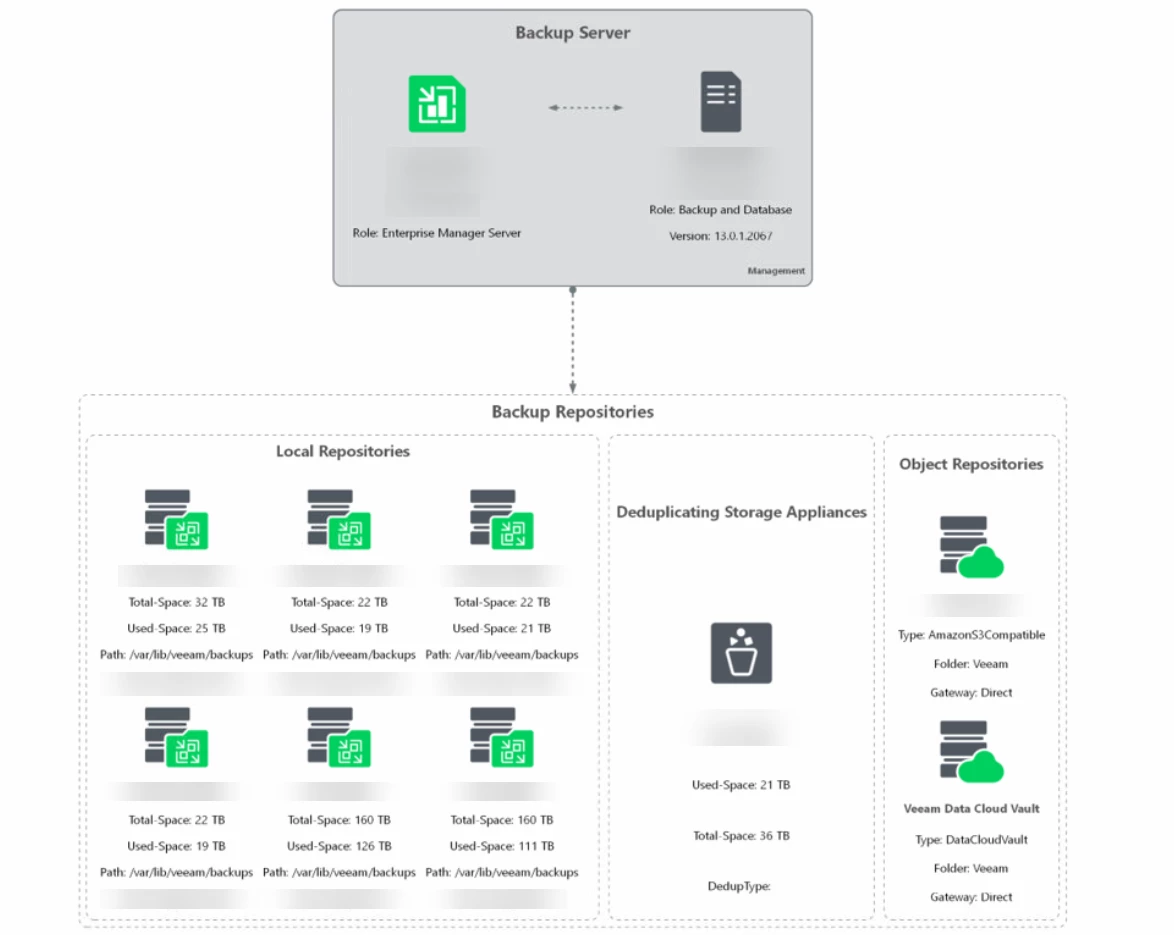
  • Diagram Types — Visual representations of your infrastructure, including backup-to-repository flows, proxy routing, and tape library topology
  • Flexible InfoLevel Configuration — Control reporting depth (summary, advanced, or detailed) per section
  • Health Checks — Highlight potential issues and non-optimal configurations with automated validation
  • Multiple Output Formats — Generate HTML, Word, or text reports with consistent styling
  • Diagram Customization — Three themes (White, Black, Neon) and export to PNG, SVG, or PDF


Supported Environments

  • VBR Versions: v12+ (Windows); VBR v13 (Windows and Appliance installs)
  • PowerShell: Windows PowerShell 5.1 for VBR v12; PowerShell 7 for VBR v13
  • Operating System: Windows, Linux with PowerShell 7 modules for VBR v13


Report Sample

Sample HTML File


Getting Started

To install the module, run:

Install-Module -Name AsBuiltReport.Veeam.VBR


Once installed, you can generate a report with:

New-AsBuiltReport -Report Veeam.VBR -Target <VBRServer> -Username <User> -Password <Password> -Format Html,Word -OutputFolderPath <Path>


To use the GUI (In Beta), simply run:

Start-AsBuiltReportVBR
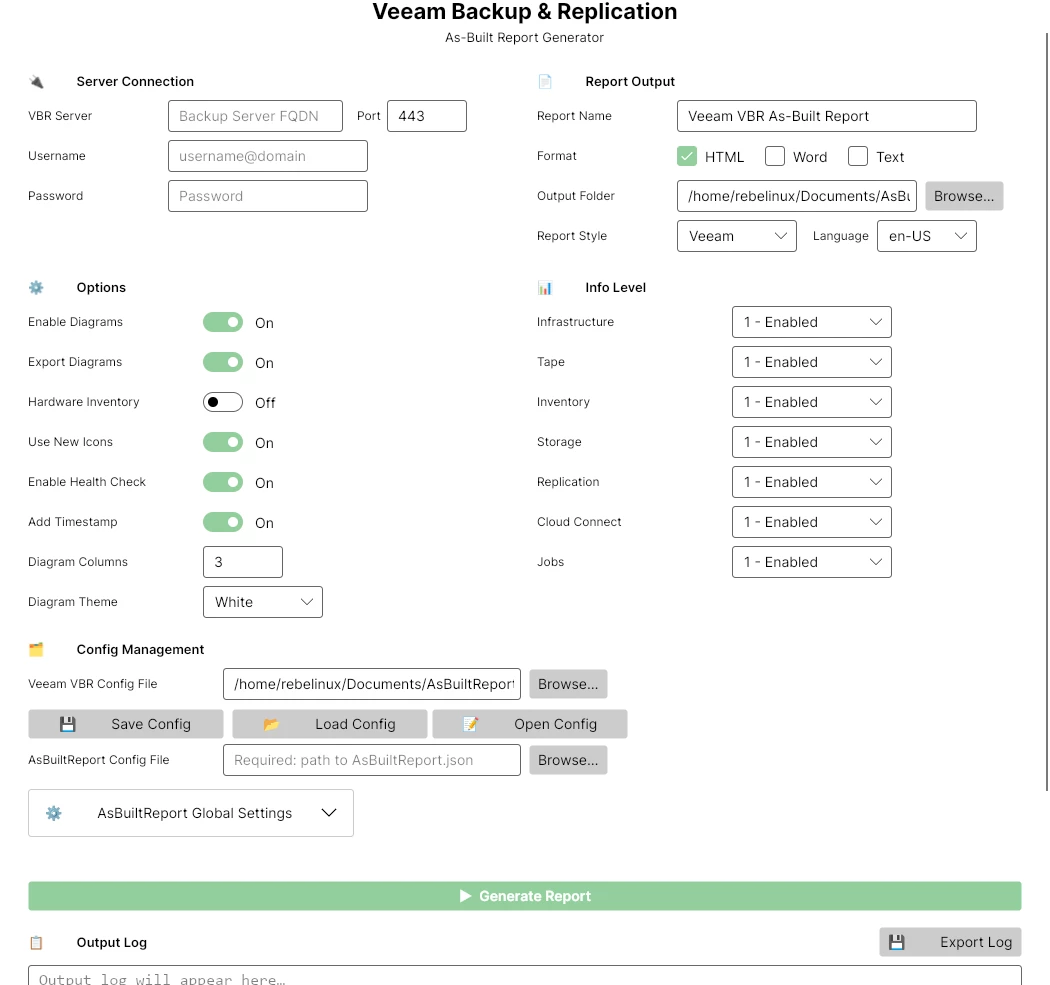


Refer to the README for detailed usage instructions and examples.


Enjoy!

25 comments

coolsport00
Forum|alt.badge.img+22
  • Veeam Legend
  • April 11, 2026

This is GREAT news ​@jcolonfzenpr ! Thank you for providing this not just to the Community, but to all Veeam users 🙌🏻


Chris.Childerhose
Forum|alt.badge.img+21

Having used previous versions of this app this looks amazing.  Love the GUI option even if beta so will be testing that for sure.   Let's jump in.   😜


Dynamic
Forum|alt.badge.img+13
  • Veeam Vanguard
  • April 11, 2026

Hey Jonathan. This is great! Thank you so much for further developing this awesome tool. 


jcolonfzenpr

Does anyone have access to Cloud Connect? Unfortunately, my Homelab license has expired and I have no way to run tests in that environment :( 


Chris.Childerhose
Forum|alt.badge.img+21

Does anyone have access to Cloud Connect? Unfortunately, my Homelab license has expired and I have no way to run tests in that environment :( 

We run it and I can test with it Monday for you.


Chris.Childerhose
Forum|alt.badge.img+21

@jcolonfzenpr Anything special with VCC you want tested?


kciolek
Forum|alt.badge.img+4
  • Influencer
  • April 13, 2026

great news! thanks for sharing!


Dynamic
Forum|alt.badge.img+13
  • Veeam Vanguard
  • April 13, 2026

Hi again, I just implemented the current release in a VBR v13 VSA with HA deployment. Also tried the new GUI. What I can say so far: It’s like Veeam! It Just Works 😀 wow!


Maybe a feature request, If possible - in the Report there’s no Hint about the HA configuration (afaik or can see...). It would be very nice to see, which Nodes are Build the HA construct.

Great Job Jonathan! Thank you!
My vote for Blog of the month!
 

I will integrate the scheduled task for this later this week at this customers Installation and also the encrypted credentials. Both my customers, colleagues and me, we are sooooooo happy to have this back!


jcolonfzenpr

Hi again, I just implemented the current release in a VBR v13 VSA with HA deployment. Also tried the new GUI. What I can say so far: It’s like Veeam! It Just Works 😀 wow!


Maybe a feature request, If possible - in the Report there’s no Hint about the HA configuration (afaik or can see...). It would be very nice to see, which Nodes are Build the HA construct.

Great Job Jonathan! Thank you!
My vote for Blog of the month!
 

I will integrate the scheduled task for this later this week at this customers Installation and also the encrypted credentials. Both my customers, colleagues and me, we are sooooooo happy to have this back!

If the high-availability information can be retrieved using PowerShell or a REST API, it can be implemented. Could you share how you configure the schedule? I'd like to add that option so it can be configured in the GUI. 


jcolonfzenpr

@jcolonfzenpr Anything special with VCC you want tested?

I would like to know if the Cloud Connect sessions proceed without errors and if the diagrams are generated. 


jcolonfzenpr

Hi again, I just implemented the current release in a VBR v13 VSA with HA deployment. Also tried the new GUI. What I can say so far: It’s like Veeam! It Just Works 😀 wow!


Maybe a feature request, If possible - in the Report there’s no Hint about the HA configuration (afaik or can see...). It would be very nice to see, which Nodes are Build the HA construct.

Great Job Jonathan! Thank you!
My vote for Blog of the month!
 

I will integrate the scheduled task for this later this week at this customers Installation and also the encrypted credentials. Both my customers, colleagues and me, we are sooooooo happy to have this back!

If the high-availability information can be retrieved using PowerShell or a REST API, it can be implemented. Could you share how you configure the schedule? I'd like to add that option so it can be configured in the GUI. 

What type of dedup appliance do you have because the Type field is blank? 


Dynamic
Forum|alt.badge.img+13
  • Veeam Vanguard
  • April 13, 2026

Hi again, I just implemented the current release in a VBR v13 VSA with HA deployment. Also tried the new GUI. What I can say so far: It’s like Veeam! It Just Works 😀 wow!


Maybe a feature request, If possible - in the Report there’s no Hint about the HA configuration (afaik or can see...). It would be very nice to see, which Nodes are Build the HA construct.

Great Job Jonathan! Thank you!
My vote for Blog of the month!
 

I will integrate the scheduled task for this later this week at this customers Installation and also the encrypted credentials. Both my customers, colleagues and me, we are sooooooo happy to have this back!

If the high-availability information can be retrieved using PowerShell or a REST API, it can be implemented. Could you share how you configure the schedule? I'd like to add that option so it can be configured in the GUI. 


I do this by using scheduled tasks within Windows. Preparing your whole PowerShell command into a single .PS1 file. Also, I use the option to encrypt the password in a XML file. 
I only used your well documented options 😉 Here’s my old step-by-step guide: Documentation by AsBuiltReport.


Dynamic
Forum|alt.badge.img+13
  • Veeam Vanguard
  • April 13, 2026

Hi again, I just implemented the current release in a VBR v13 VSA with HA deployment. Also tried the new GUI. What I can say so far: It’s like Veeam! It Just Works 😀 wow!


Maybe a feature request, If possible - in the Report there’s no Hint about the HA configuration (afaik or can see...). It would be very nice to see, which Nodes are Build the HA construct.

Great Job Jonathan! Thank you!
My vote for Blog of the month!
 

I will integrate the scheduled task for this later this week at this customers Installation and also the encrypted credentials. Both my customers, colleagues and me, we are sooooooo happy to have this back!

If the high-availability information can be retrieved using PowerShell or a REST API, it can be implemented. Could you share how you configure the schedule? I'd like to add that option so it can be configured in the GUI. 

What type of dedup appliance do you have because the Type field is blank? 


It’s a Dell DataDomain, with activated Retention Lock Compliance Mode.


Chris.Childerhose
Forum|alt.badge.img+21

@jcolonfzenpr Anything special with VCC you want tested?

I would like to know if the Cloud Connect sessions proceed without errors and if the diagrams are generated. 

Ok, let me test it and let you know.


Chris.Childerhose
Forum|alt.badge.img+21

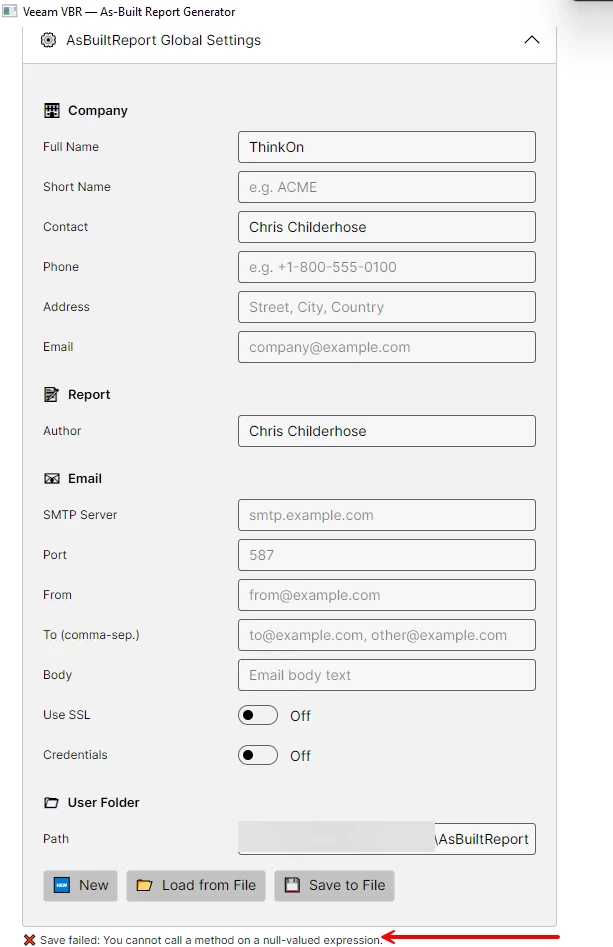
@jcolonfzenpr -- Seeing this error in the Global Settings section after filling out details.


Chris.Childerhose
Forum|alt.badge.img+21

Running on VCC server now and taking a while to collect data.  Going to let it run overnight and see tomorrow.  Will update you then.


jcolonfzenpr

@jcolonfzenpr -- Seeing this error in the Global Settings section after filling out details.


It appears all fields are required. I will modify the form to specify which fields are required and which are not. Thank you for reporting the bug.


Chris.Childerhose
Forum|alt.badge.img+21

@jcolonfzenpr -- Seeing this error in the Global Settings section after filling out details.


It appears all fields are required. I will modify the form to specify which fields are required and which are not. Thank you for reporting the bug.

Not a problem happy to help.  Let you know about the VCC report tomorrow.


Chris.Childerhose
Forum|alt.badge.img+21

@jcolonfzenpr - So the VCC report completed and created the documents.  In the Window UI (Beta) I noticed the following warnings and quite a few of them (see below).  I did export the log in case you wanted it to check things, so please let me know.

[WARN] [ 08:56:58:480 ] [ Document ] - Unable to export the CloudConnectTenant Diagram: No Cloud Connect Tenant infrastructure available to diagram


jcolonfzenpr

@jcolonfzenpr - So the VCC report completed and created the documents.  In the Window UI (Beta) I noticed the following warnings and quite a few of them (see below).  I did export the log in case you wanted it to check things, so please let me know.

[WARN] [ 08:56:58:480 ] [ Document ] - Unable to export the CloudConnectTenant Diagram: No Cloud Connect Tenant infrastructure available to diagram


Can you send me the log?

to: jcolonf@techmyth.blog


Chris.Childerhose
Forum|alt.badge.img+21

Sure will send it tomorrow.


jcolonfzenpr
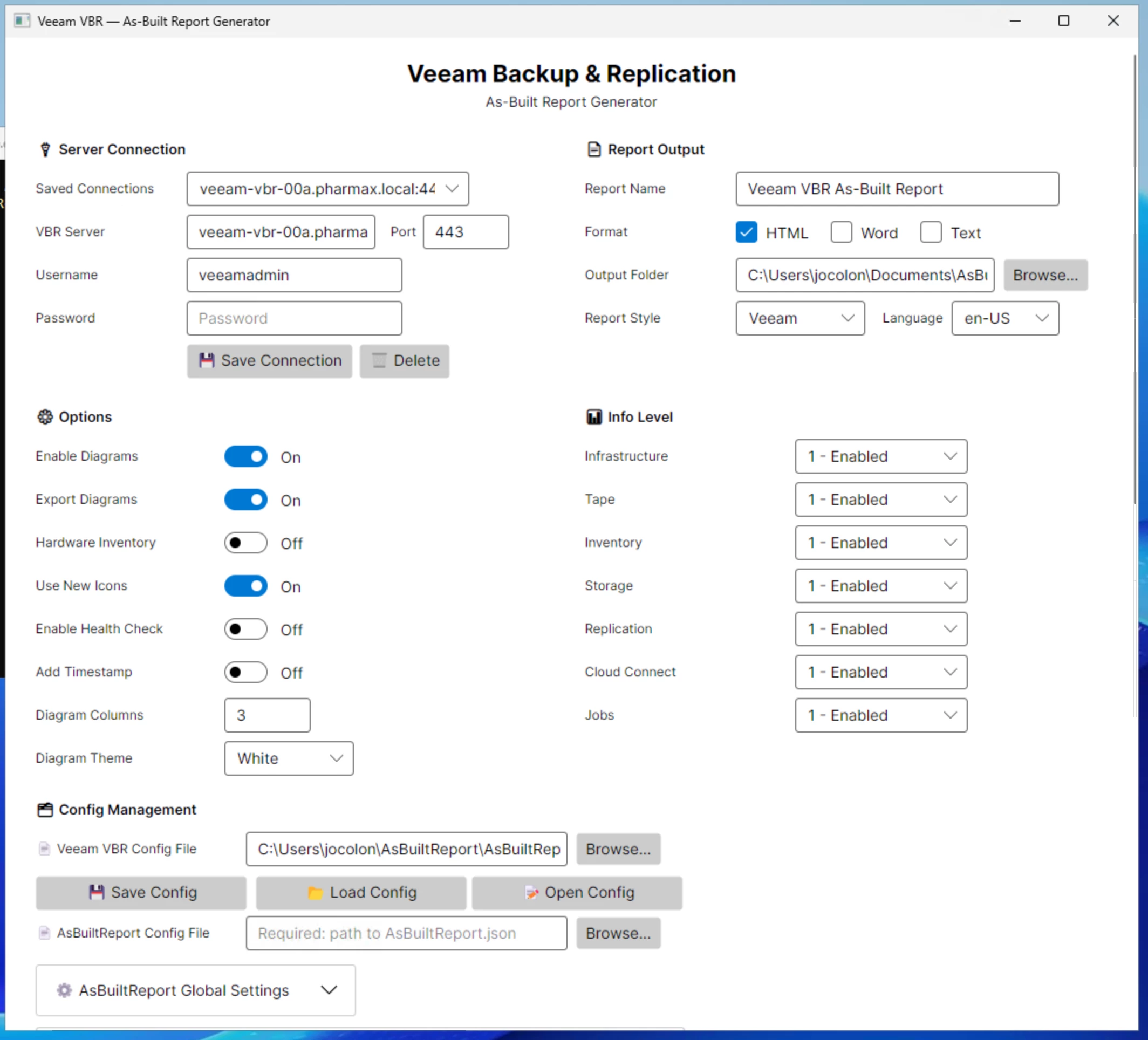
Saved Server Connection


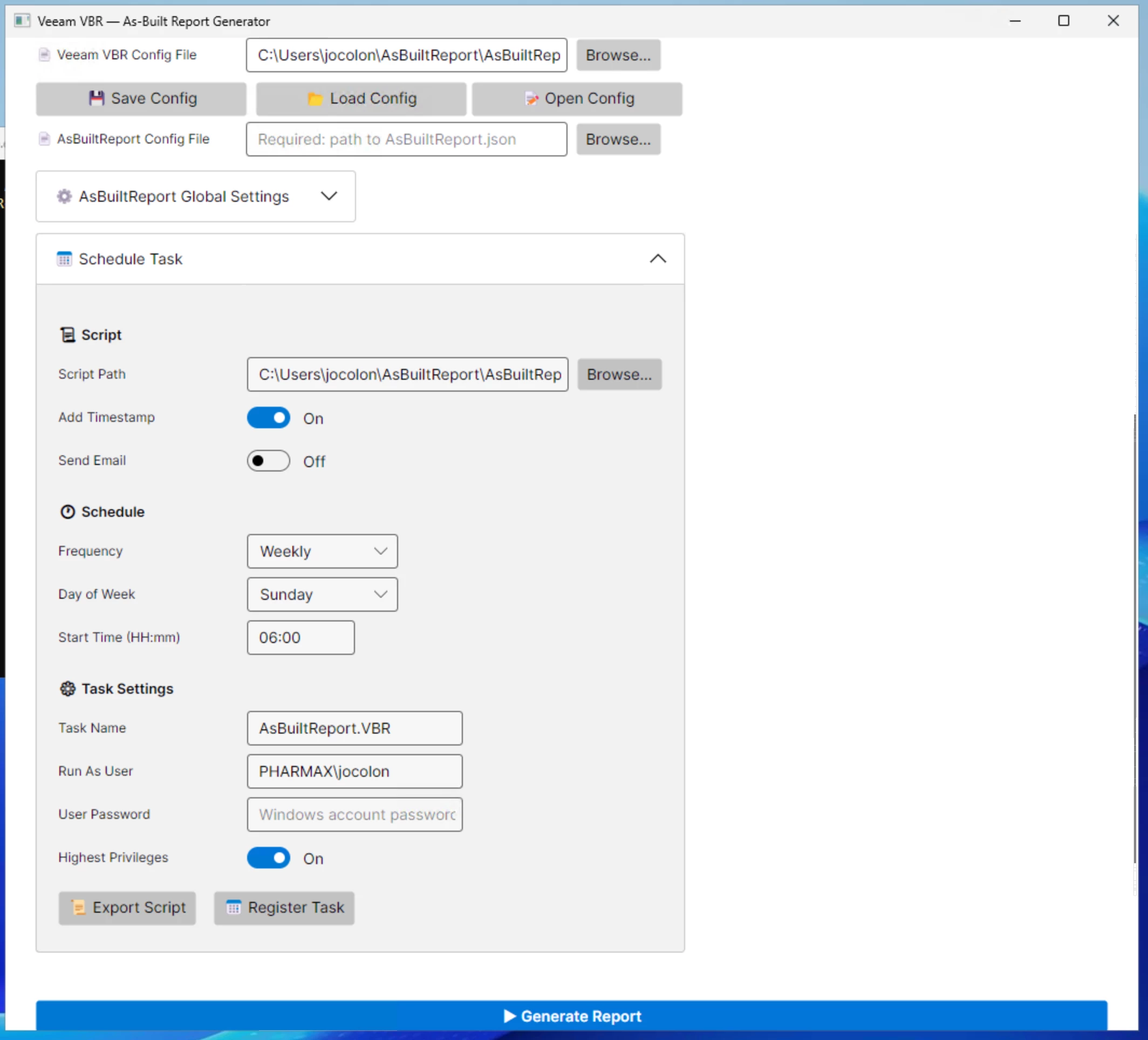
Report Schedule


A side note:

Many of the recent report enhancements, including v13 support, multilingual capabilities, and the new GUI, were developed with substantial help from AI. I have to admit, I am genuinely impressed by how far these tools have come. Work that once took me months can now be completed in minutes with AI support.

What do you think the workplace of the future will look like as artificial intelligence continues to evolve at this pace?


Chris.Childerhose
Forum|alt.badge.img+21

I know AI has helped me tremendously with documentation, scripting and many other things.  I think it is a good thing to help with your work when used correctly.


Chris.Childerhose
Forum|alt.badge.img+21

@jcolonfzenpr - So the VCC report completed and created the documents.  In the Window UI (Beta) I noticed the following warnings and quite a few of them (see below).  I did export the log in case you wanted it to check things, so please let me know.

[WARN] [ 08:56:58:480 ] [ Document ] - Unable to export the CloudConnectTenant Diagram: No Cloud Connect Tenant infrastructure available to diagram


Can you send me the log?

to: jcolonf@techmyth.blog

@jcolonfzenpr - logs emailed to you from my Gmail.


Scott
Forum|alt.badge.img+10
  • Veeam Legend
  • April 17, 2026

wow. this is amazing. can’t wait to try it.