Solved

Veeam13 iSCSI

  • December 16, 2025
  • 9 comments
  • 432 views

hs08
Forum|alt.badge.img+1
  • Comes here often

I try to use Veeam13 appliance version, and need help can/how i can mount the iscsi drive to the veeam13?

Best answer by Mildur

Yes, correct. Expanding disk space is currently not supported
Using our appliances as tape server is also not possible, as Tape server services would require privileged permission.


Best,

Fabian

9 comments

Mildur
Forum|alt.badge.img+12
  • Veeam Product Management
  • December 17, 2025

Not supported for Veeam Software Appliances or Veeam Infrastructure Appliances. You cannot mount external storage (iSCSI/FC) as backup storage.

For external iSCSI or FC Backup Storage, use your own Linux or Windows machine as before with v12 and add it as a repository to your backup server.


Best,

Fabian


hs08
Forum|alt.badge.img+1
  • Author
  • Comes here often
  • December 17, 2025

@Mildur also i read that we cannot add extra disk or expand disk to the VSA right? How about the tape drive, is supported?


Chris.Childerhose
Forum|alt.badge.img+22
  • Veeam Legend, Veeam Vanguard
  • December 17, 2025

@Mildur also i read that we cannot add extra disk or expand disk to the VSA right? How about the tape drive, is supported?

If you want bigger disks you can expand them but it takes work.  Easier to set them up how you want and use the ISO instead of OVA for deployments.


Mildur
Forum|alt.badge.img+12
  • Veeam Product Management
  • Answer
  • December 17, 2025

Yes, correct. Expanding disk space is currently not supported
Using our appliances as tape server is also not possible, as Tape server services would require privileged permission.


Best,

Fabian


Chris.Childerhose
Forum|alt.badge.img+22
  • Veeam Legend, Veeam Vanguard
  • December 17, 2025

Yes, correct. Expanding disk space is currently not supported
Using our appliances as tape server is also not possible, as Tape server services would require privileged permission.


Best,

Fabian

Well then using ISO to set drives is the better option.  Sizes that is not iSCSI stuff.


However, during our lab validation, we observed the following and would appreciate your clarification.

Our test environment consisted of:

  • Veeam Infrastructure Appliance deployed as a VM
  • TrueNAS presenting an iSCSI LUN (Synology will be used in production)
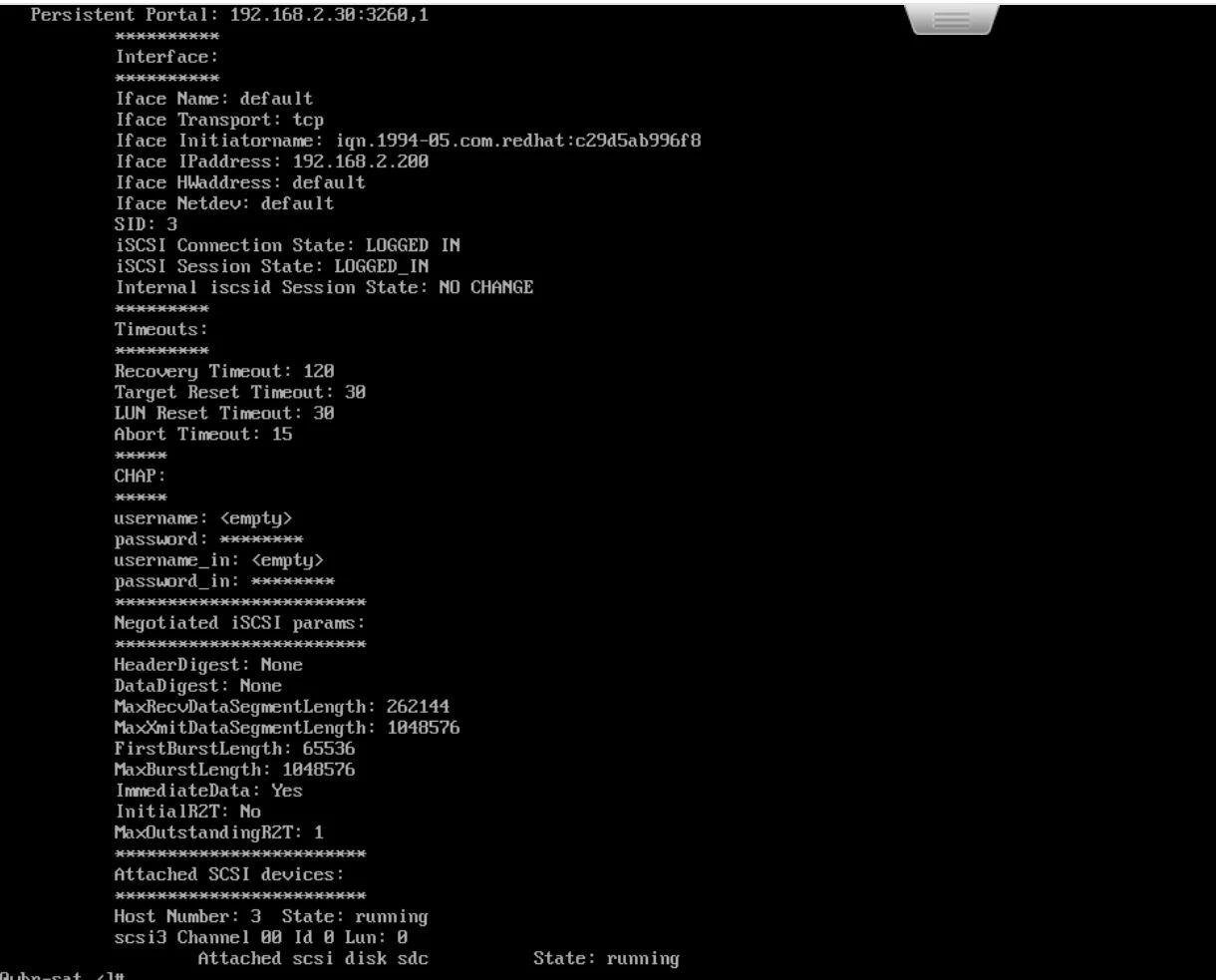
  • iSCSI LUN successfully connected to the appliance


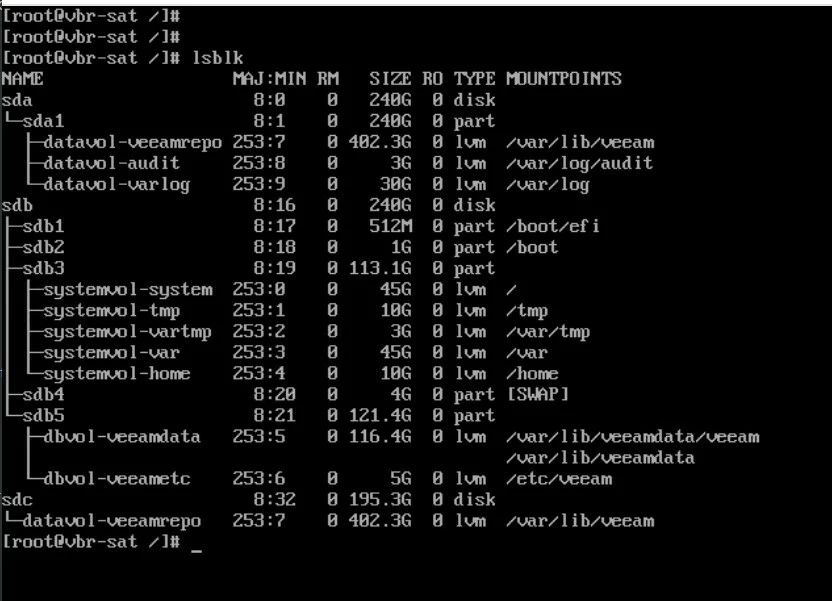
  • Block device detected by the operating system
  • LVM successfully extended using the new block device
  • XFS filesystem resized successfully
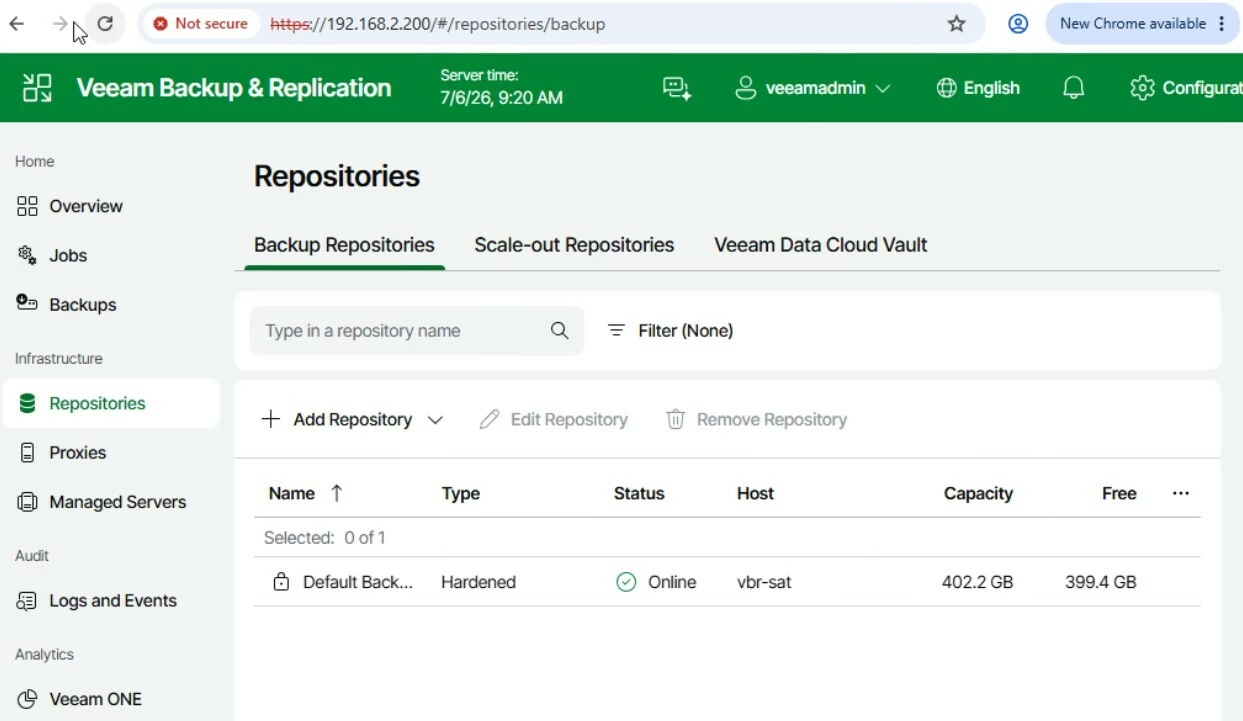
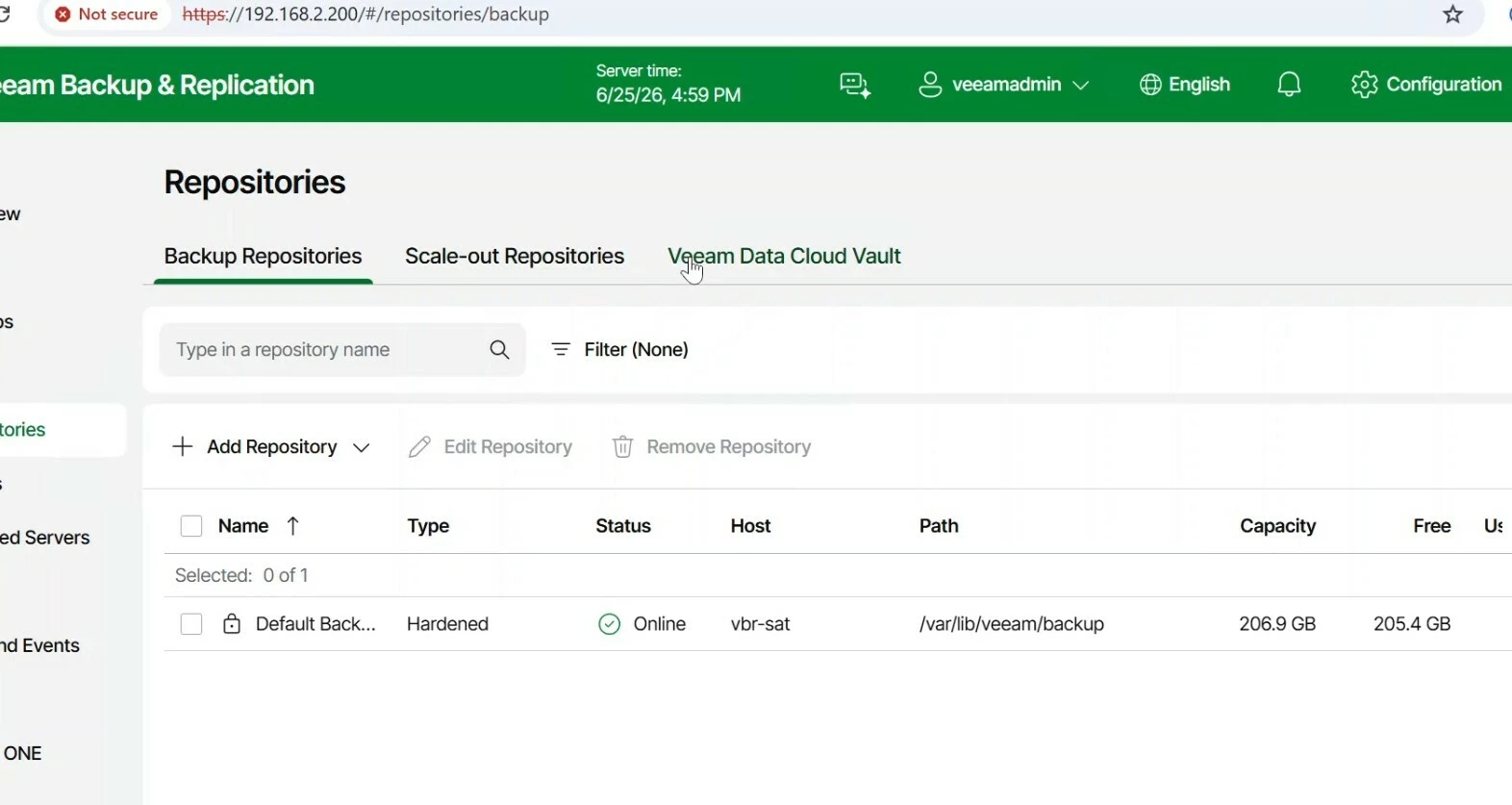
  • Repository capacity automatically increased and recognized by the Veeam UI without any issues

Based on these results, the solution appears to be technically functional.


Mildur
Forum|alt.badge.img+12
  • Veeam Product Management
  • July 9, 2026

Just because it works, does not mean its supported.
Any modification or configuration on our appliances outside of Host Management UI is fully unsupported:

https://www.veeam.com/kb4772


Best,

Fabian


Since the Veeam Infrastructure Appliance can also be deployed as a virtual appliance, what is the intended use case of the "Infrastructure Appliance with iSCSI & NVMe/TCP" installation option if it is not intended for external repository storage?


If external iSCSI/FC storage is not supported for repository storage, what is the intended use case of:

  • Infrastructure Appliance with iSCSI & NVMe/TCP, and
  • the Add Repository functionality available in the Host Management Console?

If the appliance includes an "Add Repository" function in the Host Management Console, what repository types is it intended to manage, given that externally attached iSCSI repository storage is not supported?


Mildur
Forum|alt.badge.img+12
  • Veeam Product Management
  • July 9, 2026

1.) Backup from Storage Snapshot

2.) Your screenshots for „add backup repository“ are from VBR Web UI, not Host Management UI. In Host Management UI, there is no option to specify iSCSI Target and connect to iSCSI LUNs. You must have done that manually on root shell, which is unsupported.
 

Connecting iSCSI and FC storage to an appliance is a feature in our upcoming v13.1. There you will see the options in Host Management UI to configure it.

But updating your current deployment won‘t make it supported, since you have configured it yourself and not with the v13.1 wizard.


Best,

Fabian