Question

Veeam VBR Application backup job

  • November 25, 2025
  • 10 comments
  • 61 views

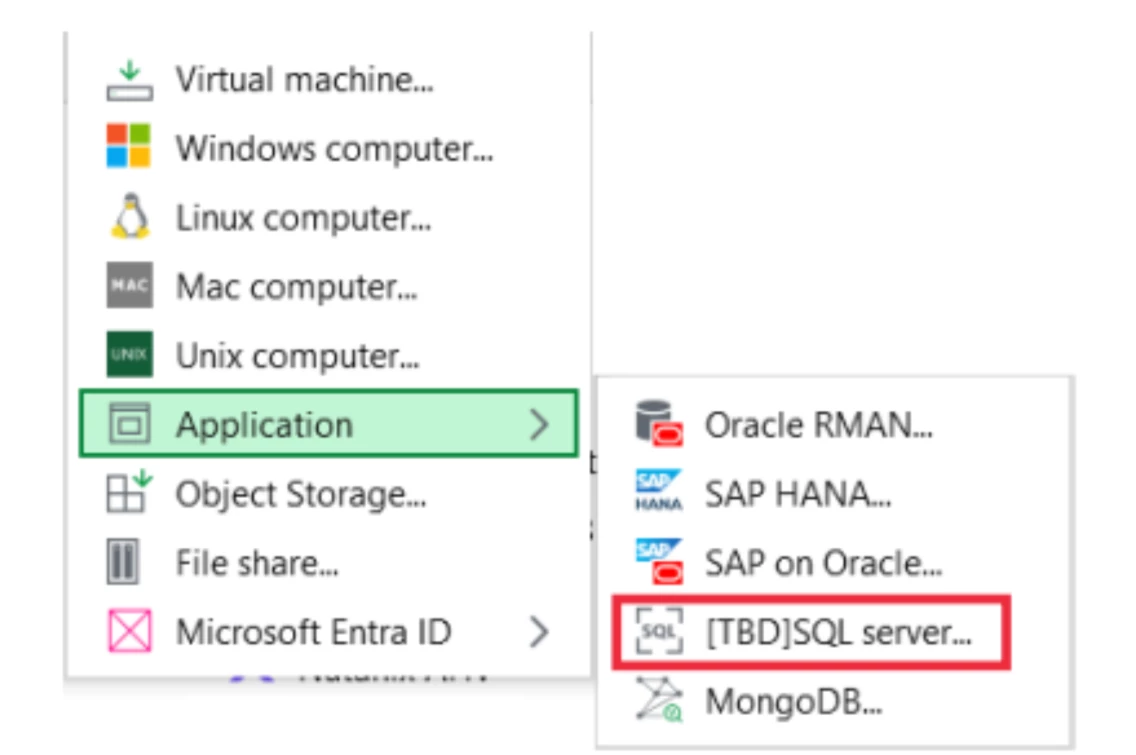
Hello all, we are looking into SQL Server backup options, we have done a full server and a volume backup also. We see there is a Backup>Application>SQL option, however we cannot see the SQL option in our console….any ideas as we can see Oracle and Mongo available. Thanks in adavance, Tony.

10 comments

Dynamic
Forum|alt.badge.img+12
  • Veeam Vanguard
  • November 25, 2025

Hi ​@TonyHalligan, do you have some more infromations?
Which version you are talking about V12.3.2 or V13?


Are you talking about a VM Backup with activated Application Aware Processing?

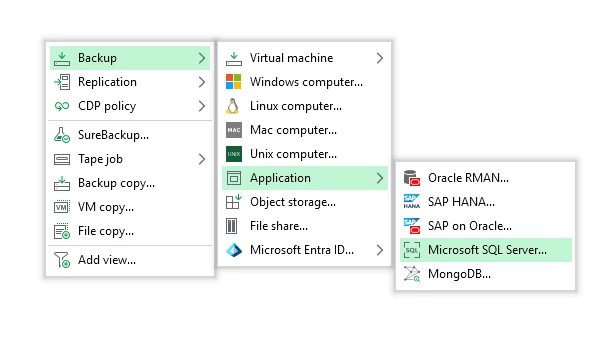
Just a short screen from V13:

Best, Markus


MattM
Forum|alt.badge.img+2
  • Experienced User
  • November 25, 2025

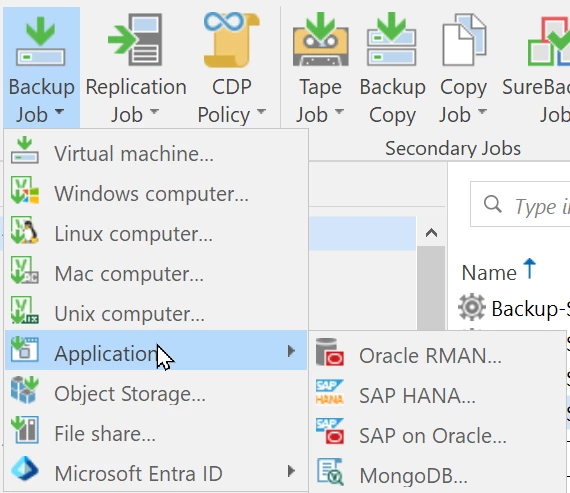
Backup > Application > Microsoft SQL Server is available starting with Veeam v13.0.1 which has been released last week (Nov 19). This provides a new central management option for the “Veeam Plug-in for Microsoft SQL Server”. In previous versions, the plugin can only be used in “standalone mode” and that’s why this menu option doesn’t exist.

So, I guess you’re running a Veeam Backup Server v12?


  • Author
  • Comes here often
  • November 25, 2025

Markus, we are VBR 12.3, latest, question is where is the Microsoft SQL Server option for me. The screen shot I have supplied is from Veeam article, we do not have SQL available.


MattM
Forum|alt.badge.img+2
  • Experienced User
  • November 25, 2025

Backup > Application > Microsoft SQL Server is available starting with Veeam v13.0.1 which has been released last week (Nov 19). This provides a new central management option for the “Veeam Plug-in for Microsoft SQL Server”. In previous versions, the plugin can only be used in “standalone mode” and that’s why this menu option doesn’t exist.

So, I guess you’re running a Veeam Backup Server v12?

It doesn’t exist in v12 as I mentioned above.


  • Author
  • Comes here often
  • November 25, 2025

Matt, thanks for your reply, yes we are on 12.3 VBR….


Chris.Childerhose
Forum|alt.badge.img+21
  • Veeam Legend, Veeam Vanguard
  • November 25, 2025

Matt, thanks for your reply, yes we are on 12.3 VBR….

On v12 you can install the SQL plugin on the server if you want another way as that will show in the mgmt console.  Just a thought unless you want the menu move to v13.


  • Author
  • Comes here often
  • November 25, 2025

Thanks Chris, Install on SQL, VBR or both for it to appear in console…? 


Chris.Childerhose
Forum|alt.badge.img+21
  • Veeam Legend, Veeam Vanguard
  • November 25, 2025

Thanks Chris, Install on SQL, VBR or both for it to appear in console…? 

The SQL plugin does not make it appear in VBR console.  It is just another way to manage backups. If you want the option in the VBR console as noted you need to upgrade to v13.


MattM
Forum|alt.badge.img+2
  • Experienced User
  • November 25, 2025

It really depends on what you want to achieve:

If you’re just looking for how to backup SQL server(s), there are many options (for VMs as well as  for physical servers) already available in v12. Upgrade to v13 would only be required if you do need the SQL plug-in in “managed mode”, as this option is not available in v12.


Jean.peres.bkp
Forum|alt.badge.img+8

Hi ​@TonyHalligan 

To be able to view the SQL via right-click as shown below, you need to install the plugin before configuring the job.

This is the process: https://helpcenter.veeam.com/docs/vbr/userguide/install_mssql_ui.html?ver=13


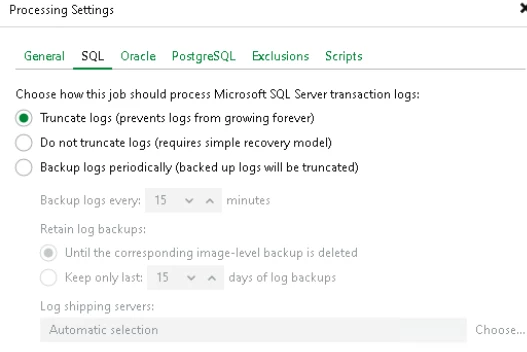
If you don't want to install the plugin, you can configure it via the image as shown below:

Transaction Log Truncation - Veeam Backup & Replication User Guide


One of the main differences is that via image, the backup administrator can perform all configuration and restore processes.

Via plugin, however, you can grant more actions to your DBAs, such as restore or other actions. It works in conjunction with SQL Studio.