Question

Veeam v13 - What is the method for cross-replicating backup data from two separate VSAs?

  • December 12, 2025
  • 7 comments
  • 46 views

With the newly released Veeam v13, we need to install it at two sites, perform primary backups, and then cross-replicate the backup data from each site as a secondary step.

Is this a feasible scenario?


1. Backup Server Configuration

- Site1: Dell R760 + VSA (Three backup target servers; agent connection and backup completed)

- Site2: Dell R760 + VSA (Five backup target servers; agent connection and backup completed)


2. Additional Configuration Required

- Backup Copy from Site1 VSA's backup data to Site2 VSA's backup repository (with Veeam WAN Accelerator enabled)

- Backup Copy from Site2 VSA's backup data to Site1 VSA's backup repository (with Veeam WAN Accelerator enabled)


3. Questions

- I'm unsure how to register the Site2_VSA_Repository on Site1_VSA.


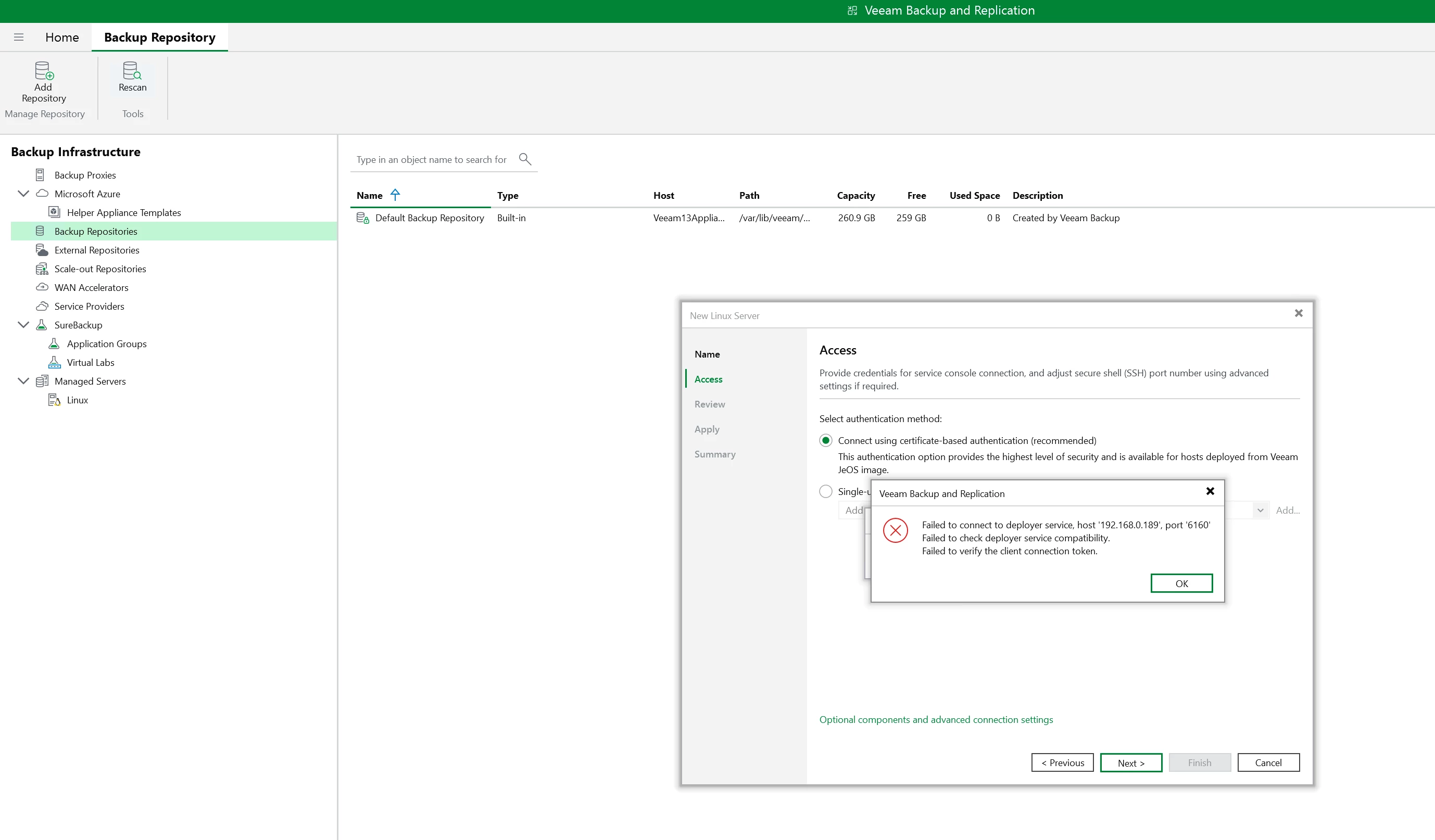
I attempted to register it via the Veeam UI below, but I don't know how to handle the Linux authentication part.

Backup Infrastructure

→ Backup Repositories

→ Add Repository

→ Direct Attached / Network / Linux


- Is there any documentation that could help with this situation??

 

7 comments

Chris.Childerhose
Forum|alt.badge.img+21
  • Veeam Legend, Veeam Vanguard
  • December 12, 2025

Is the repository also used by VSA2 as well cause only one VBR can be owner. To me you need a second repo to target if that makes sense.  It is possible what you want to do just the logistics of it.


coolsport00
Forum|alt.badge.img+21
  • Veeam Legend
  • December 12, 2025

Hi ​@jbyoon -

Yep...this can be done, but as Chris mentioned, you’ll just need a Repo for the Copies.

Another option...if you have the infrastructure at Site2, is use VSA2 for Veeam Replication so you essentially have a “cold site” with VM replicas at Site2. This of course requires virtualization hosts at Site2 to house the replica VMs. And, depending on your retention, you can only have up to 28 replica “points” at  Site2.

But, if your goal is just having a copy of your source data at a secondary site..yep, you should be able to do as you’ve stated. Have you looked at the Backup Copy section of the User Guide for additional info?

https://helpcenter.veeam.com/docs/vbr/userguide/backup_copy.html?ver=13

Best.


  • Author
  • New Here
  • December 12, 2025

First, I have experience setting up cross-replication using Windows Storage in v12.

This is my first time with v13 VSA, so I'm having trouble configuring it.

My biggest question is: Can VSA1 Repo <-> VSA2 Repo be connected?

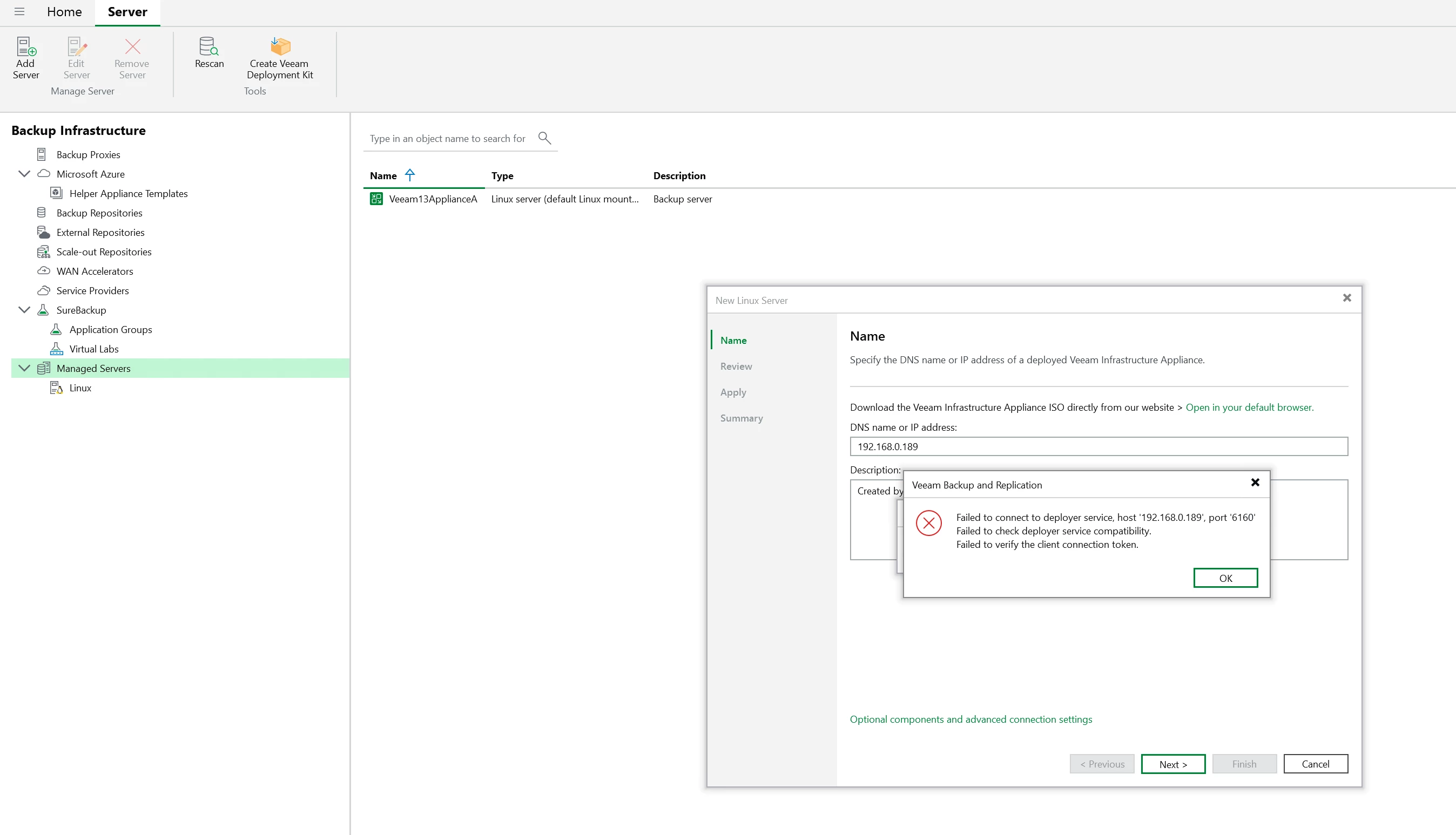
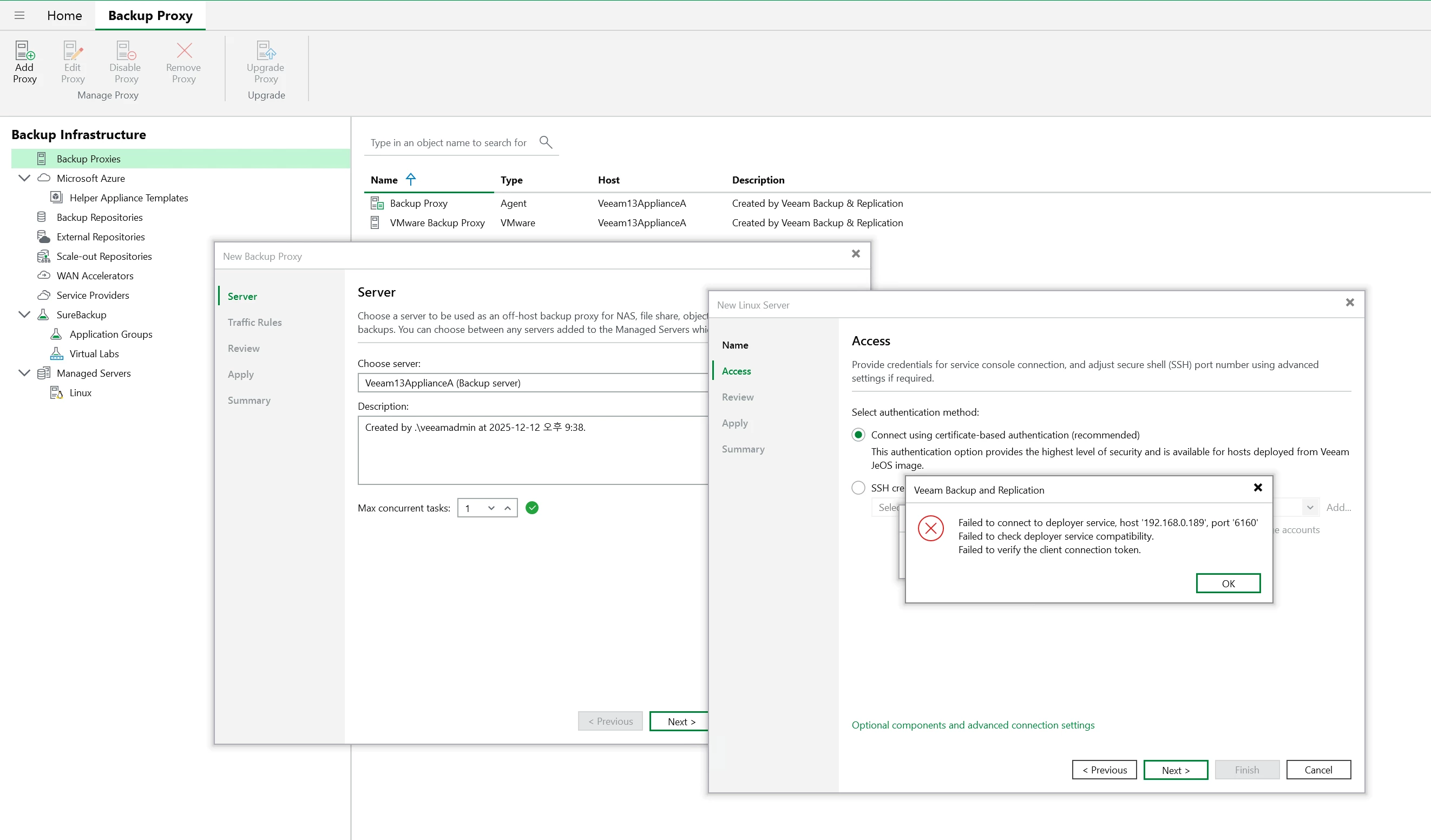
As shown in the screenshot below, an error occurs during connection. (The port is open.)

Therefore, I suspect that I must configure it via VIA for the Repositories to connect.

Is it actually possible to register a VSA's Built-in Repository to another VSA?


  • Author
  • New Here
  • December 12, 2025

What I want to discuss is:


1. When you install VSA, it allocates the entire storage capacity to the Built-in Repo.

(So you can't create two Repos. I might be mistaken about this, though...)


2. Attempting to register the VSA Built-in Repo on another VSA results in an error. Is this due to security restrictions? I'm unsure if only Repos created via VIA can be registered on a VSA.


Mildur
Forum|alt.badge.img+12
  • Influencer
  • December 12, 2025

No, you cannot connect two VSAs to each other.

Also, Veeam Infrastructure Appliances cannot be shared between multiple backup servers (Windows or VSA).
 

If you want to share backup repositories, you can use your “bring your own Windows” or “bring your own Linux” machines. Keep in mind that this configuration is not officially supported or recommended — but it does work.
 

Best,
Fabian


  • Author
  • New Here
  • December 12, 2025

Alright, let me rephrase the question simply.

There are two servers, and expansion is not possible.


I want to back up each site individually in v13 and perform cross-replication of the backup data.

How can this be done??


1. Install Windows + Veeam v13 on each server and configure cross-replication => Isn't this possible?

2. Is there another way???


Mildur
Forum|alt.badge.img+12
  • Influencer
  • December 12, 2025

With backup server on VSA, only “bring your own Windows/Linux repositories” can be connected to two VSA backup server. Which means additional hardware. So not possible for you.

Therefore you’ll need to stick with a Windows-based backup server. However, please note that this scenario is still not supported or recommended.
 

The recommended and supported approach is to use a single backup server to manage repositories across both sites. Keep in mind that a windows based backup server with local disks does not provide you any protection against backup deletion. No immutability. 

So in my view, the minimum configuration you’d need today would be a single VSA operating as the backup server (which can be virtual) and two physical machines — one at each site — acting as hardened repositories, deployed using the Veeam Infrastructure Appliance ISO.
 

Best,
Fabian