Question

Veeam M365 Backups very slow

  • July 7, 2026
  • 8 comments
  • 29 views

Hi All,

I’m wondering if there is a more widespread issue with Veeam Backup for Microsoft 365?

A customer has recently noticed the processing speed for their M365 jobs is grinding to a halt and not finishing at all. They have tried many things including provisioning a physical server with SSD but the job processing rate remains very low.

Are there any suggestions to improve this? They are on the latest version and only noticed the issue within the last few weeks.

Setup - One Server, One organisation. 4 jobs to process - Mailboxes, SharePoint, OneDrive and Teams.

Using one account for all jobs.


Any guidance would be appreciated.


Thanks,


Peter.

8 comments

MicoolPaul
Forum|alt.badge.img+23

Hi,


What is the architecture? Sounds like it’s something physical on prem, has there been any change to the bandwidth? What storage is used?


Check the job history for when this started and does the customer have multiple app registrations? If so these don’t work anymore due to Microsoft changes


kciolek
Forum|alt.badge.img+6
  • Influencer
  • July 7, 2026

Yes - more details would help. You mentioned the latest version. Did you open a case with support to rule out any bugs or compatibility issues?


  • Author
  • Not a newbie anymore
  • July 7, 2026

Thanks for your replies. No recent changes on-prem at all but they did deploy a new server with SSD to test the M365 backup. Firewalls and network checked.

I’ll see if they can research the job history. Thanks. They only have one App registration and deployed a new one for the test but see no improvements.

A case is open with Veeam but wanted to check the wider audience to see if anyone else is seeing an issue.


Cheers.


MicoolPaul
Forum|alt.badge.img+23

Additional app registrations won’t do anything anymore so get that removed, if there’s any other applications backing up M365 that will eat into the overall quota. Sounds like a local issue such as bandwidth available to fetch data. Customer can disable protecting additional file versions which will give a speed boost


  • Author
  • Not a newbie anymore
  • July 7, 2026

No other backups of M365 directly. Additional file versions have been changed too.

I’ll report back when Veeam support respond!


Thanks.


  • Author
  • Not a newbie anymore
  • July 7, 2026

Update. The local Server where Backup for 365 is installed has an SSD disk (backup repository) which is maxing out when processing the jobs.

Trying a new disk to see if the issue continues...


Link State
Forum|alt.badge.img+12
  • Veeam Legend
  • July 7, 2026

Update. The local Server where Backup for 365 is installed has an SSD disk (backup repository) which is maxing out when processing the jobs.

Trying a new disk to see if the issue continues...

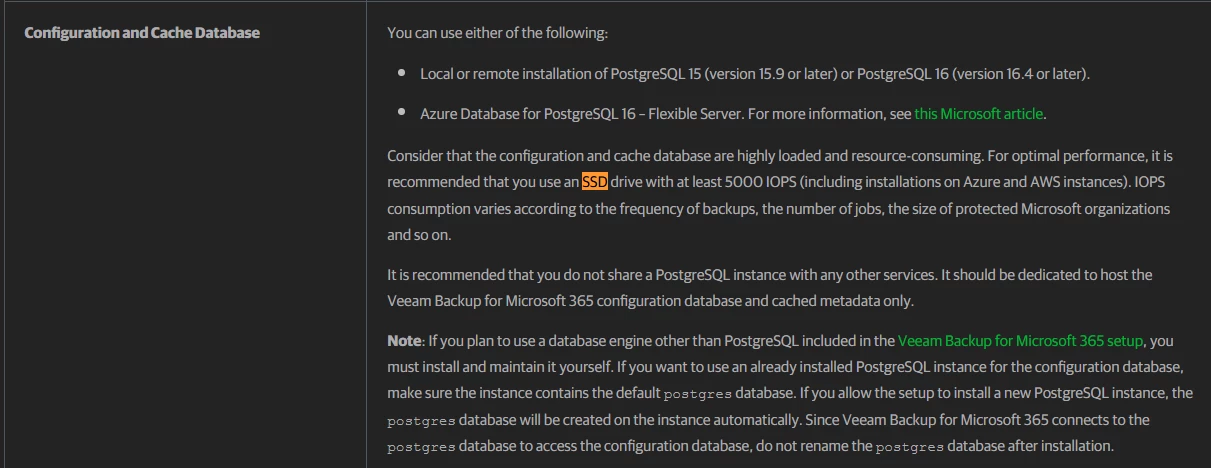
Veeam recommends hosting the PostgreSQL database on SSD storage with at least 5,000 IOPS to ensure adequate performance and to prevent the database from becoming a bottleneck during backup, restore, and search operations. This is a performance recommendation rather than a strict minimum requirement, especially for larger Microsoft 365 backup environments.

System Requirements - Veeam Backup for Microsoft 365 User Guide


MicoolPaul
Forum|alt.badge.img+23

Also, please use object storage wherever possible, it scales better, data compresses better, and offers benefits like immutability