Question

Veeam Agent for Windows backup fails on one Windows 11 Pro PC with “AgentClosedException” / “Unable to retrieve next block transmission command”

  • March 16, 2026
  • 7 comments
  • 45 views


Hello,

We are facing a backup issue with Veeam Agent for Microsoft Windows on one specific Windows 11 Pro workstation.

We have two Windows 11 Pro PCs, both fully updated and both backing up to the same SMB share.
On PC #2, backups work fine.
On PC #1, backups always fail.

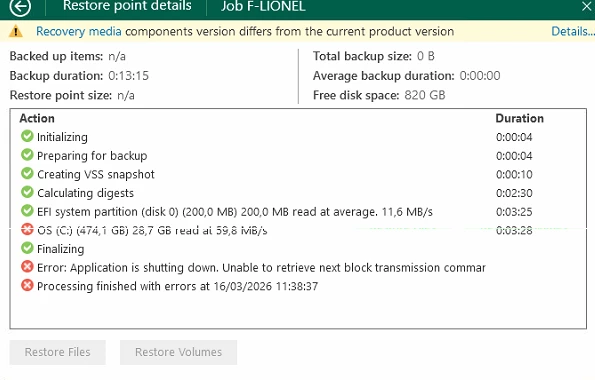
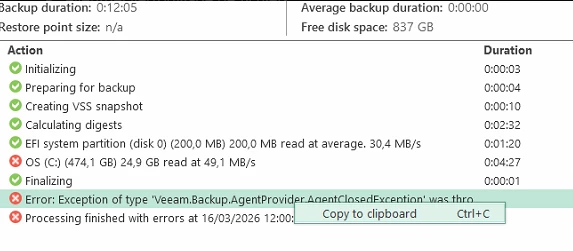
The job starts normally and goes through:

  • Initializing

  • Preparing for backup

  • Creating VSS snapshot

  • Calculating digests

  • Reading EFI partition

  • Reading OS (C:)

The failure occurs during Finalizing with the following errors:

  • Application is shutting down. Unable to retrieve next block transmission command

  • Exception of type 'Veeam.Backup.AgentProvider.AgentClosedException' was thrown

What we already tried:

  • Reinstalled the agent

  • Recreated the backup job

  • Updated the agent to 13.0.2.1102

  • Disabled antivirus for testing

  • Confirmed SMB 3.1.1

  • Added this registry key:
    HKLM\SOFTWARE\Veeam\Veeam Endpoint Backup
    ForceBufferedAccess (DWORD 32-bit) = 1

We also checked VSS earlier: writers are stable and the backup does not fail during snapshot creation, but later during finalization.

Since another Windows 11 Pro PC works fine with the same target, this seems specific to the first workstation.

Has anyone seen this issue before or have any idea what else we should check?

7 comments

Chris.Childerhose
Forum|alt.badge.img+21

It seems like the agent is loosing connectivity to the SMB somehow.  I would check the logs and then open a case with support - C:\ProgramData\Veeam\Agent


eblack
Forum|alt.badge.img
  • Influencer
  • March 16, 2026

Check the Svc.VeeamEndpointBackup.log located in C:\ProgramData\Veeam\Endpoint. Look specifically at the timestamps right before the AgentClosedException because often there is a socket error or connection reset by peer just milliseconds before that provides the real issue. If you see a 10054 error, it is almost always an issue with the NIC’s power management or a physical blip in the network hardware.


Hello both,

Thank you for your replies.

Your feedback about a possible SMB/network issue on this specific workstation makes sense, especially because another Windows 11 Pro PC backs up successfully to the exact same SMB share.

On the failing PC, we already tried:

  • reinstalling the agent

  • recreating the backup job

  • updating to 13.0.2.1102

  • disabling antivirus/EDR

  • adding ForceBufferedAccess=1

We also checked the OS side:

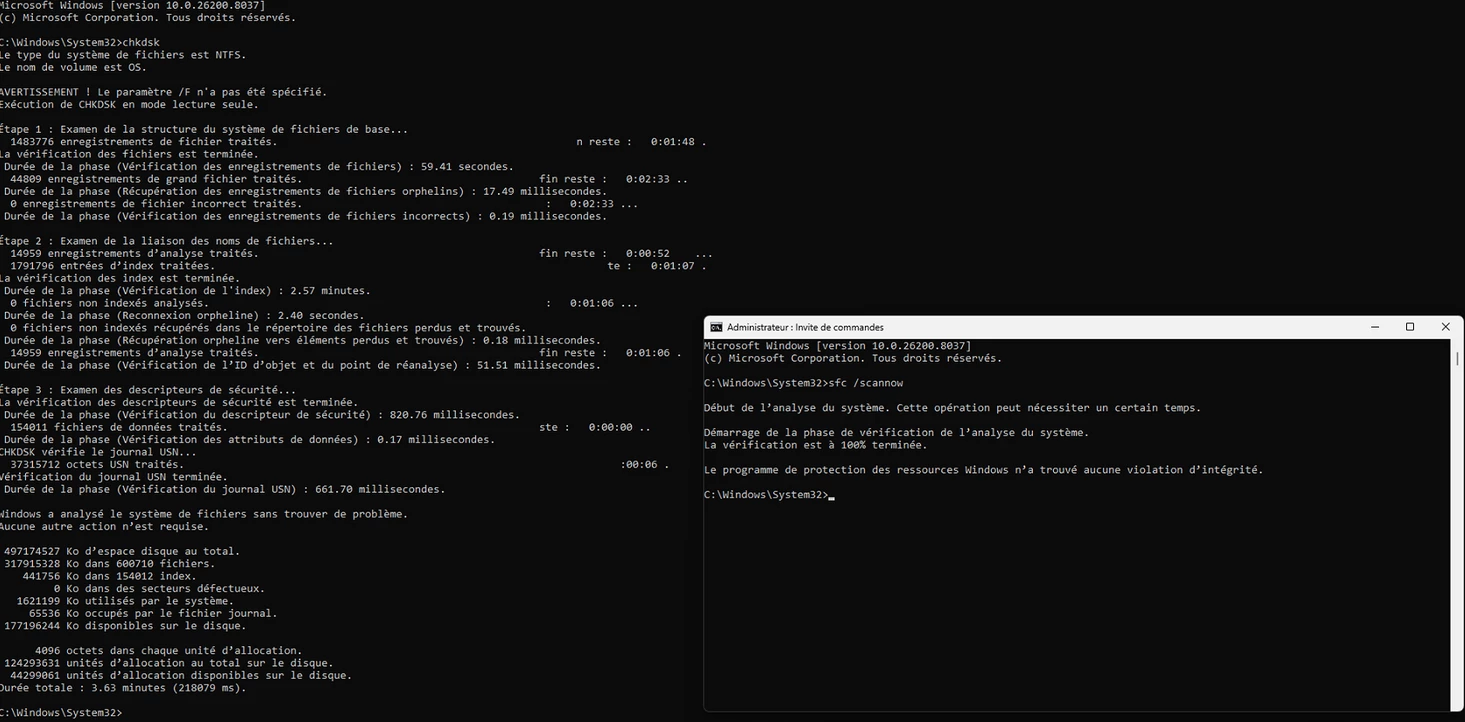
  • chkdsk completed without errors

  • sfc /scannow found no integrity violations

The logs reviewed are under:
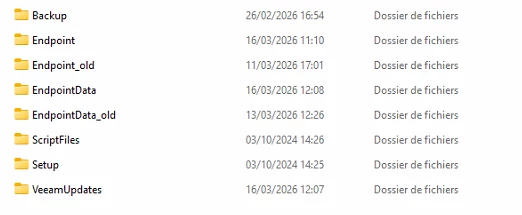
C:\ProgramData\Veeam\Endpoint

The backup always fails during Finalizing with:

  • Application is shutting down. Unable to retrieve next block transmission command

  • Veeam.Backup.AgentProvider.AgentClosedException

I will now review Svc.VeeamEndpointBackup.log again very closely right before the AgentClosedException, especially for any socket error / 10054 / connection reset indication.

At this stage, SMB/network instability on this workstation does appear to be the most likely direction.

Thank you again.


Link State
Forum|alt.badge.img+11
  • Veeam Legend
  • March 17, 2026

Hi ​@Axe informatique  Please let me know:

Backup type (Standalone agent or managed by VBR?)

Machine OS (Windows Server? Which version?)

Veeam version

Backup target type: repository or local disk?

Do the two PCs have the same hardware specifications?

Possible causes:

Insufficient RAM

Antivirus software blocking Veeam


eblack
Forum|alt.badge.img
  • Influencer
  • March 17, 2026

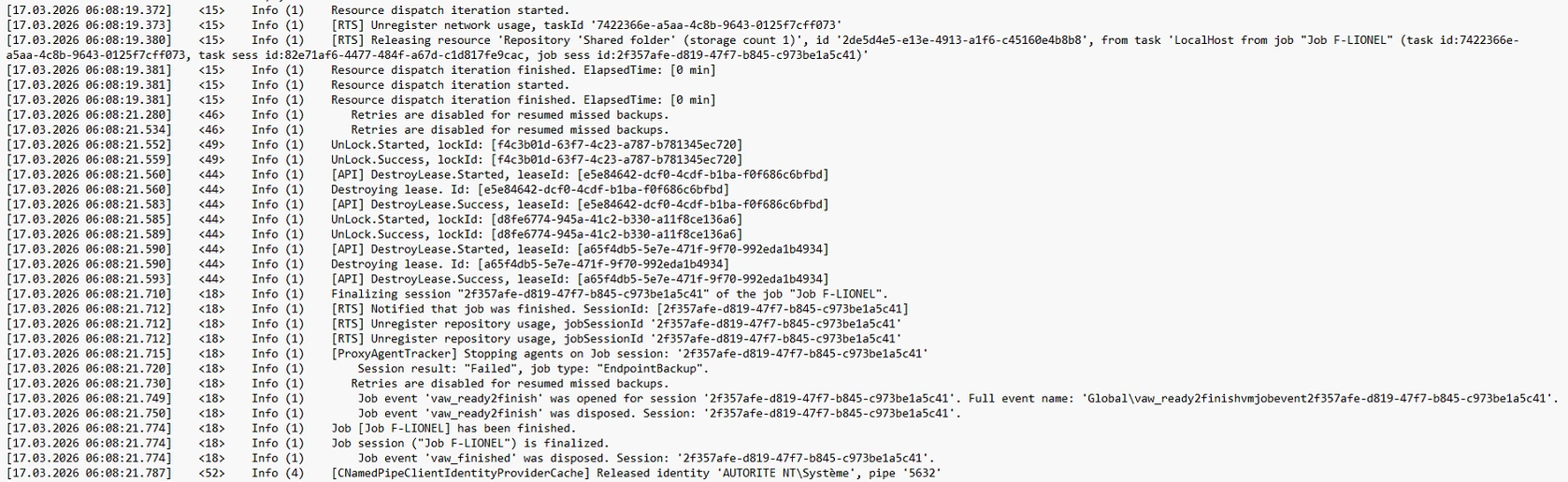
This timing in the screenshots suggests that the Veeam Agent Service did not just lose a connection; it likely crashed or was terminated by the OS/Security software during the final metadata handshake.

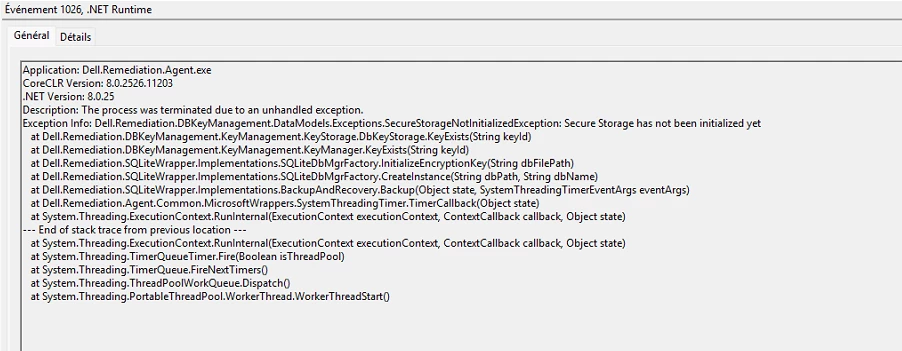
Check the Windows App logs @ 06:08:21 - Look for Event ID 1000 or 1026

Check C:\ProgramData\Veeam\Backup\Job_F-LIONEL\ *agent log* for 10054 close to the end. 

If you find that is the case --- you can test increasing timeouts with --- Set-SmbClientConfiguration -SessionTimeout 600 -Force


Hello both,

Thank you for the additional suggestions.

Here are the requested details:

  • Backup type: standalone Veeam Agent

  • OS: Windows 11 Pro, fully updated

  • Veeam version: 13.0.2.1102

  • Target: SMB share \\ipadress\SauvegardeVeeam

We have two Windows 11 Pro PCs using the same target:

  • PC #2 works fine

  • PC #1 always fails

We already tried:

  • reinstalling the agent

  • recreating the job

  • updating to 13.0.2.1102

  • disabling antivirus/EDR

  • adding ForceBufferedAccess=1

  • running chkdsk and sfc /scannow successfully

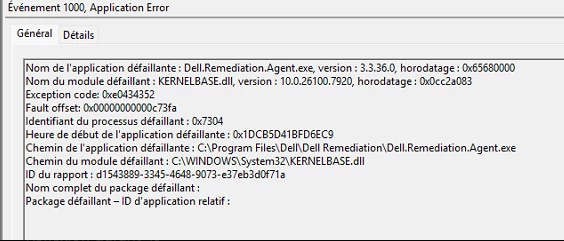
I also checked Windows Application logs around the failure time and found Event ID 1000 / 1026, but those entries are for Dell.Remediation.Agent.exe, not for Veeam itself.

So while that may suggest this workstation has another unstable local component, it does not look like a direct Veeam crash event.

The Veeam job still fails during Finalizing with:

  • Application is shutting down. Unable to retrieve next block transmission command

  • Veeam.Backup.AgentProvider.AgentClosedException

I will review the Veeam logs again around the exact timestamp, especially for any 10054, socket error, or connection reset entry just before the failure.

At this stage, this still looks workstation-specific and possibly related to SMB/network transport or an unexpected interruption of the Veeam Agent service during final metadata handling.

Thank you again.


eblack
Forum|alt.badge.img
  • Influencer
  • March 17, 2026

Dell.Remediation.Agent.exe crashing at the exact same time as the Veeam failure is a red flag imo. I’d see if that can be disabled and test again.