
Solved

Veeam 13 console can't connect

  • January 9, 2026
  • 12 comments
  • 135 views

hs08
Forum|alt.badge.img+1
  • Comes here often

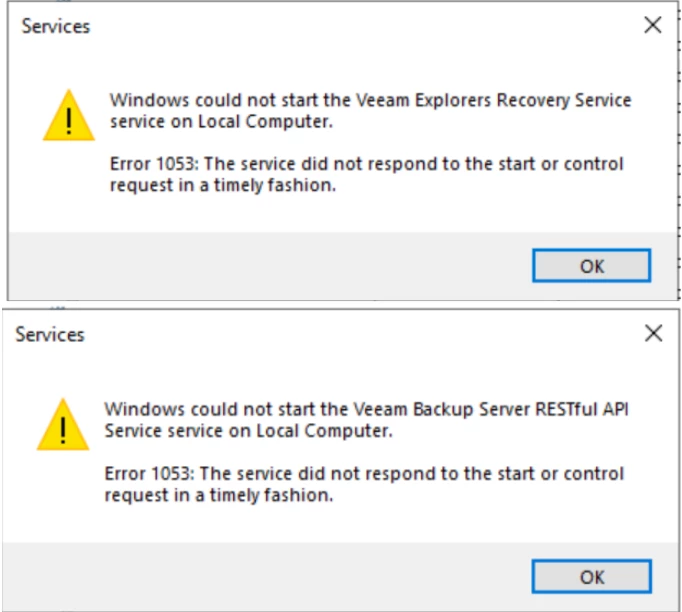
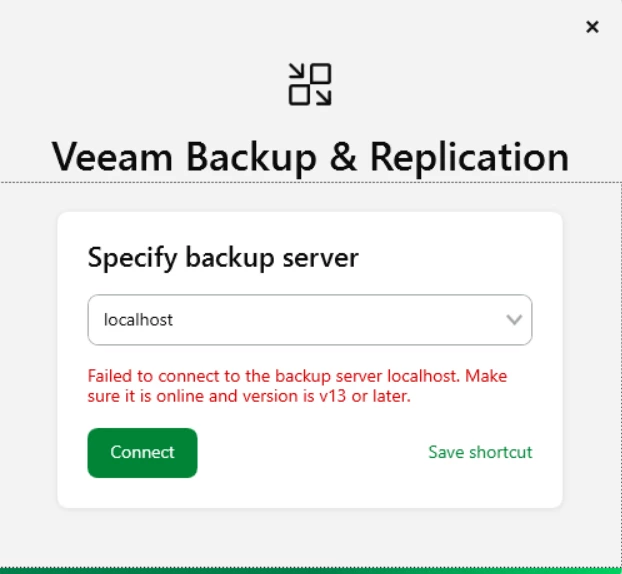
This is the second time my Veeam 13 console cannot connect and shows the error below.

The first time I faced this issue, I reinstalled VBR and it worked normally. However, now that I am facing it for the second time, I feel there might be a bug in this version.

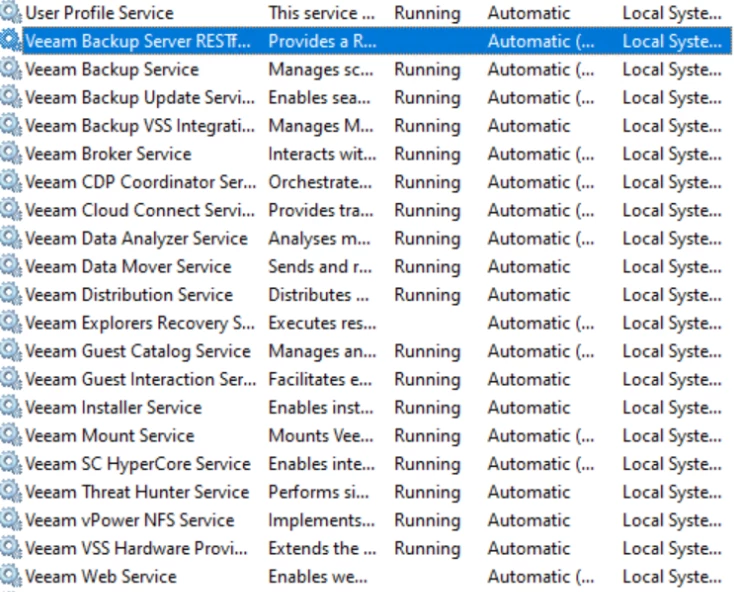
After checking the Veeam services, I found that there are three services that cannot start:

  • Veeam Backup Server RESTful API Service
  • Veeam Explorers Recovery Service
  • Veeam Web Service

Has anyone else experienced the same issue?


Best answer by hs08

Hi All,

I was do remote session with veeam support and they find that Veeam Backup Gateway Api was not running even all Veeam Service was running. They said this can be happened by conflicting with anti virus and others possibility. So run manually the C:\Program Files\Veeam\Backup and Replication\Backup\Veeam.Backup.GatewayApi.Service.exe then the console can connect now.

12 comments

Chris.Childerhose
Forum|alt.badge.img+21

You will need to contact support and provide them the logs to figure out why they aren't starting.  The screenshots are of no use.


hs08
Forum|alt.badge.img+1
  • Author
  • Comes here often
  • January 9, 2026

hi ​@Chris.Childerhose 

yes already open ticket yesterday, i wonder if someone here in the community facing same issue with me.


lukas.k
Forum|alt.badge.img+13
  • Influencer
  • January 9, 2026

Hi ​@hs08,

I indeed faced a similar issue, in my case the Veeam Backup Service itself wasn’t able to start. I think we changed some registry parameters to allow a higher startup time but please wait for support since this might be environment-specific.


Best

Lukas


hs08
Forum|alt.badge.img+1
  • Author
  • Comes here often
  • January 9, 2026

hi ​@lukas.k 

Already try set the timeout via registry but it’s not work for me. Currently veeam support request me to get the log from vbr server.


Link State
Forum|alt.badge.img+11
  • Veeam Legend
  • January 9, 2026

This is the second time my Veeam 13 console cannot connect and shows the error below.

The first time I faced this issue, I reinstalled VBR and it worked normally. However, now that I am facing it for the second time, I feel there might be a bug in this version.

After checking the Veeam services, I found that there are three services that cannot start:

  • Veeam Backup Server RESTful API Service
  • Veeam Explorers Recovery Service
  • Veeam Web Service

Has anyone else experienced the same issue?


hi ​@hs08 

Post the errors extracted from the logs here, even if there are any errors in the Windows Event Viewer.


coolsport00
Forum|alt.badge.img+21
  • Veeam Legend
  • January 9, 2026

Curious what Veeam Support finds that is causing this. Please post when they come up with a resolution ​@hs08 if you don’t mind.


Mohamed Ali
Forum|alt.badge.img+2
  • VUG Leader
  • January 9, 2026

RESTful API timeout issue has been fixed in the latest ISO Image https://www.veeam.com/kb4738  (VeeammBackup&Replication_13.0.1.180_20251130.iso 


coolsport00
Forum|alt.badge.img+21
  • Veeam Legend
  • January 9, 2026

Ah, good to know. Thanks for the share ​@Mohamed Ali !


Forum|alt.badge.img+2
  • New Here
  • January 9, 2026

Try set the service startup timeout to 5 minutes.

Set-ItemProperty -Path "HKLM:\SYSTEM\CurrentControlSet\Control" -Name ServicesPipeTimeout -Value 300000 -Type DWord


We had the same problem with the services not starting. Apparently Veeam is aware of it.

They normally recommend 60000 (60 seconds) but for us even 90000 (90 seconds) did not work.


Iams3le
Forum|alt.badge.img+11
  • Veeam Legend
  • January 9, 2026

RESTful API timeout issue has been fixed in the latest ISO Image https://www.veeam.com/kb4738  (VeeammBackup&Replication_13.0.1.180_20251130.iso 

The issue still persists with this image, requiring the use of the registry key shared above as a workaround


hs08
Forum|alt.badge.img+1
  • Author
  • Comes here often
  • Answer
  • January 14, 2026

Hi All,

I was do remote session with veeam support and they find that Veeam Backup Gateway Api was not running even all Veeam Service was running. They said this can be happened by conflicting with anti virus and others possibility. So run manually the C:\Program Files\Veeam\Backup and Replication\Backup\Veeam.Backup.GatewayApi.Service.exe then the console can connect now.


Chris.Childerhose
Forum|alt.badge.img+21
  • Veeam Legend, Veeam Vanguard
  • January 14, 2026

Great to hear and thanks for the resolution.