

Question

Veeam 13.0.1.2067 hanging when accessing database after upgrade

  • April 24, 2026
  • 13 comments
  • 36 views

I am in need of some assistance from the community with Veeam Backup & Replication. I upgraded the server to 13.0.1.2067. No errors were thrown during the upgrade, logs don’t show any red flags that stick out; however the service hangs when attempting to access the localhost database server.

Here is what I see:

When the Veeam console is run, the “Specify backup server” page appears:
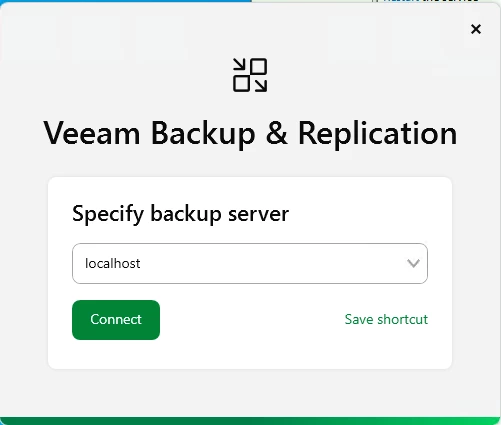
After the localhost database is selected, the next window appears:
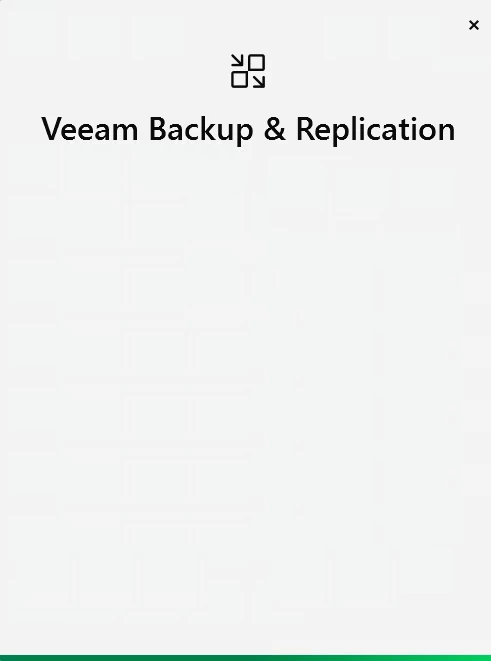
 

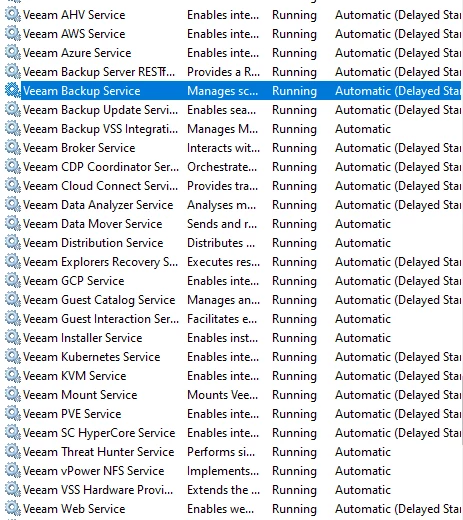
The console goes no further than this, and the system doesn’t show any signs of activity. All services show as running on the server:
I also tried updating .NET 8 dependencies to newer versions in case these were what may be causing the issue, but there was no change in results. I have attempted to upgrade this application twice with little success. As of now, I may need to revert back to the older version and try again, which may lead me back to here.

Has anyone else encountered this when upgrading to 13.0.1.2067? If so, how was it remediated? I appreciate any insight on this issue. Thank you

13 comments

coolsport00
Forum|alt.badge.img+22
  • Veeam Legend
  • April 24, 2026

I’ve not seen anyone post on this behavior ​@bohallc . Doesn’t mean it hasn’t happened...just no one has posted about it (yet). Logs may have more info...but maybe not.

C:\ProgramData\Veeam\Backup ; altho issues with the Console are generally found in:

%UserProfile%\AppData\Local\Veeam\Backup

Unless someone else chimes in, may be best to contact Support.


kciolek
Forum|alt.badge.img+4
  • Influencer
  • April 24, 2026

Yes - I have seen this on one of my lab servers after upgrading, at the time the CPU was pegged for whatever reason. I did a reboot of the server, and it fixed the issue. I haven’t seen it since then after upgrading the server. 


Chris.Childerhose
Forum|alt.badge.img+21

First try a reboot as noted, but if that does not work, then you could try to uninstall/reinstall of the console maybe?  Barring those things, Support is the best route.


  • Author
  • Not a newbie anymore
  • April 24, 2026

Yes - I have seen this on one of my lab servers after upgrading, at the time the CPU was pegged for whatever reason. I did a reboot of the server, and it fixed the issue. I haven’t seen it since then after upgrading the server. 

I’ve tried rebooting the server. Unfortunately, it doesn’t appear to change the outcome


kciolek
Forum|alt.badge.img+4
  • Influencer
  • April 24, 2026

Yes - I have seen this on one of my lab servers after upgrading, at the time the CPU was pegged for whatever reason. I did a reboot of the server, and it fixed the issue. I haven’t seen it since then after upgrading the server. 

I’ve tried rebooting the server. Unfortunately, it doesn’t appear to change the outcome

hmm ..do you have the console installed anywhere? Can you try and access from there. Did you check the obvious (DNS, cna ping out, etc.)


  • Author
  • Not a newbie anymore
  • April 24, 2026

Yes - I have seen this on one of my lab servers after upgrading, at the time the CPU was pegged for whatever reason. I did a reboot of the server, and it fixed the issue. I haven’t seen it since then after upgrading the server. 

I’ve tried rebooting the server. Unfortunately, it doesn’t appear to change the outcome

hmm ..do you have the console installed anywhere? Can you try and access from there. Did you check the obvious (DNS, cna ping out, etc.)

It’s running on the database server. My division is keeping the environment up for legacy records only after we were acquired by another company. So, I don’t contract support to lean on for this


  • Author
  • Not a newbie anymore
  • April 24, 2026

I have also tried running the install again to see if any parts were missed. There’s still no change in what I see. As of now, the console just freezes at the aforementioned screen shown above. Logs still aren’t showing anything alarming, or pointing toward something that should be addressed. 


coolsport00
Forum|alt.badge.img+22
  • Veeam Legend
  • April 24, 2026

Understood ​@bohallc . Then your best bet is to contact Veeam Support. Keep us posted on what they say if you could. 


Chris.Childerhose
Forum|alt.badge.img+21
  • Veeam Legend, Veeam Vanguard
  • April 24, 2026

You can also try running this AV exclusion script (version 1.1) by Lukas on the community here to see if that helps - https://github.com/lukas-kl/veeam-win-av-script/

I have found it to help with the console quite a bit.


  • Author
  • Not a newbie anymore
  • April 24, 2026

I submitted a case ticket. I’ll let you know what I get back as soon as I get a response


coolsport00
Forum|alt.badge.img+22
  • Veeam Legend
  • April 24, 2026

I submitted a case ticket. I’ll let you know what I get back as soon as I get a response

Cool. Thanks. Probably doesn’t hurt to try to do folder/file A/V exclusions as Chris suggested to see if that helps.


Chris.Childerhose
Forum|alt.badge.img+21
  • Veeam Legend, Veeam Vanguard
  • April 24, 2026

Please let us know what Support says, and definitely try that script to do the AV exclusions.  It does help quite a bit, as I have seen.


kciolek
Forum|alt.badge.img+4
  • Influencer
  • April 24, 2026

I submitted a case ticket. I’ll let you know what I get back as soon as I get a response

great! Let us know what they come back with.



