Question

VBR NAS Storage

  • April 28, 2026
  • 7 comments
  • 85 views

Hello All,


We are currently using Veeam Backup and Replication at my company and we’re using object storage (S3) as our primary backup repository, we are planning to implement a secondary on-prem NAS storage to store full backups every once in a while as an extra safety measure.

I’m evaluating NAS options and would like your recommendation for a model that is fully compatible and optimized for VBR. My required capacity for NAS is ~24 TB usable.


Specifically:
    1.    Recommended NAS vendors/models validated with VBR
    2.    Preferred protocol (SMB vs NFS) for performance and stability
    3.    Minimum hardware specifications (CPU, RAM, RAID type, network)
    4.    Any known limitations or best practices for NAS as a secondary repository


Thanks.

7 comments

Jason Orchard-ingram micro
Forum|alt.badge.img+2

Chris.Childerhose
Forum|alt.badge.img+21

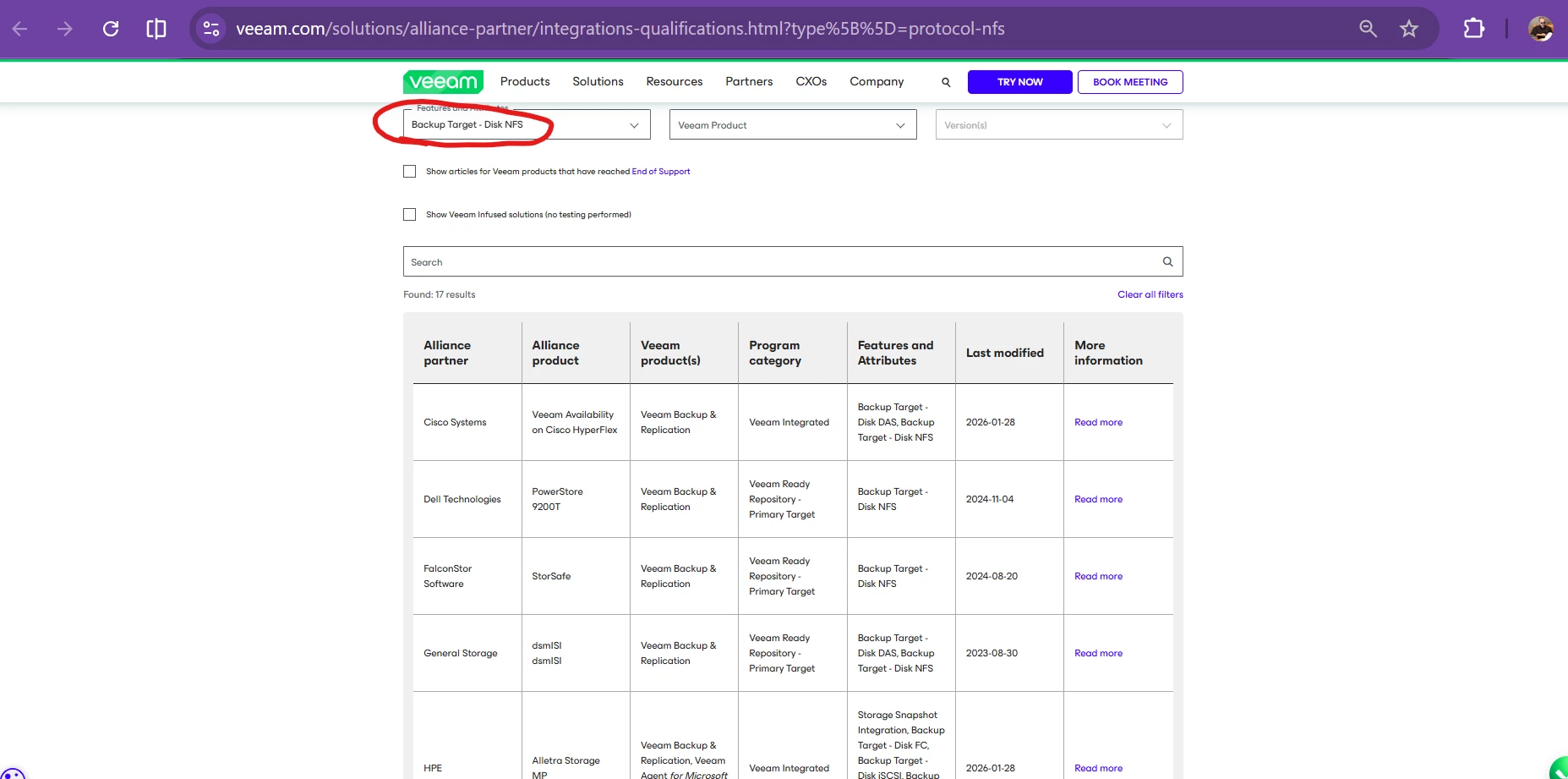
You can also search on the Veeam Ready site here for a NAS - Veeam Alliance Partner Integrations & Qualifications

There are many out there that work, and you will get varying opinions on here, but it is best to research this one.


AndrePulia
Forum|alt.badge.img+9
  • Veeam Vanguard
  • April 28, 2026

@Jason Orchard-ingram micro It’s difficult to pinpoint a specific one. You can use the Veeam Alliance site (as Chris mentioned) to filter options based on the features you’re looking for.

clicking on “read more” you can check addition details. nice starting point. 


BR


Marcel.K
Forum|alt.badge.img+12
  • Veeam Legend
  • April 28, 2026

First you need to know, how to transfer data.

SMB or NFS is not good idea. They do not support fast cloning, so synthetic backup takes ages.   Better is direct attached storage or S3.

Everpure/ purestorage is my favourite one.

But cheapest solution is to buy server  with slots of local disks like into raid6, and involving cloud connect ...., so you dont need to have direct access to onprem repository, but via could gateways.

Where S3 is over gateways too.


Tommy O'Shea
Forum|alt.badge.img+5
  • Veeam Legend
  • April 29, 2026

Seconding what ​@Marcel.K said. SMB/NAS is not ideal at this point. It will work if that’s what you have, but if you’re setting up a new repository, it would be better to go with another storage type, such as directly attached disks, or object storage. How about a linux hardened repository server? That way you can take advantage of the immutability as well as the space savings that XFS block cloning will give you.

Since your intention for the secondary copy is for it to remain on-site, you don’t need to use cloud connect or gateways though.


PeteSteven
Forum|alt.badge.img+5
  • Veeam Vanguard
  • May 6, 2026

NFS/CIFS storage and NAS systems are not recommended for use with Veeam Backups. Technically, yes, it's possible, but it's not a good idea!


Veeam uses Veeam Data Movers on all of its Veeam Backup components that process data. The Veeam Data Mover is Veeam’s transport agent, which handles the actual data transfer between the source and destination (backup repository), including deduplication, compression, transfer verification, CRC checks, and encryption.

In addition, the Veeam Data Mover also merges full and incremental backups into new synthetic full backups, cleans up old backups, and performs other tasks.

This Data Mover cannot be installed on a NAS system. Consequently, after being transferred over the network, the data is no longer verified on the destination repository.

Tasks such as merging and cleaning up backups must then be performed by dedicated gateway servers, which introduces additional sources of error, increases data traffic, and raises resource requirements.

Block-based optimizations such as Fast Clone (ReFS/XFS reflinks) only work on locally mounted file systems of a repository server, not via NFS/CIFS.

NAS systems also offer no immutability and are easily vulnerable to attacks.


Therefore, I would always advise against using NAS systems for storing backups and instead recommend a Veeam Hardened Repository or object storage.


Scott
Forum|alt.badge.img+10
  • Veeam Legend
  • May 7, 2026

You can also look at something like Object First, Scality Artesca etc. for an appliance repository that will be immutable which you should do regardless of what storage you use. 


XFS and REFs if you are direct attaching or have repos with local disk.  S3 is a great option for a network target.


My first recommendation is try and find out what you requirements are for restores times (RTO/RPO).  If you need your data very fast, you may need faster storage, networking etc. to make those numbers.  As far as storage, talking to a reseller would be a good option to get you lined up with their experts and design something that will fit your needs. 

The Veeam calculator is also a great tool to use before you make your purchase to calculate size and growth.  There is nothing worth than spending a bunch of money then asking for more because you undersized it 😀