

We’re having a major tape library issue with one of our clients. Do you perhaps have any ideas or solutions to suggest?
(I’ve already asked the AI about this, but it didn’t help.)
In their Veeam Backup & Replication environment, our client originally had four libraries:
- Scalar i3-i6 03255
- Scalar i3-i6 03256
- Scalar i3-i6 305G
- Scalar i3-i6 341G (Offline)
I updated the Scalar i3-i6 03256 and Scalar i3-i6 03255 libraries at Quantum’s request following an incident involving one of the drives.
Once the update was complete, Veeam took the Scalar i3-i6 03256 library offline and changed the status of the Scalar i3-i6 341G library—which had been offline—to bring it back online. Veeam thus reversed their statuses.
I opened a ticket with Veeam Support, but I’m unable to provide them with the log bundles via SFTP (the file is empty every time, even though I verify that it isn’t before closing the connection), and they’re referring me to the standard documentation for tape libraries. These are solutions I’ve obviously already tried before opening my ticket, with no success.
Here are my findings so we can move forward urgently on this issue (since tape backups are currently not possible, and this is a priority for the client).
In my view, the “QUANTUM Scalar i3-i6 341G” and “QUANTUM Scalar i3-i6 03256” libraries (currently offline) correspond to a single library in Veeam, which was not initially the case.
Several factors lead me to believe this.
I’ve attached screenshots below that will serve as the basis for part of my reasoning.
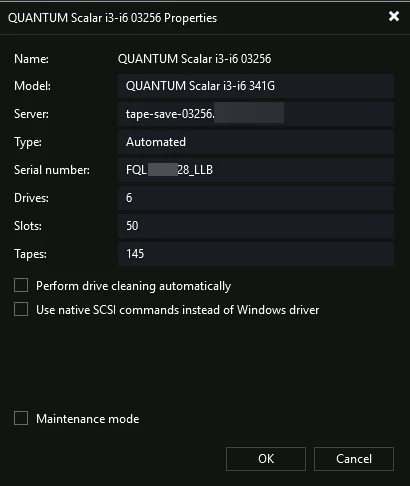
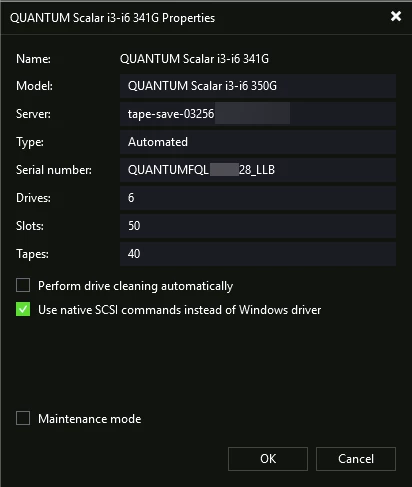
- QUANTUM Scalar i3-i6 341G: QUANTUMFQL*****28_LLB
- QUANTUM Scalar i3-i6 03256 (currently offline): FQL*****28_LLB
Unfortunately, I don’t have the original serial number for the QUANTUM Scalar i3-i6 341G.
2 – Firmware version visible in the model:
- QUANTUM Scalar i3-i6 341G: QUANTUM Scalar i3-i6 350G (firmware version installed on 08/13)
- QUANTUM Scalar i3-i6 03256 (currently offline): QUANTUM Scalar i3-i6 341G (old firmware version)
This suggests that Veeam did not update the existing library but rather the one that had been offline for a very long time.
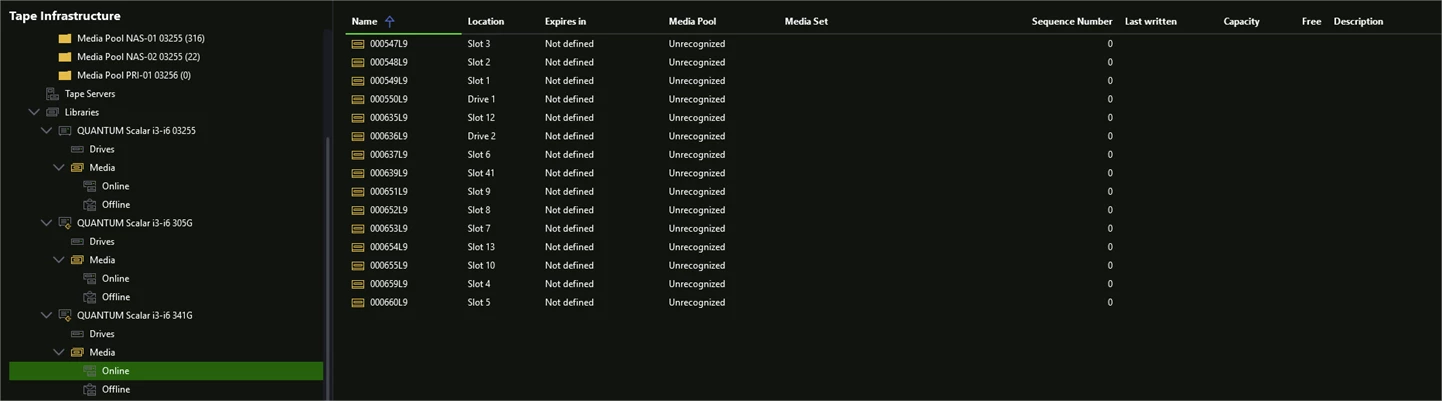
3 – Presence of the same tapes in both libraries:
- QUANTUM Scalar i3-i6 341G: Online
- QUANTUM Scalar i3-i6 03256 (currently offline): Offline
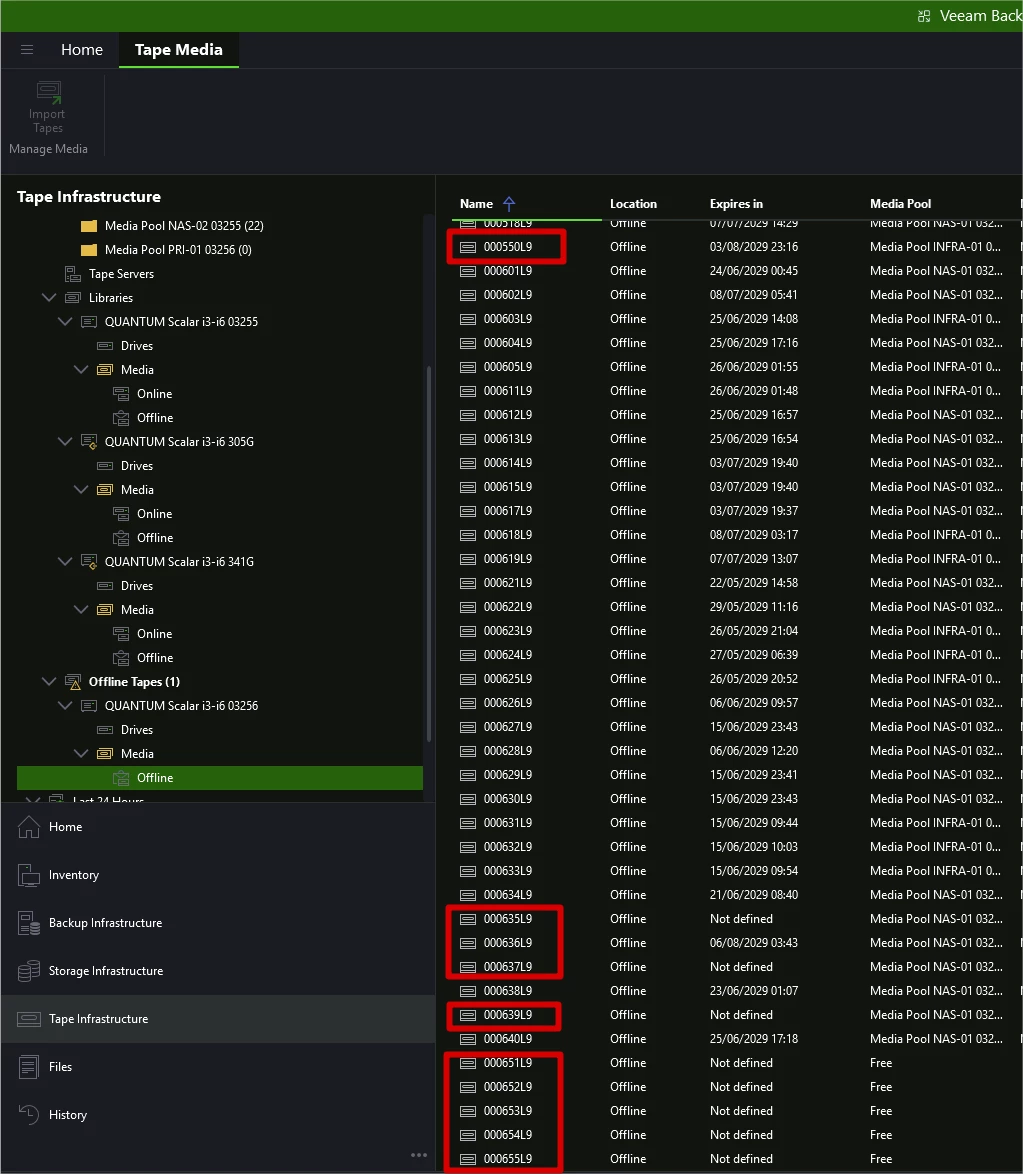
4 – The tapes shown as online on the QUANTUM Scalar i3-i6 341G are indeed those available on the QUANTUM Scalar i3-i6 03256 library.
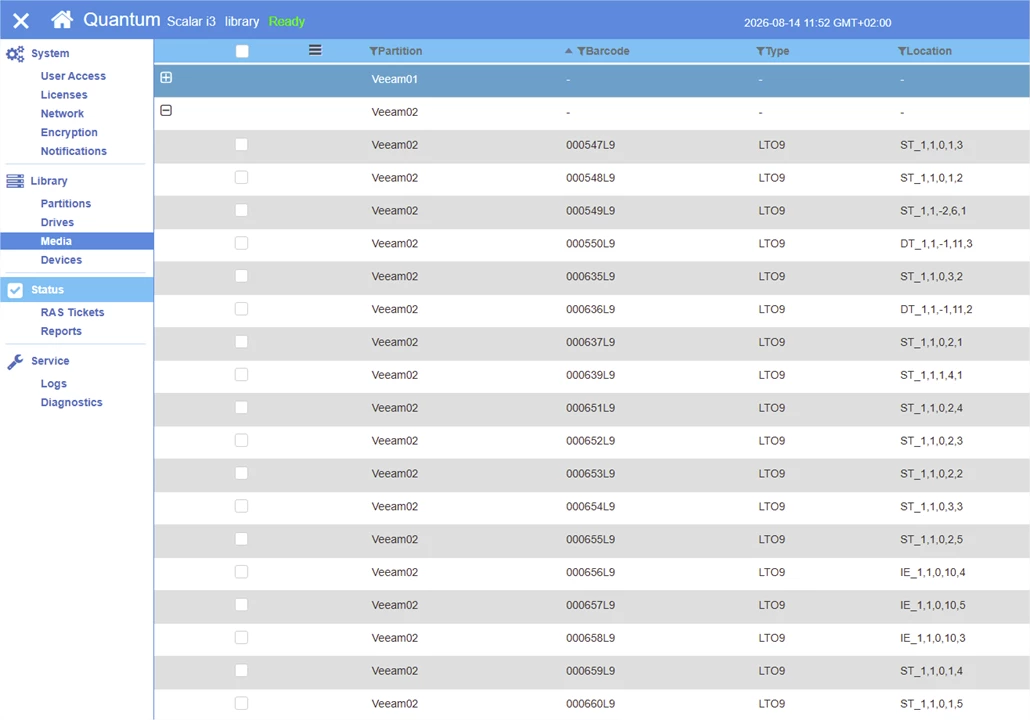
I have, of course, tried “rescan library,” “rescan tape servers,” and checked and tested the “Use native SCSI commands instead of Windows driver” option in the library properties under various configurations.
Have you ever encountered a similar problem?