Question

Remove old managed server

  • February 26, 2026
  • 7 comments
  • 31 views

We have replaced are our physical servers and are decommissioning the old servers.  I have two servers that were setup and functioning as proxies in Veeam.  When i go to remove the server, i get a message saying the server can’t be removed because it is still associated with backups.  The backups it indicates are blocking are no longer jobs and the only references to those names i can find are in the Orphaned and Exported Disks section, but there is no option in there showing an association to a server or a way to change anything.
I have opened a case with support (02943295) and so far they are suggesting that we will need to manually edit the database records to remove this association.

I am curious if any one else has had to manually modify database records just to remove old servers from Veeam Backup and Replication?  This does not seem to make sense and is likely just masking the real issue.

7 comments

Chris.Childerhose
Forum|alt.badge.img+21
  • Veeam Legend, Veeam Vanguard
  • February 26, 2026

There are cases where you need support to manipulate the DB for things like this.  So it is more common than you think.

If you go into the Orphaned or Exported Disk parts of the tree and try to remove from Configuration or disk - can you then remove the servers?  If not, wait on support to fix the DB.


matheusgiovanini
Forum|alt.badge.img+8

Based on what you described, this usually happens when there are still internal references in the Veeam database related to old restore points or orphaned jobs, even if nothing appears in the interface anymore. This kind of “leftover” data is fairly common, especially when the proxy was involved in backup chains that were removed or exported.

In some cases, there really isn’t a way to remove the server through the console alone, because Veeam keeps these associations in the database. Support typically recommends manually cleaning up these records or running a specific SQL script. I’ve seen this occur before when there were orphaned restore points and old entries under “Exported Disks.”

So you’re definitely not the first — this can happen depending on the job history and the VBR version. If support is advising a database adjustment, it’s likely the correct and safest approach to remove the proxy without causing issues in the environment.


coolsport00
Forum|alt.badge.img+21
  • Veeam Legend
  • February 26, 2026

No...I’ve not needed to do this before ​@chas_ Best to wait on Support for this one. I’m curious how they go about getting your sorted.


AndrePulia
Forum|alt.badge.img+9
  • Veeam Vanguard
  • February 26, 2026

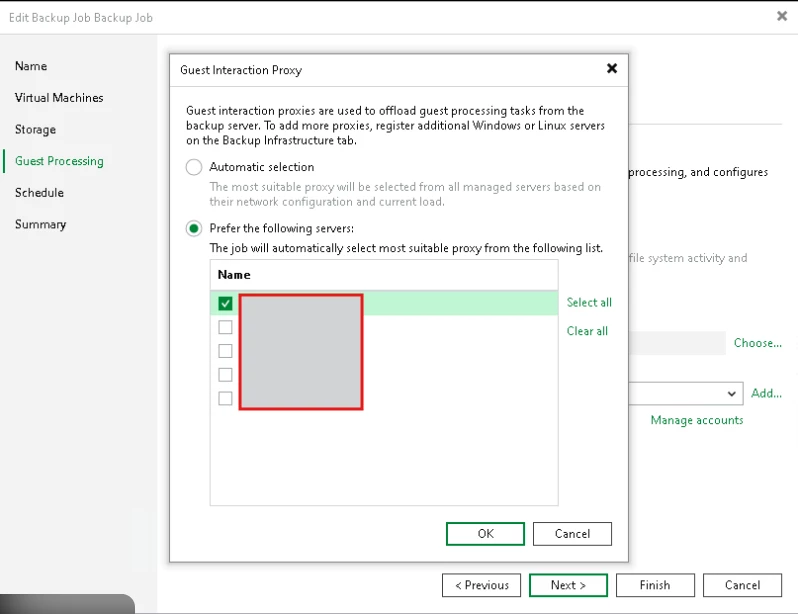
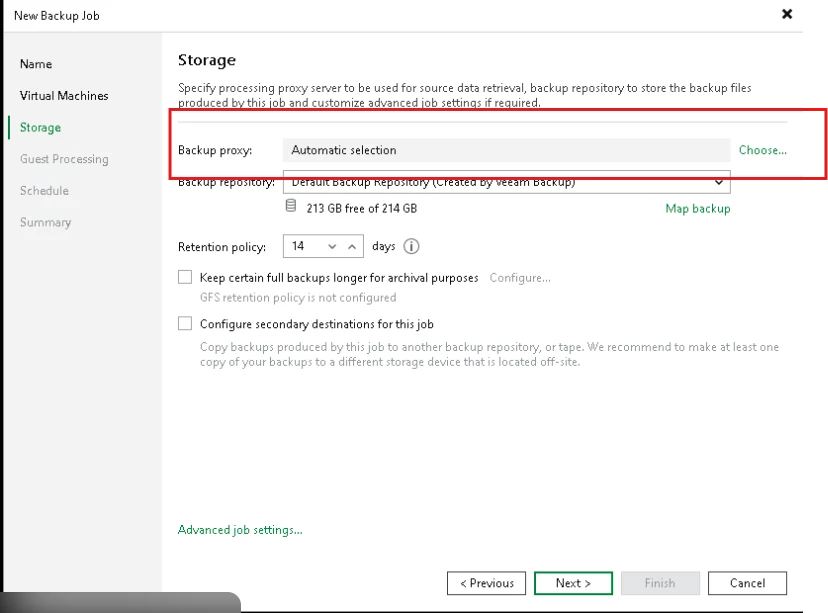
@chas_ Would you mind to double check if your proxy server has another component installed on it such as GIP, mount server, distribution server, etc.

And check if it is set as prefered in the GIP, Distribution server, etc.


Normally, we got a message indicating the jobs that are using the component.


Here

or here:


  • Author
  • New Here
  • February 26, 2026

The server is no longer a proxy and has been removed from that section.  It only has the transport server remaining and only shows under the Managed Servers section from Infrastructure.  I have checked all my existing jobs and none of them are pointing to it, and most are set for automatic selection.   
The jobs it does mention are no longer listed in the Jobs section, so i can’t change anything on those.


AndrePulia
Forum|alt.badge.img+9
  • Veeam Vanguard
  • February 26, 2026

Thank you Chas, better to wait for the support team.


kciolek
Forum|alt.badge.img
  • Comes here often
  • February 27, 2026

I haven’t experienced anything like this before. I would wait for support in case changes need to be made the database.