
[Post updated on January 23rd]
As a Solution Engineer, I never demo or validate a solution in production, and I shouldn’t. MS Dev tenants are the standard: isolated, safe, and disposable.
On paper, they’re ideal: all M365 services are provisioned, licensed, and ready.
In reality, they’re empty shells. Blank mailboxes. Empty SharePoint sites. Silent Teams. No data, no history, no behavior. And without behavior, I can’t properly demonstrate, test, or stress a solution.
That’s the real issue: I don’t need just a tenant, I need a living environment. One that reflects real-world structures, volumes, permissions, and inconsistencies. Without that, demos feel artificial, performance tests are misleading, and edge cases only appear in production.
I started by building scripts to automate content creation in M365. It worked, up to a point.
As soon as I needed randomness in the assets, multiple item types, and all their specific behaviors, the setup became increasingly hard to manage. Too many scripts, too many parameters, too much orchestration logic spread everywhere.
That’s when the idea shifted.
Instead of juggling independent scripts, I needed a single engine capable of building realistic M365 environments on demand. One orchestrator that drives data creation across Exchange, OneDrive, SharePoint, and Teams, following real usage patterns..
I control the scale, the variability, and the timing. I can generate a tenant that looks six months old, simulate intense collaboration, or reproduce complex folder and permission hierarchies in a single run.
The result isn’t just more data, it’s confidence.
Demos feel authentic, tests reflect real conditions, and my MS dev tenants finally behave like the environments my customers actually run.
That’s exactly why I built my M365 Fake Data Generator :
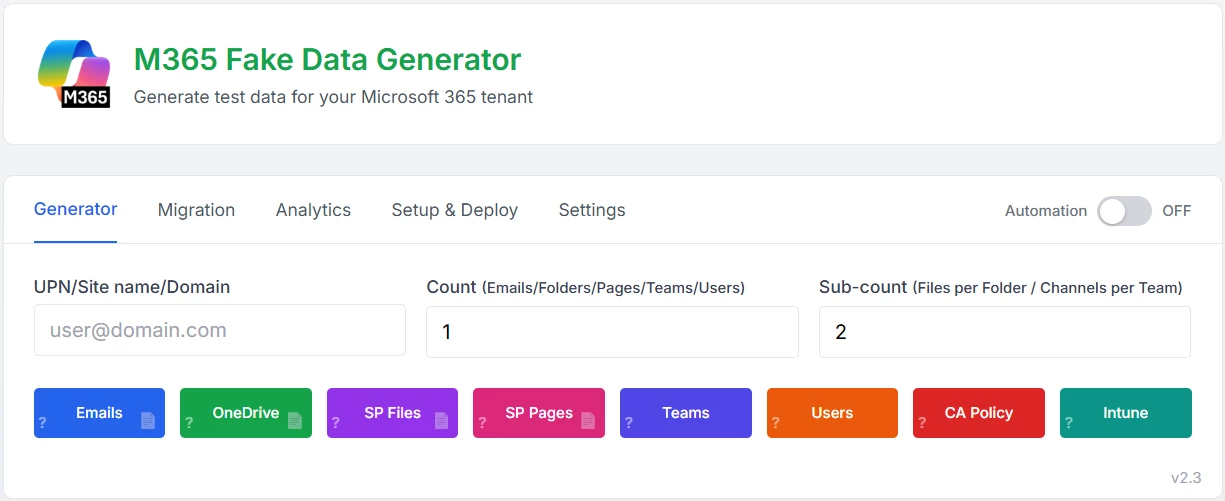
The main idea is to act in 3 steps:
- Generate data
it automatically create realistic M365 content (users, mailboxes, OneDrive and SharePoint files, SharePoint pages, Teams activity, CA policies, Intune compliances) following real usage patterns.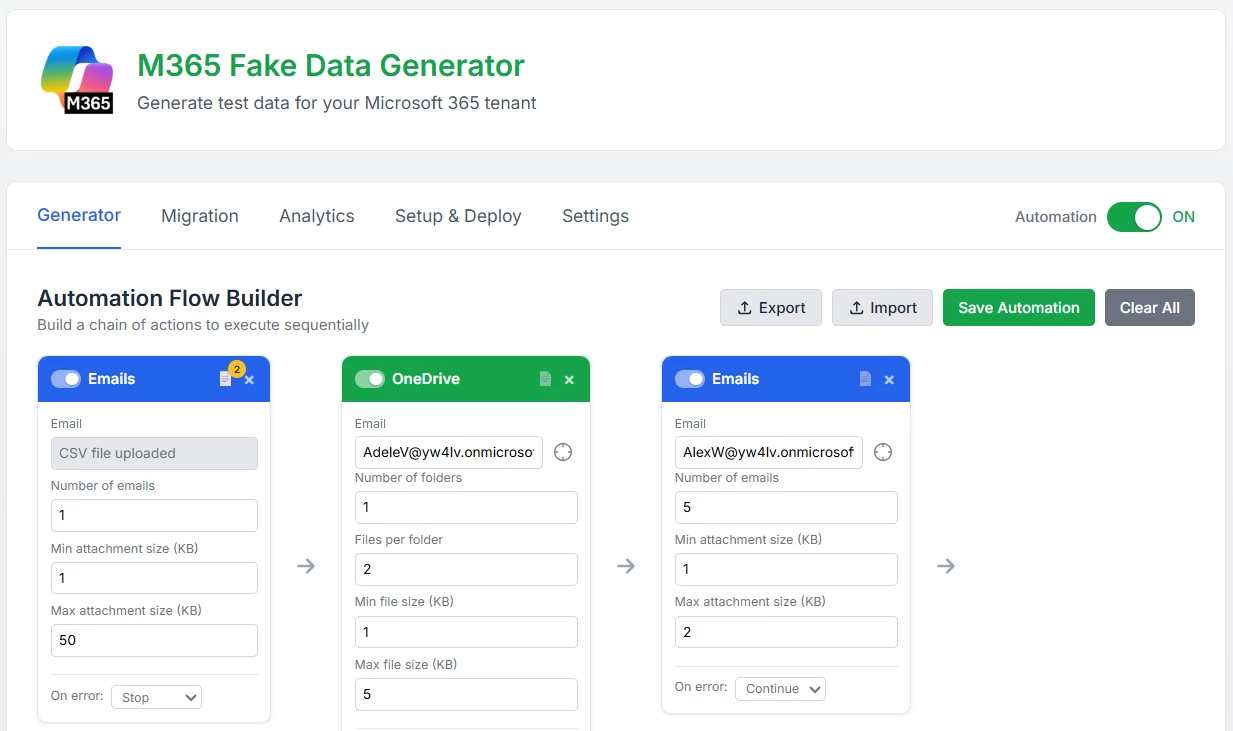
- Copy / migrate data between UPN
Easily scale a user’s data asset model to another user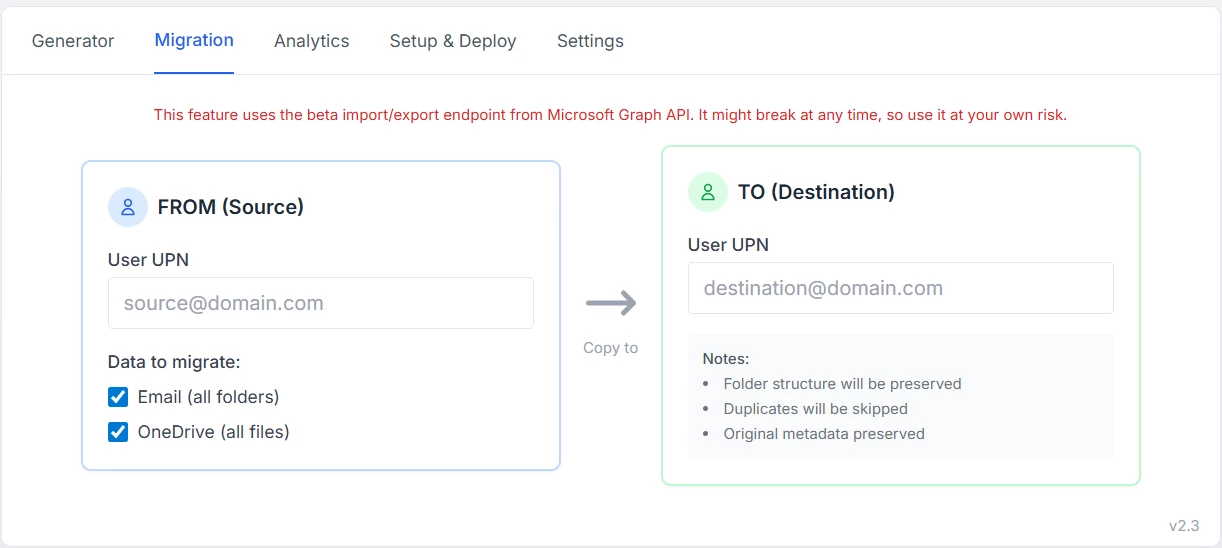
- Analyze your MS dev tenant
it extract insights from the tenant to understand data distribution, relationships, volume, and overall behavior.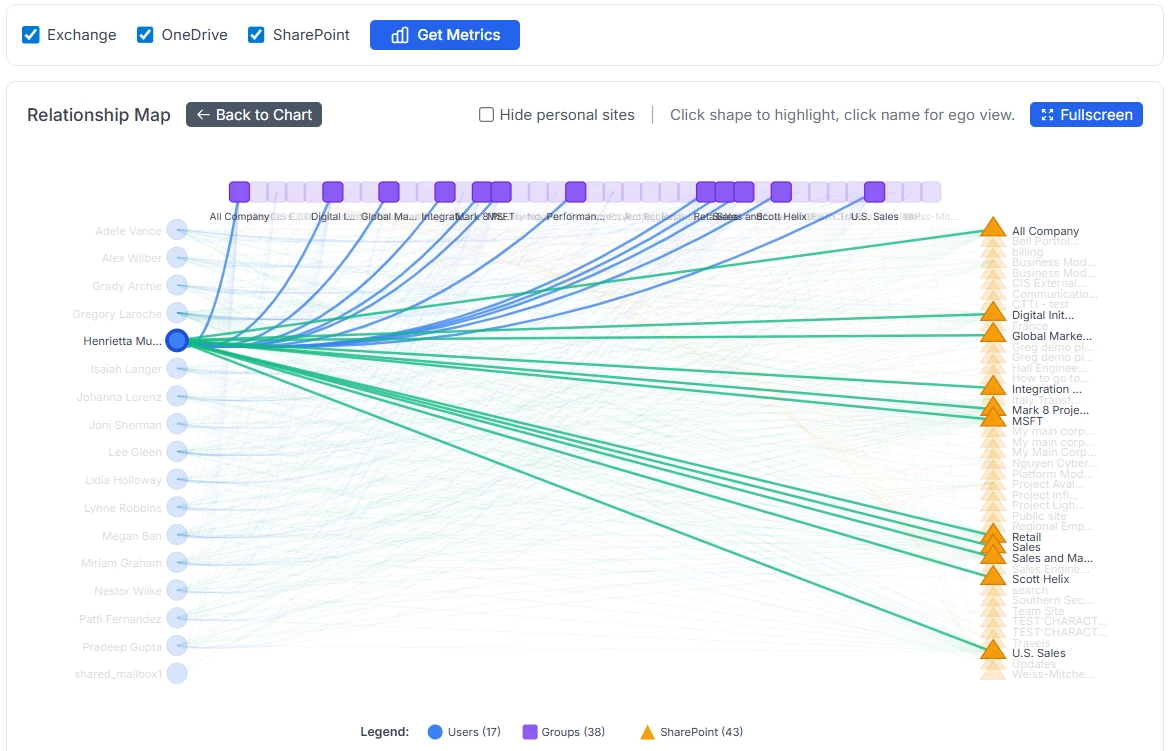
If you want to try it, I host it myself and you can find it here:
https://m365generator.point4.fr
login : GregHSH
Password : Bilbothehobbit
it comes with a pretty long list of features. To avoid repeating the full explanation here, I’m sharing my blog article where all details are documented: https://home.point4.fr/m365-fake-data-generator-and-data-migration/
Here’s my very first post to this awesome community, super excited to share it with you all!😊
Update on January 23rd
new features and expanded capabilities added to the tool! 😊
Hey everyone, just wanted to share a few new features I’ve recently added to the tool:
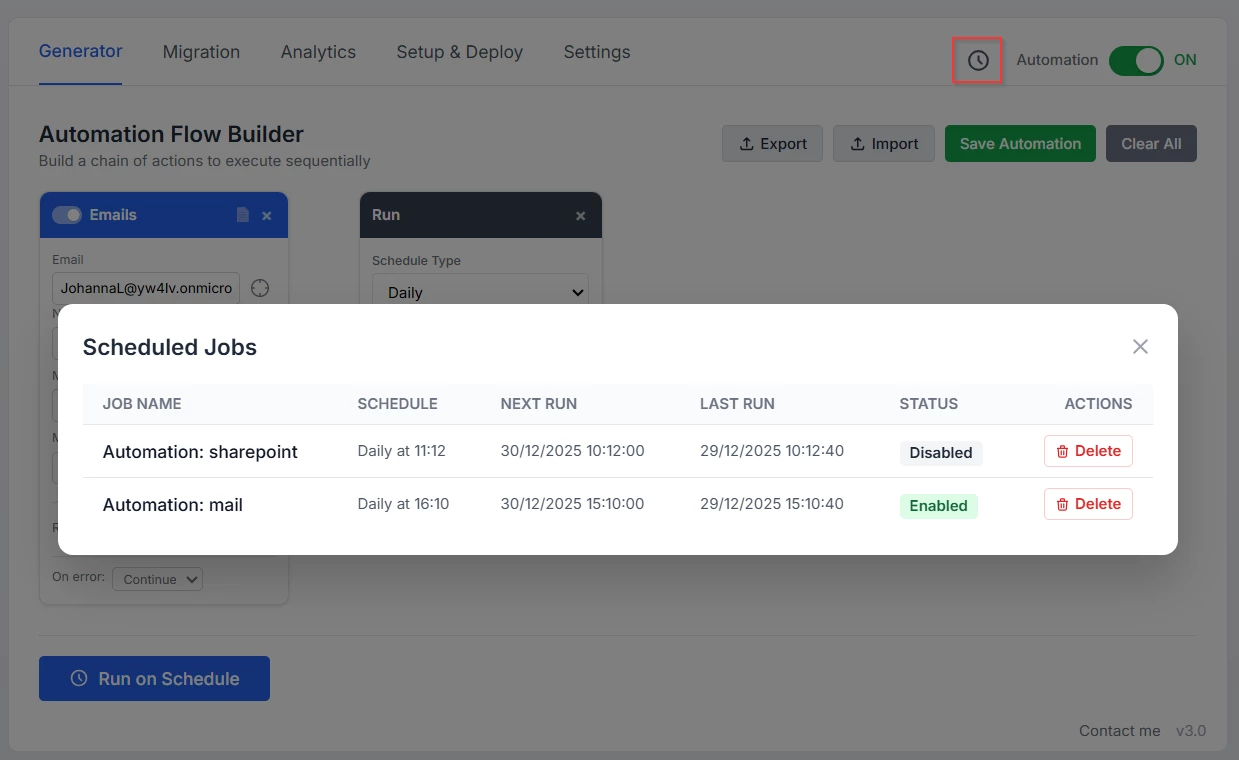
- Job scheduling: the tool now includes a built-in scheduler that can run your automation flow jobs at whatever intervals you choose. It’s a great way to bring some activity to an email account, just like in real life, by receiving a batch of new emails every day.
- Random factor: this adds a touch of unpredictability to the numbers. In real life, you don’t get the exact same number of emails every day, this feature mimics that by introducing variability.
For example, if you schedule a job to generate 100 emails per day and set a random factor of 50%, the tool will create anywhere between 50 and 150 emails daily every day.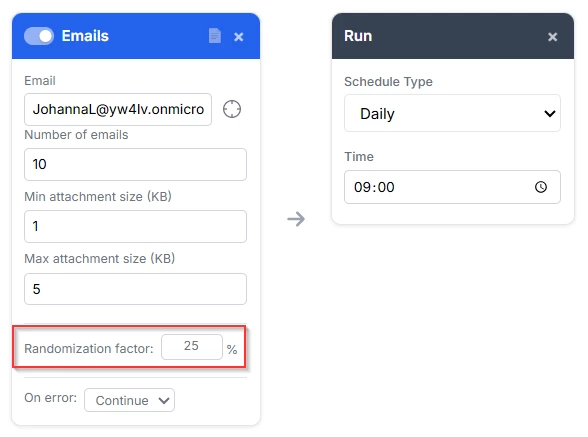
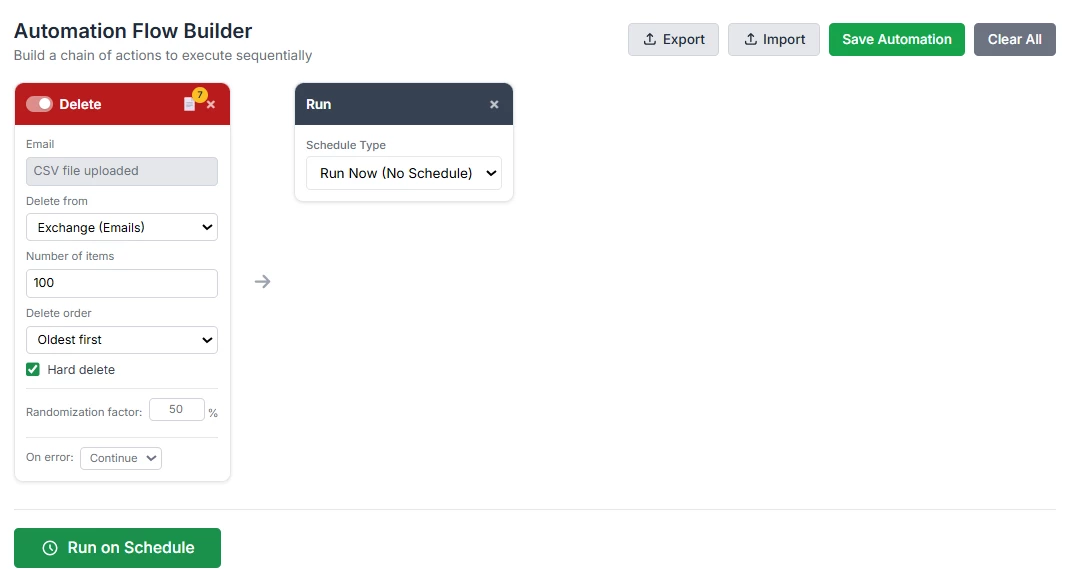
- The deletion card: As your data grows, you might want to automatically clean up older content. You can now schedule deletions, choose how many items to remove, decide whether to start with the oldest or newest, and pick between soft or hard delete. It’s an easy way to keep your tenant clean and tidy.
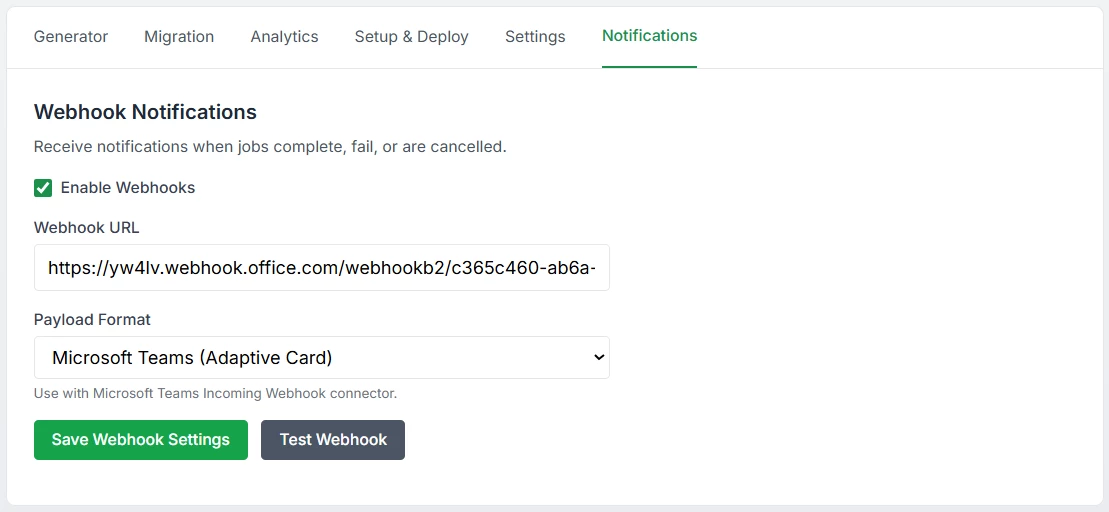
- Notifications: now that scheduled automation is running, it makes sense to keep you informed when a job completes, whether it’s a success or a failure. You can now set up webhook-based alerts. It supports multiple formats: Generic JSON, Teams and Slack are managed.
- Dark mode: well, because it’s cool ! 😎
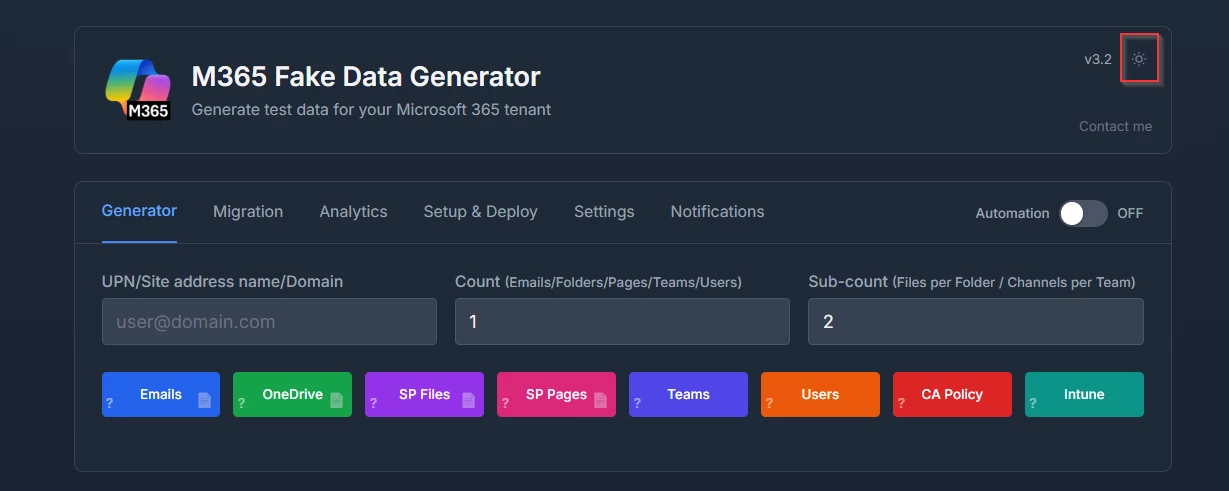
Update on February 4th
V4.0 is out and it brings some cool upgrades, including one major addition! 😄
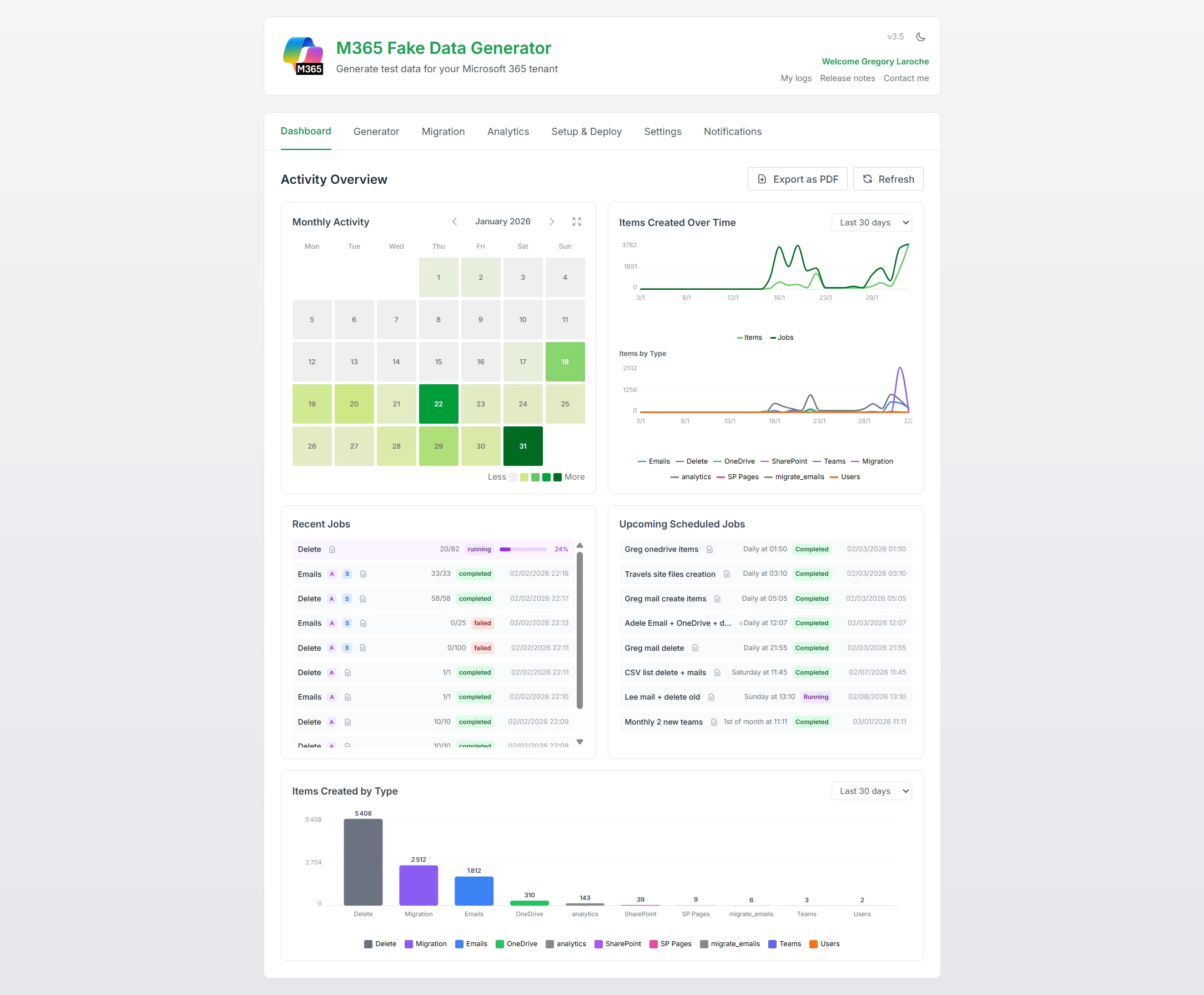
Some of you shared feedback about the need for better visibility into what’s happening behind the scenes, especially when scheduling complex automation flows. And you’re right! When you can’t see what ran, what failed, or what’s about to run, it’s like flying blind.
So, I’ve added a shiny interactive dashboard to the tool!
Now you can easily track all your jobs, past, present, and future, with clarity and confidence.
-
New interactive Dashboard:
I’ve also added some other cool stuff like:
-
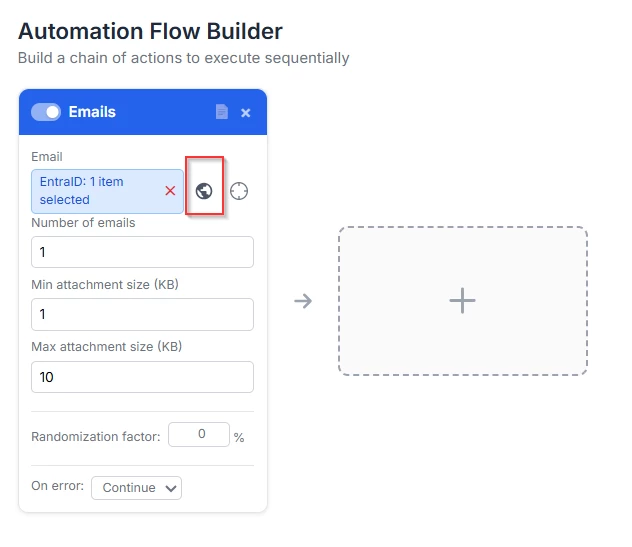
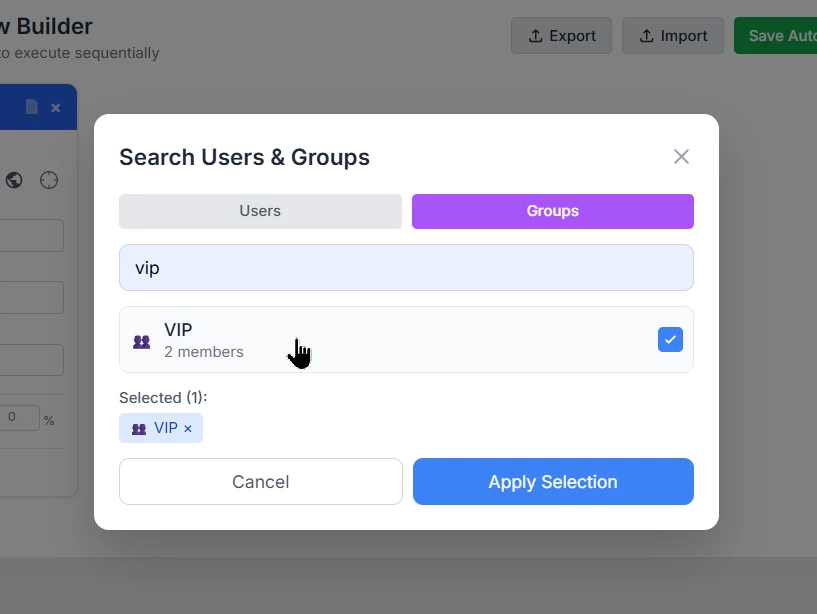
Connect to EntraID for selection
You can now directly use Entra ID users or groups as inputs for your cards.
The data will be created for those users or for every member of the selected group.
-
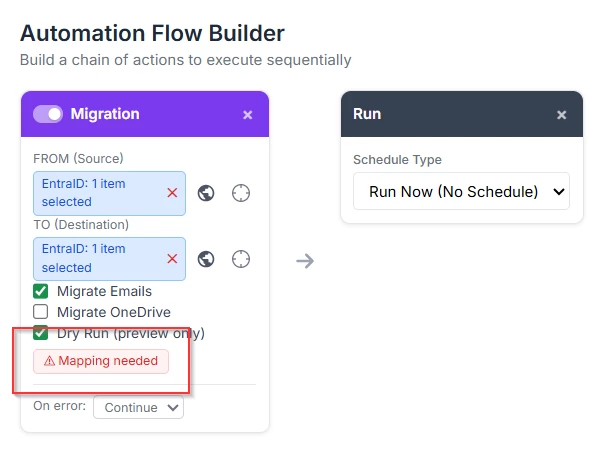
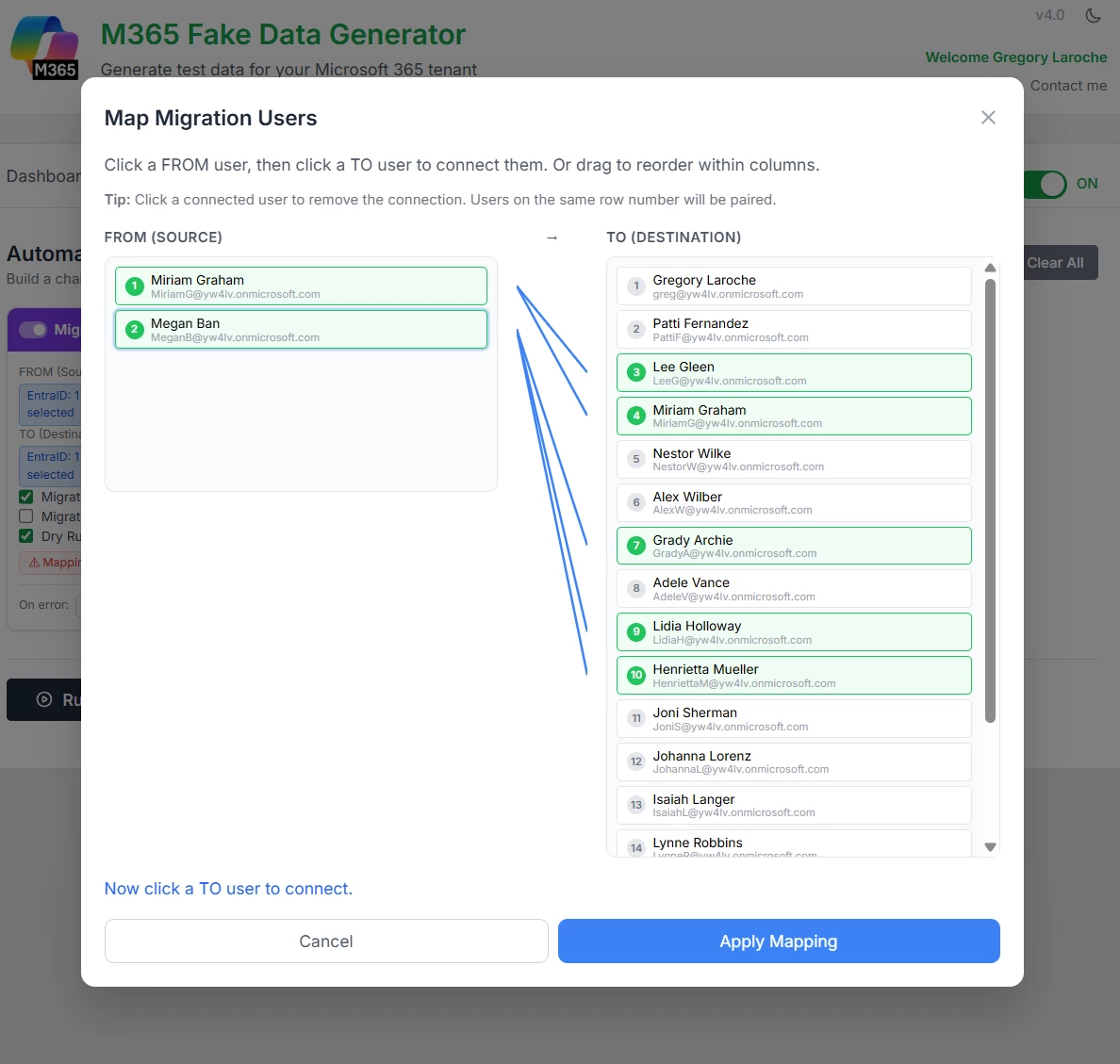
multiple-to-multiple user migration
In the Migration card, you can pick anything for the FROM field: users, groups, or even a mix of both. Same goes for the TO field.
It comes with a shiny new mapping modal to manage this multiple source and target migration.
-
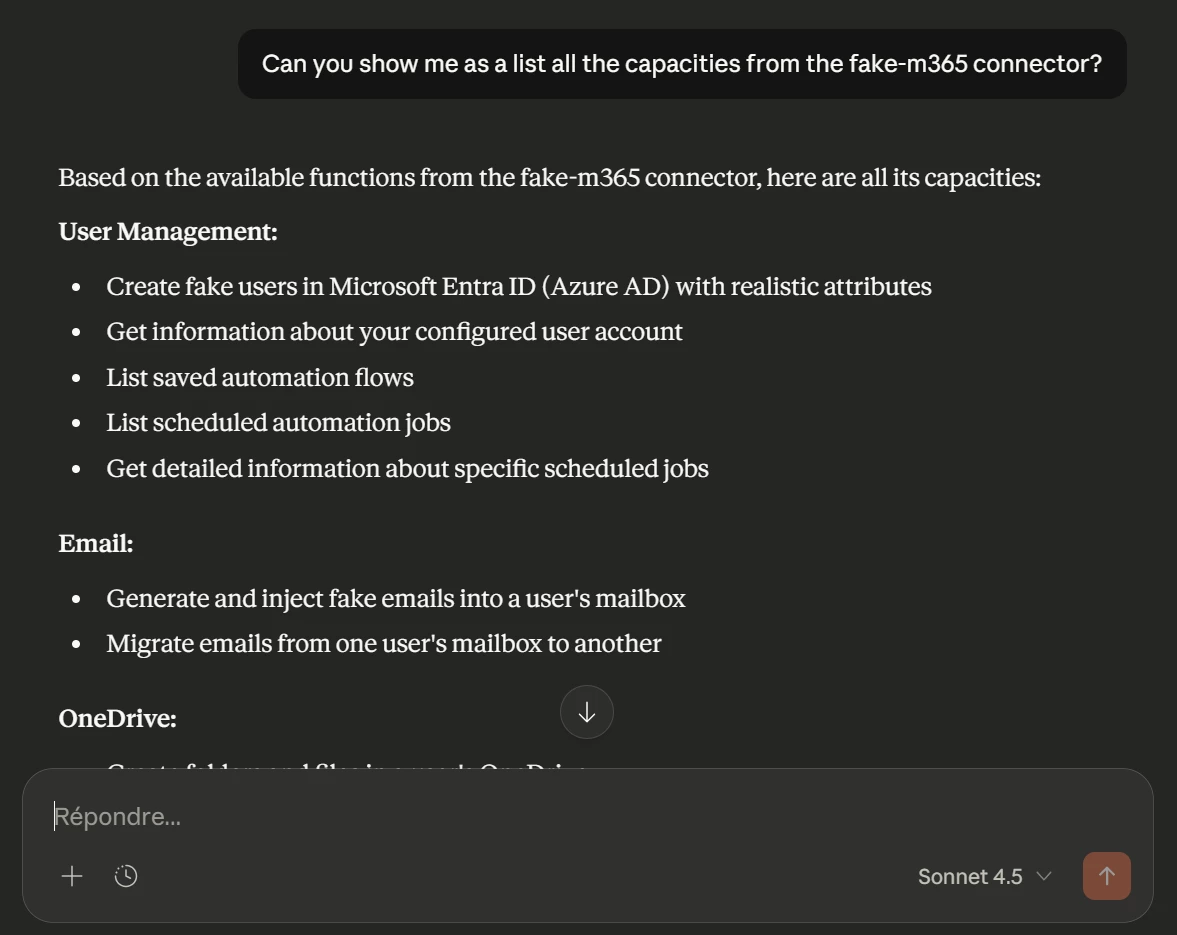
An MCP server
So you can connect your Claude desktop and speak naturally to the M365 generator to order creating complex workflow, scheduling jobs, or simply create a bunch of email to an account.
To try out :
https://m365generator.point4.fr
login : GregHSH
Password : Bilbothehobbit
🔗Link to the blog post : https://home.point4.fr/m365-fake-data-generator-and-data-migration/
🔗Link to the MCP server configuration : https://home.point4.fr/lets-make-it-even-easier-an-mcp-server-for-the-m365-generator-tool/
Here are the latest updates from the M365Generator tool!
Hope you’ll enjoy them my dear community members. 😊
Cheers,
Greg.