Question

Failing P2V using Veeam Recovery Media

  • December 18, 2025
  • 6 comments
  • 26 views

Veeam Backup and Replication v12.3.2 (Free)
VMWare ESXi 8.0 (Free)


Hello Community! I’m hoping someone here can help me.

I have successfully  backed up a physical Windows server using Veeam agent. Created a recovery media to use for restore into a VM. I have created the VM with similar CPU/RAM/Disk as the physical server. Powered on VM and booted it using the recovery media. 

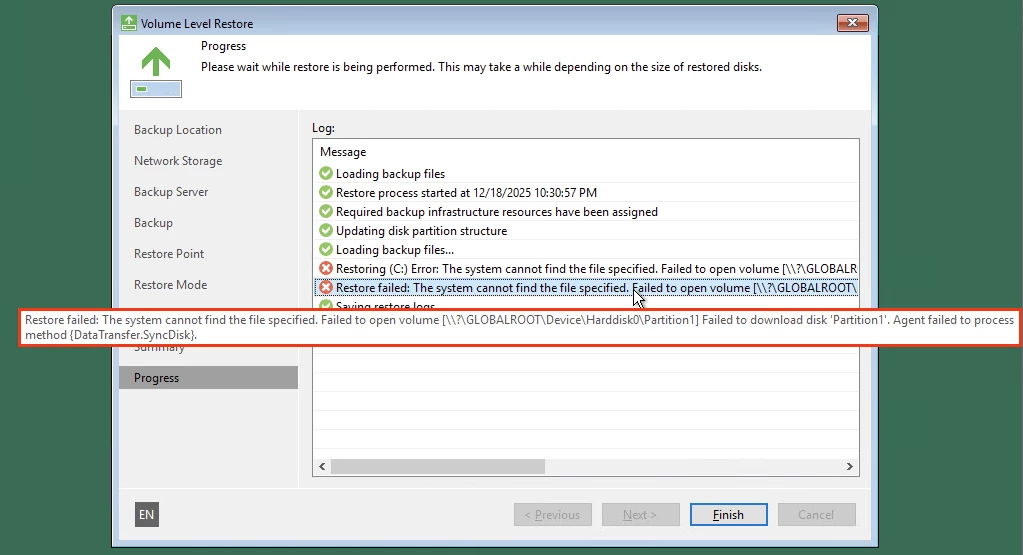
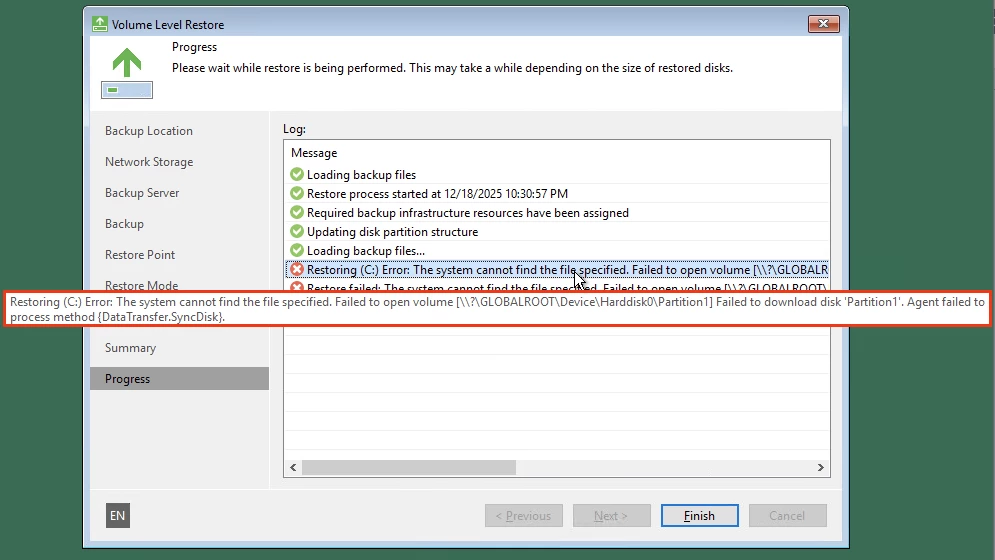
During the restoration, the process fails with these error messages (see below). I tried looking for the logs in C:\ProgramData\Veeam\Backup but there were so many in there so I couldn’t which one to look for. 

If anyone has an idea on how I can resolve this issue, please let me know. If you need logs, please tell me which one to look for.

Thank you very much!
 

Error Message 1
 
Error Message 2


6 comments

Andanet
Forum|alt.badge.img+12
  • Veeam Legend
  • December 18, 2025

  • Author
  • New Here
  • December 18, 2025

Hello Andanet, I don’t think that’s possible for me if I’m using the free ESXi. Right?


  • Author
  • New Here
  • December 18, 2025

I forgot to add that the backup files are just stored in Veeam Backup Repository.


  • Author
  • New Here
  • December 18, 2025

Also, the Veeam backup server and the VM is in the same LAN so network should not be an issue. I am suspecting permissions but I don’t know how/why. I don’t know which log to look for to get more information about this issue.


Andanet
Forum|alt.badge.img+12
  • Veeam Legend
  • December 19, 2025

Hello Andanet, I don’t think that’s possible for me if I’m using the free ESXi. Right?

Correct, I didn't realise you had written that...Sorry


Link State
Forum|alt.badge.img+11
  • Veeam Legend
  • December 19, 2025

HI ​@rcal888 

This issue is quite common and is usually caused by several factors:

Storage controller compatibility:
ESXi uses VMware Paravirtual (PVSCSI) as its default controller, but Windows recovery media often does not have this driver by default.

Switch VM disk controller to LSI Logic SAS
➡ Retry restore

Disk size and configuration incompatibility:
Even when disks appear to be of ‘similar’ size, recovery may fail if:
- The destination disk is smaller than the source disk (even by as little as 1 MB)
- There is a GPT/UEFI vs BIOS incompatibility between the source and destination
- The required drivers are not present on the recovery media

Physical server considerations:
If the physical server originally used RAID or special storage drivers, these dependencies can cause recovery issues when migrating to a virtual environment.

Ensure that the recovery media includes the necessary PVSCSI drivers, verify the exact disk sizes, and ensure boot mode compatibility between the source and destination systems.


Let me know if any of these causes apply.
Best regards