Question

Failing P2V using Veeam Recovery Media

  • December 18, 2025
  • 4 comments
  • 15 views

Veeam Backup and Replication v12.3.2 (Free)
VMWare ESXi 8.0 (Free)


Hello Community! I’m hoping someone here can help me.

I have successfully  backed up a physical Windows server using Veeam agent. Created a recovery media to use for restore into a VM. I have created the VM with similar CPU/RAM/Disk as the physical server. Powered on VM and booted it using the recovery media. 

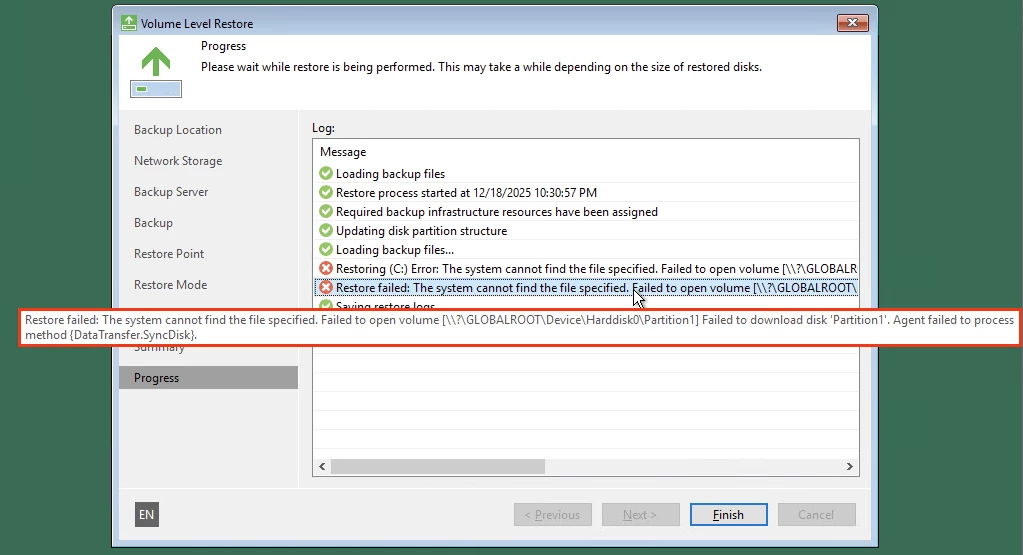
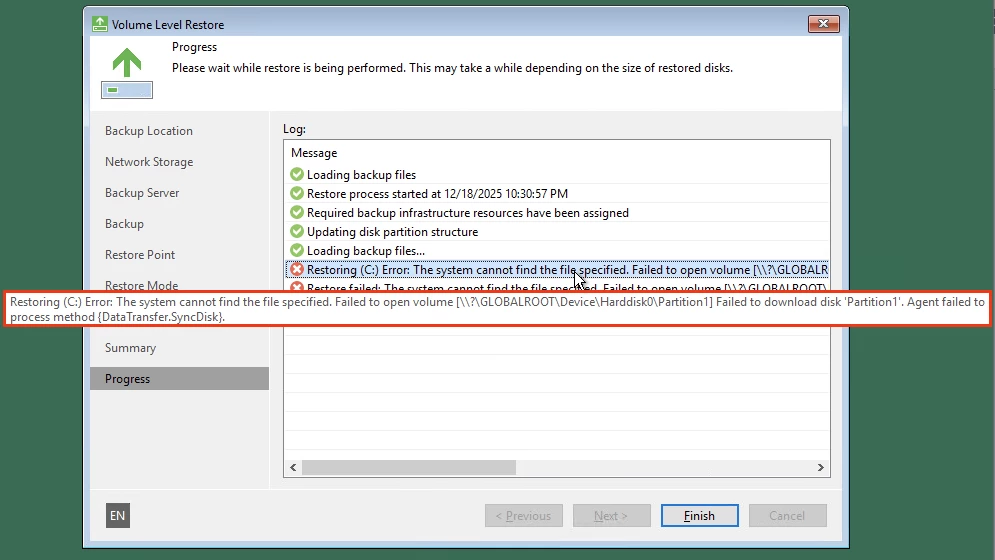
During the restoration, the process fails with these error messages (see below). I tried looking for the logs in C:\ProgramData\Veeam\Backup but there were so many in there so I couldn’t which one to look for. 

If anyone has an idea on how I can resolve this issue, please let me know. If you need logs, please tell me which one to look for.

Thank you very much!
 

Error Message 1
 
Error Message 2


4 comments

Andanet
Forum|alt.badge.img+12
  • Veeam Legend
  • December 18, 2025

  • Author
  • New Here
  • December 18, 2025

Hello Andanet, I don’t think that’s possible for me if I’m using the free ESXi. Right?


  • Author
  • New Here
  • December 18, 2025

I forgot to add that the backup files are just stored in Veeam Backup Repository.


  • Author
  • New Here
  • December 18, 2025

Also, the Veeam backup server and the VM is in the same LAN so network should not be an issue. I am suspecting permissions but I don’t know how/why. I don’t know which log to look for to get more information about this issue.