Question

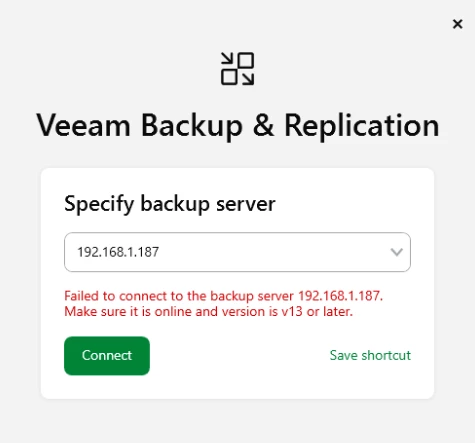
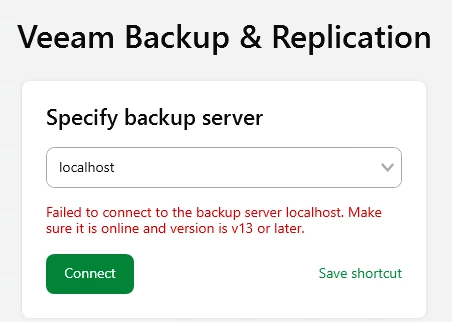
Failed to connect to the backup server localhost.

  • March 16, 2026
  • 3 comments
  • 14 views

Hello


Im very new to Veeam and i installed on a server Veeam Backup and Replication. Now i get this error message: (it never worked)


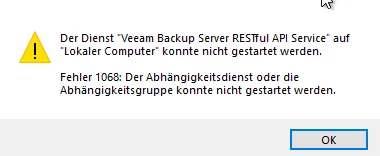
I read that the API Service needs to be started, but this is not working and an error occurs.



Also its not possible do uninstall the Veeam Software with the Error → Windows cannot access the specified device, path, or file. You may not have the appropriate permissions to access the item. It is the adiminstrator user.


The new Update i was able to install but also after this update from march i get the same error message.


Does anyone have a idea how i can fix this issue?

3 comments

Chris.Childerhose
Forum|alt.badge.img+21

I would check the logs here - C:\ProgramData\Veeam\Backup and if nothing seems to stand out, then open a support ticket as this message could be various things as I am sure there is no one specific solution.


kciolek
Forum|alt.badge.img+1
  • Influencer
  • March 16, 2026

have you tried putting the FQDN or IP of the backup server? I’ve had this before and some of the services were still starting. If this doesn’t work open a case with support as Chris suggested. 


Andanet
Forum|alt.badge.img+12
  • Veeam Legend
  • March 16, 2026

hi ​@manuel2711 have you used a DOMAIN Administrator during installation to start the services?