
Question

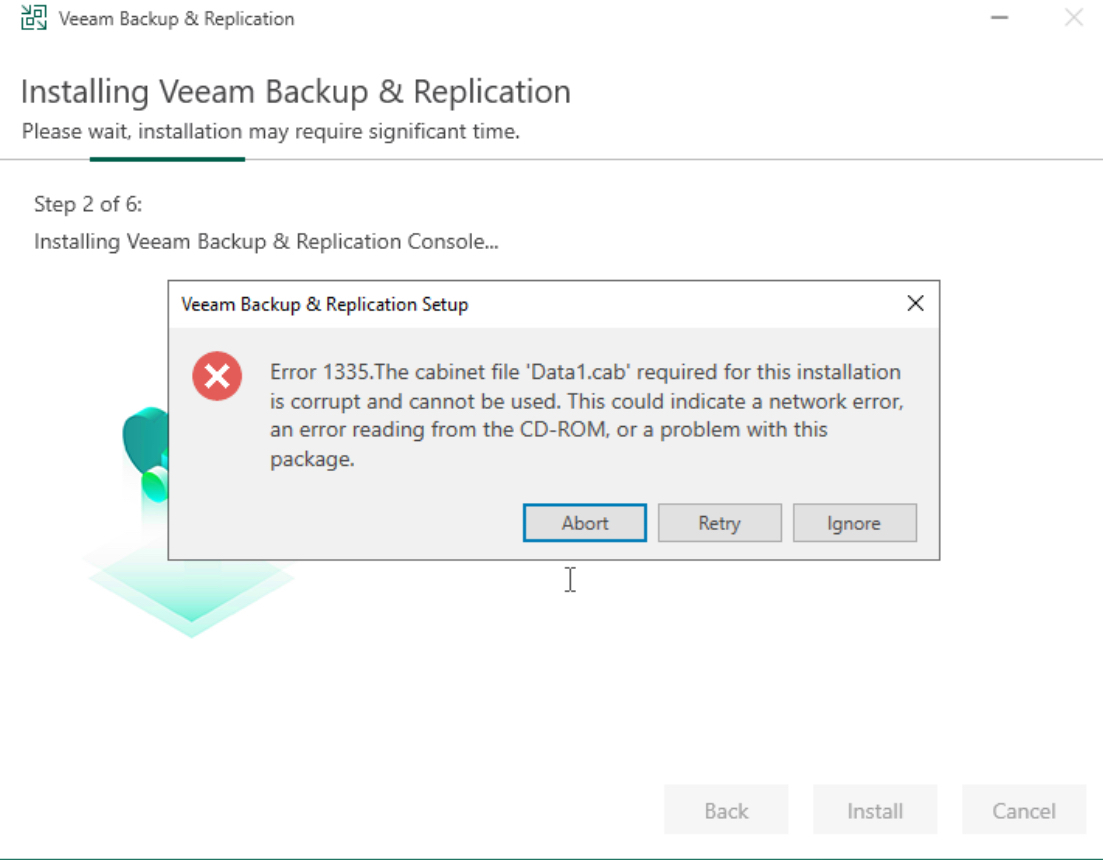
Error 1335.The cabinet file 'Data1.cab' required for this installation

  • March 10, 2024
  • 9 comments
  • 1076 views

Hello,

I‘m very frustrated now. Had Community for years in use without any problems. Yesterday I could not open management console and get an error message. I try to reinstall software but get this error. Tried an installation on new W2022 same error. Search google - no success. Tried to solve this problem 8 hour. Now I‘m at the end of my knowlegde.


9 comments

coolsport00
Forum|alt.badge.img+21
  • Veeam Legend
  • March 10, 2024

Hi @MichaelMarold -

Welcome to the Community. Have you tried to re-download the installer & then reattempt the install? 


  • Author
  • New Here
  • March 10, 2024

I‘ve downloaded the file 3-4 times, the previous version too and the 11a. No success.


  • Author
  • New Here
  • March 10, 2024

Downloaded Essential Plattform Edition. From this I‘ve installed B&R only without license. In this case it is licensed as community edition. And it worked. Don‘t know what the difference between this two B&R installations. 9 hours of my life for nothing *grrrr*


coolsport00
Forum|alt.badge.img+21
  • Veeam Legend
  • March 10, 2024

Hmm...interesting. We'll, glad you got it sorted.

If I find anything on this issue, I'll post. 


Chris.Childerhose
Forum|alt.badge.img+21

Downloaded Essential Plattform Edition. From this I‘ve installed B&R only without license. In this case it is licensed as community edition. And it worked. Don‘t know what the difference between this two B&R installations. 9 hours of my life for nothing *grrrr*

The edition of the installer should not have mattered but glad you got it installed.


coolsport00
Forum|alt.badge.img+21
  • Veeam Legend
  • March 10, 2024

Hi @MichaelMarold ...I came across a few things to try:

1. If you have an A/V solution installed, temporarily disable then try to install. 

2. Rt-click the installer and choose 'Run as administrator'.

3. Disable UAC. 

4. Clear the %temp% folder 

See if one of those work. 


  • Author
  • New Here
  • March 10, 2024

Hi Coolsport,

I‘ve successfully installed ist with Essential edition. No more tries :-)

Before the unsuccessful installation, I disabled Defender. I always start installation as administrator. I never had a temp folder.


coolsport00
Forum|alt.badge.img+21
  • Veeam Legend
  • March 10, 2024

Ok...understood 😊


  • New Here
  • February 16, 2026

I just wanted to add an update to this as it’s the only reference to this error I can find and I have been struggling with this error for days. In my case after long and arduous troubleshooting I found I had a bad stick of RAM.


I had tried creating new VM after new VM from scratch with fresh Windows Server ISO on ESXi. Everything would go well until I went to install Veeam. I would get error 1335 data1.cab at different spots throughout the install process. Different spot every time, but same error. Finally ran memtest86 off a USB stick on the host and found a bad stick of RAM. Replaced the stick and everything is AOK.



