Question

Disable full backup schedule on Tape

  • February 13, 2026
  • 4 comments
  • 31 views

hs08
Forum|alt.badge.img+1
  • Comes here often

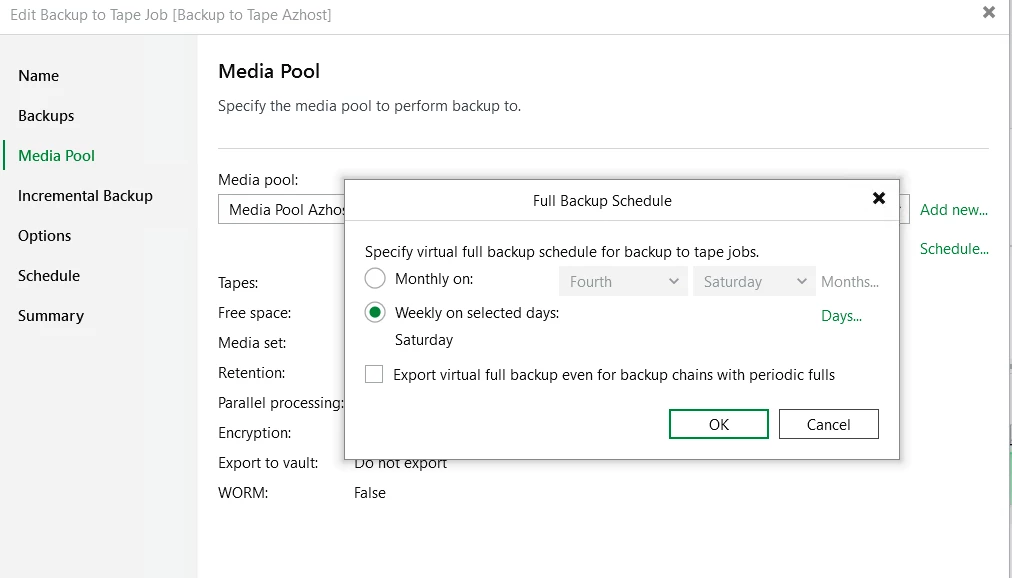
If we use forward forever incremental backup on the tape, can we disable the full backup schedule?

 

4 comments

matheusgiovanini
Forum|alt.badge.img+8

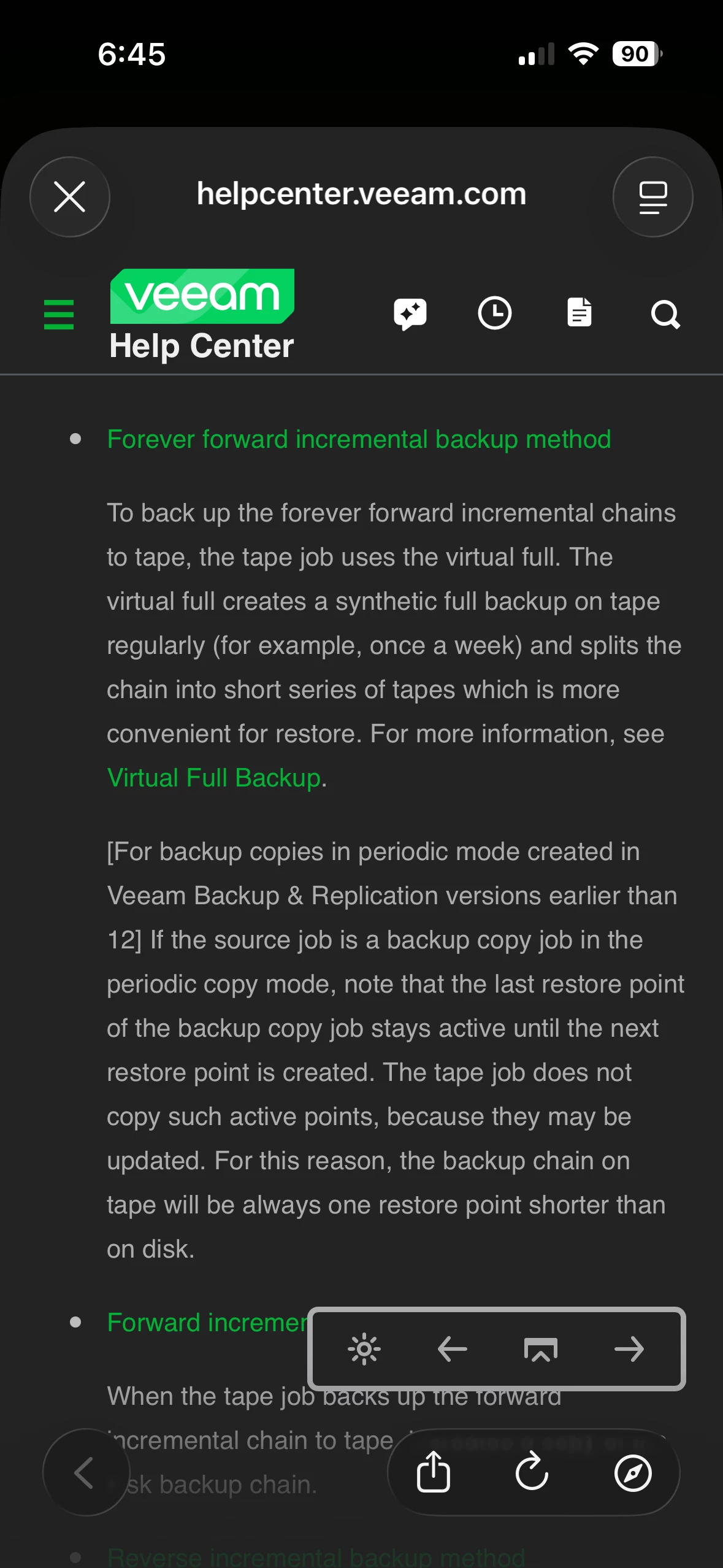
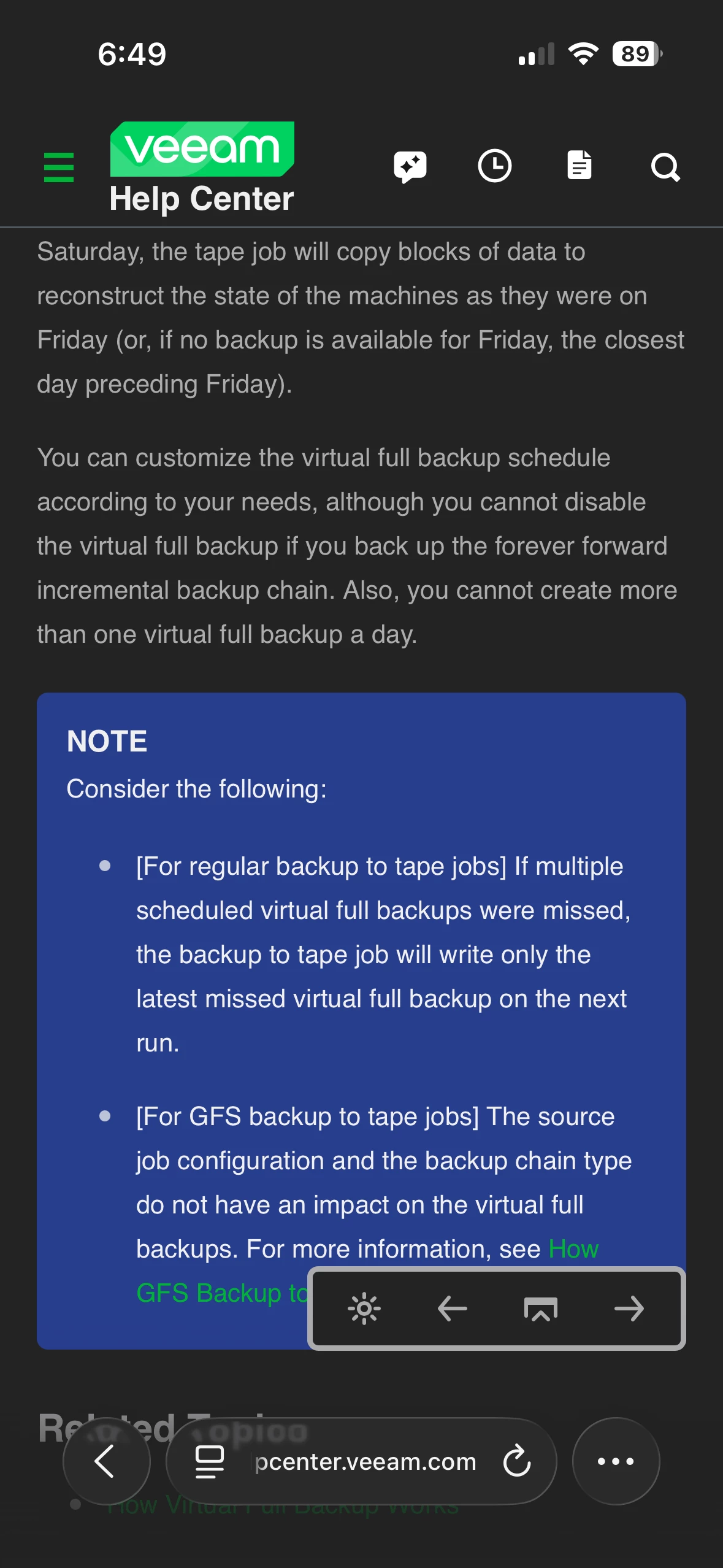
In the case of the tape job, it is not possible to disable the Full.

Even when using forward forever incremental on the disk backup, the tape job always needs a Full (normal or Synthetic Full) to build the chain and write everything to tape. For this reason, the Full schedule in the tape job cannot be removed.


“You can customize the virtual full backup schedule according to your needs, although you cannot disable the virtual full backup if you back up the forever forward incremental backup chain. Also, you cannot create more than one virtual full backup a day.”

https://helpcenter.veeam.com/docs/vbr/userguide/virtual_full_backup.html?ver=13


matheusgiovanini
Forum|alt.badge.img+8

Hello ​@hs08 i’m just checking in to see if your question has been answered. If so, we can mark it as solved. Let us know.


Chris.Childerhose
Forum|alt.badge.img+21

@hs08  - Just wanted to follow up on your question to see if you received an answer and if so, please mark the best answer, even if it is your own that helped with your issue.


matheusgiovanini
Forum|alt.badge.img+8

Hi there! I was wondering if the information above helped clarify the issue or if your question has been resolved. If so, please mark the topic as answered so the solution stays visible and can help other community members facing the same error!